 Colin M



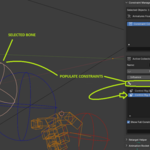
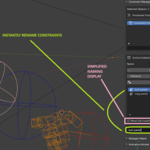
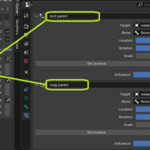
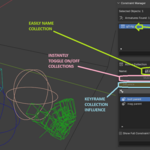
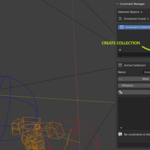
This guide walks you through the most common workflow: grouping and controlling constraints on a rig.
1. Open Constraint Manager
-
Select a mesh that uses an Armature or select the Armature object directly.
-
Open the 3D Viewport Sidebar (N).
-
Go to the Constraint tab and open Constraint Manager.
2. Create a Constraint Collection
-
In the collections list at the top, click +.
-
A new Constraint Collection is created.
-
Optionally rename it (e.g. IK Controls, Face Rig, Secondary Motion).
Collections act as containers for constraints you want to control together.
3. Add Constraints to the Collection
You can add constraints in two ways.
Option A: Add from Pose Selection (recommended)
-
Switch the Armature to Pose Mode.
-
Select one or more bones.
-
Click Add Selected Bones’ Constraints.
All constraints found on the selected bones are added automatically.
Existing constraints in the collection are skipped.
Option B: Add Manually
-
Click + next to the constraint list.
-
Search for a constraint from any armature related to the current selection.
-
Select it to add it to the active collection.
4. Control the Collection
With a collection active:
-
Mute disables all constraints in the collection.
-
Unmute re-enables them.
-
Influence scales influence across all constraints in the collection.
This is useful for toggling entire rig systems or smoothly blending them in and out.
Note - Object containing the armature does not need to be selected in order to change its values!
5. Find Constraints Quickly
-
Use the Filter field above the constraint list.
-
Filtering updates live as you type.
-
Click the Clear (broom) icon to reset the filter.
This is especially helpful for large rigs.
6. Rename a Constraint (Optional)
-
Select a constraint in the list.
-
Its name appears in the Rename field at the bottom.
-
Type a new name and click Rename.
The rename applies to the actual Blender constraint and updates all references in Constraint Manager.
Tips
-
You can create multiple collections for the same rig.
-
A single constraint can appear in multiple collections.
-
Missing or deleted constraints are clearly flagged.
Have questions about this product?
Login to message
| Published | 7 months ago |
| Blender Version | 4.0 - 4.4 |
| Extension Type | N/A |
| Render Engine Used | Cycles |
| License | GPL |
