Crystal Forge - Procedural Crystal Generator For Blender
 Orbbit Tools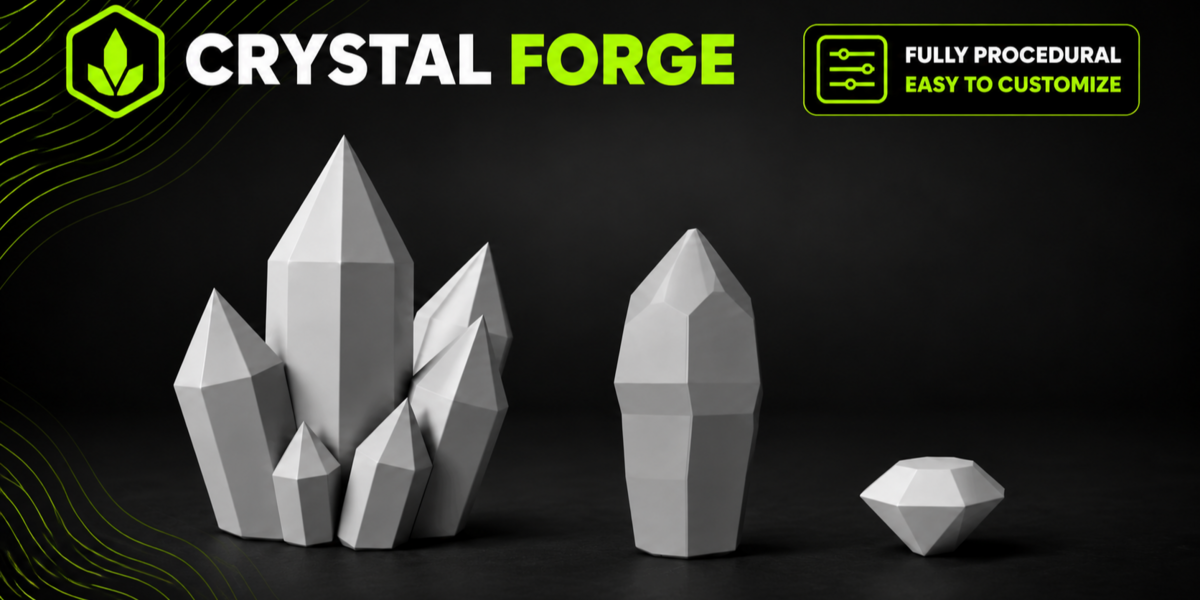
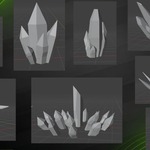
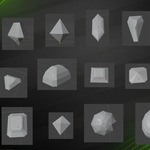
Crystal Forge — User Guide
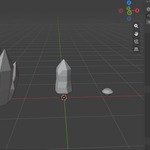
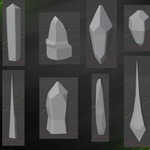
Crystal Forge makes stylized, flat-faced crystals inside Blender: single shards, whole clusters and cut gems. Everything is procedural and stays editable: change a setting and the mesh is rebuilt on the spot. The result is a clean mesh (closed, planar faces, mostly quads), ready for a game engine.
By Orbbit Tools. Blender 5.2 or newer.
1. Install
- Download
crystal_forge-1.0.0.zip. - In Blender: Edit › Preferences › Get Extensions, open the menu at the top right and pick Install from Disk…, then choose the zip.
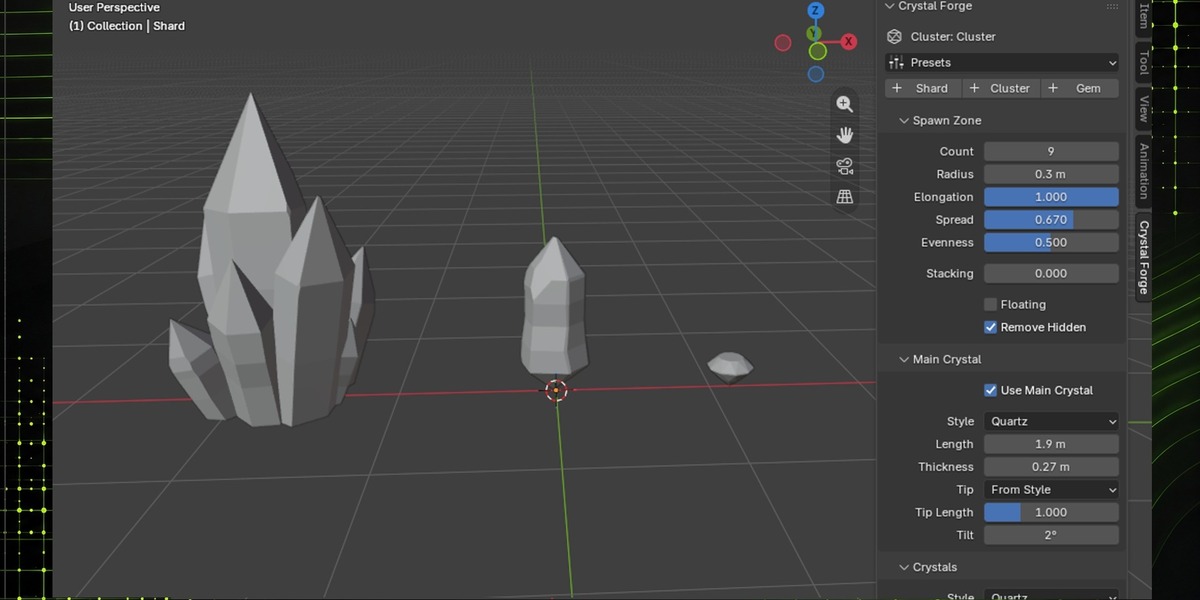
- Open the 3D Viewport sidebar (N) and go to the Crystal Forge tab.
If you had an older build installed, remove it first.
2. Quick start
- In the Crystal Forge tab, click New Shard, New Cluster or New Gem. The crystal appears at the 3D cursor. (With a crystal selected, the same buttons read + Shard, + Cluster and + Gem.)
- Open Presets and pick one. Presets change the shape but keep the seed.
- Tweak the settings. The mesh updates as you drag.
- Click the ↻ button next to Seed for a new random variation of the same settings.
A crystal is a normal mesh object. You can move, rotate, scale and duplicate it like any other. If you enter Edit Mode, the crystal stops updating until you go back to Object Mode (and any change to a setting rebuilds the mesh, so manual edits are lost).
3. The panels
The tab has two panels:
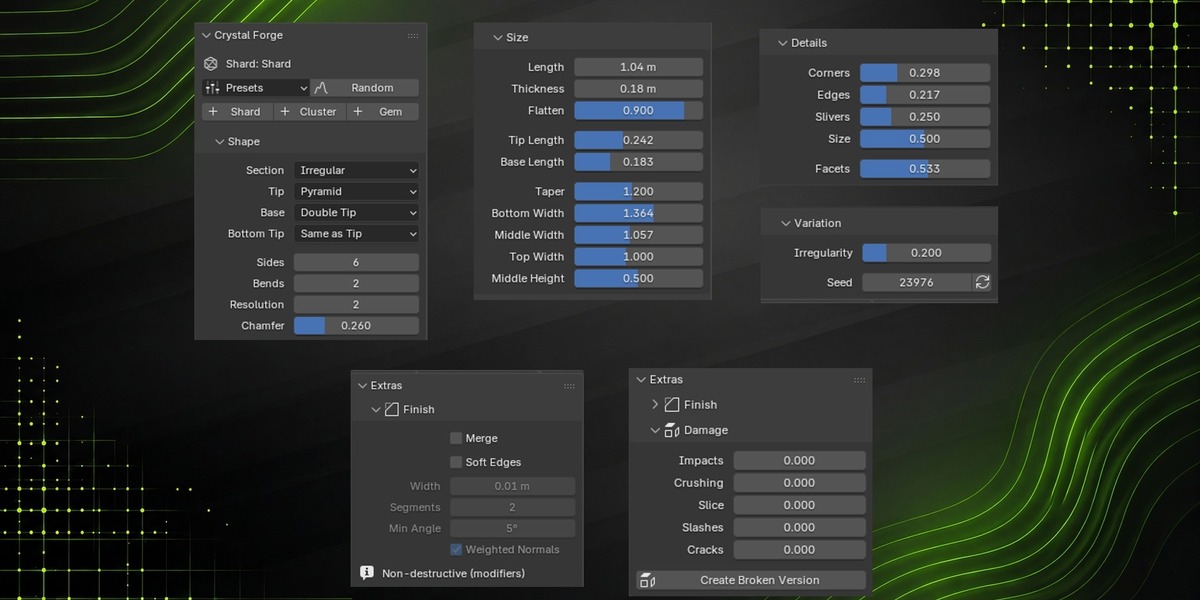
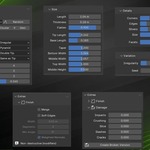
- Crystal Forge — the crystal itself: the active crystal, presets, the New buttons and the base settings (Shape, Size, Spawn Zone, Main Crystal, Crystals, Details, Variation).
- Extras — optional layers on top: Finish, Branching (clusters only) and Damage. They start closed. A dot (●) in the header means the extra is in use, even when the panel is closed (for example after picking a preset that turns it on).
Settings that do nothing with the current values are hidden. For example, Stack Height only appears when Stacking is above 0, and the damage controls appear when some damage is on.
4. Shard
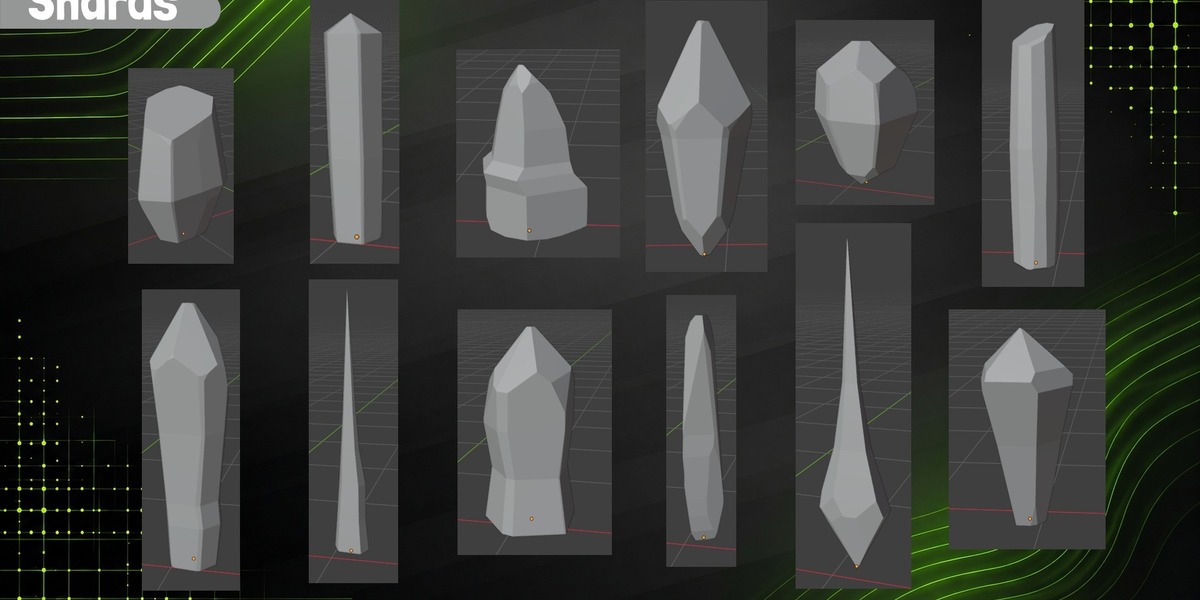
A single crystal: a prism body with a tip on top and a base (or a second tip) at the bottom.
Shape
| Setting | What it does |
|---|---|
| Section | Shape of the body's cross-section. Options: Regular, Irregular |
| Tip | Top end. Options: Pyramid, Bevel, Multiple, Faceted, Rounded |
| Base | Bottom end. Options: Flat, Broken, Double Tip |
| Bottom Tip | Type of the bottom tip on a double tip. Options: Same as Tip, Pyramid, Bevel, Multiple, Faceted, Rounded |
| Sides | Number of sides of the cross-section |
| Bends | Extra rings that bend the side faces into segments (0 = straight body) |
| Resolution | More polygons for more complex shapes: extra rings smooth the width profile and the rounded tip gets more bands (1 = low-poly) |
| Chamfer | Cuts the vertical edges with narrow faces: each edge randomly picks whether it gets a chamfer and how big (0 = none) |
Size
| Setting | What it does |
|---|---|
| Length | Total length of the shard |
| Thickness | Radius of the cross-section at the base |
| Flatten | Ratio between the narrow and the wide side of the cross-section (1 = not flattened) |
| Tip Length | Tip length as a fraction of the total length |
| Base Length | Bottom tip length as a fraction of the total length; together with Tip Length it sets where the widest part of the crystal is |
| Taper | Scale of the top cross-section relative to the base (above 1 = wider at the top) |
| Bottom Width | Profile: body width at the bottom (multiplies Thickness, on top of Taper) |
| Middle Width | Profile: body width at the middle height |
| Top Width | Profile: body width at the top |
| Middle Height | Profile: height of the body where Middle Width applies |
Details
| Setting | What it does |
|---|---|
| Corners | Fraction of beveled corners (tip, shoulder, base and rings), like Ctrl+Shift+B |
| Edges | Fraction of top and base edges beveled along their whole length |
| Slivers | Slanted cuts that taper along the body edges |
| Size | Size of the details relative to the crystal thickness |
| Facets | Splits large faces into facets at slightly different angles, like hand carving (more passes with Resolution) |
Variation
| Setting | What it does |
|---|---|
| Seed | Random seed: same seed, same mesh |
| Irregularity | Cross-section jitter, tip offset and variation of the cuts |
Shard presets
| Preset | Description |
|---|---|
| Quartz | 6-sided prism with bends, a sharp tip (~20-25° from the axis), wider at the top |
| Faceted Quartz | Chunky egg-shaped crystal with bends and a kite-faceted tip |
| Column | Flattened 4-sided column with an almost flat beveled top (~65-70° from the axis) and beveled corners |
| Pillar | Obelisk: square section, tapering upward and ending in a short pyramid tip |
| Rough Crystal | Narrow at the bottom, wide in the middle and tapered at the top, faceted double tip and lots of details |
| Needle | Thin, flat blade tapering to a long tip (ice fans) |
| Egg | Chunky crystal with a rounded, many-faceted dome on top |
| Jade | Long 6-sided prism with both ends rounded |
| Carved Crystal | Large, chunky crystal with its faces split into facets, like hand carving |
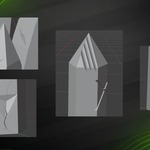
| Broken Quartz | Battered faceted quartz: crushed tip, a hammer blow with cracks and the broken piece lying next to it |
| Monolith | Tall 8-sided stone, slightly bulging, with a rounded top (menhir, runes) |
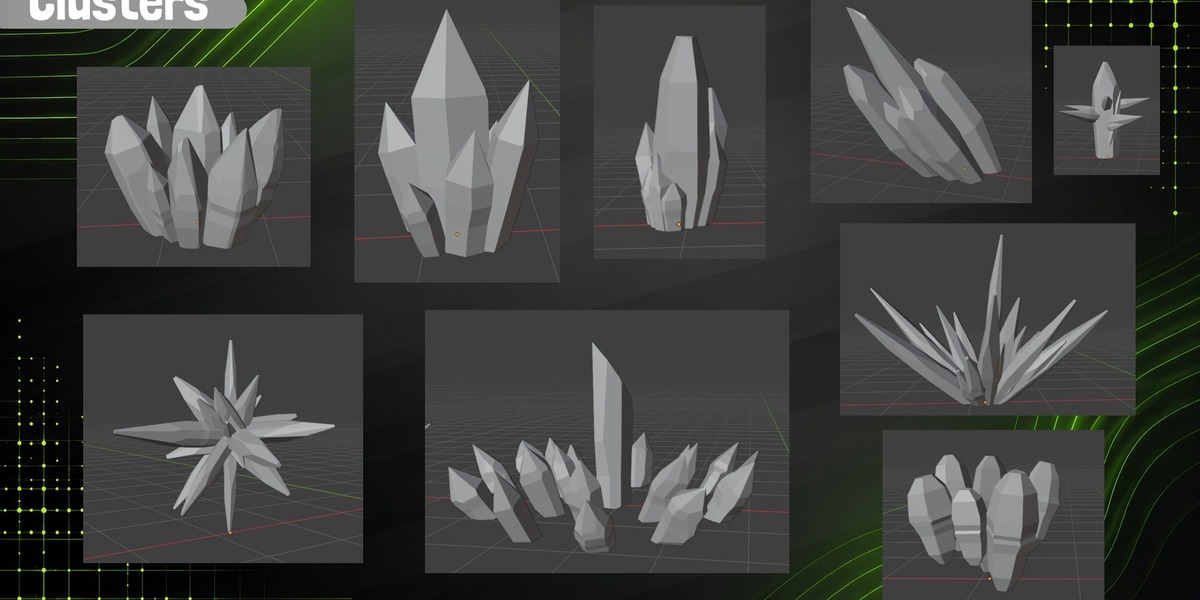
5. Cluster
Many shards grouped in one object. Think of it like a particle system: the Spawn Zone says where the crystals grow from, Main Crystal is the hero in the center, Crystals are the others, and Variation says how they lean.
Each crystal is its own closed piece and the pieces overlap. That is the usual setup for a static mesh in a game engine. If you need a single closed shell, use Finish › Merge.
Spawn Zone
| Setting | What it does |
|---|---|
| Count | Number of crystals, including the main one |
| Radius | Radius of the zone where the crystals grow from |
| Elongation | Shape of the zone: 1 = circle, lower = ellipse (veins, fissures) |
| Spread | 0 = packed in the center, 1 = spread out to the edge |
| Evenness | 0 = random positions (they bunch up), 1 = evenly spaced |
| Stacking | Fraction of crystals that grow out of a bigger crystal instead of the ground: compound crystals and piles |
| Stack Height | How high on the parent's body stacked crystals can grow from (0 = near the base, 1 = up to the tip) |
| Embed | Parallel growth with Stacking: how deep the prisms sink into their parent (0 = barely touching, 1 = half the prism inside) |
| Floating | No ground: the crystals get double tips and the whole group floats (the origin is at the lowest point) |
| Remove Hidden | Drops crystals that end up fully inside others (geometry nobody sees) |
Main Crystal
| Setting | What it does |
|---|---|
| Use Main Crystal | The center crystal is a hero with its own settings; when off, it comes from the same distribution as the rest |
| Style | Shard preset for the main crystal. Options: Quartz, Faceted Quartz, Column, Pillar, Rough Crystal, Needle, Egg, Jade, Carved Crystal, Broken Quartz, Monolith |
| Length | Length of the main crystal |
| Thickness | Radius of the main crystal |
| Tip | Tip type of the main crystal. Options: From Style, Pyramid, Bevel, Multiple, Faceted, Rounded |
| Tip Length | Multiplies the tip length of the main crystal's style |
| Tilt | Tilt of the main crystal from the vertical (random direction) |
Crystals
| Setting | What it does |
|---|---|
| Style | Shard preset for the secondary crystals. Options: Quartz, Faceted Quartz, Column, Pillar, Rough Crystal, Needle, Egg, Jade, Carved Crystal, Broken Quartz, Monolith |
| Length | Length of the largest secondary crystal |
| Thickness | Radius of the largest secondary crystal |
| Small Thickness | 0 = thin, in proportion to their length, 1 = as thick as the largest one (blocky) |
| Min Size | Length of the smallest crystal relative to the largest secondary |
| Gradation | 0 = sizes drop quickly, 1 = they drop slowly (even heights) |
| Tip | Tip type of the secondary crystals. Options: From Style, Pyramid, Bevel, Multiple, Faceted, Rounded, Mix |
| Tip Length | Multiplies the style's tip length (higher = pointier) |
| Variety | How much each crystal's shape varies from the style: sides, taper, flatten, bends, chamfer, section and thickness (0 = all the same) |
Details
| Setting | What it does |
|---|---|
| Corners | Fraction of beveled corners on each crystal, like Ctrl+Shift+B |
| Edges | Fraction of top and base edges beveled along their whole length |
| Slivers | Slanted cuts that taper along the body edges |
| Size | Size of the details relative to each crystal's thickness |
| Facets | Splits each crystal's large faces into facets at slightly different angles |
| Resolution | Resolution of every crystal: smoother profiles and rounded tips with more bands (1 = low-poly) |
Variation
| Setting | What it does |
|---|---|
| Seed | Random seed: same seed, same mesh |
| Growth | How the secondary crystals are oriented. Options: Fan, Columnar, Parallel, Radial |
| Opening | Maximum tilt of the secondary crystals from the vertical |
| Irregularity | Variation in sizes, tilts and the shape of each crystal |
Cluster presets
| Preset | Description |
|---|---|
| Quartz Druse | Quartz crystals growing from almost the same spot and fanning out |
| Druse with Hero | A thick, chunky faceted crystal in the center surrounded by assorted quartz |
| Mixed Druse | Druse of faceted quartz with mixed tips and lots of shape variety |
| Columns | Almost parallel columns with staggered heights |
| Open Columns | Fewer columns, taller and leaning out more |
| Carved Druse | Chunky crystals with faceted faces around a carved hero |
| Ice Fan | Many thin needles growing from a strip and fanning out until almost lying flat |
| Leaning Bundle | Compound crystal: a leaning hero with parallel prisms of different lengths attached |
| Floating Bundle | Double-tipped crystals floating in a fan around a hero, at different heights |
| Parallel Needles | Tall, sharp blades growing together in parallel around a bigger one |
| Urchin | Short crystals pointing in every direction from one spot, resting on the ground |
| Floating Star | Double-tipped crystals crossing at the center and pointing in every direction |
| Rocky Pile | Rough, thick crystals piled on top of each other |
| Broken Druse | Druse of faceted quartz with crushed tips, impacts, cracks and debris on the ground |
| Sliced Cluster | A clean slice went through the cluster: every crystal cut at the same height, with the pieces on the ground |
| Branching Column | A column with smaller columns spiraling out of it |
| Crystal Tree | A quartz with upward-pointing branches and twigs on the branches |
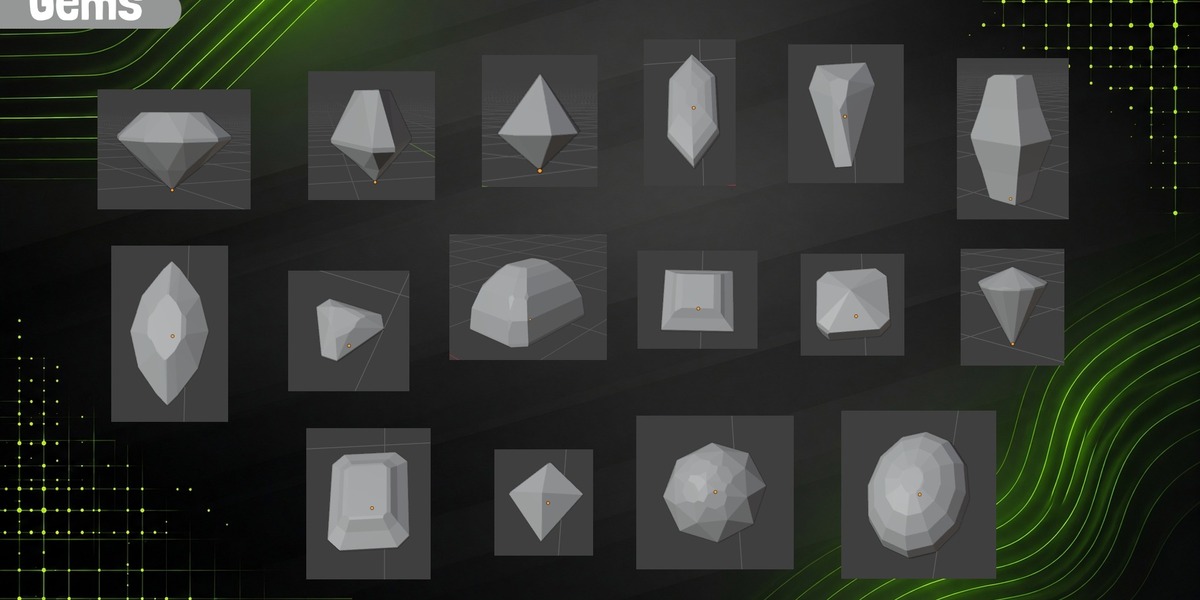
6. Gem
A cut gem in an icon-like style: an outline seen from above and a cut (facet pattern).
Shape
| Setting | What it does |
|---|---|
| Outline | Shape of the gem seen from above. Options: Round, Oval, Pear, Marquise, Cushion, Emerald, Princess, Hexagon, Octagon, Trillion, Kite |
| Cut | Facet pattern. Options: Brilliant, Step, Rose, Cabochon, Bipyramid |
| Sides | Resolution of curved outlines (more sides = more facets) |
| Steps | Crown steps on the step cut |
| Pavilion | Shape of the bottom part of the gem. Options: Tip, Mirror, Curved |
Size
| Setting | What it does |
|---|---|
| Width | Width of the gem at the girdle |
| Length/Width | Outline proportions: above 1 stretches it (oval, pear, marquise, baguette) |
| Table | Size of the flat top face relative to the girdle |
| Crown Height | Height of the top part (crown or dome), relative to the width |
| Pavilion Depth | Depth of the bottom part, relative to the width (with Mirror it matches the crown) |
| Girdle | Height of the vertical band between crown and pavilion, relative to the width (0 = no band) |
| Culet | Flat bottom face (0 = ends in a point), relative to the girdle |
Details
| Setting | What it does |
|---|---|
| Corners | Fraction of beveled corners, like Ctrl+Shift+B |
| Edges | Fraction of table and girdle edges beveled along their whole length |
| Slivers | Slanted cuts that taper along an edge |
| Size | Size of the details relative to the gem width |
Variation
| Setting | What it does |
|---|---|
| Seed | Random seed: same seed, same mesh |
| Irregularity | Imperfect cut: shifts the facets of each ring (0 = perfect) |
Gem presets
| Preset | Description |
|---|---|
| Diamond | The classic diamond icon: wide table, low crown and pointed pavilion |
| Round Brilliant | Brilliant with more facets, as a round icon |
| Oval | Oval brilliant with a curved pavilion |
| Pear | Teardrop, the same on both sides |
| Marquise | Navette pointed at both ends, the same on both sides |
| Cushion | Rounded square with a curved pavilion |
| Princess | Square with a diamond-shaped table |
| Octagon | Brilliant octagon |
| Trillion | Brilliant triangle |
| Emerald | Rectangle with cut corners in steps, the same on both sides |
| Asscher | Square emerald with three steps, the same on both sides |
| Baguette | Elongated hexagon in steps, the same on both sides |
| Hexagon | Hexagon in steps, the same on both sides |
| Octahedron | Square-based bipyramid |
| Kite | Elongated rhombus as a low bipyramid |
| Rose | Flat base and a pointed faceted dome |
| Cabochon | Oval with a low-poly dome |
7. Extras
Finish
Non-destructive modifiers added to the object. The base mesh is not changed; the modifiers are applied when you export with Apply Modifiers (or with Object › Apply).
| Setting | What it does |
|---|---|
| Merge | Joins all crystals into one closed mesh without inner faces (Boolean, Exact solver). Slow on large clusters. |
| Soft Edges | Adds a Bevel modifier to every edge, for small highlights on the edges. |
| Width | Bevel width. |
| Segments | Bevel segments: more = rounder edge. |
| Min Angle | Only edges sharper than this get beveled. |
| Weighted Normals | Area-weighted normals: flat faces stay clean with soft edges. |
The modifiers are named CF Merge, CF Weld, CF Bevel and CF Normals. Modifiers you add yourself are never touched.
Branching (clusters)
Smaller crystals growing out of the sides of a crystal, like a branching column or a crystal tree. Set Branches above 0 to start; the other settings appear then.
| Setting | What it does |
|---|---|
| Branches | Number of branches growing out of the main crystal (0 = no branches) |
| On Secondaries | Branches on the secondary crystals too, scaled by their size (0 = main crystal only, 1 = as many as it) |
| Generations | 2 = the branches grow twigs too (fewer and smaller) |
| Style | Shape of the branches: the same as their parent crystal, or a style of their own. Options: From Parent, Quartz, Faceted Quartz, Column, Pillar, Rough Crystal, Needle, Egg, Jade, Carved Crystal, Broken Quartz, Monolith |
| Distribution | How they are spread around the parent. Options: Spiral, Opposite, Random |
| Angle | Angle of the branches from the parent's axis (90° = horizontal) |
| Length | Length of each branch relative to its parent |
| Thickness | Thickness of each branch relative to its parent. It is capped: the base of the branch has to fit inside the parent (on a flat parent or one with few sides, branches come out thinner) |
| From | Where the branches start along the parent's body (0 = bottom) |
| To | Where the branches end along the parent's body (1 = top) |
To keep things responsive, a cluster has at most 200 branches and twigs in total (the main crystal's branches come first).
Damage
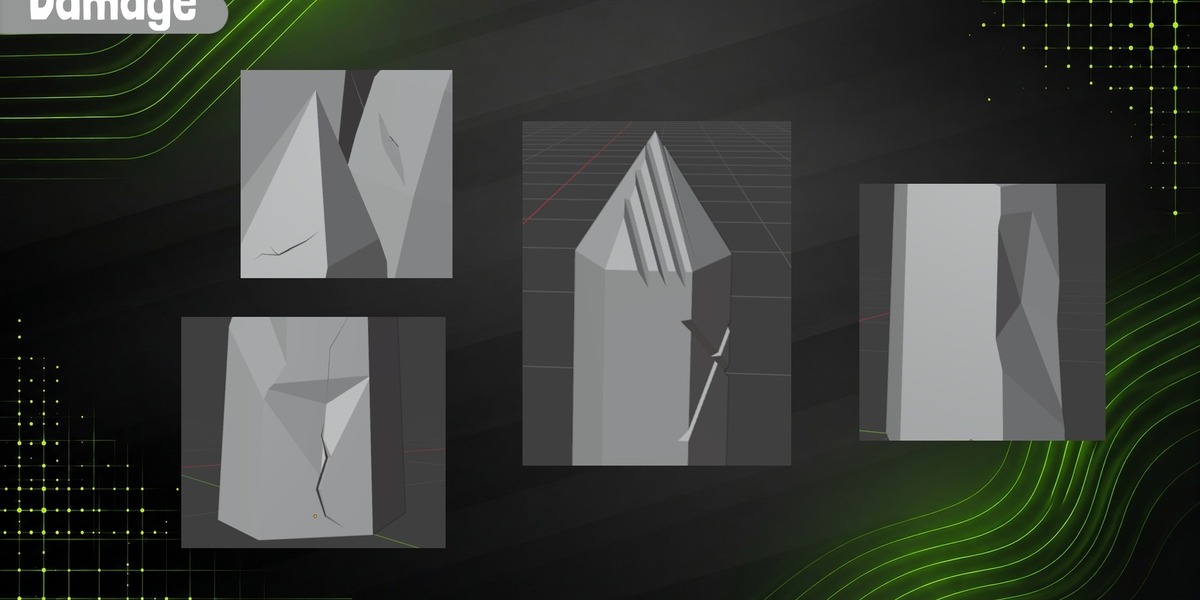
The broken version of a crystal. Damage is not random marks: every mark has a cause. Something hit it, something heavy fell on it, a blade sliced it, or a claw scratched it.
- Impacts — side hammer blows coming from the Direction: a crater, sharp cracks running out of it (a star) and sometimes a chipped corner.
- Crushing — something heavy fell on top: the tips break, more on the tall crystals, all sloping the same way.
- Slice — a clean cut: one plane takes off everything above it.
- Slashes — shallow sword or claw marks running across neighboring crystals.
- Cracks — crooked cracks that taper to a point at both ends, and sometimes branch.
- Debris — the pieces that the slice and the crushing broke off fall next to the object, lying flat.
The ground contact is never changed: the base stays exactly where it was. Shards and clusters share these settings; Damaged Crystals is for clusters only.
| Setting | What it does |
|---|---|
| Impacts | Side hammer blows from the Direction, on each damaged crystal (up to 2): a crater of varying shape, sharp cracks running out of it and the odd chipped corner |
| Crushing | Something heavy fell on top: broken tips, more on the tall crystals, all sloping the same way |
| Slice | Chance of a clean slice: a plane that takes off everything above it on the damaged crystals it crosses |
| Slashes | Shallow sword or claw marks running across neighboring damaged crystals (up to 3) |
| Slash Shape | Single, crossed, claw (parallel) or a mix. Options: Mix, Single, Cross, Claw |
| Cracks | Crooked cracks that taper to a point and sometimes branch (wide and shallow, some thin); up to 3 per damaged crystal |
| Debris | What the slice and the crushing break off falls to the side, lying flat without going into any crystal |
| Direction | Where the blow, the fall or the slash comes from |
| Size | Size of all the damage |
| Variation | 0 = all damage the same size, 1 = very uneven |
| Damaged Crystals | Fraction of crystals that break (at 1, all of them): each gets its own impacts, cracks and crushing, and the slice and the slashes only hit these |
| Damage Seed | Changes only where and how it breaks; the shape stays |
Damage Seed changes only where and how it breaks: the shape of the crystal stays the same. Use the ↻ button next to it to try other breaks.
Create Broken Version duplicates the active crystal next to it, with the same shape, and turns damage on (a moderate amount, if it had none). Handy for making the intact and broken versions of the same asset.
8. Language
The interface follows Blender's language. It is in English, and in Spanish when Blender is set to Spanish (Edit › Preferences › Interface › Translation).
9. Exporting to a game engine
- Export as usual (FBX, glTF, …) with Apply Modifiers on, so Finish is included.
- The mesh has two integer face attributes:
-
facet_id— one number per logical facet. Handy for picking faces or driving materials. -
crystal_id— which crystal of a cluster each face belongs to (0 = the one in the center).
-
- Faces are planar and mostly quads. Damage adds some n-gons and triangles where it cuts.
- Resolution is a simple way to make LODs: the same crystal with more or fewer polygons.
10. Tips
- Presets are a good starting point; the seed stays, so you can compare presets on the same variation.
- Damage takes more time than the rest: a broken cluster takes around a quarter of a second to rebuild. Very large clusters with many branches and heavy damage can take several seconds.
- The Merge finish uses an exact Boolean and can be slow on big clusters. Turn it on at the end.
11. Troubleshooting
- The crystal doesn't update — you are in Edit Mode, or the object is linked from another file (the panel shows a message). Linked crystals can't be rebuilt; make them local first.
- Something went wrong — the details are printed to the system console (Window › Toggle System Console on Windows).
- Developers — with Preferences › Interface › Developer Extras on, a ✓ button next to the crystal's name runs the quick self-tests.
Crystal Forge is licensed under the GNU GPL v3 or later. © 2026 Orbbit Tools.
Have questions about this product?
Login to message
| Blender Extension Compatible | Yes |
| Published | 2 days ago |
| Blender Version | 5.2 |
| Extension Type | Add-on |
| Render Engine Used | Cycles, Eevee |
| License | GPL |
Discover more products like this
procedural stylized Asset Generator Crystal gemstone Generator procedural modeling game assets low poly blender 3d modeling fantasy