 mrybrik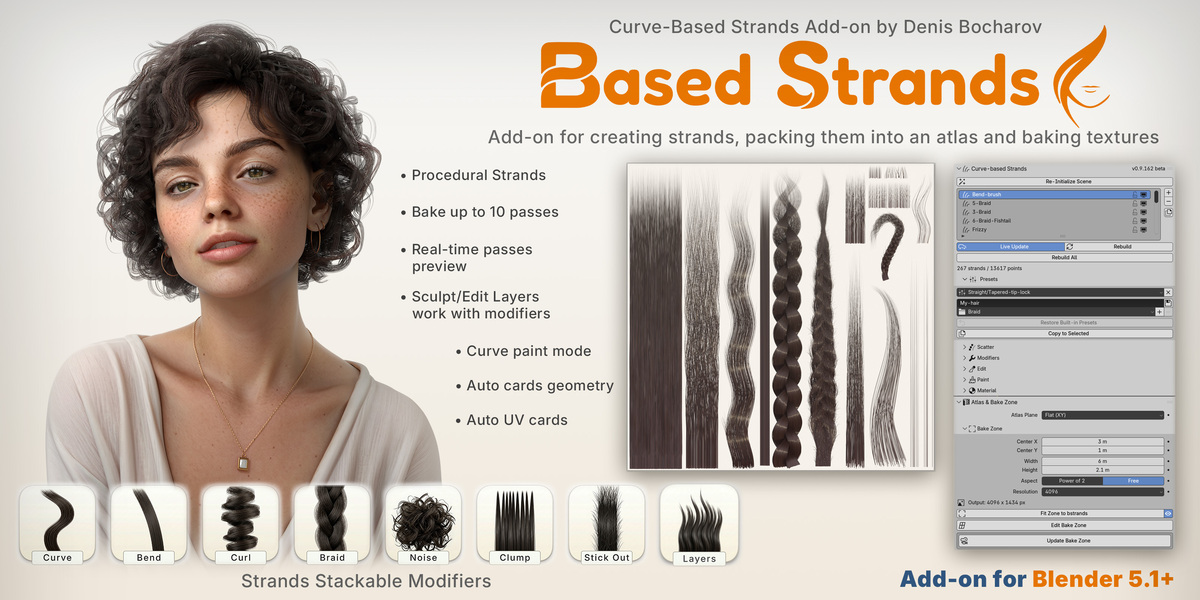
Overview
Curve-BStrands is a Blender add-on for making hair strand texture atlases: the sheets of baked hair that game and real-time characters wear on hair cards.
You build locks of hair from curves, shape them with a stack of procedural modifiers, colour and comb them, and bake the whole sheet into ten texture maps. Curve-BStrands then builds UV-ready cards that wear the atlas, or hands the layout to the companion add-on Agile Hair Cards(in development).
Everything stays procedural until you decide otherwise. Change a slider and the strands rebuild; comb by hand and your edits ride on top of the modifiers instead of being wiped out by them.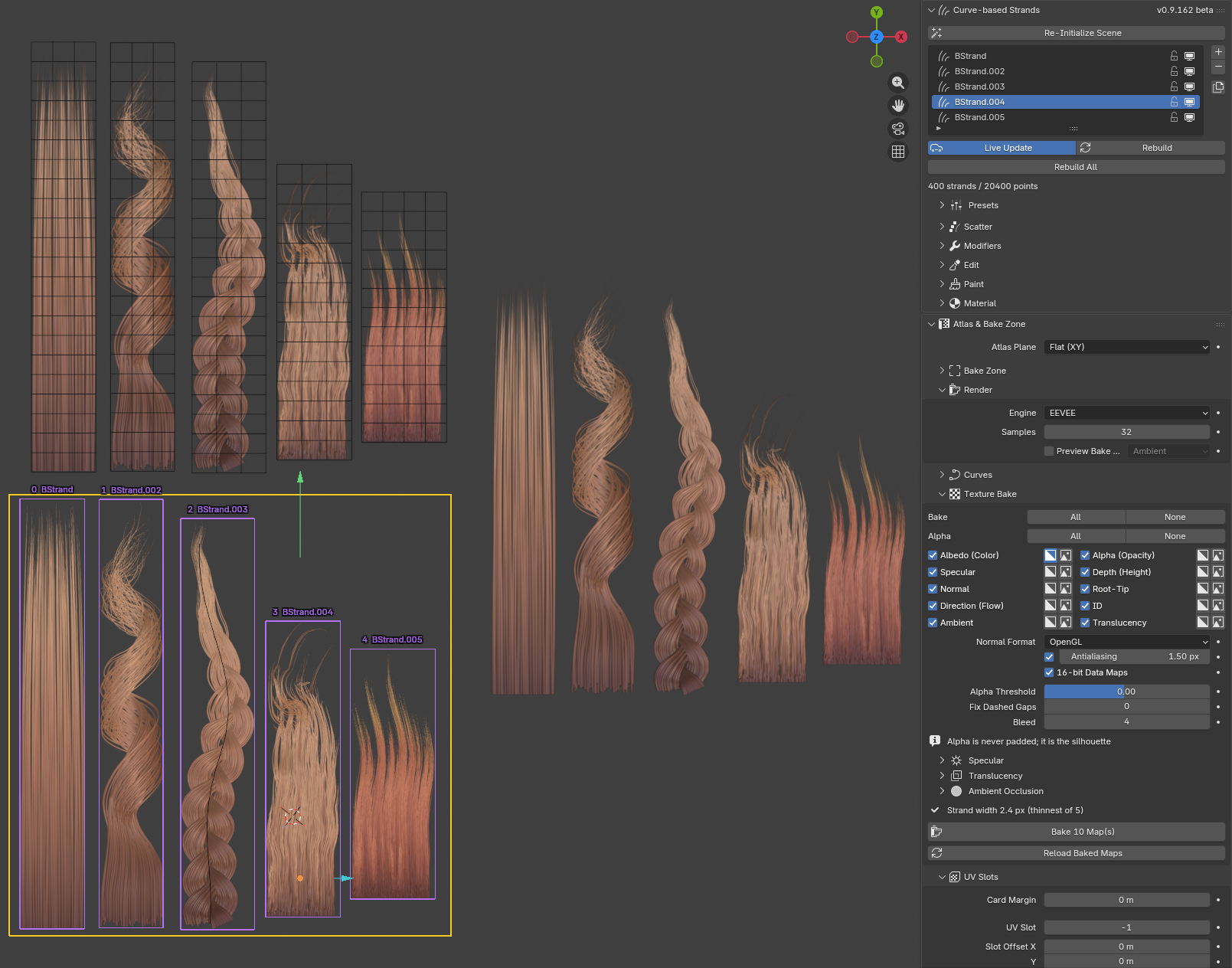
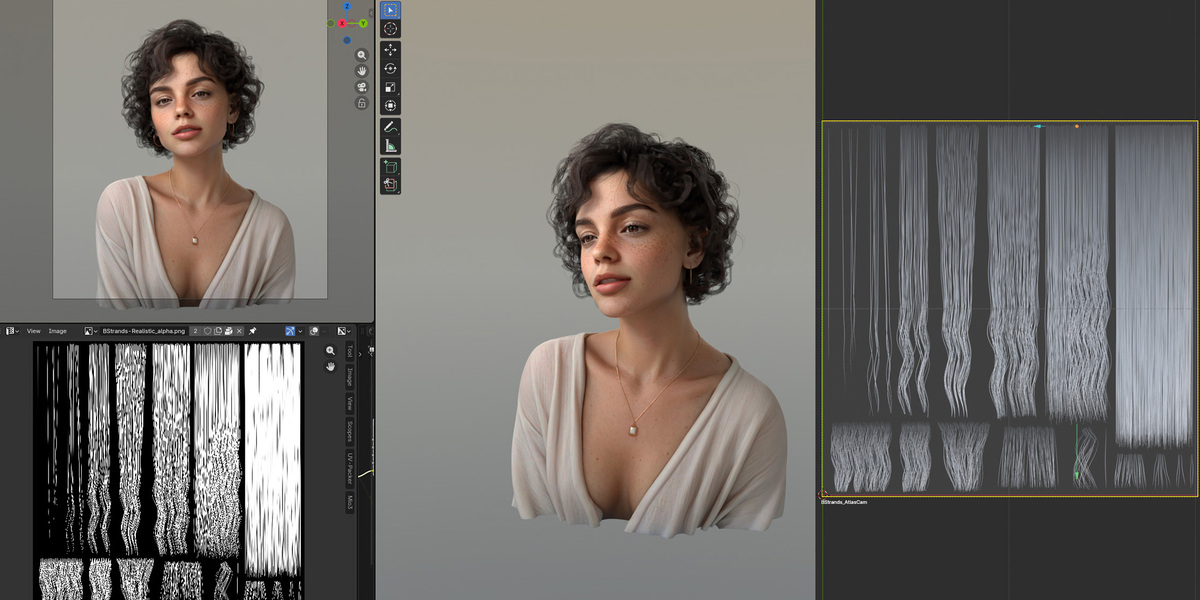
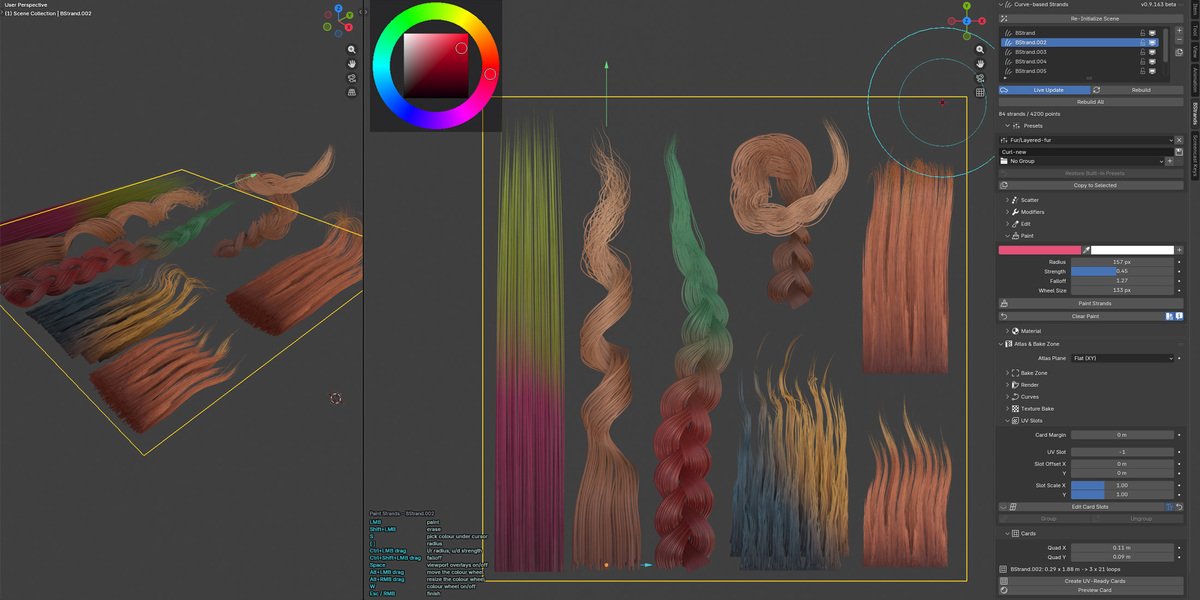
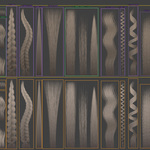
Image — a finished atlas in the viewport: a row of different strands (straight, curls, braid, fur) inside the yellow bake zone and hair cards, with the BStrands sidebar open.
How it works
A session goes through six stages.
- Set up the scene with one click, so curves render with thickness and baked colours are not tone mapped.
- Create strands (called bstrands) from a preset or from scratch, and set how wide, long and dense each one is in Scatter.
- Shape them with the modifier stack.
- Colour and edit them: a root-to-tip gradient, painting on the strands, and hand sculpting.
- Bake the bake zone into texture maps.
- Use the atlas: build UV-ready cards, or export the UV layout to Agile Hair Cards.
Video — a Curl slider dragged with the strands rebuilding live, then the same row of locks baking into an atlas.
The modifier stack
Any number of modifiers, of any type, in any order. Each one has masks along the strand and across the lock, and falloff curves you draw yourself, so an effect can start at mid-strand or touch only the left edge.
| Modifier | What it does |
|---|---|
| Curve | Makes the whole lock follow a guide curve you edit like any Blender curve. Its per-point Radius and Tilt shape the lock as well. |
| Bend | Sweeps the strands around an axis. |
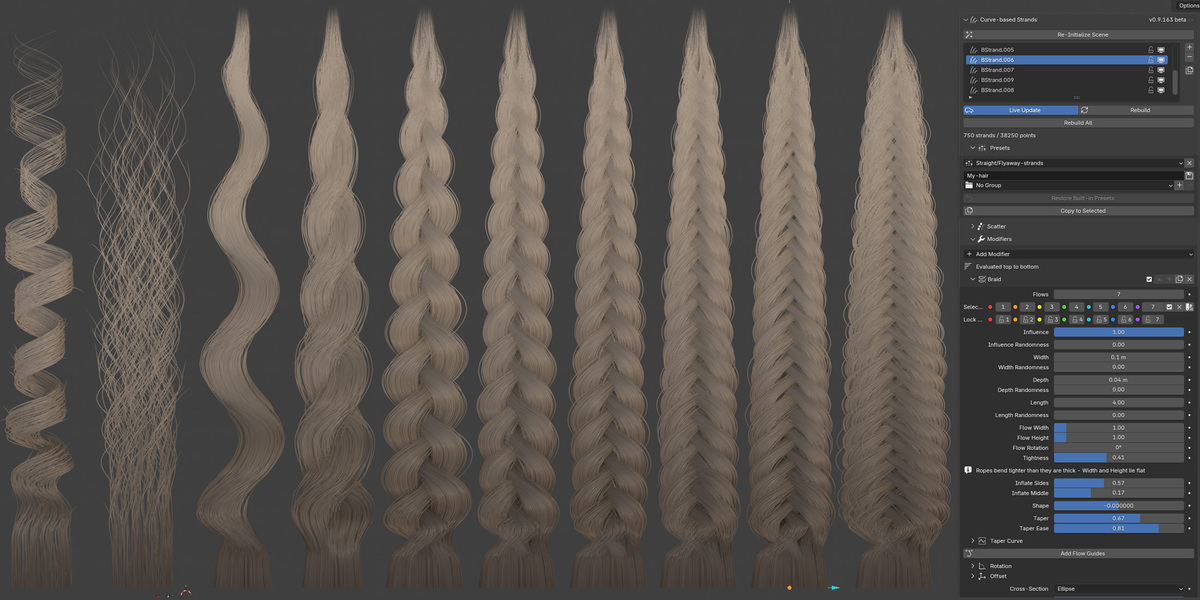
| Curl | Coils the strands — a helix per strand, or a ringlet wound round the lock's own axis. |
| Braid | Splits the lock into ropes (flows) and weaves them: two to eight flows, fishtails, per-rope guide curves you can drag, and collision that keeps the ropes out of each other. |
| Noise | Adds a smooth, natural wobble along the strands. |
| Clump | Pulls strands toward shared clump centres. |
| Layers | Splits the lock into locks stacked in layers, each shorter than the one behind it — layered haircuts and fur. |
| Stick Out | Grows stray hairs that leave the lock, on their own object beside the bstrand. |
Video — adding Curl and Stick Out to a stack, adjusting them and changing the order.
Colour and hand editing
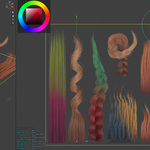
Each bstrand gets a root-to-tip gradient and per-strand variation. Paint straight onto the strands with a colour wheel, a palette and an eyedropper.
Sculpt with Blender's own curve brushes whenever you want to place something by hand, then capture the result as an edit layer. The layer sits on top of the modifiers, so you can keep changing them underneath and your combing follows.
Video — painting a lock, then combing it with the sculpt brush and capturing the edit.
Baking the atlas
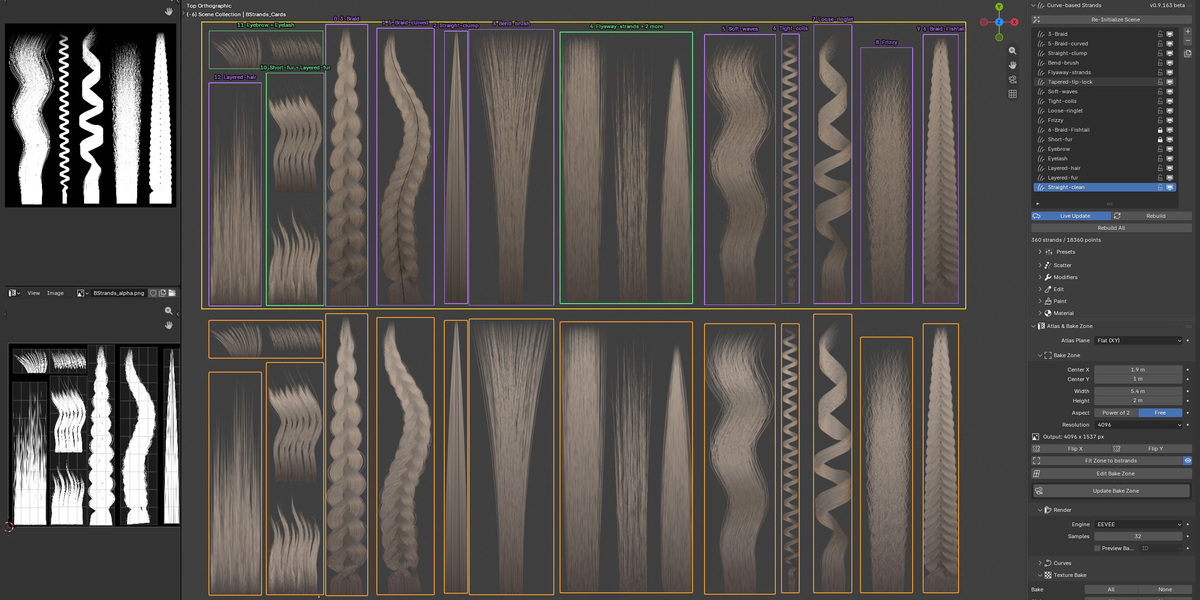
The bake zone is the yellow rectangle that becomes the atlas. Fit it around your strands, drag it in the viewport, or flip the whole layout. The texture size follows the zone: Resolution goes on the long side, and the short side follows in power-of-two or free proportions, up to 8K.
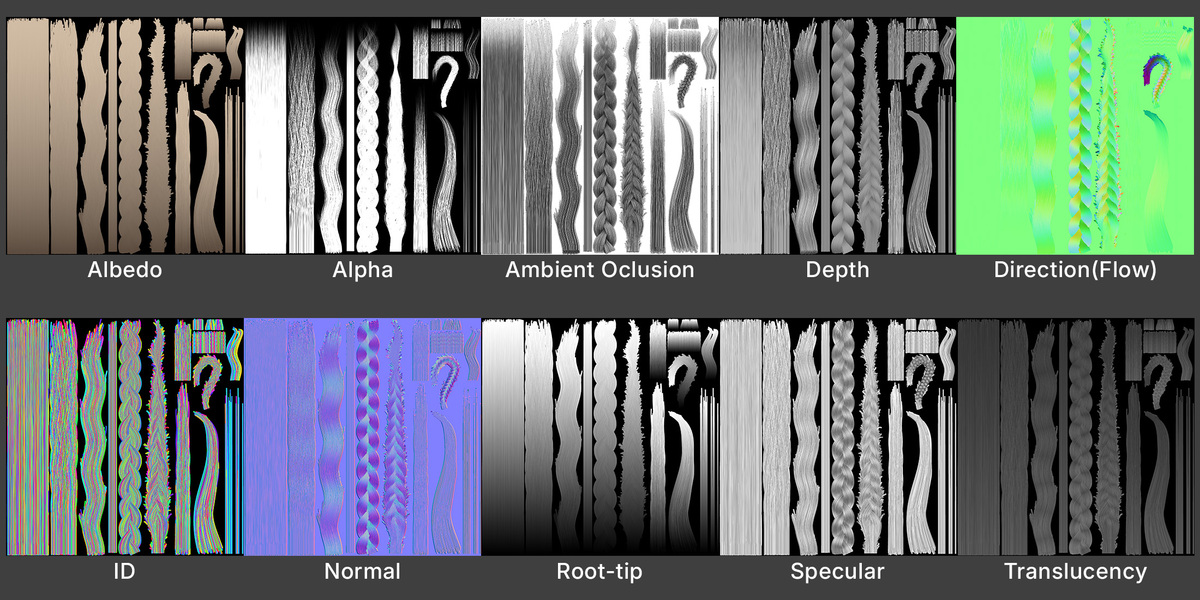
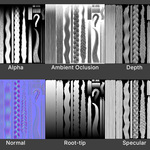
Ten maps, baked in EEVEE or Cycles.
| Map | What it holds |
|---|---|
| Albedo (Color) | The root-to-tip gradient multiplied by painted colour |
| Alpha (Opacity) | Strand coverage: white hair on black |
| Specular | Specular level, masked by the strands |
| Depth (Height) | Position through the sheet: 0 at the back, 1 at the front |
| Normal | Surface normal, in OpenGL or DirectX convention |
| Root-Tip | 0 at the root, 1 at the tip |
| Direction (Flow) | Which way each strand runs |
| ID | A flat colour, or grey level, per strand |
| Ambient | Ambient occlusion, ray traced by the chosen engine |
| Translucency | Translucency level, masked by the strands |
The output is built for cards: edge padding so filtering never samples empty space, an alpha threshold for hair thinner than a pixel, gap filling for strands that bake dashed, 16-bit data maps, and per-map alpha when you want a transparent background instead of a solid one.
Video — the bake running with its progress bar, then flicking through the baked maps.
UV slots, cards and export
Every bstrand owns a UV slot: the rectangle of the atlas it occupies, drawn in the viewport and draggable. Bstrands that belong on one card can be grouped into a single slot.
Create UV-Ready Cards builds one card per slot, already UV'd to its own rectangle and wearing the baked maps, so you can see the atlas on geometry without leaving the file. Export UV Layout writes the same slots for Agile Hair Cards, which places the cards on a head.
Video — UV-ready cards appearing with the atlas on them, next to the original strands.
Presets
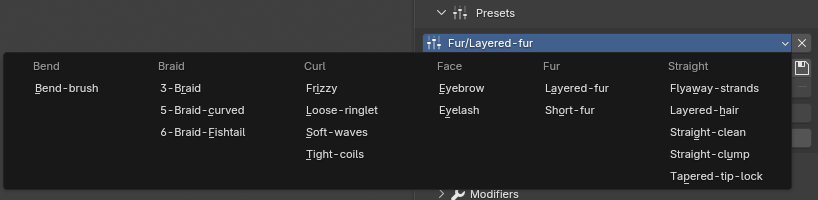
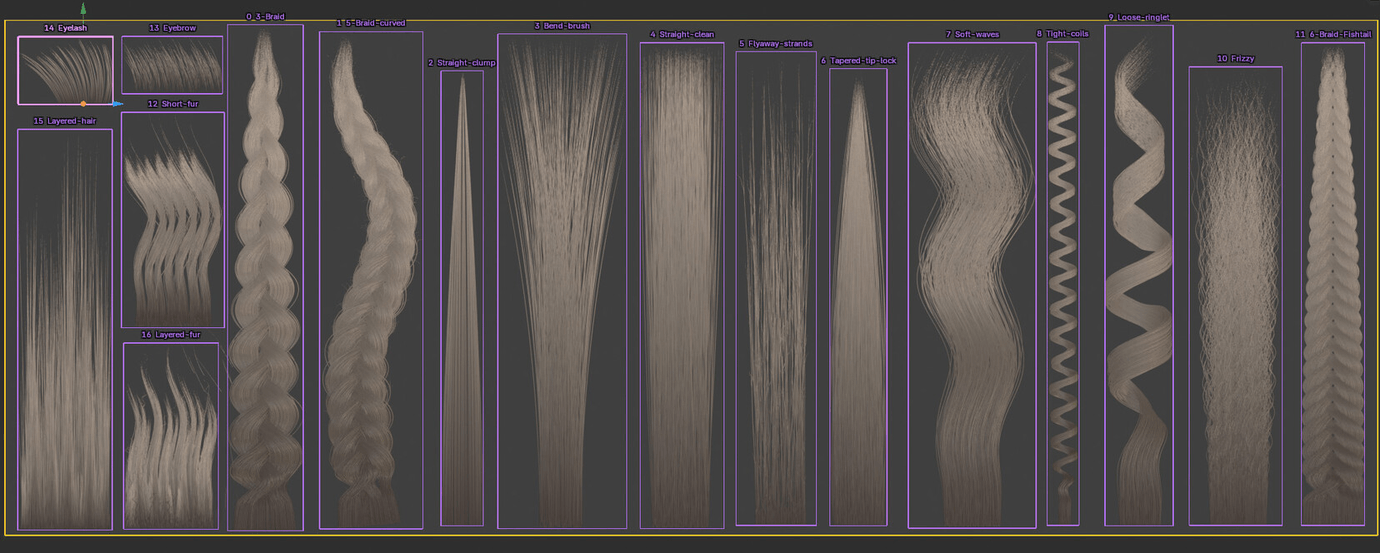
Seventeen presets come with the add-on, in six groups. Save your own into your own groups, or copy one bstrand's settings onto every selected bstrand.
| Group | Presets |
|---|---|
| Straight | Straight-clean, Straight-clump, Tapered-tip-lock, Flyaway-strands, Layered-hair |
| Curl | Soft-waves, Tight-coils, Loose-ringlet, Frizzy |
| Braid | 3-Braid, 5-Braid-curved, 6-Braid-Fishtail |
| Bend | Bend-brush |
| Fur | Short-fur, Layered-fur |
| Face | Eyebrow, Eyelash |
Images — the Pick a Preset menu, listing the built-in presets in their group columns.
What you can make
- Straight locks, tapered tips, clumped and layered haircuts
- Soft waves, tight coils, ringlets and frizz
- Braids and ropes with two to eight flows, including fishtails and braids that follow a curve
- Short and layered fur, eyebrows and eyelashes
- Flyaway and stray hairs growing out of any of the above
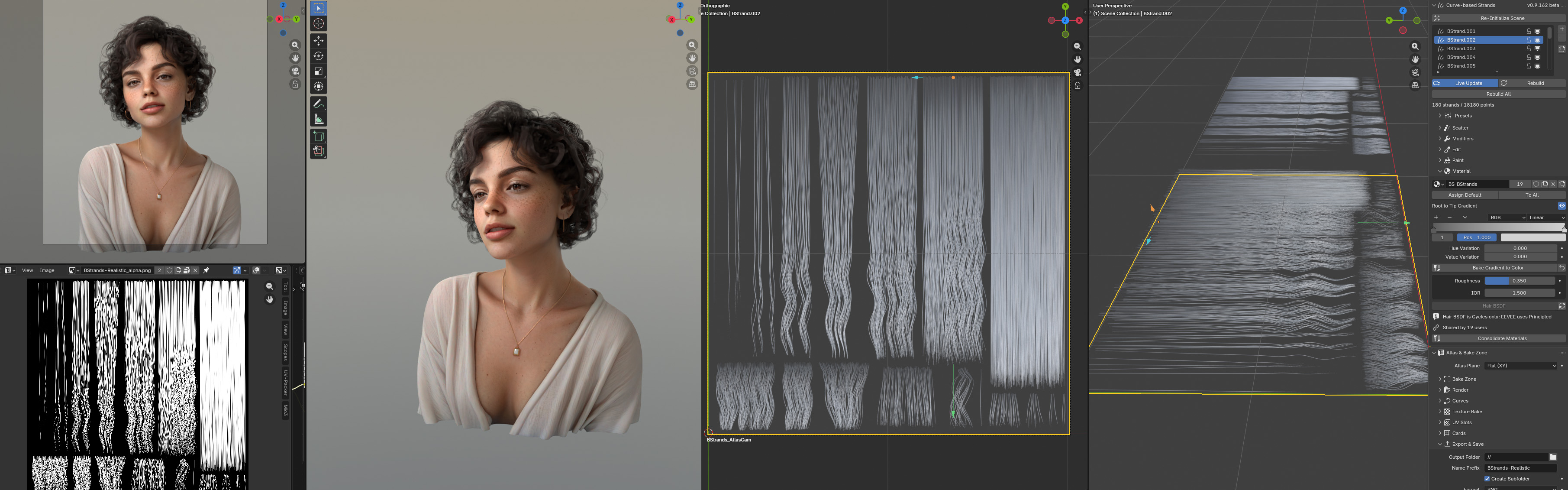
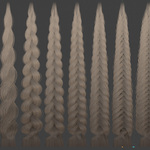
Image — a finished atlas sheet, and the same hair on a character's cards.
Requirements
| Blender | 5.1 or newer (tested on 5.1 and 5.2) |
| Render engine | EEVEE or Cycles — both bake every map |
| Operating system | Anything Blender 5.1 runs on |
| Hardware | A GPU is worth having for 4K and 8K bakes |
