 one99addons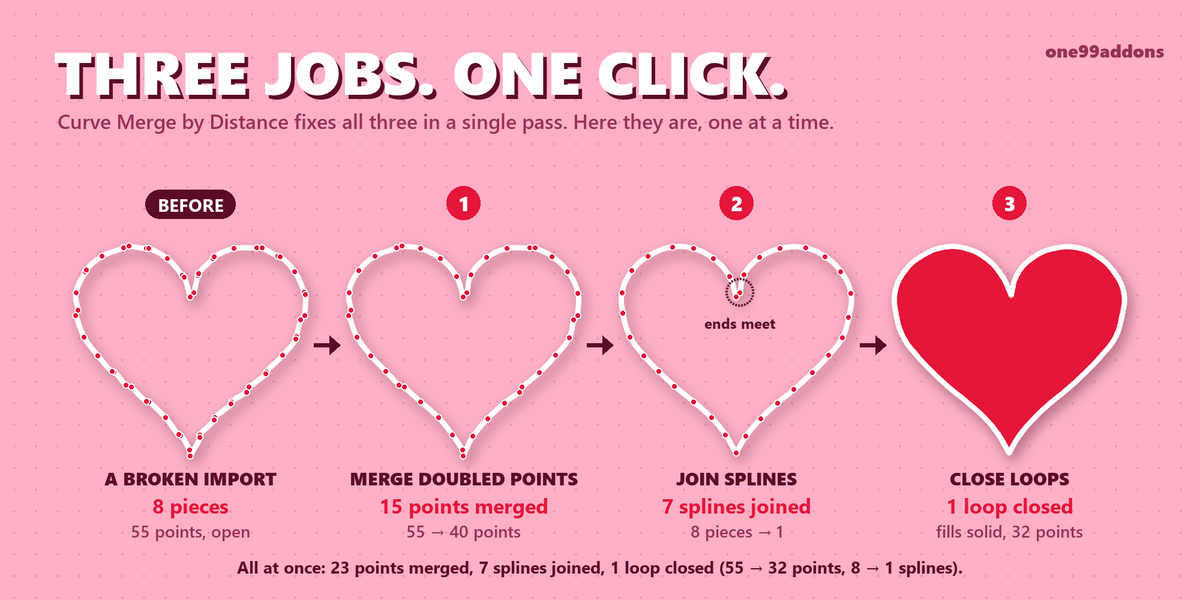


🔗 Curve Merge by Distance
Merge by Distance, finally for curves: remove doubled points, reconnect broken splines and close loops in one click.
Blender has Merge by Distance for meshes, but nothing for curves. This add-on fills that gap. Select your curves, press Merge, and the panel tells you exactly what it fixed.
The problem
Import an SVG, trace a logo or join a few curves with Ctrl J, and you often get a mess you can't see: points stacked on top of each other, one outline split into many pieces, and shapes that look closed but are not, so they won't fill, extrude or bevel. Until now the only fix was to hunt down every bad point by hand.
What it does
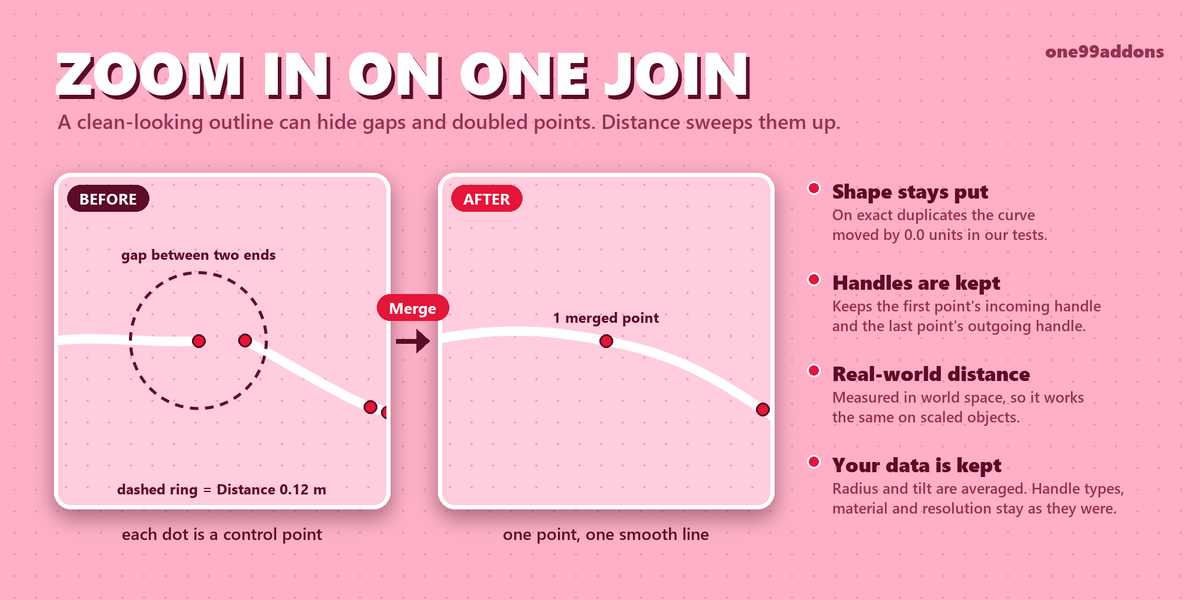
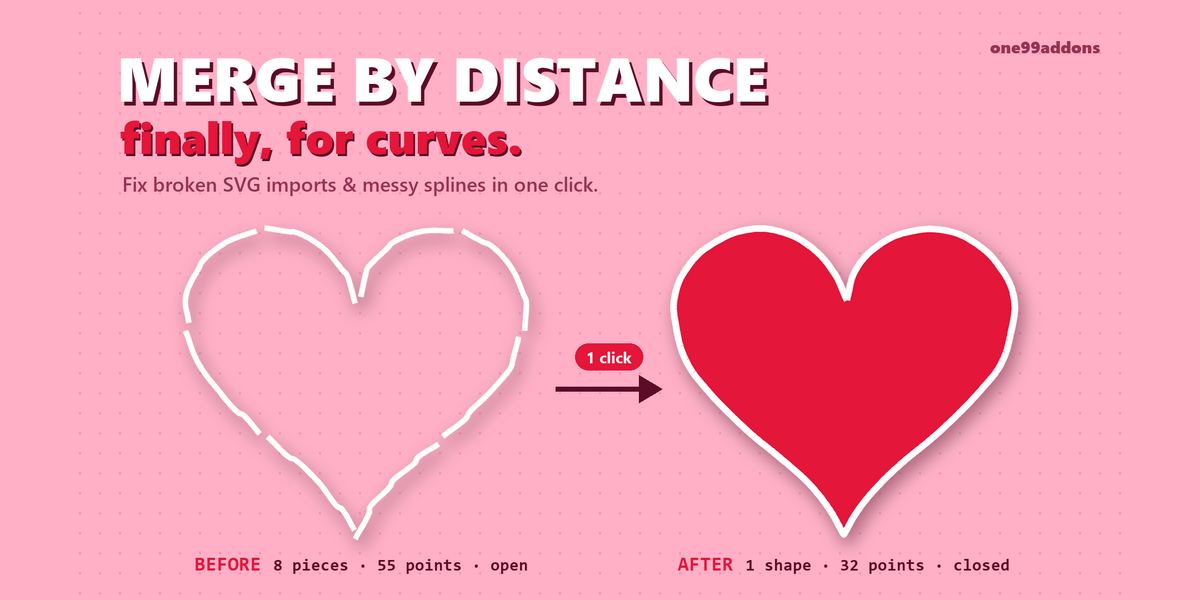
- Merges doubled points. Points along a spline that are closer than the Distance become one point. On Bezier curves the merged point keeps the incoming handle of the first point and the outgoing handle of the last, so the shape is kept.
- Joins broken splines. Separate splines whose ends touch become one spline, in any order, even when a piece runs the other way.
- Closes loops. When the first and last point of a spline meet, the spline is made cyclic. A closed 2D curve can be filled, so a broken outline becomes a solid shape you can extrude or bevel.
- Check first. The Check button counts what would change (points merged, splines joined, loops closed) without touching anything.
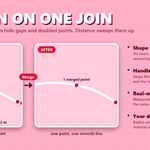
- Clear result. After each run the panel shows a line like "23 points merged, 7 splines joined, 1 closed (55 → 32 points, 8 → 1 splines)".
A real example
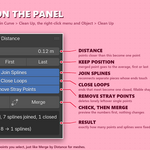
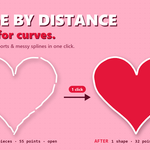
The heart in our thumbnail was imported as 8 open pieces with 55 points, so it would not fill. One Merge at a Distance of 0.12 turned it into 1 closed, filled shape with 32 points: 23 points merged, 7 splines joined, 1 loop closed.
Settings
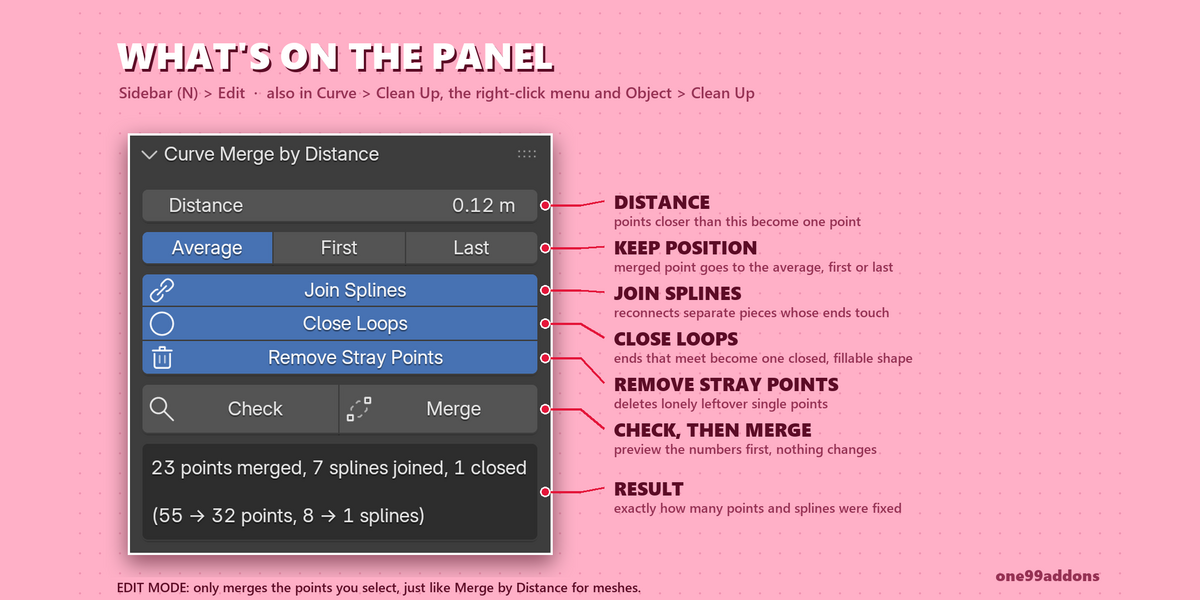
Settings are in 3D Viewport > Sidebar (N) > Edit tab > Curve Merge by Distance (shown when the active object is a curve). The same options appear in the Adjust Last Operation panel after a merge, so you can tweak them and watch the result update.
- Distance: points closer than this are merged (default 0.001 m). Measured in world space, so scaled objects behave the same.
- Position: merged points go to the Average of the group, or keep the First or Last point's position.
- Join Splines: connect splines whose ends touch (on by default).
- Close Loops: close splines whose ends meet (on by default).
- Remove Stray Points: delete splines that end up as one lonely point (on by default).
- Selected Only: Edit Mode only. Merge just the selected points, like Merge by Distance for meshes (on by default).
- Check / Merge: preview the numbers, or do it.
Good to know
- Also in the menus: Edit Mode > Curve > Clean Up > Merge by Distance, the Edit Mode right-click menu, and Object Mode > Object > Clean Up > Merge by Distance.
- In Object Mode it cleans every selected curve object at once.
- Works on Bezier, Poly and NURBS splines. NURBS order is lowered automatically if a spline ends up with fewer points.
- Keeps your data: radius and tilt are averaged; handle types, selection, hidden state, material index, resolution and smooth shading are kept.
- One Ctrl Z undoes the whole merge.
Tips
- Press Check first to see the numbers.
- Imported SVGs often need a bigger Distance than the default 0.001 m. If joins are missed, raise it a little in Adjust Last Operation.
- Keep Average for most cleanups. Use First or Last when an exact corner position must stay put.
Requirements and install
Blender 5.2 or newer (tested on 5.2.1 LTS, Windows). No internet, no external libraries.
- Download curve_merge_v1.0.0.zip (do not unzip it).
- In Blender: Edit > Preferences > Add-ons, open the drop-down arrow at the top right, choose Install from Disk... and pick the zip.
- Tick Curve Merge by Distance. That's it.
Limits
It works on classic Curve objects. Text objects, the newer Curves objects (hair and geometry nodes) and Grease Pencil strokes are not supported. Curves with shape keys are skipped and named in the result, to protect the shape keys. Splines only join with splines of the same type (Bezier with Bezier, Poly with Poly).
Made by one99addons.