CutLink Studio — 3D Model Cutting & Connectors for Blender
 Shift4cube


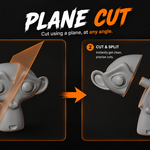
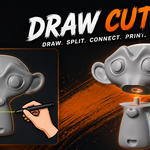
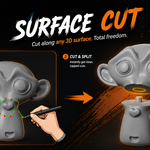
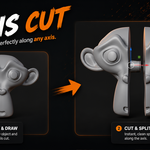
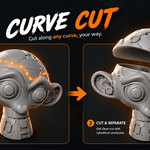
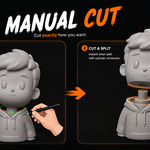
CutLink Studio — User Guide
Welcome to CutLink Studio.
CutLink Studio is a Blender add-on for splitting 3D models into printable parts, creating capped cut surfaces, adding fitted connectors, checking mesh integrity, and exporting selected parts as STL.
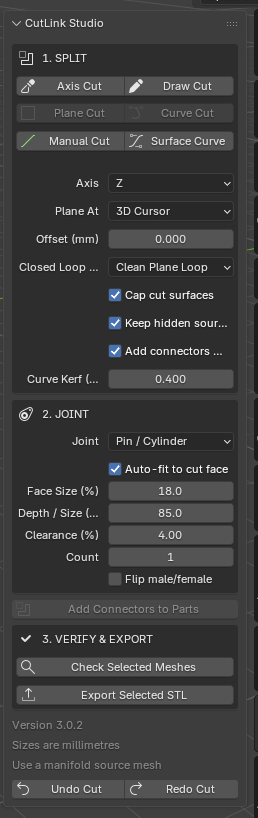
What's inside
01 — Installation
- Installing the add-on
- Opening the CutLink panel
- Initial setup
02 — Cut Modes
- ✂️ Axis Cut
- ✂️ Draw Cut
- ✂️ Plane Cut
- ✂️ Curve Cut
- ✂️ Manual Cut
- ✂️ Surface Curve
03 — Connectors
- Dovetail Wedge
- Pin / Cylinder
- Snap Clip
- Rectangular Key
- Hex Pin
- Automatic connector fitting
- Connector preview and manual positioning
04 — Cut & Connector Settings
- Cut gap
- Cap cut surfaces
- Keep hidden source
- Connector size
- Clearance
- Insertion depth
- Connector count
- Edge margin
05 — Verification & Export
- Check selected meshes
- Non-manifold edge checking
- Export Selected STL
- Slicer scale verification
06 — Troubleshooting
- Boolean failures
- Non-manifold meshes
- Extreme scale issues
- Connector problems
- Curve and surface-cut issues
07 — Keyboard Shortcuts
- Confirm
- Cancel
- Undo Cut
- Redo Cut
Have questions about this product?
Login to message
| Sales | 20+ |
| Published | about 2 months ago |
| Blender Version | 4.2 - 5.2 |
| Extension Type | N/A |
| Render Engine Used | Cycles, Eevee |
| License | Mit |
Discover more products like this
blender tools STL 3d printing split model Mesh Cutting blender addon blender model cutting 3D Print Connectors 3d modeling