 Smart King



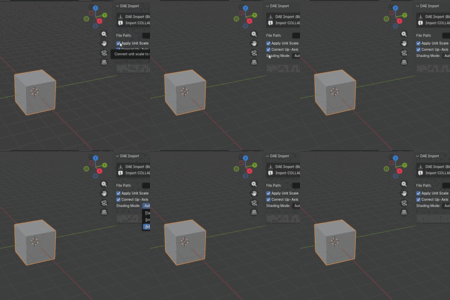
DAE Importer for Blender 5.0+
Clean COLLADA import for modern Blender pipelines
About DAE Importer
DAE Importer for Blender 5.0+ restores clean, reliable COLLADA (.dae) import in modern Blender versions where native support was removed. It is built for artists, architects, and technical users who still depend on .dae files from tools like SketchUp, CAD viewers, BeamNG, and older pipelines.
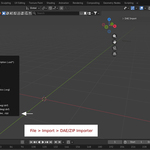
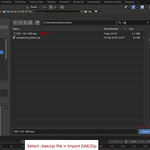
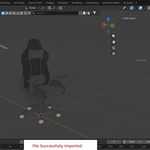
Instead of staying on older Blender releases or juggling awkward conversion tools, you can bring your existing DAE assets straight into Blender 5.x with a single, focused addon. The workflow is tuned for practical production use: open Blender, choose your .dae (or .zip with textures), and get a structured scene with materials ready for look‑dev and rendering.
Why this addon exists
Blender 5.0 removed official COLLADA I/O, which left many studios and hobbyists without a straightforward way to import legacy .dae content. At the same time, a lot of SketchUp libraries, CAD exports, and game modding assets are still distributed as .dae and would otherwise be stuck outside modern Blender workflows.
This addon exists to bridge that gap: it gives you a maintained, focused DAE importer that follows Blender’s current API and keeps your existing asset libraries usable in 5.x and beyond.
What DAE Importer does well
· Restores .dae import in Blender 5.x and newer without needing legacy builds.
· Handles both plain .dae files and packaged ZIP archives so textures can be extracted and linked automatically.
· Preserves object hierarchies and scene structure where possible, making it easier to clean up and relink assets in Blender.
Who it’s for
DAE Importer is designed for:
· SketchUp and CAD users moving their projects into Blender for rendering, animation, or asset cleanup.
· Game modders and technical artists working with .dae‑based pipelines (BeamNG, custom engines, older tools) who need a stable way to inspect and edit assets in Blender.
· Blender users with large legacy libraries in COLLADA format who do not want to maintain parallel installs just to import models.
Design philosophy
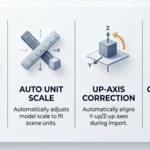
The addon is intentionally focused: make .dae import work first, make it safe and predictable, and then refine performance and edge cases over time. The UI is kept simple (N‑panel controls with clear options) so you can drop it into your pipeline without learning a complex new tool.
Future updates will continue to improve material handling, hierarchy mapping, and ZIP‑based workflows, following real‑world user reports. The goal is not to be a giant “do everything” suite, but a well‑maintained bridge between COLLADA assets and Blender 5.x projects.