DaeXport | One-Click DAE (Collada) Export
 Arun C



Overview
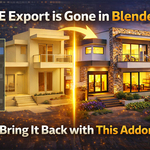
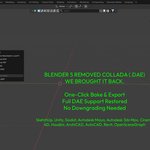
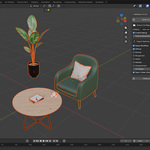
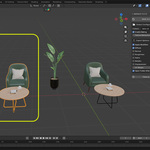
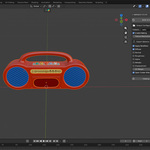
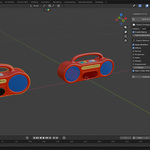
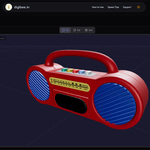
DaeXport is a one-click solution for exporting clean, optimized DAE (Collada) files from Blender, including Blender 5.0 and above where the official Collada exporter has been removed. It automates texture baking, UV optimization, and export setup so you get ready-to-use DAE assets with minimal effort.
Installation
- Download the addon ZIP from your purchase location.
- Open Blender 3.0 or later (including Blender 5.0+).
- Go to **Edit > Preferences > Add-ons**.
- Click **Install...** and select the DaeXport ZIP file.
- Enable the addon by checking the box next to “daeXport”.
- The addon will appear in the sidebar (usually in the View3D panel).
Quick Start
- Select the objects to export.
- Open the DaeXport panel (View3D > Sidebar > daeXport).
- Configure export settings like name, texture resolution, and baking options.
- Click **BAKE & EXPORT DAE**.
- Your exported files save automatically and the output folder opens.
Output Files
After export, you will find:
- A `.dae` Collada file with the model.
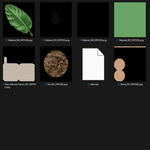
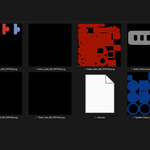
- A baked texture standard image format.
The exported files are organized into a folder named based on your settings.
Tips for Best Results
- Save your Blender file before exporting.
- Higher texture resolution increases visual quality (but also file size).
- Use UV margin settings to prevent texture bleeding at edges.
- Enable baking only when needed for materials.
Blender 5.0 Compatibility
Blender 5.0 removed the default Collada exporter. DaeXport includes a custom Collada export engine that restores this capability, so you can export DAE files from Blender 5+ without additional tools.
Requirements
- Blender 4.0 or higher (including Blender 5.0+).
- Cycles render engine (used for texture baking).
Compatible Software
DAE files from DaeXport are compatible with popular platforms including game engines (Unity, Unreal, Godot), 3D content tools (Maya, Cinema 4D), AR/VR frameworks, CAD tools, and web 3D libraries.
Why Use Collada (DAE)?
Collada is an open, XML-based standard for 3D asset exchange, widely supported across engines and tools. It’s human-readable, cross-platform, and often required for specific pipelines.
Support
If you need help, setup guides, or have questions, support is available via email.
-
$7.99
Bring back Blender 4+ legacy DAE export in Blender 5. This addon restores the original native Collada (.dae) export workflow, so you can export models just like before. How it works: Adds a simple export option inside File > Export, using the same legacy system. Where to use: Perfect for game engines, AR/VR, and sharing models across software. Support: Facing any issues? Get quick help and updates here: [email protected]
-
$12.89
One-click DAE export with auto baking for Blender (including 5.0+). DaeXport brings back Collada export and automates everything—texture baking, UVs, and setup—so you get clean, ready-to-use files instantly. How to use: Select your model → Open DaeXport panel → Click Bake & Export → Done. Perfect for: Game engines, AR/VR, and cross-software workflows. Support: [email protected]
Have questions about this product?
Login to message

Discover more products like this
collada blender 5 addon dae export texture-baking blender 5 export game asset export blender 5 dae texture atlas Collada export blender collada collada exporter blender dae