 wolf_73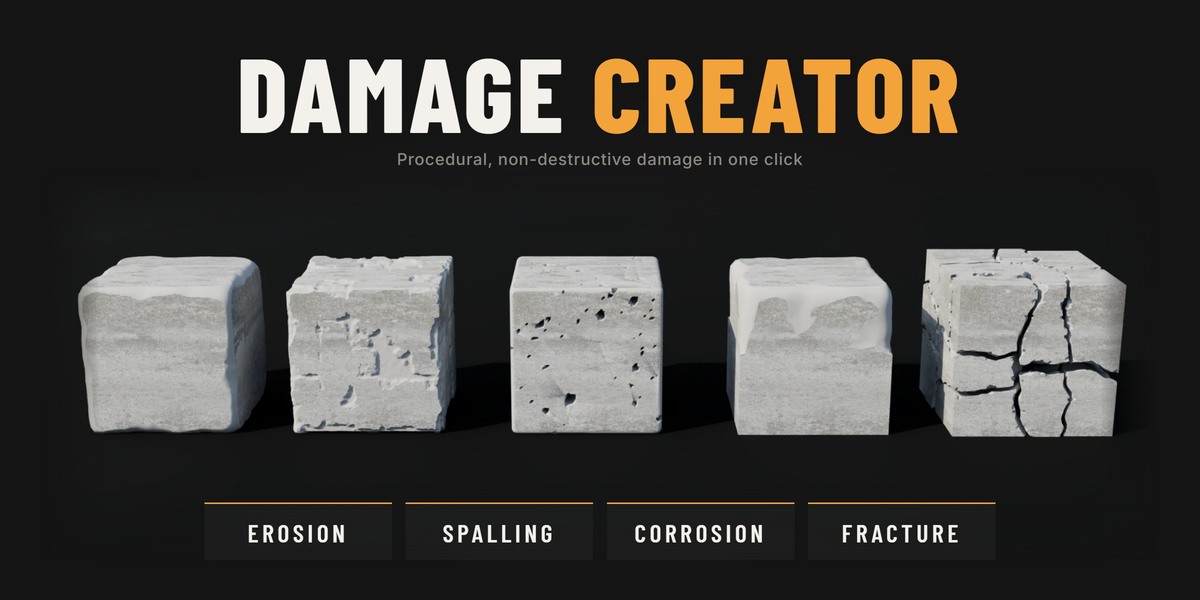
Damage Creator
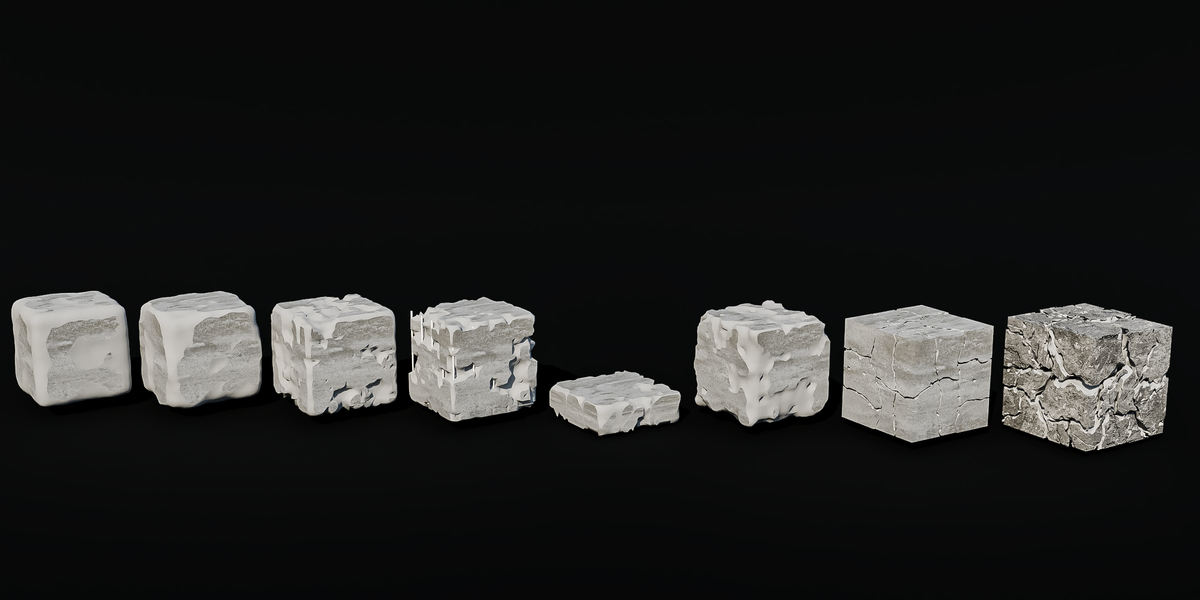
Real damaged geometry from one click, as live modifiers you can tweak at any time. The faces the damage doesn't touch stay exactly as you modelled them.
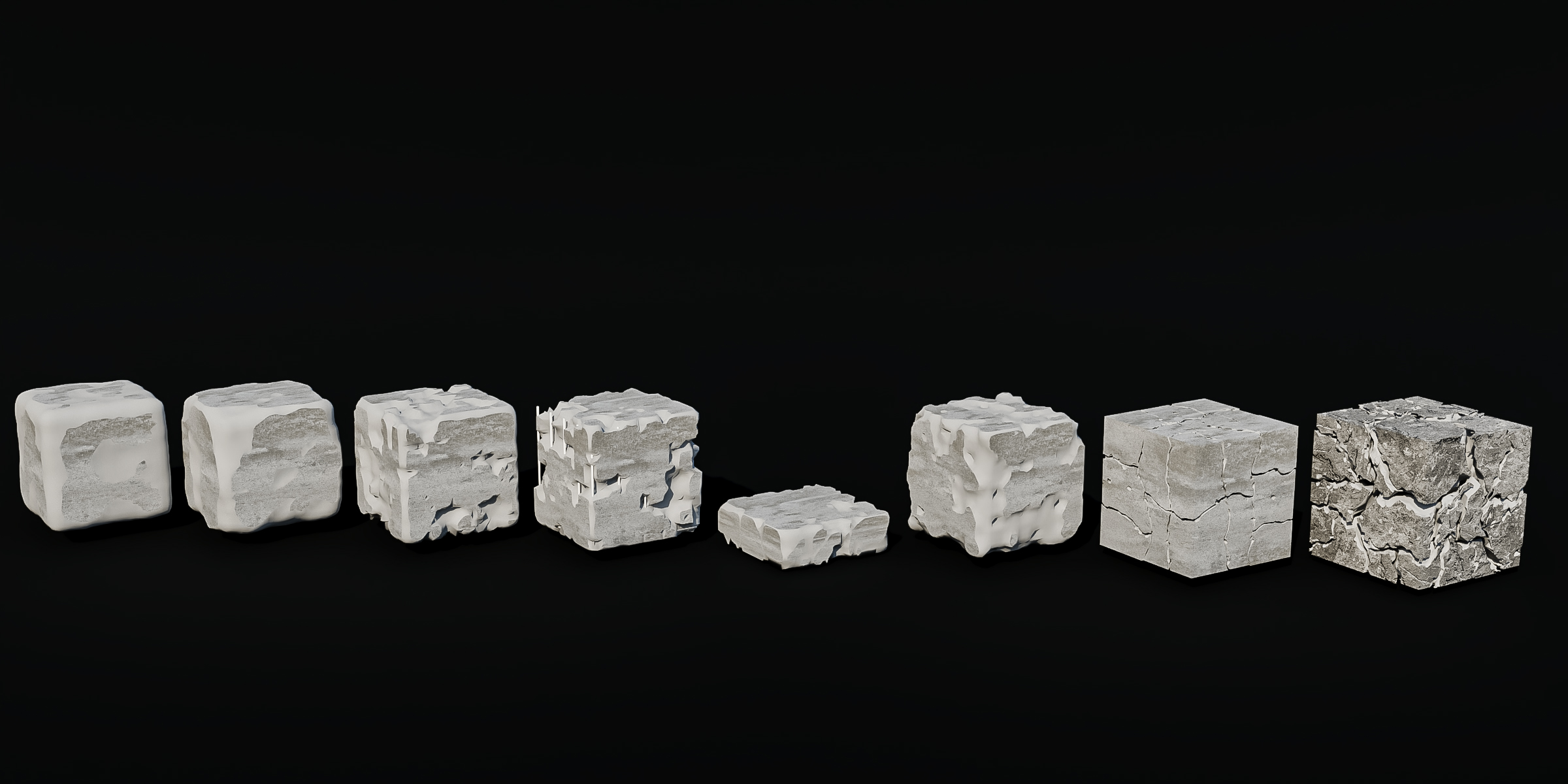
| Real Geometry Not a displacement trick. The damage is cut into the mesh, so it holds up in close-ups, exports and game engines. | Your Model Stays Clean Untouched areas keep their original topology. Only the damaged parts change. | Any Scale Sizes are set in % of the object, so the same settings work on a brick or on a building. |
Built Around Real Materials
Each type is modelled on how stone, concrete and metal actually break down.
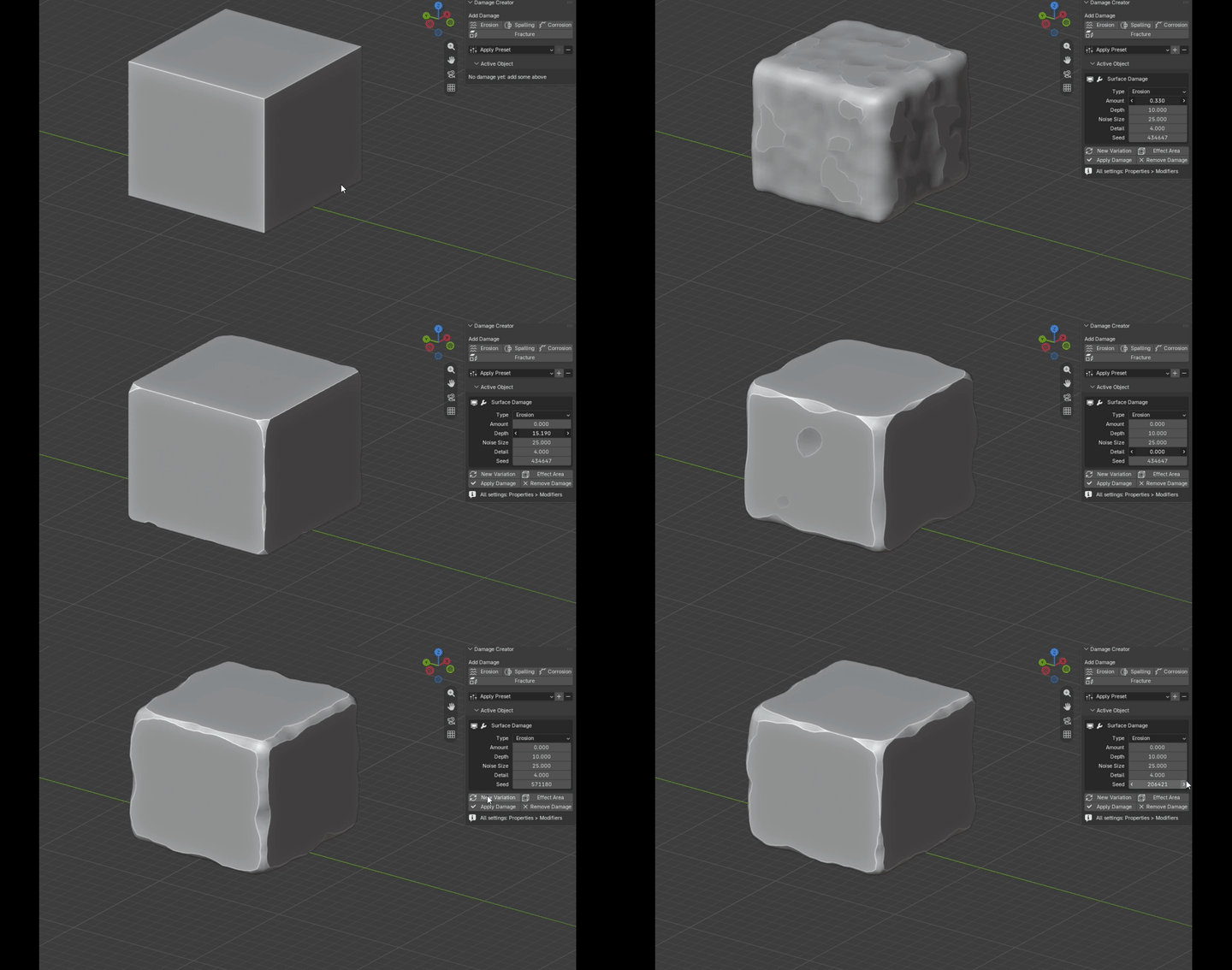 | STONE ErosionWeathered, rounded stone. Soft noise eats into faces and wears down edges. Set how much of the surface is hit, how deep it goes, the pattern size and fine detail. |
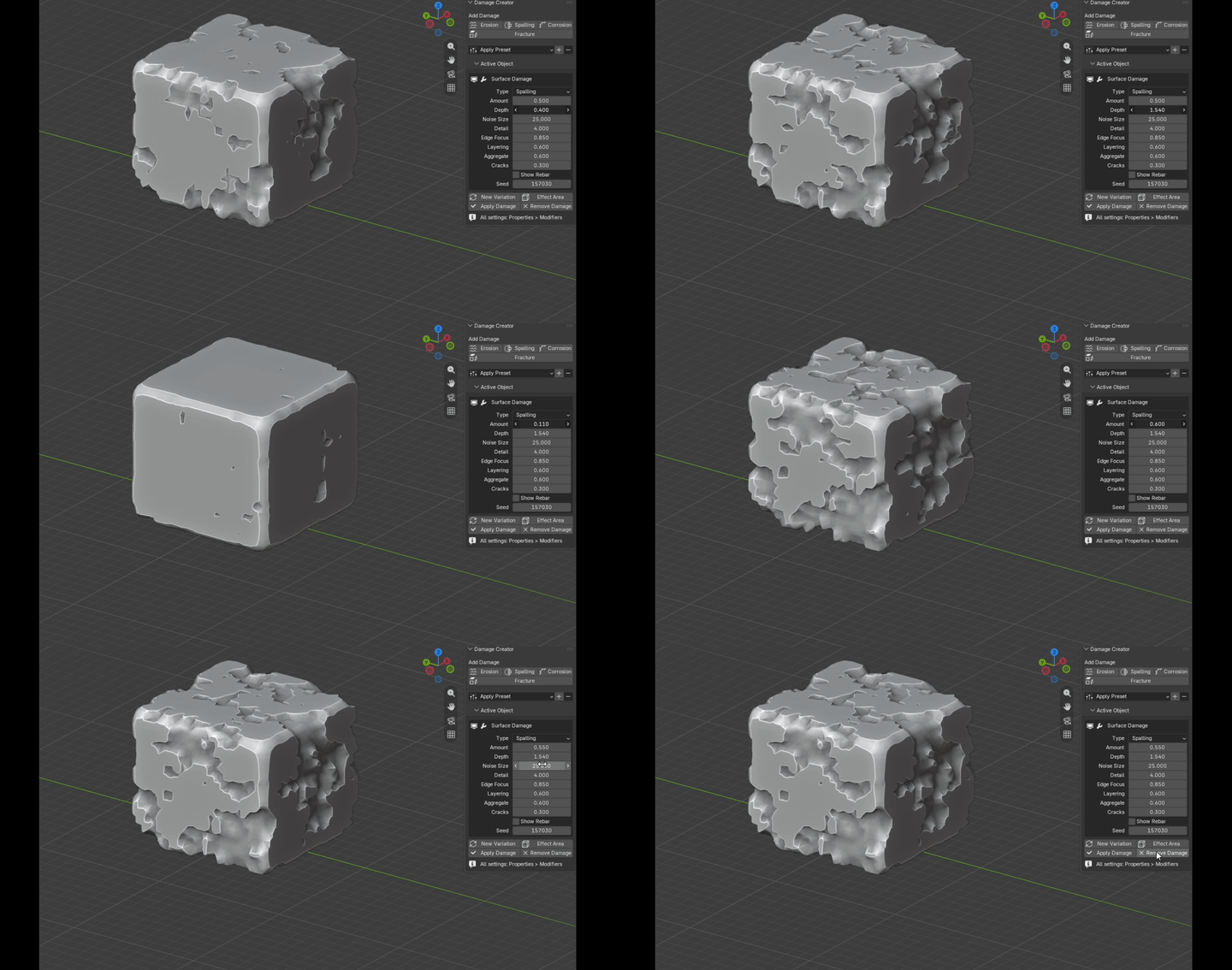 | CONCRETE SpallingConcrete coming apart in shallow, flat-bottomed layers with steep, jagged rims. Layering · Exposed Aggregate · Shrinkage Cracks · Rebar: real steel bars inside the concrete, with their own material, showing wherever the spalls are deep enough. |
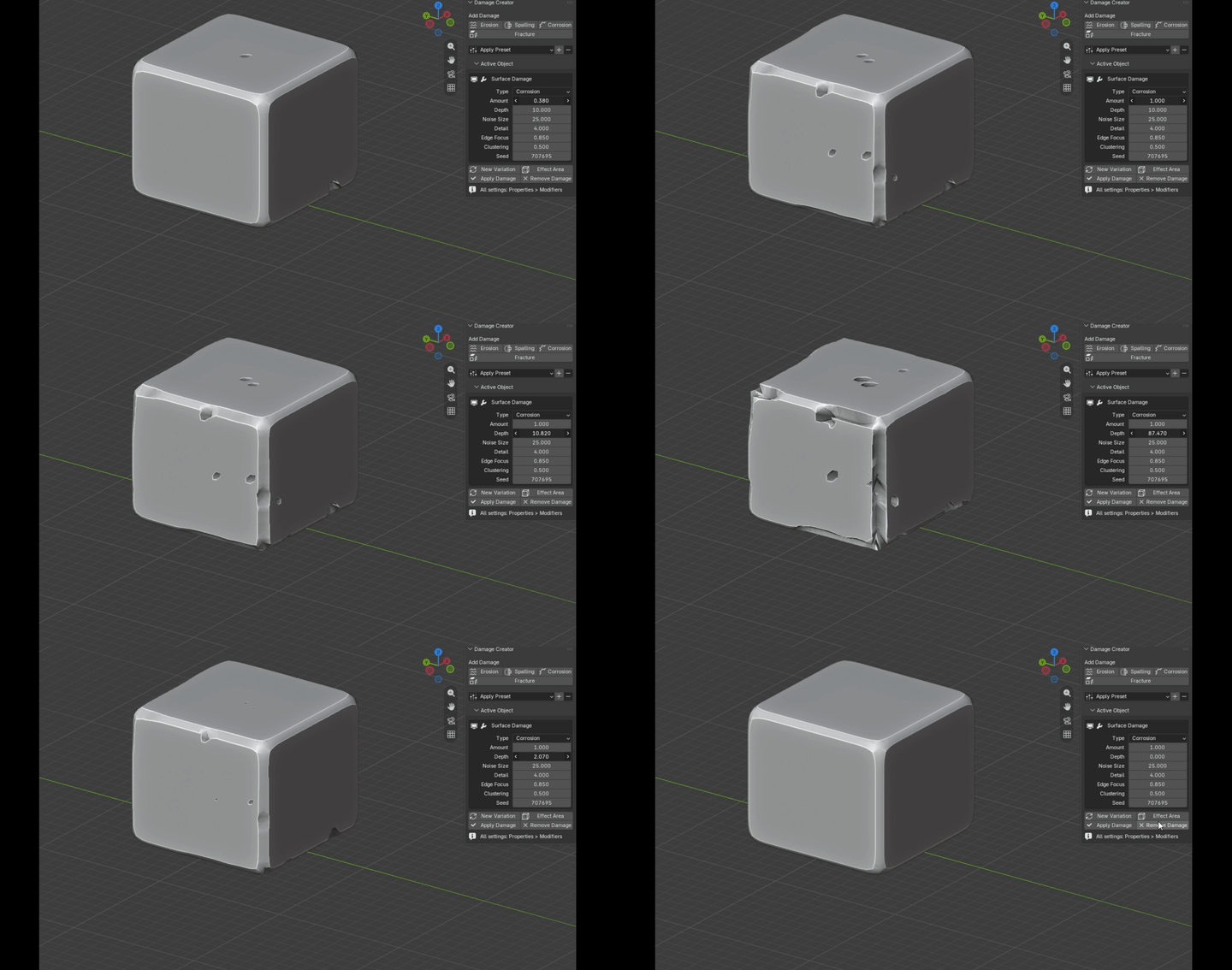 | METAL CorrosionPits in two sizes that gather into patches and merge into eaten-away areas. Clustering groups them, Edge Focus pulls them toward edges and corners. |
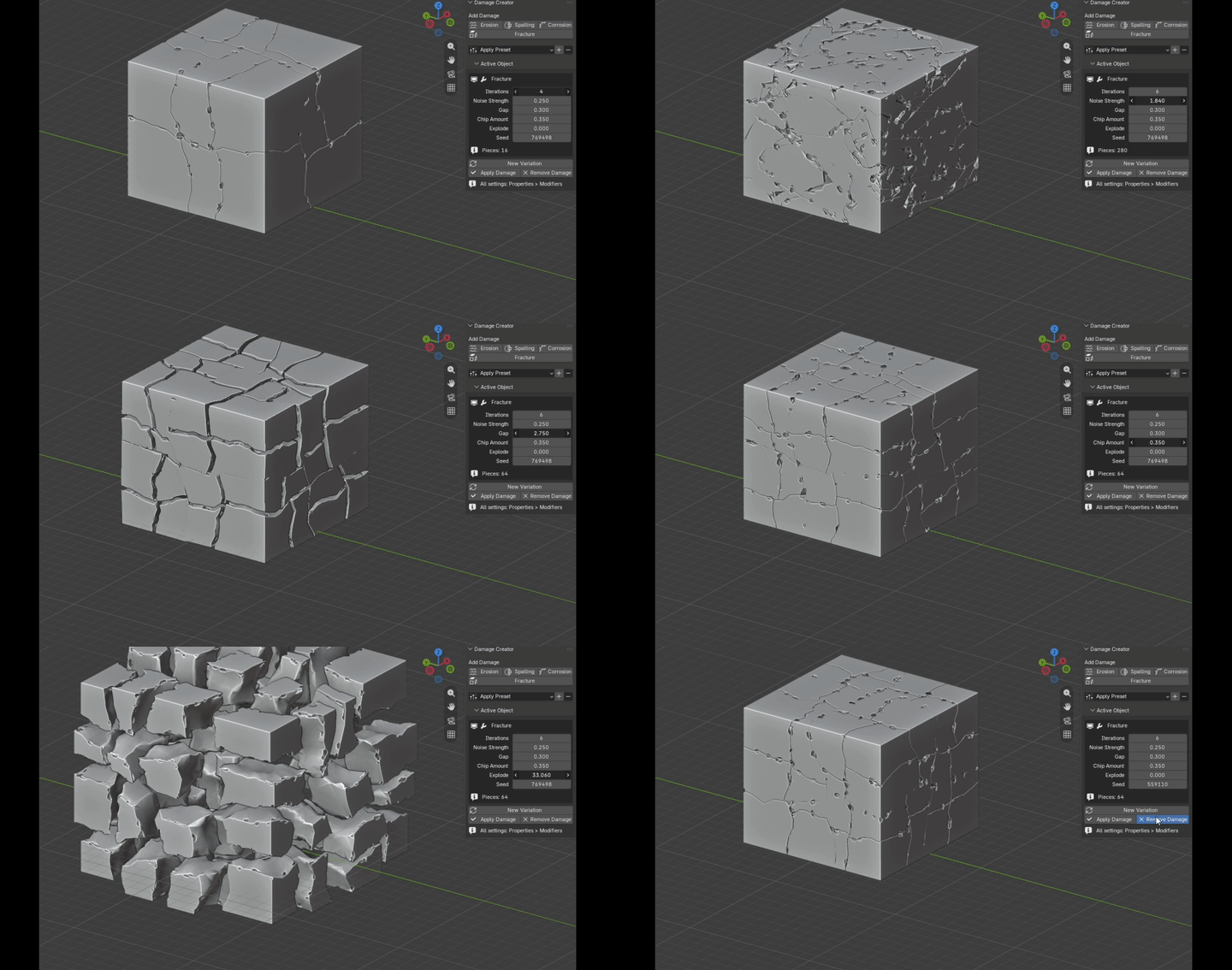 | BREAK IT APART FractureSplits the object into real pieces that fit together perfectly, with thin wandering cracks and chipped rims. Interior faces get their own material and relief. Protect any side from chips so modular pieces still line up. Explode or Hide Above to look inside. |
Damage Only Where You Want It
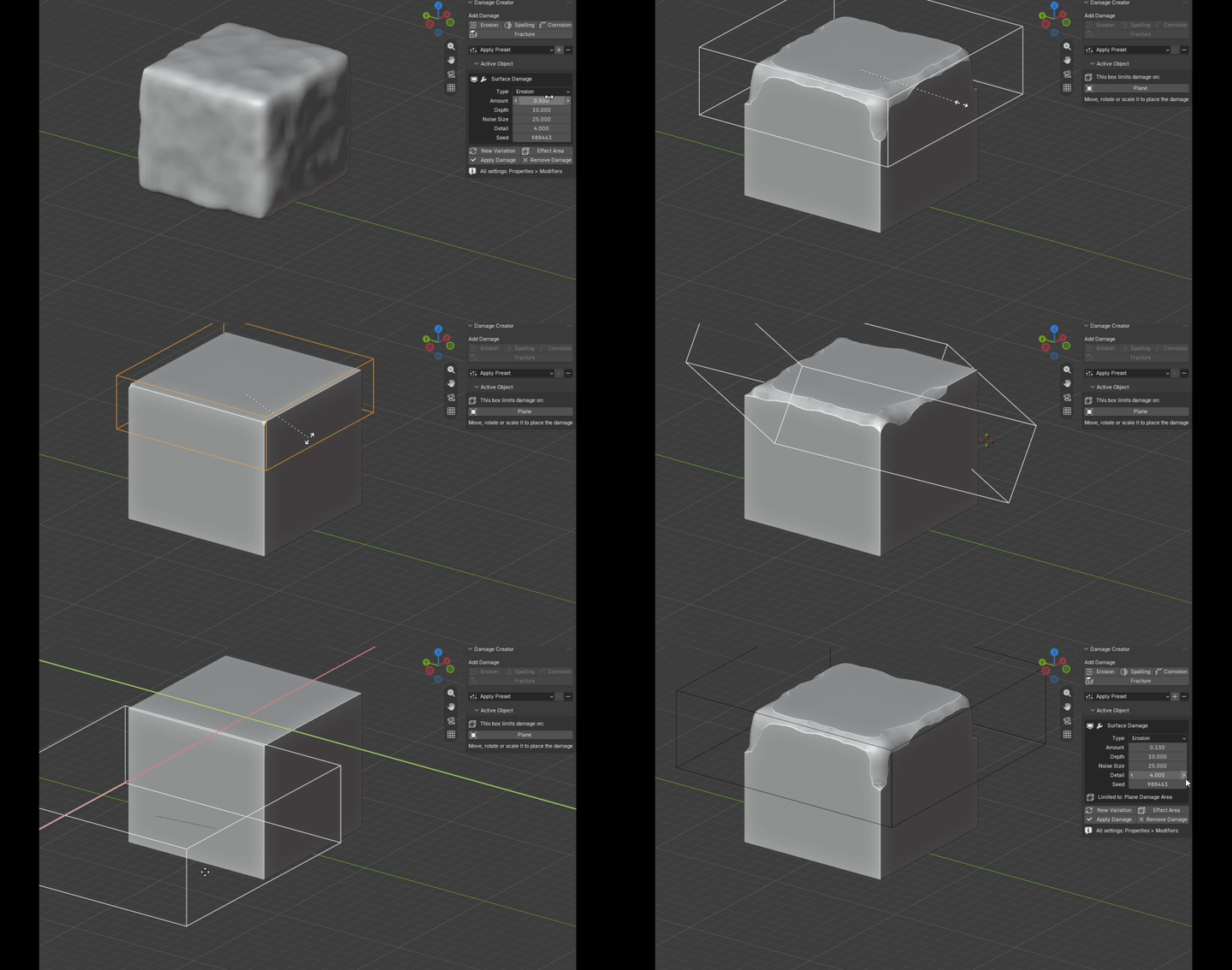
One click adds a box you can move, rotate and scale. Damage only happens inside it, with a soft falloff at the border, and the box follows the object.
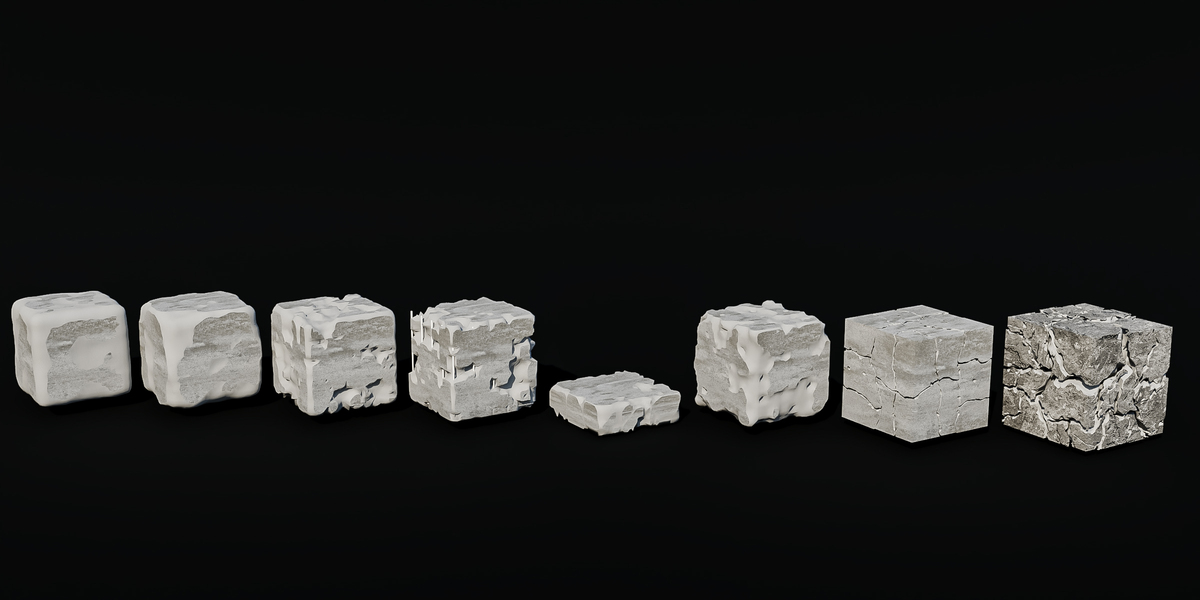
| PRESETS 8 Looks Ready to GoOld Stone · Ruin · Spalled Concrete · Concrete with Exposed Rebar · Cracked Slab · Corroded Metal · Cracked Stone Blocks · Shattered Save your own with +. Your presets are kept when you update the add-on. | 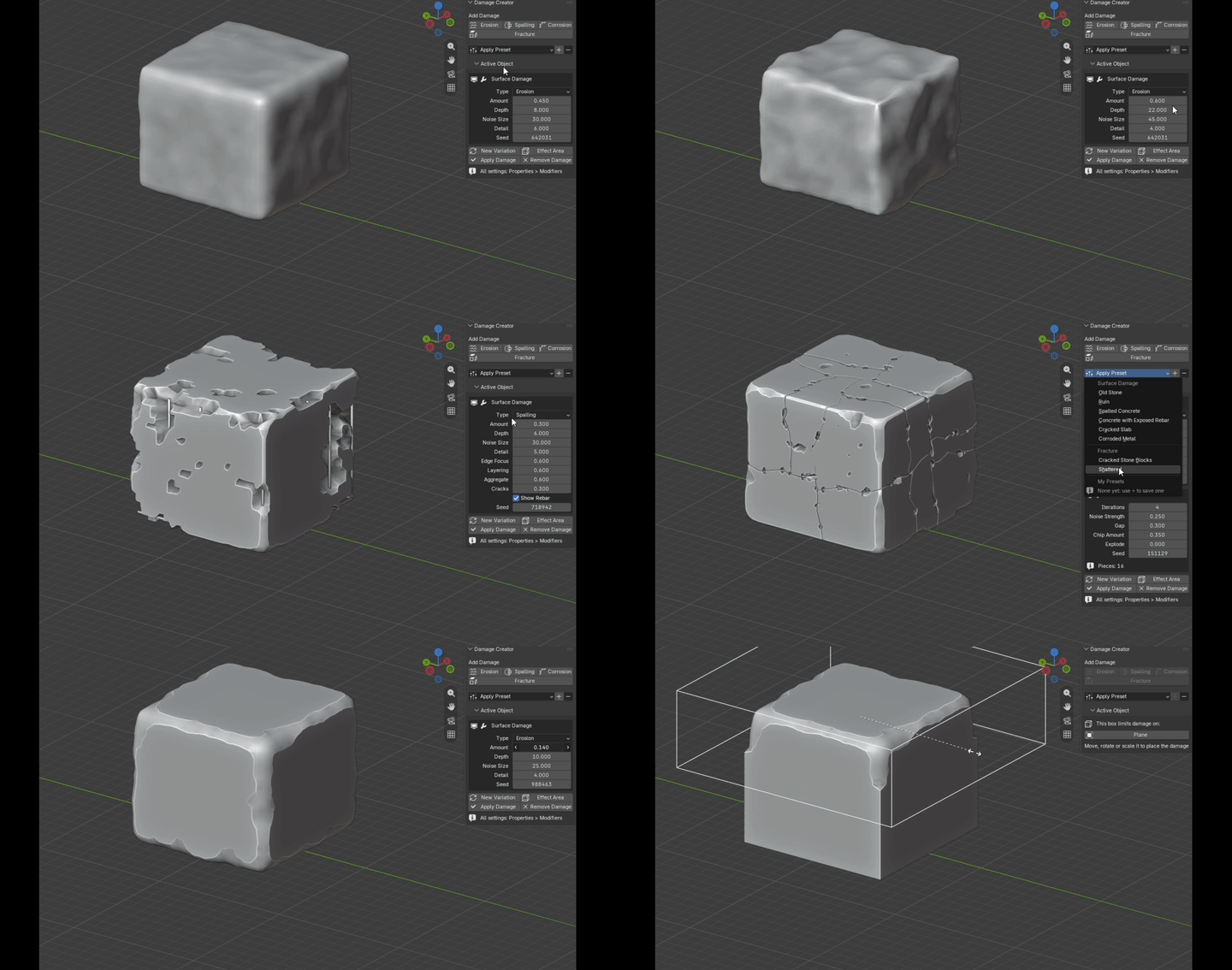 |
Works on Real Assets
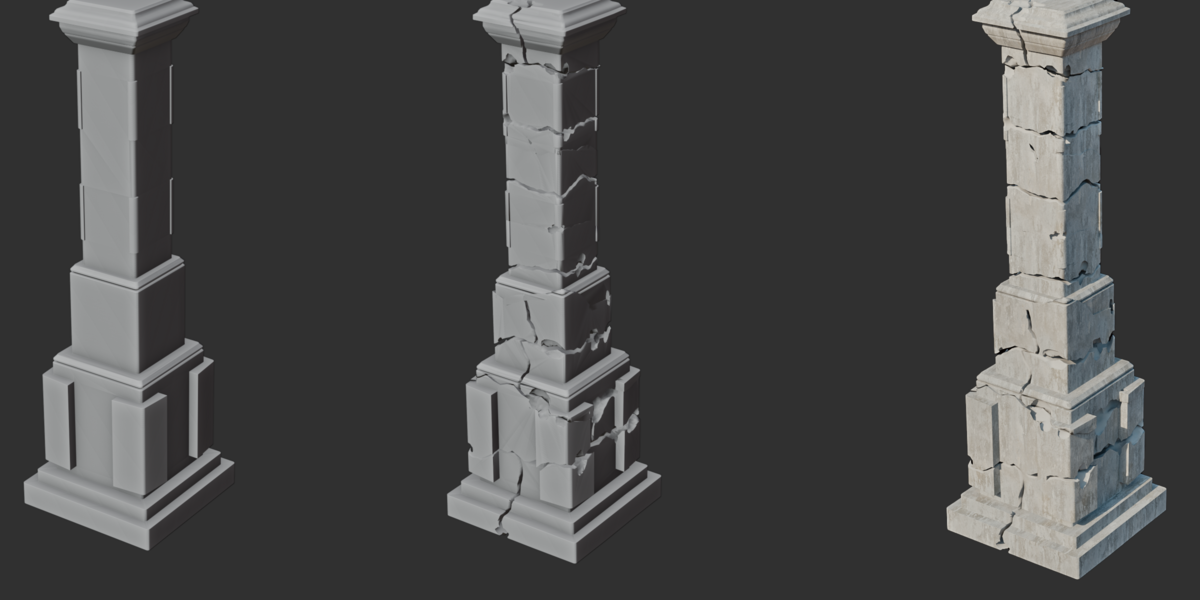
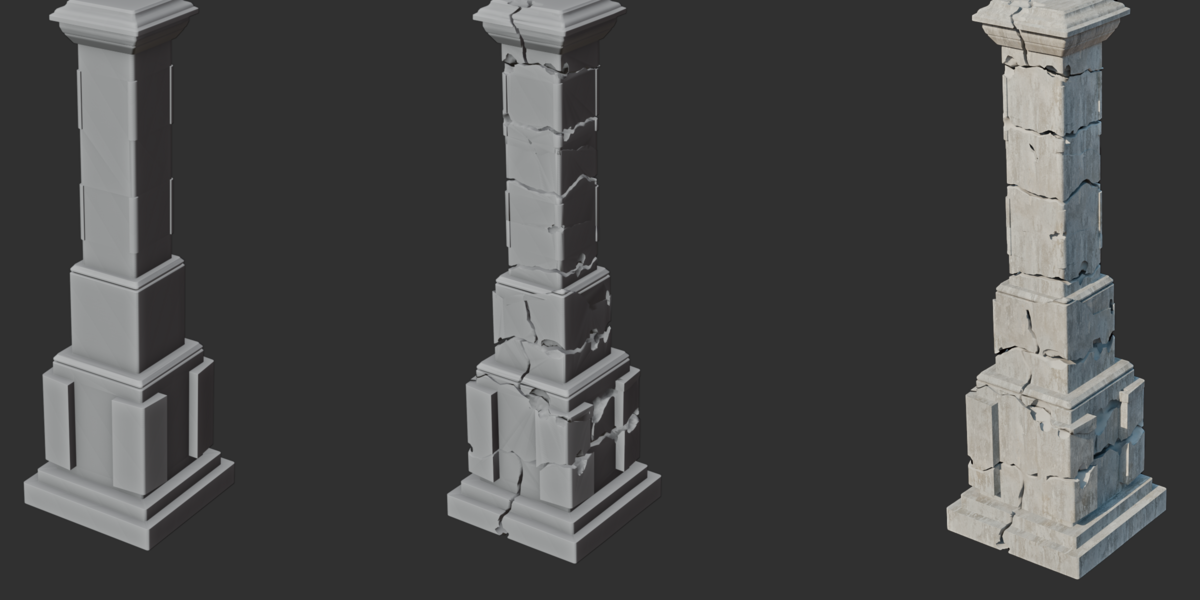
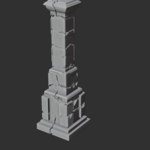
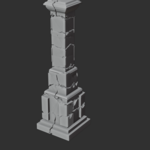
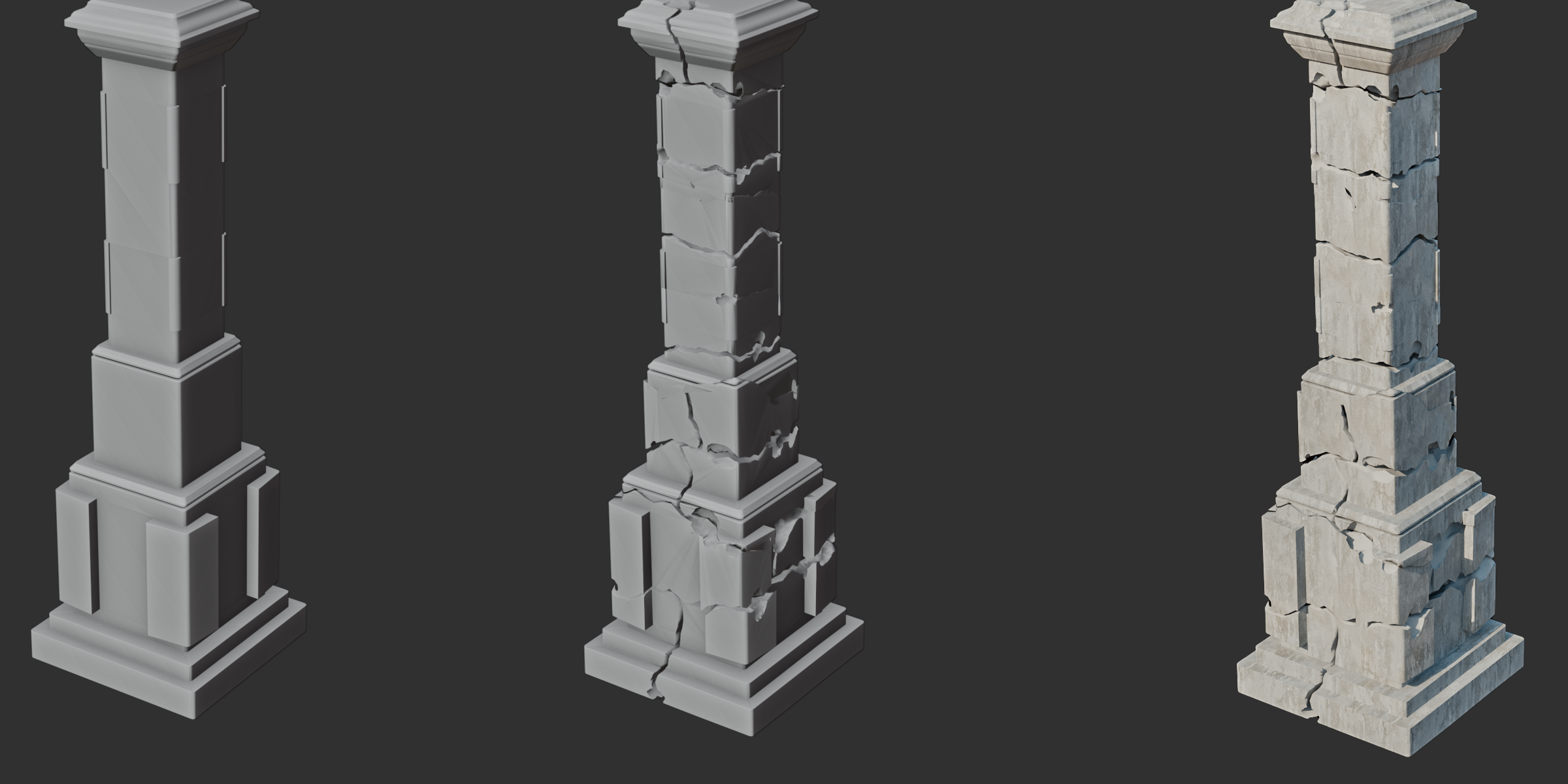
Clean model, fractured geometry, textured result: the same pillar in three steps.
A Fast, Safe Workflow
| Non-Destructive Everything is a regular modifier: it updates live and stacks with your other modifiers. | Many Objects at Once Every button works on all selected meshes. Damage a whole kit in one click. | Copy to Selected Give other objects the same damage, each with its own variation, or an identical copy. |
| New Variation Reroll the random pattern so repeated assets never look copy-pasted. | Damage Material Optionally give the damaged areas their own material, ready for texturing. | Light While Editing Separate viewport and render resolution keep the viewport fast and renders detailed. |
Happy with it? Apply Damage makes it permanent. Changed your mind? Remove Damage takes it all off.
Good to Know
- Closed (watertight) meshes give the best results.
- For soft, game-ready edges, put a Bevel before Fracture. A Weighted Normal is added after it automatically.
- Find it in the 3D Viewport sidebar (N), Damage tab. Every setting is also in Properties > Modifiers.
|
4.5+
BLENDER
|
4
DAMAGE TYPES
|
8
PRESETS
|

