 Synrg Studios


Discord Server Link :D Discord
If you buy the BetaReleases version send me a message so I can add you to the proper Discord Channel :D
DAMTools v1.7.2 Changelog
✨ New Features
-
Select Linked Tool: New Edit Mode tool that works like Circle Select but selects entire connected geometry islands
- Visual circle cursor that follows the mouse
- Mouse wheel to adjust circle radius
- CTRL+Click to deselect islands
- ALT+Click for fast mode (no undo steps - better for large selections)
- Available in DAMTools pie menu (Edit Mode)
🐛 Bug Fixes
-
Cross Connector: Fixed
ReferenceError: BMesh data of type BMEdge has been removed- Completely rewrote intersection algorithm with two-phase approach
- Added configurable tolerance parameter in the dialog
- More robust edge detection after mesh modifications
-
Topo Cleaner (Recursive Mode): Fixed ALT+click not triggering recursive cleaning
- Removed duplicate execute() methods that were overriding the correct implementation
- Now properly detects ALT key and runs recursive cleaning until convergence
- Removed duplicate
-
Topo Cleaner (Presets): Fixed inverted aggressiveness between Default and Aggressive presets
- Default: Now uses 1.0° dissolve (more conservative)
- Aggressive: Now uses 5.0° dissolve (actually aggressive)
BETA VERSION: Three new tools
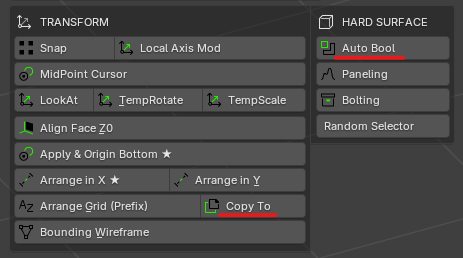
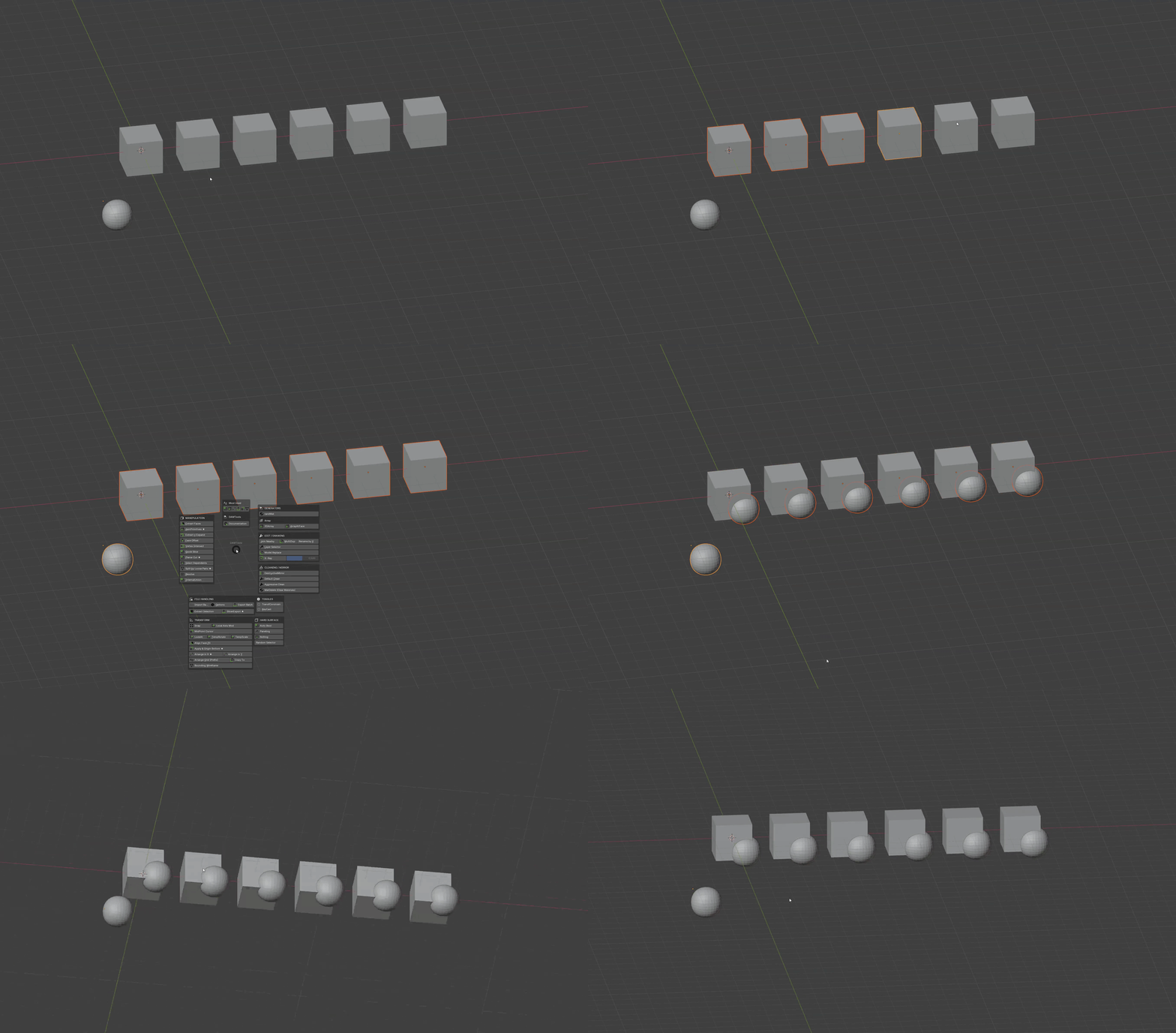
copyTo: An intelligent duplication tool that let you duplicate the active object (based on origin) to the rest of the selection with just one click [Workflow: Select the objects to COPY TO, then select the object TO BE COPIED (the current active object is the last) and use copyTo, the current active object will be duplicated to the selected objects]
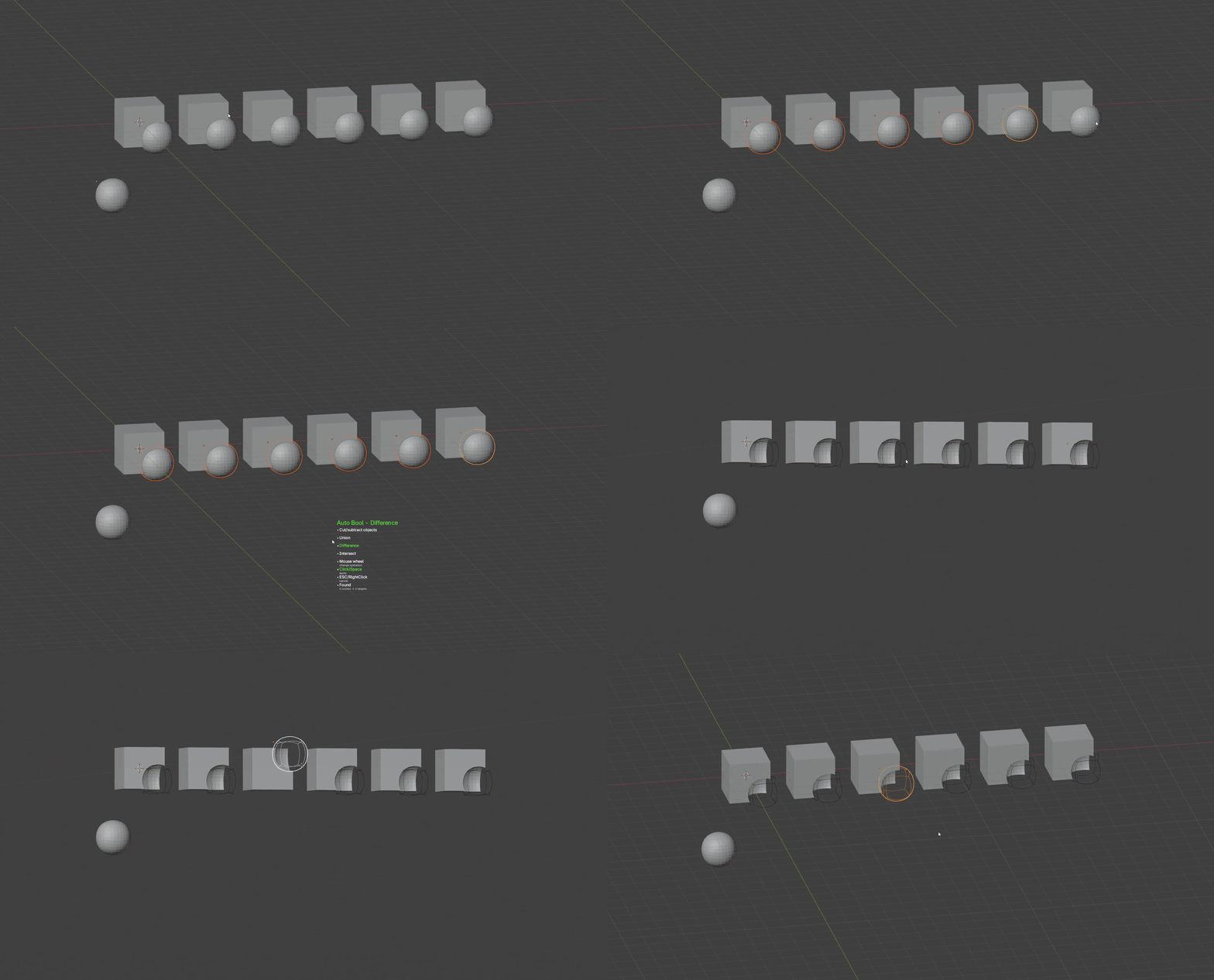
autoBool: A simple boolean powerhouse, select only the cutters and activate autoBool, the tool recognizes the cutters and the intersected objects, and makes a boolean operation (Union, Intersect and Difference, based on your selection) directly in the overlapping objects
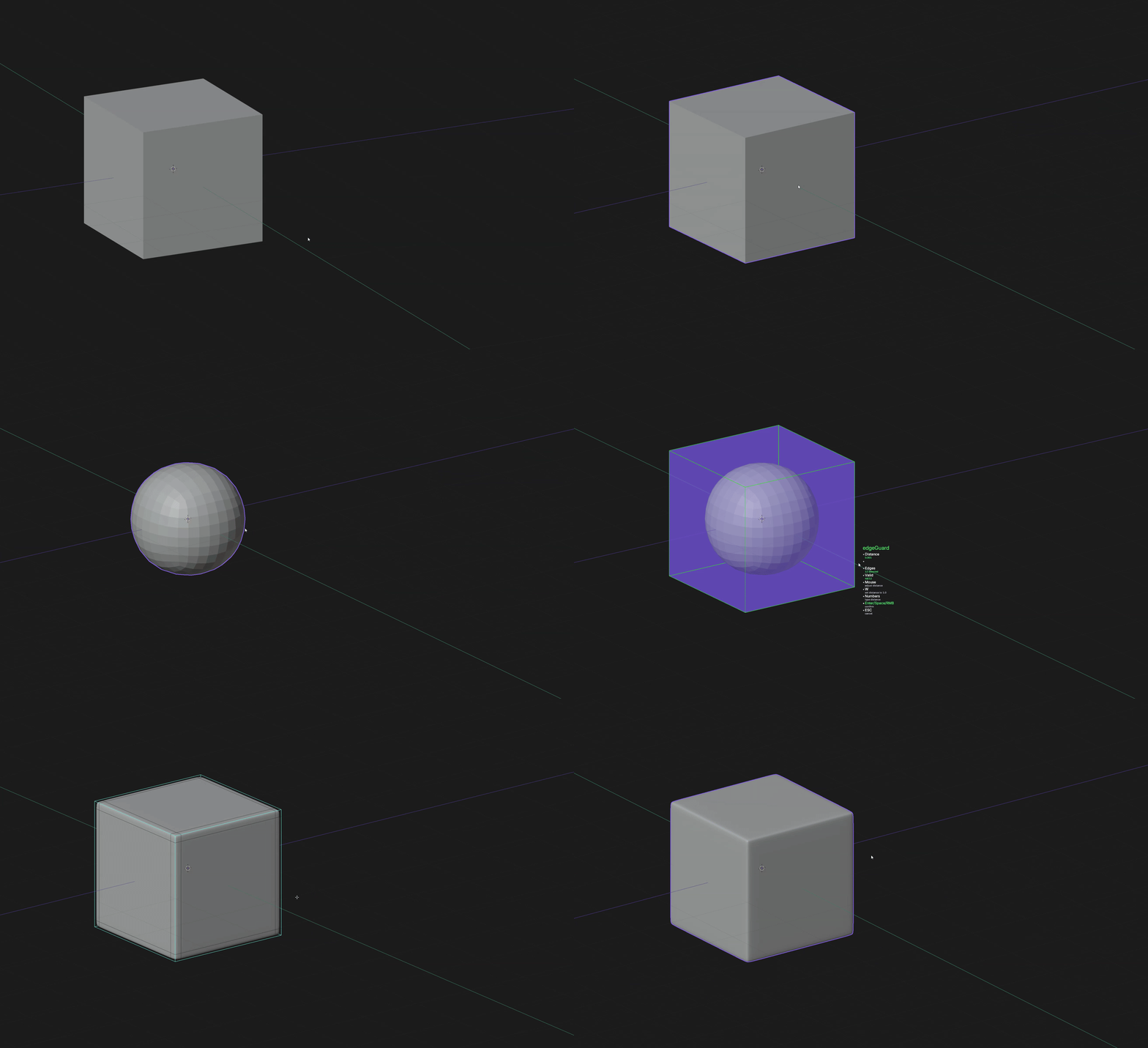
edgeGuard: Creates guarding loops around every selected edge for subd workflow
---
DAMTools - A powerhouse of tools
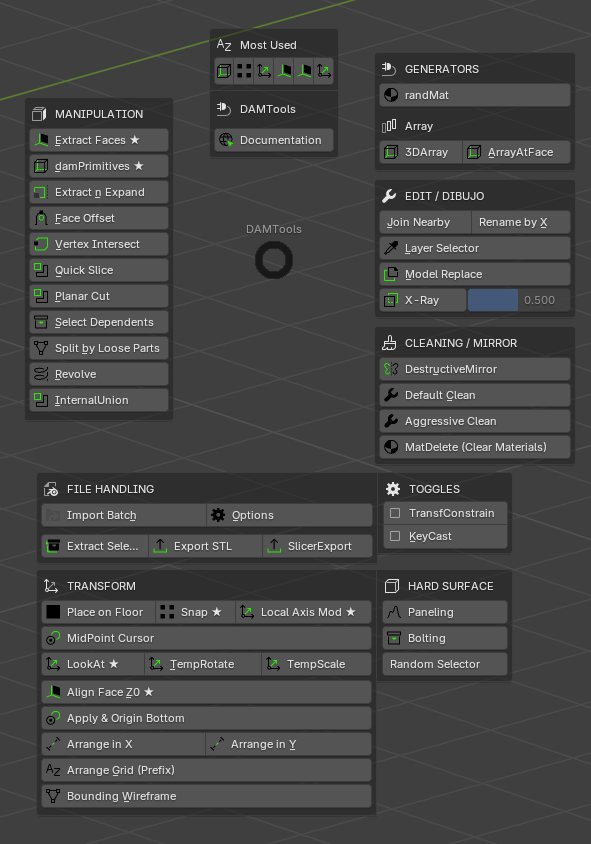
Revolutionize your 3D modeling workflow with DAMTools - the ultimate productivity powerhouse featuring 50+ precision-crafted operators at your fingertips through a lightning-fast pie menu interface.
Interactive Pie Menu System
- Shift+W hotkey for instant access to all tools
- Dynamic "Most Used" section that adapts to your workflow
- Smart categorization: Manipulation, Edit/Draw, Cleaning, Transform, Hard Surface
- Customizable interface with tool visibility controls
File Handling & 3D Printing Integration
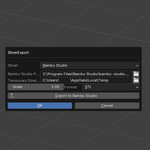
- SlicerExport Integration - Includes our popular SlicerExport addon for seamless 3D printing workflow
BambuSlicer Exporter integrated with this addon, you can export to BambuSlicer and PrusaSlicer and update the export
- Batch Import - Process the import of multiple files efficiently
- Batch Export - Process the export of multiple files (aware of the Batch Import)
- STL Export with memory for last directory
- Extract Selection - Quickly isolate parts for separate processing
Advanced Manipulation Tools
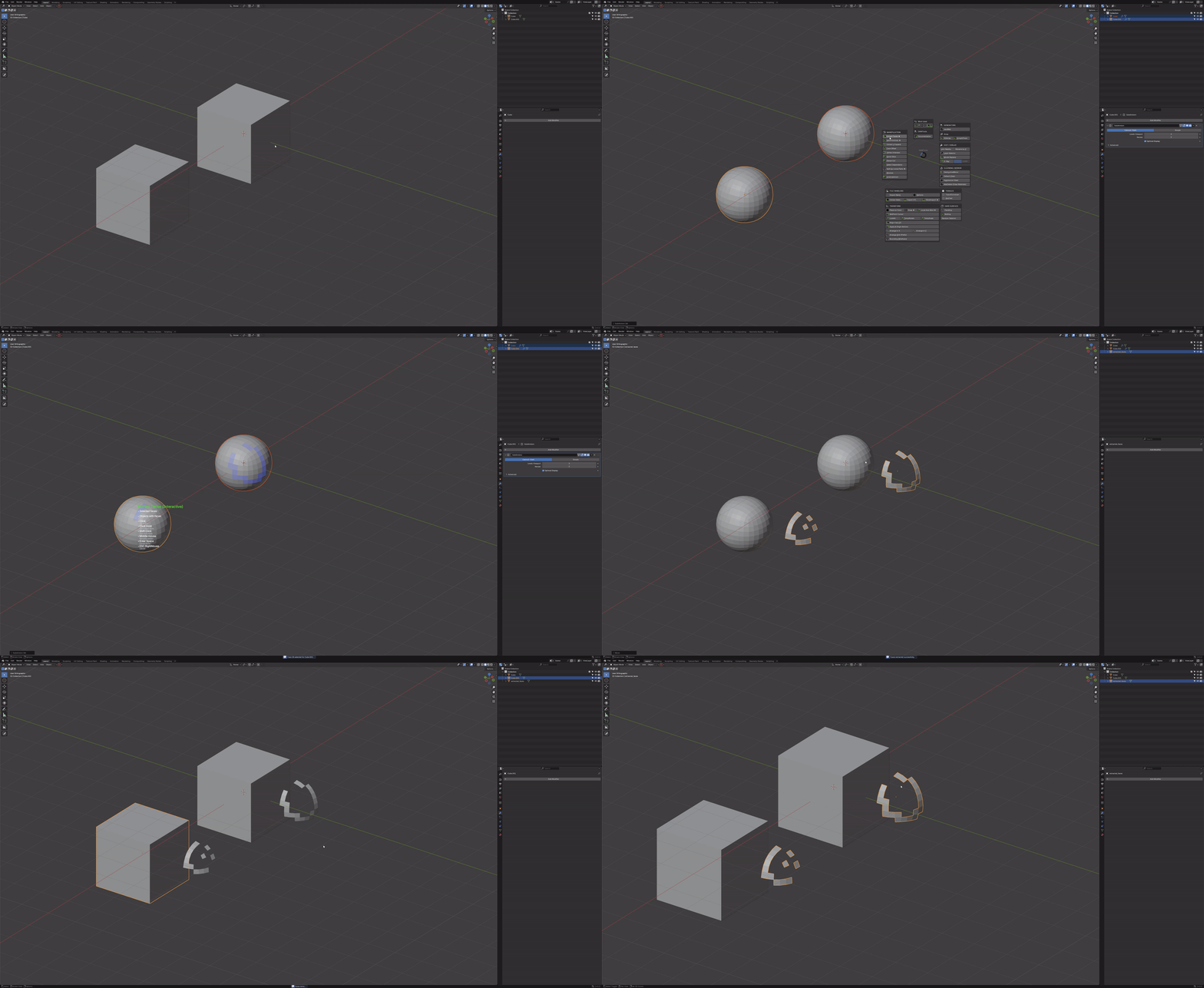
- Extract Faces Interactive - Multi-object face selection and extraction with paint mode and real-time preview, and virtual geometry too :D
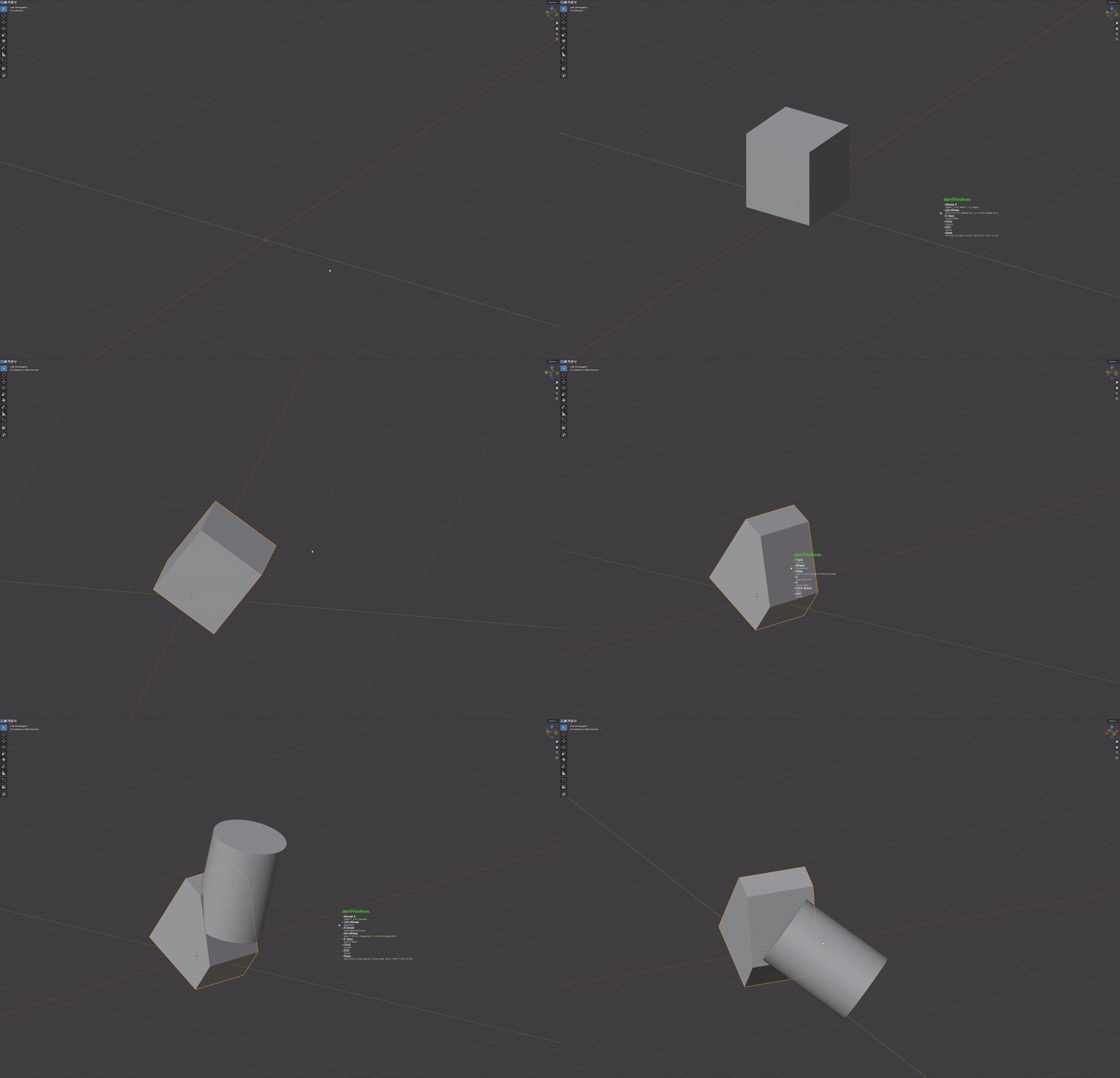
- damPrimitives - Interactive primitive creation with live dimension control and smart snapping
- Quick Slice - Precision fast and simple cutting with visual feedback
- Revolve Tool - Create rotational geometry like Fusion 360 with different revolve origins
- InternalUnion - Don't use geometry nodes to boolean every merged meshes into one object, just one click and everything's done for you
- Face Offset - Quick and advanced face extract and offseting controls
Professional Modeling Utilities
- Join Nearby - Automatically merge objects within distance thresholds
- TopoCleaner - Advanced mesh cleanup with aggressive and default modes - Revursive cleaning too
- Vertex Intersect - Precise vertex creation where two edges should meet
- Split Loose Parts - No more edit > select all > P > Separate by loose parts... Just one click without leaving object mode
- Paneling - Architectural random scifi paneling generation
- Bolting - Simple array generation of bolts at the edge of one or multiple panels
- LookAt - Instantly orient the camera to the selected face with raw and pitch controls
- Local Axis Mod - Interactive local axis manipulation and modification
- Snap - Advanced snapping from one object to another via two selected faces, edges or vertices
- Cross Connector - Create simple vertices in crossing edges
- Array at Face - Intelligent array placement using face normals as guides
- Connect Vertices Smart - Intelligent vertex connection with automatic path finding
- Edge Offset - Precise edge manipulation with offset and inset controls
- Forced Loop - Create forced loops in geometry (one or more meshes in the same object) no matter the geometry
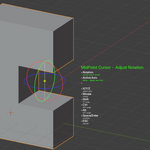
- Midpoint Cursor - Quickly place the cursor between two faces
- Vertex Rotate Pivot - Rotate your complete selection of vertices using one vertex as pivotpoint
- Temp Rotate - Rotate objects using edges as a temporary pivot point
- Temp Scale - Scale objects using edges as a temporary scale origin
- Select Dependents - Automatically select related or dependent geometry / create a new empty and transfer every dependency to that empty
- Subdivider - Simple and enhanced edit mode subdivider
Smart Transform System
- TransfConstrain - Intelligent G/R/S remapping based on viewport orientation - Just activate the tool and constrain the geometry with your camera
- Align Face Z0 - Simplify object placement in Z0 by just selecting one face
- Apply Origin Bottom - Apply every transform and place the origin in the bottom of the object
- Arrange Grid by Prefix - Organized object placement by naming
- Bounding Wireframe - Quick boundingbox creation for the selected objects
- Arrange X - Linear arrangement of objects along X-axis with spacing controls
- Arrange Y - Linear arrangement of objects along Y-axis with spacing controls
- Arrange X Proxy - Advanced X-axis arrangement with proxy objects
- Arrange X Reset Rotation - Reset object rotations during X arrangement
- Align Floor - Automatically align objects to floor or reference plane
- Array 3D - Create complex 3D arrays with multiple axis control
- Destructive Mirror - Simple destructive mirror creation using every vertex, edge and face of the model as mirrorpoint
- Outset Coplanar - Creates a coplanar offset from a selected face
Hard Surface Specialists
- Beveled Extrude - Clean hard-surface extrusions with automatic bevel application
- Edge Offset Smart - Intelligent edge manipulation with context awareness
- Face Grid - Create geometric face grids in a selected face
- Planar Cut - Precision planar cutting using a selected face as cutter plane
- Extract N Expand - Simple single-face or multi-face extrusion in object mode
- VShear Displace - Vertex shearing and displacement for hard surface details
Material & Organization Tools
- randMat - Random material assignment with modal controls and live preview
- Layer Selector - Quickly select objects behind or inside other objects with a layer system
- Model Replace - Asset swapping workflow with automatic positioning
- MatDelete - Clean material removal from objects and scenes
- Batch Rename Spatial - Organize objects by position with smart naming
- Random Selector - Randomly select objects based on customizable criteria
Visualization & Analysis Tools
- KeyCast - Real-time input display for tutorials and presentations
- X-Ray Toggle - Transparency controls with alpha slider and viewport management
Technical Highlights
- 50+ Specialized Operators covering every aspect of 3D modeling
- Modal Interactions for real-time parameter adjustment
- Smart Snapping systems for precision placement
- Batch Processing capabilities for production workflows
- Memory Systems that remember your preferences
- SlicerExport Included - No separate purchase needed
- Comprehensive Documentation with visual guides (Working on the visual part :D)
What's Included
- Complete DAMTools addon with all 50+ operators
- Integrated SlicerExport addon (normally sold separately)
- Comprehensive documentation with GIFs and examples in English and Spanish (Currently working on the gifs :D)
- Customizable pie menu system
- Usage analytics and favorites system
- Professional support and updates via Discord (Creating the discord server right now :D)
IF AT ANY POINT YOU FIND ANYTHING NOT WORKING OR NOT WORKING PROPERLY send me a message thru discord, this is my first BIG addon and I want to make it the best possible :D
