 DejaVu


Documentation
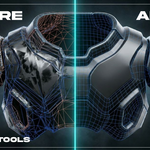
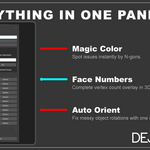
Welcome to DejaVu Tools. This add-on helps you inspect topology faster, orient meshes quickly, export depth/normal maps, navigate a crowded Sidebar, and jump to your project folder — all from one panel.
Quick start
- Install the
.zipfile from Blender's Add-ons preferences. - Enable
DejaVu Tools. - Open
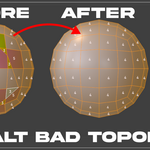
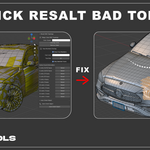
View3D > Sidebar > DejaVu. - Use Resalt BAD Topology to inspect face types.
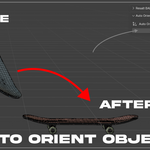
- Use Auto Orient Object to align meshes from selected faces/edges.
- Use Depth and Normal Map to export EXR maps from the active camera.
- Use Sidebar Tab Navigator (
View > Sidebar Tabs) to jump between Sidebar tabs. - Use
File > Open .blend Folderfor quick access to your project folder.
Tool guide
Resalt BAD Topology
- Colors faces by vertex count to reveal topology issues.
- Use the panel counters to select face types quickly.
- Optional face-number overlay is available in Edit Mode.
Auto Orient Object
- Works with selected faces, edges, or 3+ vertices.
- Supports Object Mode and Edit Mode.
- Default shortcut:
Ctrl + Alt + F.
Depth and Normal Map
- Requires an active mesh and a defined Output Folder.
- Resolutions available: 1K, 2K, 4K.
- Exports
.exrfiles named after the object, map type, and resolution (e.g.MyObject_depth_2k.exr).
Sidebar Tab Navigator
- Lists every Sidebar tab in a single searchable, sortable panel.
- Access from
View > Sidebar Tabs, the viewport header button, or the shortcutsAlt + N(open list) andCtrl + Alt + N(search). - Preferences let you sort alphabetically, by recent use, or by frequency, and pin favorites.
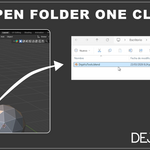
Open .blend Folder
- Available at
File > Open .blend Folder. - Opens the directory of the active saved blend file.
Important limitation
This add-on does not auto-fix topology. It highlights topology issues so you can correct geometry manually, faster.
Compatibility
- Blender: 4.4.3 to 5.2
- OS: Windows, macOS, Linux
- Render engines tested: Cycles, Eevee
Troubleshooting
- If the panel does not appear, confirm the add-on is enabled in Preferences.
- If Auto Orient fails, verify you have a valid mesh selection (faces, edges, or 3+ vertices).
- If Depth/Normal Map export produces nothing, confirm there is an active mesh and a valid, writable Output Folder.
- If Sidebar Tab Navigator's buttons don't appear, enable them in
Preferences > Add-ons > DejaVu Tools > Sidebar Tab Navigator. - If Open .blend Folder does nothing, save the blend file first.
- If colors are not visible, run Coloring Faces and check Solid viewport shading.
Support
Use the Superhive product support thread. Include Blender version, OS, steps to reproduce, and screenshot/video.
 Included
Includes 12 months of
- Support from DejaVu
- Product updates
Extend this product’s Support Period +12 months: 50% of product price
Have questions before purchasing?
Login to message
| Blender Extension Compatible | Yes |
| Dev Fund Contributor | |
| Published | 8 months ago |
| Blender Version | 4.5 - 5.2 |
| Extension Type | Add-on |
| Render Engine Used | Cycles, Eevee |
| License | GPL |

Discover more products like this
auto orient production tools modeling workflow triangles blender addon ngon topology sidebar-navigation depth map mesh cleanup normal map hard surface