 DejaVu


Does DejaVu Tools automatically fix topology?
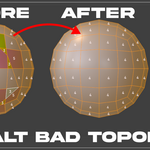
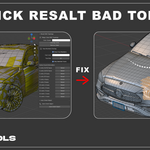
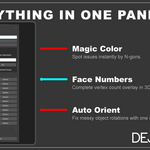
No. It highlights topology issues (tris, n-gons, face-type distribution) so you can correct them manually, faster.
Which Blender versions are supported?
This product is tested from Blender 4.5 up to Blender 5.1.
Which render engines are supported?
Cycles and Eevee are tested and supported for the included workflows.
What operating systems are supported?
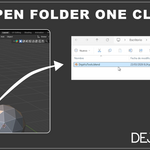
Windows, macOS, and Linux — including Open .blend Folder, which uses each system's native file explorer.
Will this slow down my scene in large projects?
No. The face-number overlay only renders in Edit Mode, and topology coloring uses a single lightweight color attribute — nothing runs in the background while you model.
Does DejaVu Tools permanently modify my mesh?
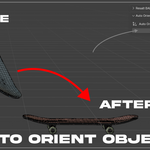
Resalt BAD Topology only adds a removable color attribute for visual inspection — nothing is deleted or merged, and Remove Color clears it instantly. Auto Orient Object does change the object's rotation (that's its job), but it never edits your mesh data.
Where do I find the tools after installing?
Open View3D > Sidebar > DejaVu for Resalt BAD Topology, Auto Orient Object, and Depth and Normal Map. Open .blend Folder lives in File > Open .blend Folder, and Sidebar Tab Navigator adds shortcuts to the View menu and the viewport header.
Auto Orient Object isn't working. What should I check?
Yes, commercial use is allowed under the selected product license.
Will Sidebar Tab Navigator interfere with my other add-ons?
Why can't I see the face-number overlay?
It only draws in Edit Mode by design, to avoid a performance hit while modeling in Object Mode. Enable "Show Face Numbers" and switch to Edit Mode.
Can I use this in commercial projects?
Yes. DejaVu Tools is licensed under GPL-3.0-or-later, which permits commercial use.
How do I get faster support?
Post on the Superhive product support thread with your Blender version, operating system, exact reproduction steps, and a screenshot or short video.
 Included
Includes 12 months of
- Support from DejaVu
- Product updates
Extend this product’s Support Period +12 months: 50% of product price
Have questions before purchasing?
Login to message
| Blender Extension Compatible | Yes |
| Dev Fund Contributor | |
| Published | 8 months ago |
| Blender Version | 4.5 - 5.2 |
| Extension Type | Add-on |
| Render Engine Used | Cycles, Eevee |
| License | GPL |

Discover more products like this
production tools ngon triangles blender addon sidebar-navigation mesh cleanup depth map topology hard surface auto orient normal map modeling workflow