 DejaVu


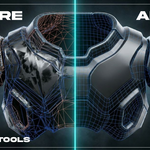
Stop losing time on messy meshes and repetitive setup
Tired of shading artifacts you can't explain, n-gons hiding in plain sight, re-orienting every imported asset by hand, and hunting for the right tab in a Sidebar packed with add-ons?
DejaVu Tools is a 5-tool cleanup and prep kit for Blender. It makes topology problems visible, straightens meshes in one click, bakes depth and normal maps without leaving the viewport, and gets you around a crowded Sidebar in seconds — so the busywork stops eating into your modeling time.
Important: DejaVu Tools does not auto-fix topology. It highlights issues so you can correct geometry manually, faster.
See it in action
What you can do with DejaVu Tools
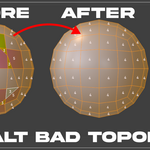
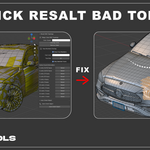
Resalt BAD Topology
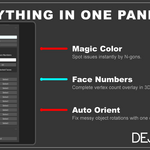
- What it does: Colors every face by vertex count, so quads, tris and n-gons are visually separated the instant you look at the mesh. Includes one-click select-by-face-type and an optional live vertex-count overlay.
- Why it helps: Instead of orbiting the viewport guessing why a shader looks wrong, you see the problem faces immediately — and select them with one click to fix them by hand.
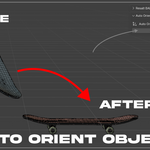
Auto Orient Object
-
What it does: Realigns an object to the global axis using selected faces, edges, or 3+ vertices — works in both Object and Edit Mode. Default shortcut:
Ctrl + Alt + F. - Why it helps: No more manually rotating an imported or scanned asset until it "looks straight." Select the reference geometry, hit the shortcut, done.
Depth and Normal Map
- What it does: Bakes Depth and Normal maps from the active camera and exports them as EXR at 1K, 2K or 4K.
- Why it helps: Get texturing-, displacement-, or lookdev-ready maps in two clicks — no compositor setup, no round-trip to another app.
Sidebar Tab Navigator
-
What it does: Turns Blender's narrow, vertical Sidebar tab strip into a searchable, sortable, favoritable list. Jump to any tab from the
Viewmenu, the viewport header, or the shortcutsAlt + N(open list) andCtrl + Alt + N(search). - Why it helps: Once your Sidebar has a dozen add-on tabs squeezed into a few pixels of vertical text, finding the right one stops being a guessing game.
Open .blend Folder
-
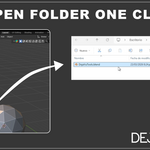
What it does: Opens the active
.blendfile's folder directly from Blender'sFilemenu, on Windows, macOS or Linux. - Why it helps: Faster file handoffs, backups, and export checks — no digging through Recent Files or your OS file browser.
Feature highlights
ONE-CLICK VISIBILITY FAST FACE SELECTION PRECISE INSPECTION QUICK ORIENTATION DEPTH & NORMAL EXPORT FASTER SIDEBAR
- One-click visibility: Reveal topology hotspots the moment you look at the mesh.
- Fast face-type selection: Isolate tris, n-gons, and quads for manual cleanup.
- Precise inspection: Optional face-number overlay for detailed checks.
- Quick orientation: Align meshes from selected faces or edges, no manual transforms.
- Depth & normal export: Camera-based EXR baking at up to 4K, ready for texturing or displacement.
- Faster Sidebar: Search, sort, and favorite tabs instead of scanning vertical text.
Compatibility
- Blender: 4.4.3 to 5.2
- Operating Systems: Windows, macOS, Linux
Installation (under 1 minute)
- In Blender:
Edit > Preferences > Add-ons > Install... - Select the
.zipfile you downloaded from Superhive - Enable
DejaVu Tools - Open
View3D > Sidebar > DejaVu
Included files
- DejaVu Tools add-on (
.zip) - README
- User Manual
- License
Support
Support channel: Superhive product support thread.
For faster support, include:
- Blender version
- Operating system
- Exact reproduction steps
- Screenshot or short video

