 Cgi Lab
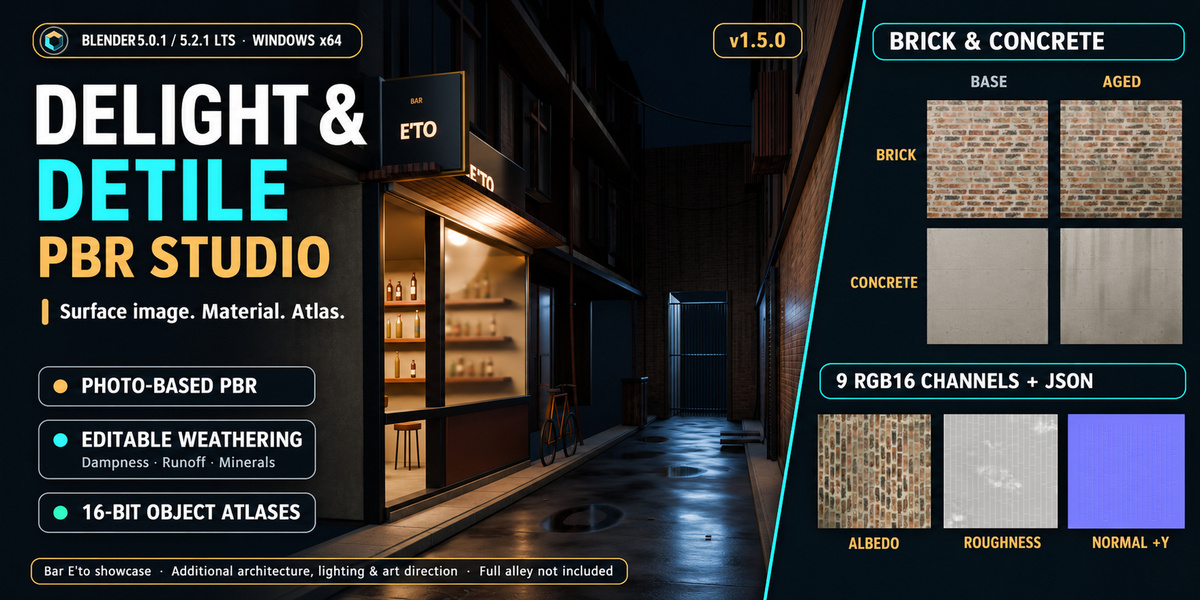
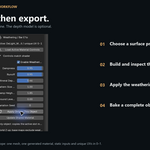
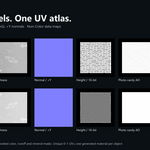
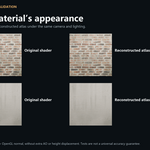
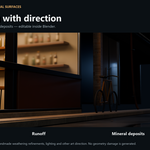
Turn Raw Brick & Concrete Photos into Seamless, Weathered PBR Materials & 16-Bit Object Atlases Inside Blender.
Go from a single photographed surface to a tileable architectural material, dial in live world-space ageing, and bake your final look into a portable 16-bit PBR object atlas—all inside one streamlined Blender workspace built for walls, paving, concrete and architectural finishes.
100% Offline Frequency Workflow (Zero AI Download Required) • Optional Local Depth Model (No Account, API Key or Subscription) • Windows x64 • Tested in Blender 5.0.1 & 5.2.1 LTS
Why ArchViz & Environment Artists Choose DeLight & DeTile 1.5.0
- Photographic Cleanup & Dedicated Seam Synthesis: Suppress baked shadows and specular highlights, balance color, and eliminate tiling seams with specialized Brick / Mortar and Fine Concrete modes.
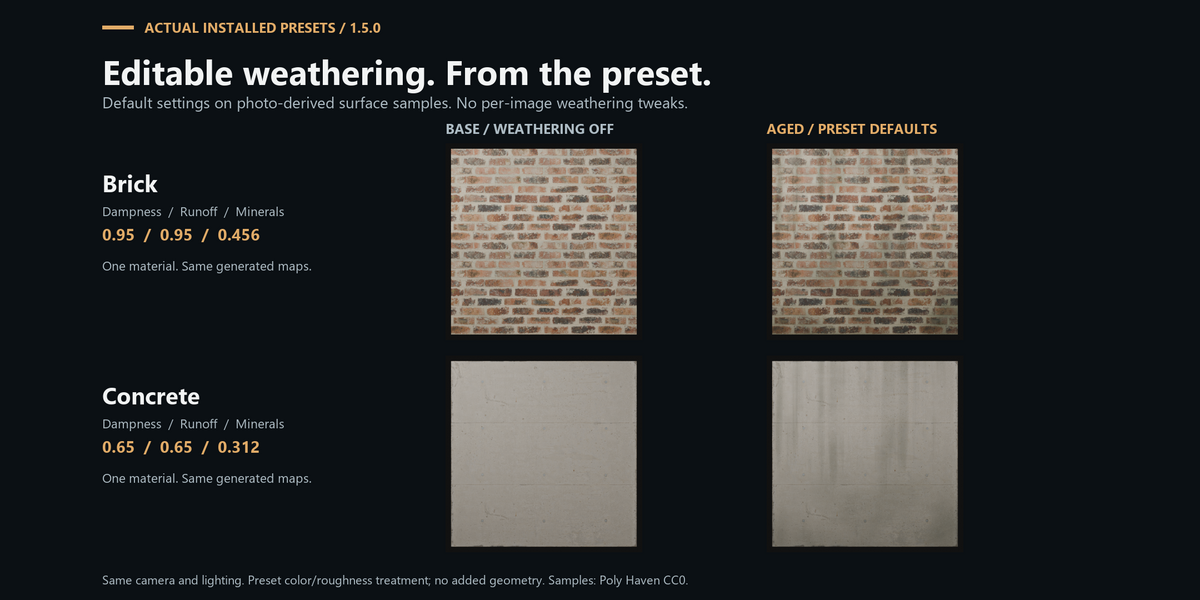
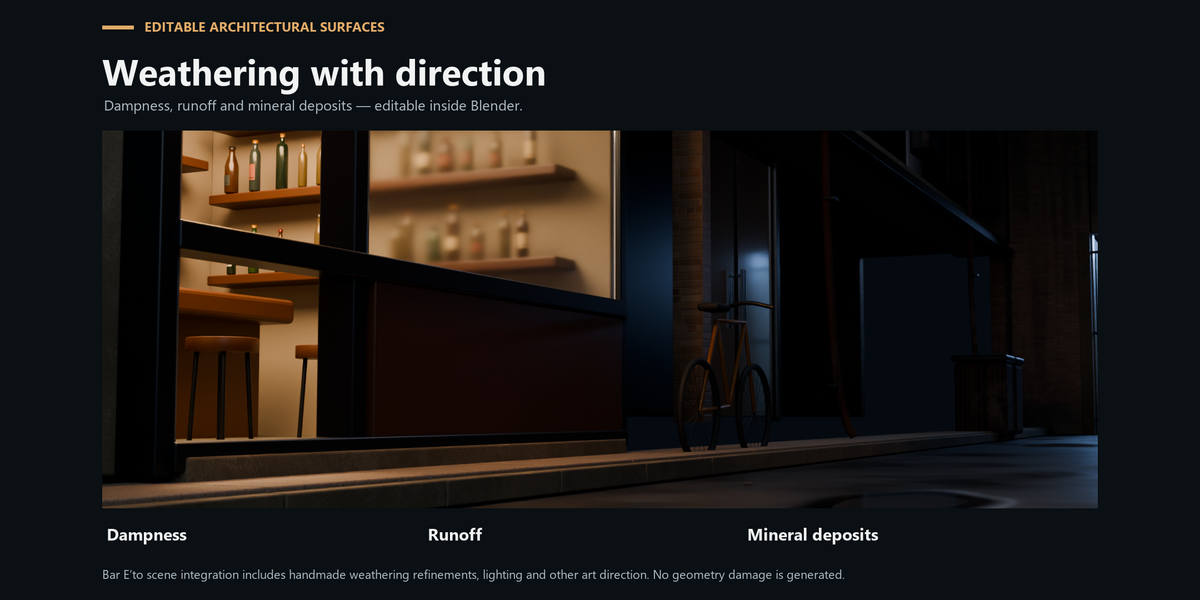
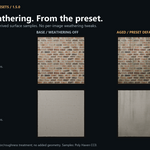
- Live, Non-Destructive Architectural Weathering: Apply editable dampness, water runoff and mineral deposits with Aged Brick and Aged Concrete presets—tweak ground level, damp height, scale and seed without reprocessing the source photo.
-
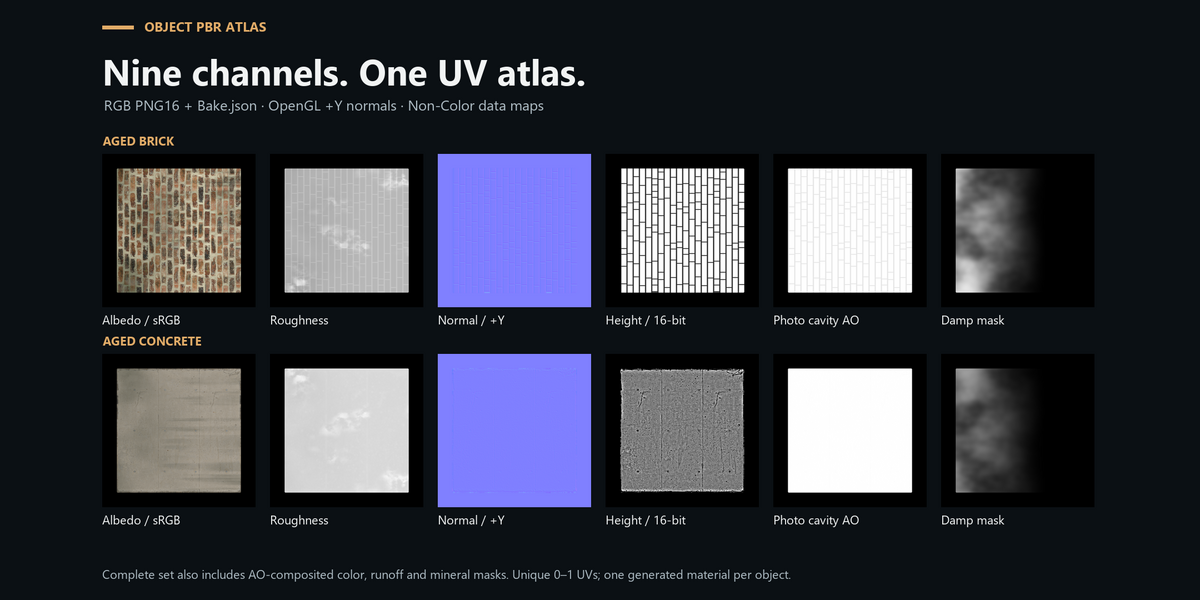
True 16-Bit PBR & Object Atlas Baking: Export tileable base maps (with true 16-bit height) or bake a complete 9-map RGB16 object atlas with OpenGL
+Ytangent-reprojected normals and import JSON metadata. - Responsive Out-of-Process Execution: Heavy image processing and atlas baking run in separate background processes with live progress and cancellation inside Blender.
1. From Surface Photo to Tileable Architectural PBR
- De-Lighting & Color Cleanup: Photographic lighting reduction, highlight suppression and optional broad color correction.
- Surface-Aware De-Tiling: Seam synthesis tuned specifically for Brick / Mortar masonry patterns and Fine Concrete finishes.
- Complete Channel Estimation: Generates estimated Base Color/Albedo, Normal, Roughness, true 16-bit Height and photo-derived Cavity AO maps.
- Offline-First + Optional Local Depth AI: Uses fast frequency-based processing out of the box without downloading any AI model. Optional Depth Anything V2 Small height estimation downloads from Hugging Face only when you request it and runs 100% locally (no account, API key or subscription).
- Built-In Scale & LookDev Check: Inspect your material under your own lighting with the included material test stage and tiled repetition preview.
2. Editable World-Space Architectural Weathering
- Aged Brick & Aged Concrete Presets: Add realistic dampness, vertical runoff and mineral deposits affecting both color and roughness.
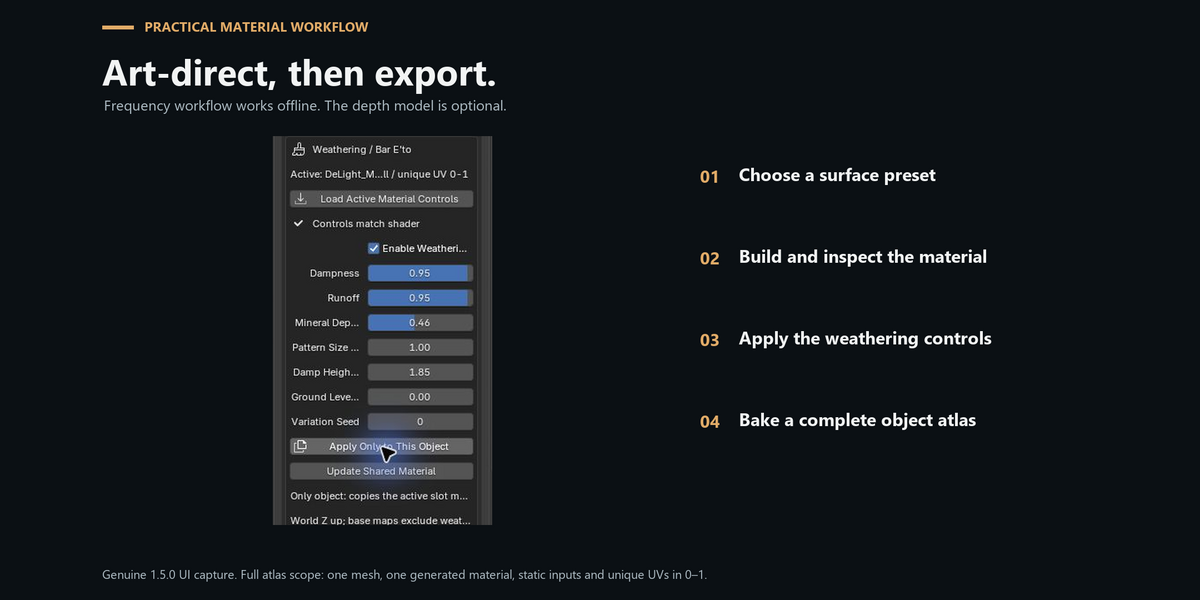
- Real-Time Parameter Control: Adjust pattern size, ground level, damp height and variation seed directly in Blender—never reprocess your source photograph.
- Safe Object-Only Updates: Customize weathering on a single object without breaking shared-mesh duplicates, or explicitly push updates to a shared material when you want to.
3. Choose the Export That Matches Your Pipeline
| Export Mode | Best Used For | Included Output Files |
|---|---|---|
| Base PBR Maps | Reusable tileable surface textures | Albedo, normal, roughness, height, AO and processing JSON. Height is 16-bit grayscale; other base PNGs are 8-bit. (Procedural weathering is not baked into this set.) |
| Complete PBR Atlas | Exporting the weathered material on one uniquely unwrapped object |
Nine RGB16 PNGs (color, albedo, roughness, normal, height, photo-derived cavity AO + three weathering masks) and Bake.json with color spaces, UVs, displacement and import recipes. Normals are tangent-reprojected to OpenGL +Y. Use atlas UVs at scale 1. |
| Color / Masks Mode | Lighter weathering mask export | Color, roughness and three effective weathering masks as RGB16 PNGs, plus JSON metadata. |
Note: Image processing and atlas baking run in separate processes with progress and cancellation inside Blender (a brief geometry snapshot starts each atlas bake).
Included in Your Download (Ready to Learn in Minutes)
-
DeLight & DeTile PBR Studio 1.5.0 Blender extension installer ZIP (
delight_detile_studio-1.5.0.zip). - Full Documentation Kit: Seven-page Quick Start PDF, written walkthrough, FAQ and support checklist.
- Two Credited CC0 Photo-Derived Samples: Ready-to-test brick and concrete surfaces.
- Start & Result Learning Scenes: Hands-on practice files (the Result scene ships with packed material textures).
-
Guided Walkthrough Video: Silent 90-second guided overview with English captions and an
.SRTsubtitle file. (Uses genuine UI stills and condensed waiting time; not a continuous real-time recording.)
Tip: Extract the outer buyer package first and install the inner delight_detile_studio-1.5.0.zip via Blender Preferences. Keep the sample source image separately if you plan to reprocess after moving the project (packing generated maps preserves the material, not the original Source Texture filepath).
Requirements, Technical Scope & Honest Expectations
- Platform & Validated Blender Versions: Windows x64. Tested with Blender 5.0.1 and Blender 5.2.1 LTS.
-
Full-Atlas Requirements: The current full-atlas workflow supports one mesh in Object Mode, one generated DeLight material, static shader inputs and unique UVs inside
0–1. It does not currently support UDIMs, overlapping UVs, multiple material slots or additional shader displacement (the add-on checks and reports unsupported setups before baking). - Photographic Estimation Scope: PBR channels are estimated from a 2D photograph, so output quality depends on source lighting, surface pattern, perspective and image resolution. Weathering is art-directed surface shading—it does not simulate chipped geometry or physical mesh loss. AO represents photo-derived cavity detail, and height is estimated relief rather than laser-measured geometry.
-
Using Atlas Color vs. Albedo: The full atlas saves both an AO-composited
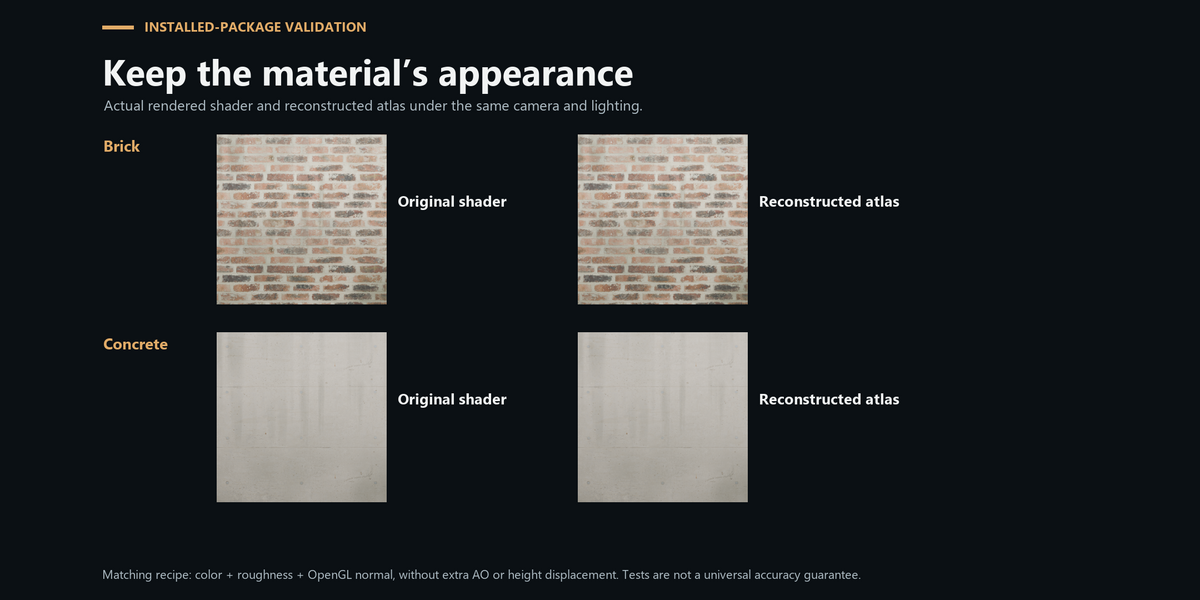
colormap and a cleanalbedowithout shader AO. For the closest match to the viewport look, connect color + roughness + normal without mixing AO a second time (separate-channel wiring is detailed in the included documentation).
About the Showcase
The main cover is an AI-assisted promotional composition based on project renders; its scene and material panels are illustrative. The gallery that follows shows actual preset comparisons, exported channels and Blender UI captures.
Bar E’to is a directed scene example combining photographed materials, architectural assets, lighting and additional art direction. It is not an automatic scene generator, and the full Bar E’to alley is not included with the add-on. The download includes only the example files explicitly listed above.
Installation & Support
-
Direct vs. Full Package: Download
delight_detile_studio-1.5.0.zipfor the standalone installer, or grab the separate Buyer Package for the same installer plus CC0 samples, documentation and demo scenes. - Quick Install: Install the extension ZIP via Blender Preferences → Install from Disk, enable it, and open View3D → N-panel → DeLight PBR. The Quick Start guide walks you through the included CC0 samples using the offline frequency workflow.
- Support: Contact the creator through your marketplace purchase/support channel. Please include the add-on version, Blender version, Windows version, exact operation, any error message and a small reproducible test case when possible (do not send confidential client assets).