DepthForge — AI Image & Video to 3D
 Voyde Procedural
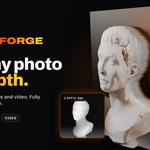
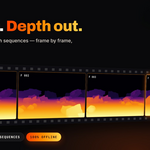
OFFICIAL USER DOCUMENTATION
DEPTHFORGE
AI Image & Video to 3D Relief
VERSION 0.3.0 · BLENDER 4.2+Everything you need to install DepthForge, generate image and video depth, customize procedural 3D reliefs, and export your results.
Documentation Contents
SECTION 01
Installation & Setup
DepthForge comes with its AI models, ONNX Runtime, and video decoding components already bundled. No additional dependency installation is required.
Choose the Correct Package
Download the ZIP matching both your operating system and Blender version.
| Platform | Blender 4.2–5.0 | Blender 5.1+ |
|---|---|---|
| Windows x64 | Python 3.11 | Python 3.13 |
| macOS Apple Silicon | Python 3.11 | Python 3.13 |
| macOS Intel | Python 3.11 | Python 3.13 |
| Linux x64 | Python 3.11 | Python 3.13 |
Installation Steps
Launch Blender and navigate to Edit → Preferences → Get Extensions.
Select Install from Disk and choose your DepthForge ZIP package. Do not extract the ZIP beforehand.
In the 3D Viewport, press N to open the sidebar and select the DepthForge tab.
SECTION 02
Image to 3D Workflow
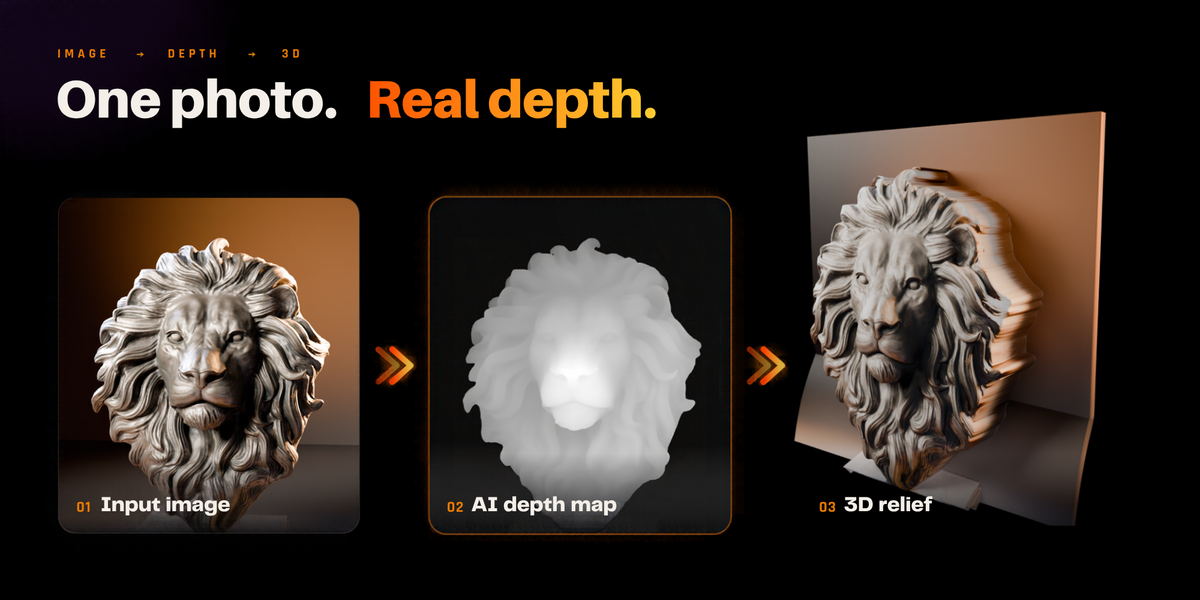
Convert photographs, artwork, and heightmaps into editable 3D relief geometry.
- Open the DepthForge sidebar.
- Select Image as the source type.
- Choose your source image.
- Select the desired depth estimation mode.
- Adjust the Detail setting.
- Choose Horizontal (XY) or Vertical (XZ) orientation.
- Generate your 3D relief.
Image Processing Modes
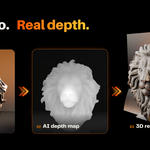
Uses Depth Anything V2 Small to estimate scene depth from visual features. Recommended for photographs and detailed scenes.
Uses a compressed inference model for faster processing while retaining similar depth structure.
Maps image brightness directly to height without AI inference. Suitable for logos, grayscale heightmaps, patterns, and artistic displacement.
Image Detail
Supported processing detail: 252–1512 px. Default: 518 px. Increasing Detail can improve depth-map resolution but requires more processing resources.
Updating an Existing Relief
Use the depth update command to process a new source image and update an existing relief without recreating its entire procedural setup.
SECTION 03
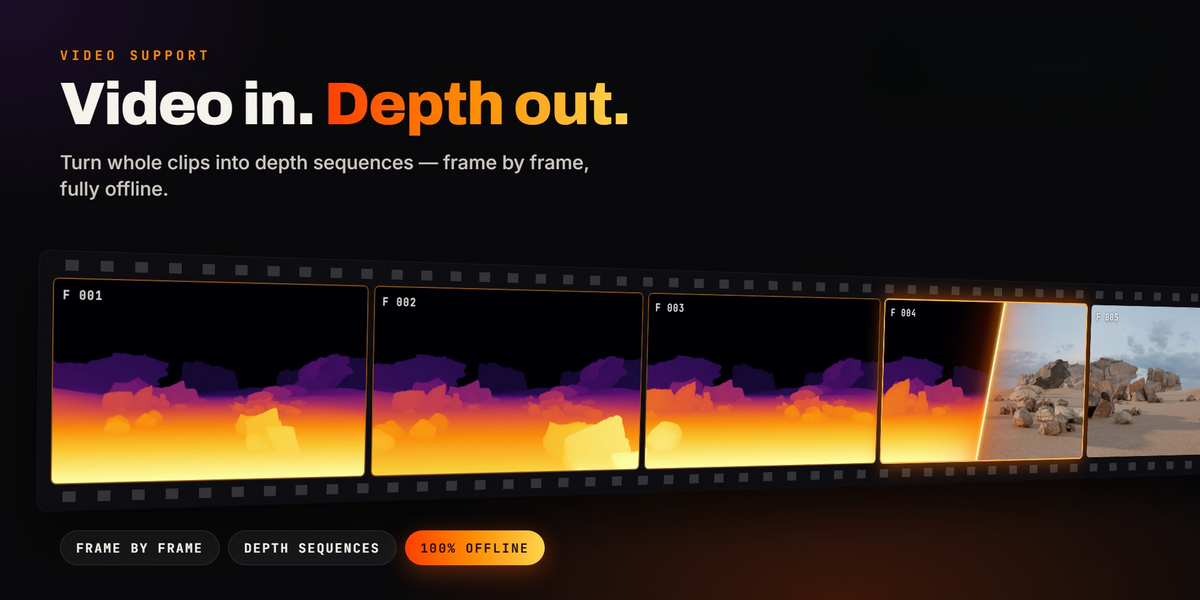
Video to Animated 3D
DepthForge generates animated depth geometry from video footage or numbered image sequences.
Supported Inputs
Video: MP4, MOV, MKV, AVI, WebM, M4V, MPG, GIF, MXF
Sequences: PNG, JPG, TIFF, EXR, BMP, WebP, TGA
Video decoding also depends on the underlying codec and encoding.
Processing Workflow
- Select Video as the source type.
- Choose your video file or image sequence.
- Select Video Depth Anything or Per Frame.
- Set First Frame and Frames to select the desired clip range.
- Adjust Detail according to your system resources.
- Start processing and monitor progress.
- Play the Blender timeline to preview your animated 3D relief.
Uses a temporal depth estimation model to process consecutive video frames. It operates with 32-frame windows, improving consistency across time compared with independent frame estimation.
Processes frames individually using an image model, with consistent depth scaling and motion-aware temporal smoothing.
Temporal Smooth: Default 0.6.
Background Processing
Video processing runs as a background task. Blender remains responsive, with a progress indicator, estimated remaining time, and Cancel or ESC control.
Depth Sequence Output
DepthForge saves the processed result as a 16-bit PNG sequence.
depth_0002.png
depth_0003.png
...
Default output location:
For unsaved projects, DepthForge uses its user data directory. Existing output directories are not overwritten.
Timeline Synchronization
Use Start Frame and Frames to adjust relief timing. Optionally synchronize Blender's scene range and frame rate with the processed clip.
SECTION 04
Geometry Nodes Controls
DepthForge generates a procedural relief with live, non-destructive controls.
| Control | Description |
|---|---|
| Height | Adjusts relief depth and elevation. |
| Size | Controls the overall relief dimensions. |
| Resolution | Defines grid vertex density. |
| Black Point | Adjusts the lower depth range. |
| White Point | Adjusts the upper depth range. |
| Gamma | Controls the depth response curve. |
| Smooth | Softens abrupt depth variations. |
| Invert | Reverses near and far depth direction. |
| Cutoff | Removes selected depth regions. |
| Stretch Cut | Removes elongated faces along depth discontinuities. |
| Thickness | Adds side walls and a flat back/base. |
Recommended workflow: Start with moderate Resolution, adjust Height, refine the depth range using Black/White Point and Gamma, then apply Smooth and Cutoff if needed.
SECTION 05
Creative Presets
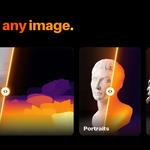
For photographic depth surfaces and 2.5D scenes.
For shallow sculptural and embossed effects.
For depth-masked geometry and background removal.
For landscape-style geometry and heightmap workflows.
Presets provide starting configurations. All Geometry Nodes settings remain adjustable after selection.
SECTION 06
Export & Conversion
Save image-based depth as a 16-bit PNG heightmap. Supported depth transformations can be incorporated into the export.
Convert the Geometry Nodes relief into regular Blender mesh geometry. For video reliefs, the currently displayed frame is converted.
Open the directory containing your processed video depth frames.
TIP: Duplicate your relief before using Convert to Mesh if you want to preserve the procedural version.
SECTION 07
Performance & Requirements
AI processing runs locally on your CPU. A dedicated GPU is not required.
| Operation | Detail | Measured Time |
|---|---|---|
| Image — Quality | 518 | 0.6–1.4 sec |
| Image — Fast | 518 | 0.5–1.3 sec |
| Video Depth Anything | 252 / 16:9 | 0.5 sec/frame |
| Video Depth Anything | 518 / 16:9 | 3.0 sec/frame |
Benchmark measurements were collected in a 2-core test environment. Actual performance varies by hardware, source media, model configuration, and processing settings. These are not guaranteed processing times.
High-resolution video processing can require approximately 4–5 GB of available memory. Detail values above 448 display a memory warning in the add-on.
macOS: On Apple Silicon, direct video decoding requires macOS 14 or newer. Use supported numbered image sequences on older versions.
SECTION 08
Troubleshooting
Confirm you installed the ZIP that matches your Blender version, operating system, and architecture. Check Blender Preferences and verify that DepthForge is enabled.
Try changing the AI model or adjusting Black Point, White Point, Gamma, Smooth, and Invert. AI depth estimation cannot perfectly interpret every scene.
Reduce Detail, select a shorter frame range, or use Per Frame processing where appropriate. Processing speed depends primarily on CPU performance and memory availability.
Try another compatible codec or convert the video into a numbered PNG or JPG sequence.
Reduce the Geometry Nodes Resolution setting. Higher grid densities can consume significant memory and reduce viewport responsiveness.
Check Start Frame, Frames, scene FPS, and your scene frame range. Enable scene synchronization if appropriate for your workflow.
SECTION 09
Limitations & Licensing
Important Limitations
- AI models estimate relative depth, not real-world metric distances.
- DepthForge produces relief surfaces, not fully reconstructed 360-degree objects.
- Reflective materials, transparent objects, heavy occlusion, and unusual lighting may affect depth quality.
- Temporal processing improves consistency but does not guarantee flicker-free output for every video.
- High-resolution video processing can consume substantial CPU time and RAM.
Third-Party Components
| Component | License |
|---|---|
| DepthForge Add-on Code | GPL-3.0-or-later |
| Depth Anything V2 Small | Apache-2.0 |
| Video Depth Anything Small | Apache-2.0 |
| ONNX Runtime | MIT |
| PyAV | BSD-3-Clause |
| Bundled FFmpeg Components | See bundled license notices |
Refer to the licenses directory and THIRD_PARTY_NOTICES.txt included in the product package for complete license and attribution information.
Depth estimation is performed on your own computer using locally bundled AI models. Your source images and videos are not uploaded to an online AI service.
CREATE BEYOND 2D.
Images. Videos. Depth. Geometry.
DEPTHFORGE · VERSION 0.3.0
Have questions about this product?
Login to message
| Blender Extension Compatible | Yes |
| Published | about 3 hours ago |
| Blender Version | 4.2 - 5.2 |
| Extension Type | Add-on |
| Render Engine Used | Cycles, Eevee |
| License | GPL |
Discover more products like this
Bas Relief 2.5d Heightmap ai animation displacement video to 3d Image-to-3D depth-estimation geometry nodes procedural depth map