Dimensioneer - Display Measurements in Viewport
 NetMetropolis


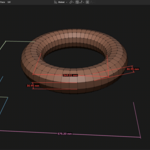
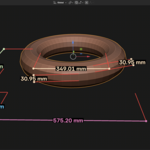
Does Dimensioneer work in Blender 5.0?
Yes. It was developed for Blender 5.0.
Can I use it in Object Mode?
Yes. Bounding box dimensions work in Object Mode.
Can I use it in Edit Mode?
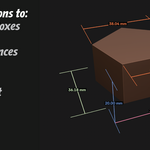
Yes. You can create aligned dimensions from selected vertices and edge dimensions from selected edges.
Do dimensions update when the object changes?
Yes. Dimensions are designed to stay attached to the object and update when scale or geometry changes.
Can I customize colors?
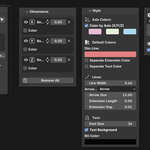
Yes. You can use axis-based colors, separate line/text/extension colors, and per-dimension overrides.
Can I make dimensions easier to read in busy scenes?
Yes. Axis colors, object-based shade variation, text background color, line width, and font size are all designed to improve readability.
Does it support inches and feet?
Yes. Decimal inches, fractional inches, and feet-and-inches formatting are supported.
Does it read Blender scene units automatically?
Yes. In Scene Units mode, Dimensioneer reads Blender’s scene unit settings.
Can I flip a dimension to the other side of an object?
Yes. Each dimension includes a flip control.
Does it export PDF files yet?
Not yet. PDF and multi-view export are planned features.
Does it support angle measurements yet?
Not yet, but angle dimensions are planned.
$5.99
Have questions about this product?
Login to message
| Published | 7 months ago |
| Blender Version | 5.0 |
| Extension Type | N/A |
| Render Engine Used | Cycles, Eevee |
| License | GPL |
Discover more products like this
measurement overlay easy measurement measure 3D Measurement Tools GeoMeasure measurement tool