Dimension Tools
 ParametrStudio


Documentation
Installation
Blender 5.1 or newer is required. In Blender go to Edit → Preferences → Get Extensions, click the dropdown arrow in the top-right corner and choose Install from Disk, then select the downloaded dimension_tools_ps-1.0.0.zip - do not unzip it. The Dim panel appears in the 3D Viewport sidebar (press N). On first use the add-on loads its node groups from the bundled library automatically; no further setup is needed.
Tools
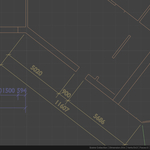
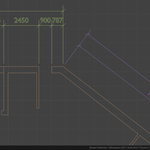
Dimension Tools adds two main tools to the 3D Viewport sidebar (N-panel → Dim):
Draw Dimension - modal tool:
- Click the first point (vertex snap indicator shows in green)
- Click the second point
- Move the mouse to position the dimension line, click to place it
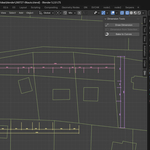
- In chain mode, every further click adds a point - RMB or Enter confirms
Shortcuts during the command:
| Key | Action |
|---|---|
| C | Single / chain mode |
| O | Ortho / aligned direction |
| X / Y | Lock axis |
| T | Total dimension on/off |
| RMB / Enter | Confirm chain |
| Esc | Cancel |
Dimension from Selection
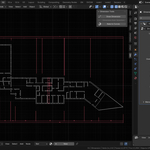
runs in Edit Mode, builds horizontal and vertical dimension rows from the selected vertices in one step.
Work Planes
Dimensions are not limited to the floor plan. Pick a plane and draw the same
way you always did.
* Plan, Front, Back, Right and Left - plans, elevations and sections
* Set the plane from the Dim panel, or press Tab before the first point
* The first click sets the depth; every point after it projects onto the plane
* Axis lock follows the plane - X/Y in Plan, X/Z in Front, Y/Z in Right
Styling
All styling lives on the object's Geometry Nodes modifier: text size, ticks, gaps, overshoots, line weight, unit scale, decimals, material.
Sizes are in paper millimeters. Set Scale to your drawing scale - 100 for 1:100 - and 2.5 mm text prints exactly 2.5 mm.
Editing later
Move, add or delete vertices of the dimension object in Edit Mode - values and graphics recompute automatically.
Bake to Curves
Object Mode, works on the current selection. For every selected object carrying a DimTools or DimTools_Chain modifier the operator forces the line weight down to a hairline, applies the modifiers, merges the resulting geometry by distance and converts the object to a curve. The line ribbons collapse into single lines; the dimension text stays a filled outline. The result is no longer parametric.
Options (F9): Line mm and Merge mm are paper millimetres and are scaled by the Scale input of the modifier, so the defaults hold at any drawing scale. Raise Merge mm if a line survives as a thin rectangle, lower it if the text starts to deform. Keep Original stores a hidden copy of the parametric object named _src.
Discover more products like this
geometry nodes dimensioning floor plan drafting measure parametric architecture ArchViz dimension Technical drawing cad annotation