hodgson3d


Features:
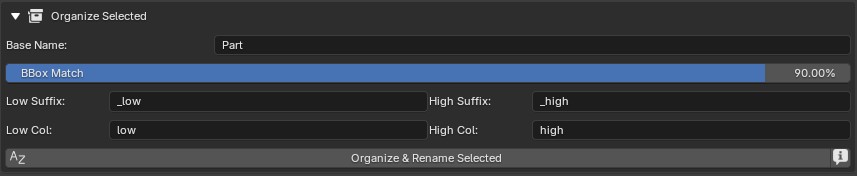
Organize Selected:
- Takes a selection of low/high poly objects and organizes them into their corresponding high/low collections based on bounding box size and poly count.
- Sub mesh objects such as mesh decals are supported. Just parent your
sub mesh objects/decals to its highres and it will be treated as a
combined object at bake time.
Pairing:
- Set the low/high collections for baking.
- Choose how baking pairs objects together. Options include: By Name/By Order/Combined

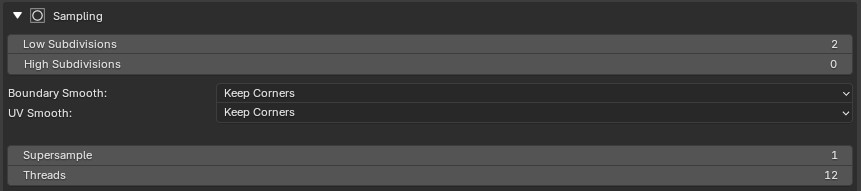
Subdivisions:
- Set the subdivisons of your high and lowres mesh (if needed).
- Set the UV and boundary smoothing options if you are subdividing your low poly.
Cage:
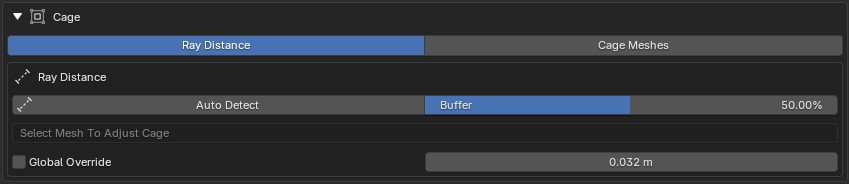
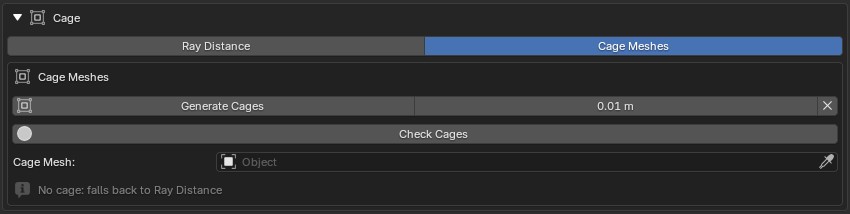
- Choose between Ray Distance (procedural) or Cage Meshes (standard game workflow).
- Ray distance is the equivalent of a procedural cage. Run auto detect to scan over your high and low poly mesh to find suitable values (this is stored as an attribute on the low poly geometry). There is also a buffer control that allows users to multiply the ray distance globally. If for whatever reason you want to alter the cage size of any individual lowres mesh, just select the lowres mesh and dial in the ray distance value on the UI. Alternatively you have access to a global overide which will force a single ray distance value to be used for all objects.
- When cage meshes is enabled the user has the ability to auto
generate all cages meshes (which will be placed in their own collection)
and inflates them at a set value. To debug your cages you can use the
'Check Cage' operator which will apply a flat color to the cage and
highres objects to ensure cage fully encapsulates the highres.
Bake Passes (All bake preview modes will isolate all highres/solo lowres objects, and enter rendered mode for quick visualization)
-
Displacement
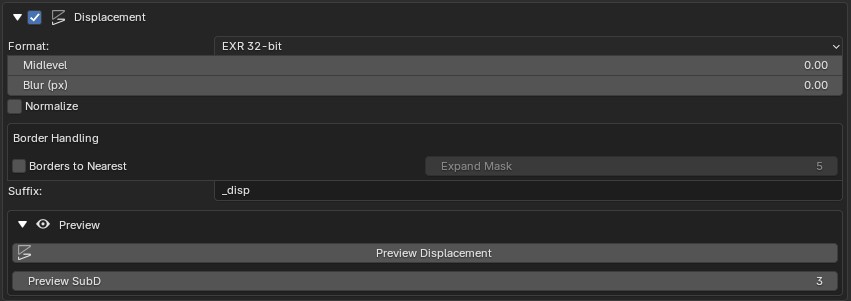
This bake pass is only available if you are baking using Ray Distance. After baking, hit preview to automatically apply subdivision and displacement modifiers to quickly preview the result.
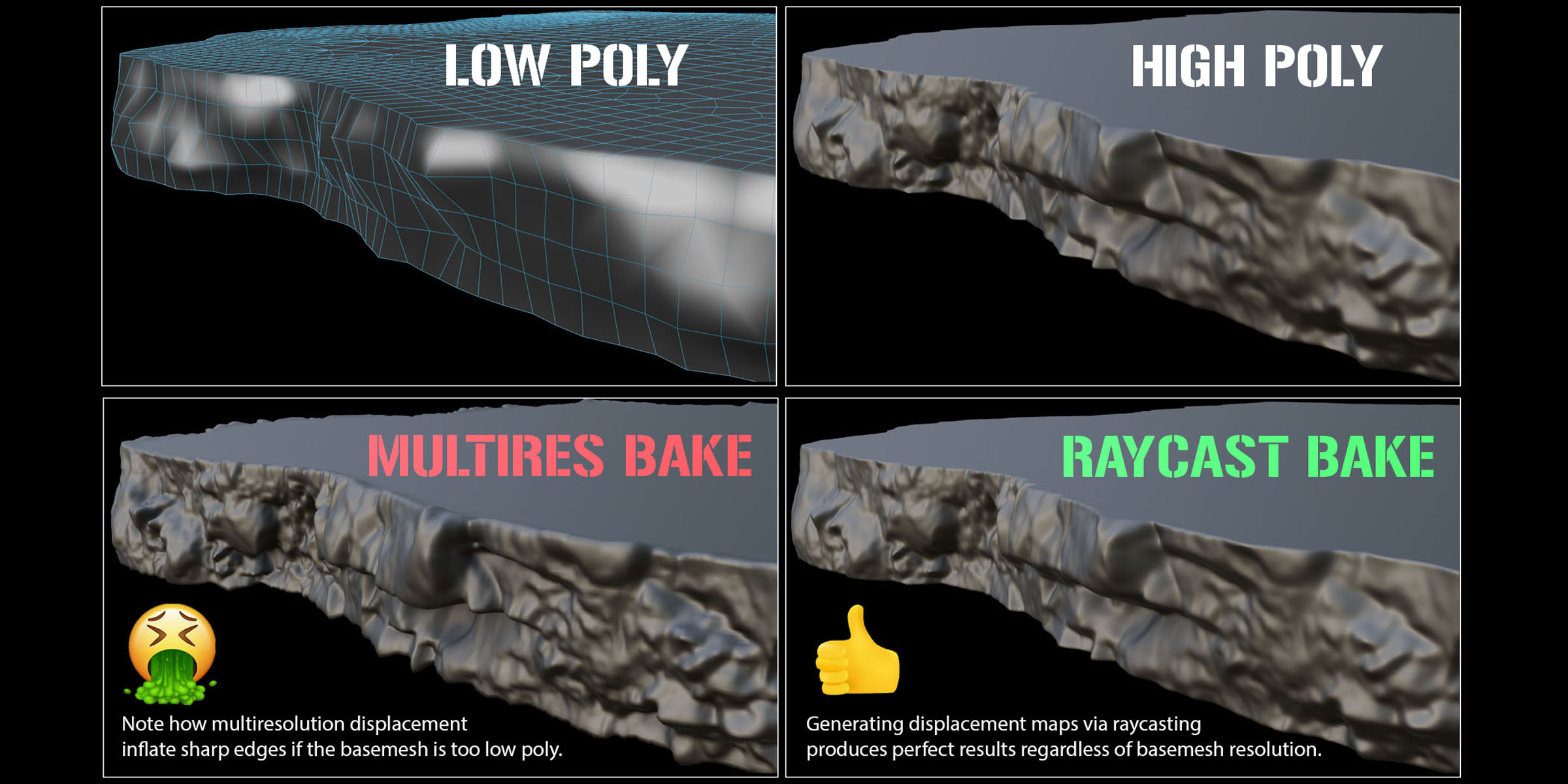
Unlike blenders default displacement baker, this uses raycasting which is much more accurate than blenders multiresolution baker. This is the ONLY baker capable of raycasted displacement. Watch THIS VIDEO for more detail on raycast displacement. - Borders to Nearest: Users can enable this option to ensure you do
not get spikes around border edges of your mesh when baking
displacement. You also have the ability to increase the mask size of the
border by increasing the 'Expand' setting.
-
Normal
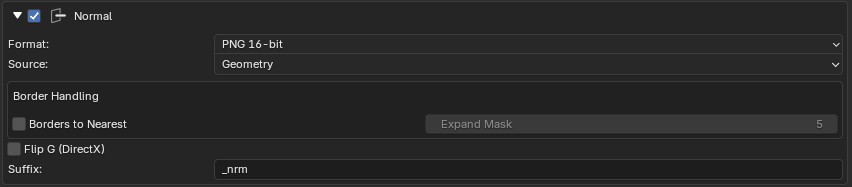
Depending if you have Ray Distance or Cage set in the sampling menu you have 2 options. Cage will only allow you to use blenders vanilla normal map baking (geometry + shader combined). Ray Distance will only allow you to raycast your normal map (which produces cleaner results but does not take the shader normals into consideration). - Borders to Nearest: Users can enable this option to ensure you do
not get spikes around border edges of your mesh when baking
displacement. You also have the ability to increase the mask size of the
border by increasing the 'Expand' setting. (Only available when using Ray Distance sampling mode).
-
World Space Normal
Bake World Space Normals (For adding dust to the tops of surfaces for example)
-
World Position
Bake a normalized gradient spanning across the X / Y / Z Axis.
-
Custom Output
This pass allows users to select any node in the shader tree and add it as a bake point. You can add as many bake points as you like and bake them out all at once. (Great if you have utility/RGB masks for example that would be time consuming to bake out one at a time).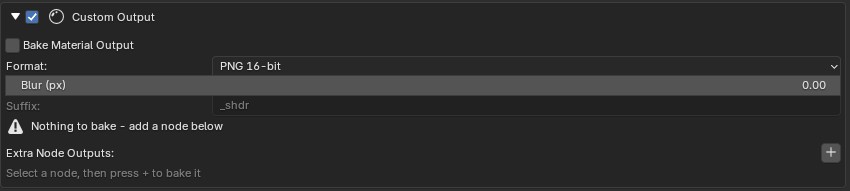
-
Ambient Occlusion
This pass allows you to bake out anything relating to AO. Settings include samples/distance/inside/local/blur. Toggle on inside to generate thickness maps.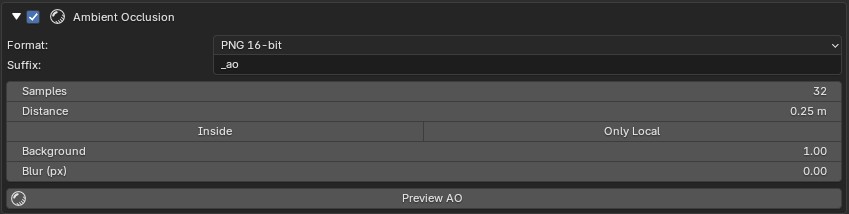
-
Curvature
Users have 4 Curvature options:
- Pointiness
- Custom bevel curvature (best for low poly models)
- Converting a pre baked normal map to a curvature map.
- Signed Mesh Curvature (UCUPaints method)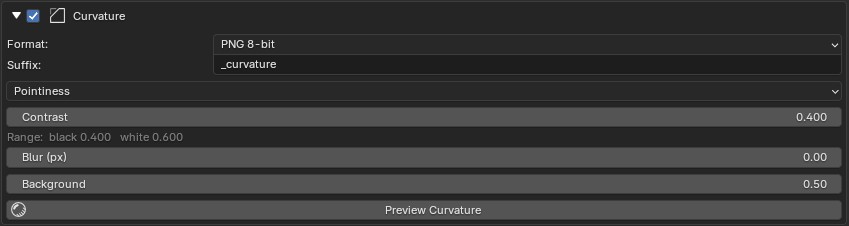
-
Vertex Color
Choose which vertex color layer you want to bake.
-
PBR Channels
This pass allows users to bake down a principal BRDF shader into its components. The list of passes will populate automatically based on what is plugged into the principal BRDF shaders on your high res / solo bake objects.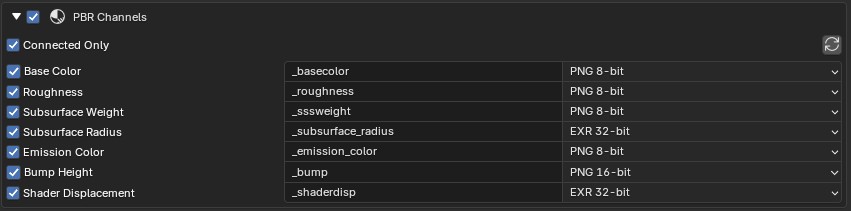
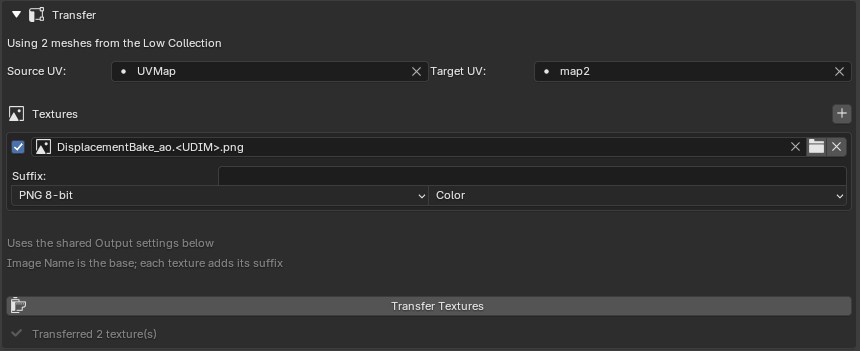
Transfer:
- Use
this tab to transfer textures between UV Sets. Add as many textures you
want to transfer by clicking '+' then batch transfer them all at once.
This Mode is designed for solo objects only (in the lowres collection).
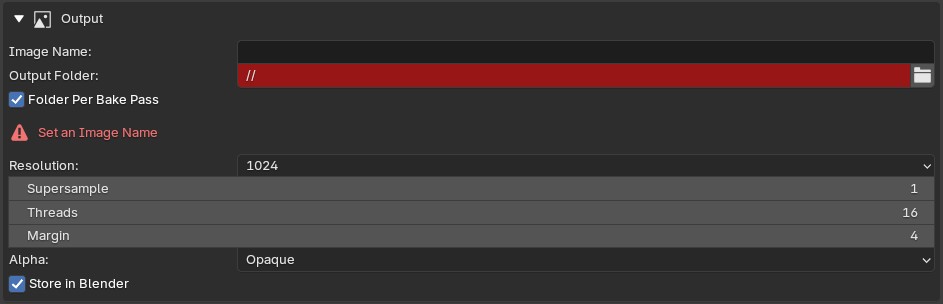
Output:
- Set your image name, output directory, resolution, margin, alpha method and if you want to store your baked images inside of blender as a datablock (saves you having to manually import after bake).
- Supersampling supported for perfect anti aliased edges.
- For raycasted bakes such as normal/displacement, multi threading is supported to ensure fast bakes.
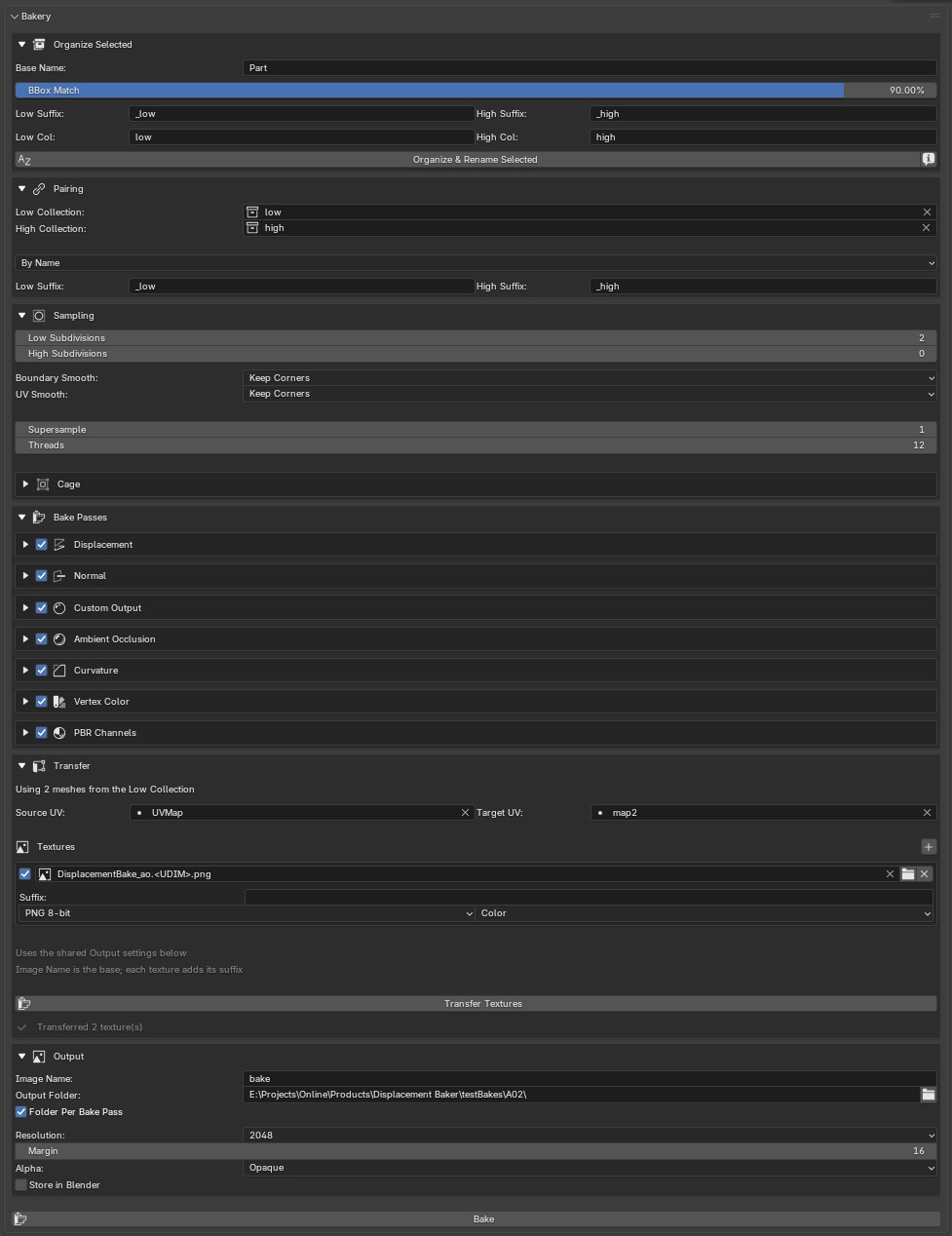
Full UI: