 hodgson3d

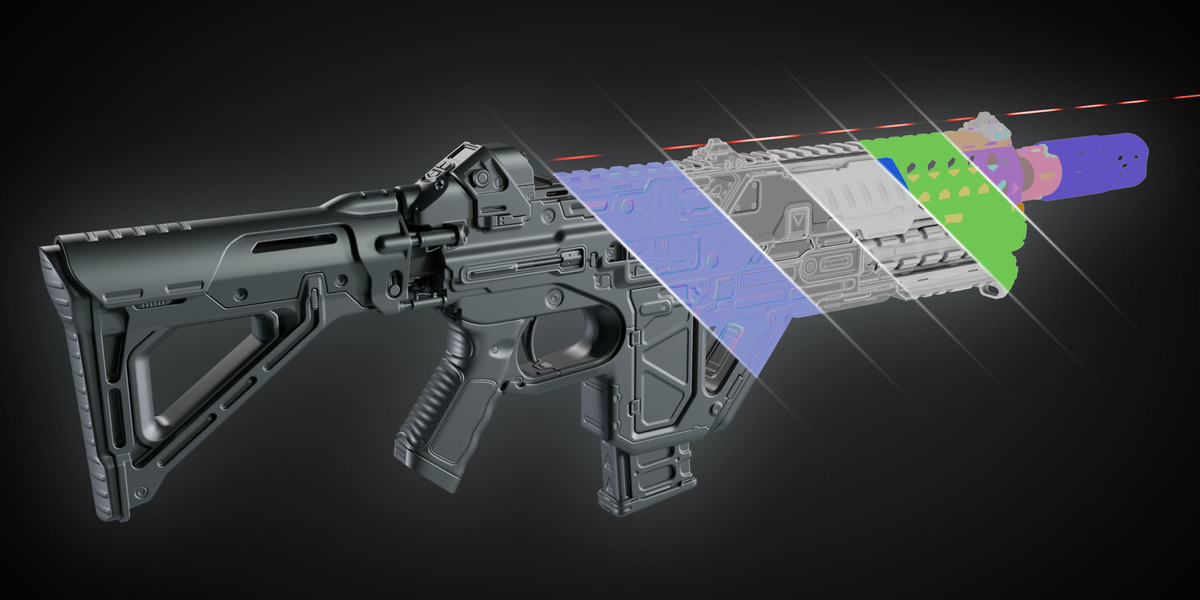


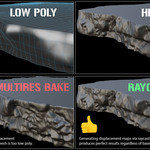
added cage features
Selected-to-active passes such as Normal, Curvature, World Space Normal, Object ID and Custom Outputs can now process large groups of objects together rather than relying on small arbitrary bake chunks. Exploded geometry is also cached and reused between compatible passes, substantially reducing repeated setup work when baking several maps at once.
Bakery can temporarily separate Low/High families during passes where nearby objects could interfere with projection, then bake the prepared asset as a combined batch. Solo Low objects are included safely alongside projected pairs where appropriate.
A number of issues affecting large multi-part assets were resolved, particularly when baking combinations such as AO + Curvature. Bakery now keeps the heavy geometry preparation on a stable synchronous path to avoid Blender dependency-graph instability.
New AO & Thickness “Low Only (Fast)” mode
AO and Thickness now include a Bake Source Override:
- High → Low for the traditional projected bake.
- Low Only (Fast) to ignore the High collection and bake all Low objects directly in a single Cycles batch per UDIM.
This can be dramatically faster when high-resolution detail is not required in the AO/Thickness result.
Global AO baking received significant optimization and improved object-by-object processing. Low Only mode provides an even faster option for large assets.
Improved sampling controls
Sampling terminology is now clearer:
- Node Samples control sampling inside shader nodes such as AO or Bevel.
- Cycles Samples control the actual Cycles bake sampling.
AO, Thickness and Bevel Curvature now default to 8 Cycles Samples for cleaner results.
The Signed Mesh Curvature workflow has been made more reliable for High → Low baking, including fixes to the temporary curvature data used by the final exploded source and improved signed-value normalization around the neutral midpoint.
Improved Auto Cage generation
Auto Cage detection has been substantially reworked to better estimate the actual outward distance required from the Low mesh to the High mesh. This avoids distant or culled High geometry unnecessarily inflating the cage.
A new Min Inflation control provides a small guaranteed cage offset, while Buffer remains available for additional percentage-based padding.
New Cage preview tools
You can now preview both:
- Auto-generated cages.
- User-created Cage Meshes.
Cage Mesh previews remain individually editable, and edits are preserved.
Bakery now respects the viewport-enabled state of modifiers when building bake geometry. If a modifier is disabled in the viewport, Bakery ignores it; if it is enabled, it is included regardless of its Render visibility setting. This makes the baked geometry much more closely match what you are actually working with in the viewport.
Bakery now provides more control over which UDIMs are baked, including Automatic, Single and Range workflows. Numerous issues involving non-1001 tiles, mirrored UVs and multi-UDIM passes have also been addressed.
Non-exploded passes such as standard AO can report meaningful object-by-object progress. Geometry-heavy exploded passes now intentionally use simple “Exploding…” → “Baking…” stages instead of unreliable percentage bars while Blender is performing synchronous geometry evaluation.
Preflight now concentrates entirely on Warnings and Errors instead of presenting large amounts of informational text. If nothing important is found, it simply reports that there are no warnings or errors.
Object ID supports randomized colors across objects and islands, and respects Bakery's supersampling settings for cleaner edges.
Multiple RGB packed outputs can be created, with individual pass assignment for R/G/B, independent output bit depth, clearing of unused channels, and optional folder organization.
Bakery's available outputs have continued to expand, including:
- World Space Position
- World Space Normal
- Object Space / additional normal workflows
- Object ID
- Thickness
- Custom Outputs
- Shader AOVs
- PBR channel baking
- Vertex Color workflows
- Multiple Curvature methods
The baked material workflow has been refined to better assemble the resulting textures without automatically forcing AO multiplication into the shader.
Temporary images, materials, meshes, cage data, modifiers and exploded geometry are now cleaned and restored more carefully. The codebase has also received a full optimization audit to reduce unnecessary image copies, repeated dependency-graph work and temporary Blender datablocks.
Bakery now uses a new exploded/chunked baking system for compatible Cycles passes. Large assets made from many separate low/high pairs can be baked in groups rather than processing every part individually, significantly improving performance.
Bakery now explicitly uses available Cycles GPU devices for baking, helping prevent large jobs from accidentally falling back to much slower CPU rendering.
Cycles baking now has a dedicated Auto Cage system that automatically calculates how far each low-res mesh needs to expand to contain its matching high-res geometry. Auto Cage also takes your subdivision settings into account.
The old Geometry-only Normal mode has been removed. Normal baking now uses the more complete Geometry + Shader method, reducing unnecessary options and making the workflow easier to understand.
Cage settings are now separated into two clear sections:
- Displacement Cage – Ray Distance controls for displacement baking.
- Cycles Cage – Auto Cage and manual Cage Mesh controls.
Bakery automatically chooses the appropriate baking method depending on whether Only Local is enabled, preserving contact shading between assembled parts when required while using the faster exploded system when possible.
The UCUPaint-style Signed Mesh Curvature method now evaluates the final geometry after Multires, Subdivision and other modifiers. This greatly improves curvature detail on dense sculpted meshes and fixes previews appearing similar to the lowest subdivision level.
Large baking jobs now provide clearer progress information and have received substantial improvements to scene isolation, memory usage and Cycles bake preparation.
New additions include Object ID and Thickness baking, advanced Channel Packing, expanded AOV and custom node output support, a Preflight Checker, and a Build Baked Material operator. World Position now bakes directly from the low-poly geometry, Object IDs support disconnected mesh islands and supersampling, and Channel Packing supports custom RGB outputs with independent formats and UDIMs.
The update also includes substantial improvements to cages, previews, modifier handling, output safety, supersampling, material cleanup, cancellation, and Blender 5.2 compatibility.
+Assigned Cage settings to its own tab
+Changed default texture bit depth / format output setting for certain passes
+Fixed a bug where if you had a subdivision modifier attached to your geometry it would still take it into consideration even if it was disabled in viewport.
+Forced the UI / tabs to be collapsed/minimized when first installing the addon or loading a fresh blender.
Added world space normals bake pass.
Added world position bake pass
Added the ability to bake normals and shader output.
Added the ability for users to bake paired (low/high) geometry as well as non paired geometry at the same time.
Added multi threading to dramatically increase baking speed.
Added super sampling to increase quality.
Added controls for users to set the bit depth of each bake type.
Added an operator to preview the baked displacement.
