Donna PBR — PBR Texture Pipeline for Blender
 Donna Tools


Installation
- Download the
donna_pbr_v3.4.4.zipfile from your purchases - Open Blender → Edit → Preferences → Add-ons → Install
Or drag and drop the .zip directly onto the Blender window (Blender 4.2+) - Search for "Donna PBR" and enable the checkbox
- The panel appears in the 3D Viewport sidebar (N key) → Donna PBR tab
Quick Start
- Select one or more objects with materials in your scene
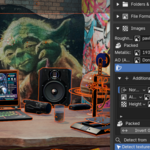
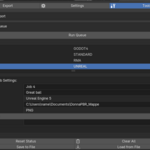
- Open the Donna PBR panel → click Detect Textures to auto-fill all slots
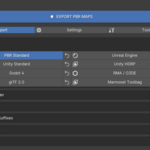
- Choose your target engine from the preset dropdown (UE5, Unity, Godot, etc.)
- Set the output folder
- Click Export PBR Maps
Included Files
-
donna_pbr_v3.4.4.zip— Blender addon -
DonnaPBR_Manual_EN.pdf— Full user manual (English, 27 chapters) -
DonnaPBR_Manual_IT.pdf— Manuale utente completo (Italiano, 27 capitoli) -
DonnaPBR_Manual_ZH.pdf— 完整用户手册(简体中文,27章)
Version History
v3.4.4 — Current release
- Blender 5.3 compatibility confirmed
- NumPy pipeline: ~10× faster export on 4K+ textures
- UDIM full support
- Headless CLI mode
- Public API for third-party addon integration
- 10 UI languages
System Requirements
- Blender 4.4 – 5.3
- Windows 10+, macOS 11+, Linux
- NumPy
 Included
Includes 12 months of
- Support from Donna Tools
- Product updates
Extend this product’s Support Period +12 months: 50% of product price
Have questions before purchasing?
Login to message
| Blender Extension Compatible | Yes |
| Dev Fund Contributor | |
| Published | 4 months ago |
| Blender Version | 4.4 - 5.2 |
| Extension Type | Add-on |
| Render Engine Used | Cycles, Eevee |
| License | GPL |
Discover more products like this
Technical artist Channel Packing texture export PBR game-dev udim blender--marmoset-toolbag Unreal Engine batch-export Workflow texture pipeline headless