 Skava


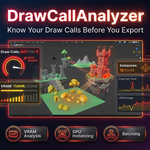
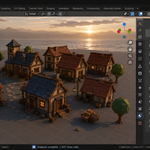
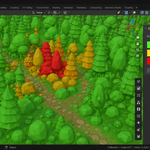
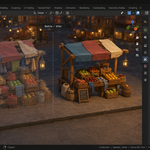
Download the zip and do not unpack it. In Blender open Edit > Preferences > Add-ons, click the drop-down arrow in the top-right corner and choose Install from Disk, then pick the zip. Tick the checkbox next to DrawCallAnalyzer. Press N in the 3D Viewport and open the DrawCalls tab.
Blender 4.2 LTS and newer. The README inside the zip records tests on 4.2.9 and 5.2.0. It is pure Python with no compiled binaries and no external packages.
One draw call per material index actually used by the polygons of each renderable mesh: a mesh with 5 material slots whose faces use only 2 of them counts as 2, not 5. Objects and collections disabled for rendering are skipped. It is an estimate of the 3D scene geometry only: real-time lights, shadow passes, post-processing, UI, particle systems and hair are not modelled, so an engine's frame debugger will show more.
The draw call and texture memory budgets the scene is measured against: Mobile 200 draw calls and 256 MB, Console 3,000 and 1 GB, Desktop 5,000 and 2 GB. On Mobile the report also suggests splitting or decimating meshes above 65,535 vertices.
For every image used by an Image Texture node on the analysed objects, the add-on multiplies width by height by the bytes per pixel of one typical compressed format for the platform (DXT5 on Desktop, ASTC 4x4 on Mobile, BC7 on Console) and adds a third for mipmaps. It is a planning estimate for spotting budget problems before export, not the exact figure your engine will report after import.
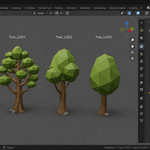
With Detect LODs on, objects named _LOD0, _LOD1, _LOD2 (case-insensitive, an underscore or hyphen before LOD) are grouped, and only the level chosen in Active LOD is scored. Warnings flag a level with more vertices than the one before it, and a level that saves less than 10% of the vertices.
Yes. Snapshot stores the current analysis on the scene; after you optimise, Compare shows the difference against it. Export writes the last analysis as JSON or as a multi-section CSV that you can keep in a repository or attach to a review.
No internet connection is needed: the add-on contains no network code. (Show Overdraw tints the objects' viewport colours; Clear restores the original colours.) Commercial use is fine: the add-on is GPL-3.0 (full text in the LICENSE file inside the zip); the license covers the add-on code. The full guide is in the Documentation & FAQ tab on this product page, and README.md inside the zip covers install and quick start.
Have questions about this product?
Login to message
| Published | 6 months ago |
| Blender Version | 3.1 - 5.1 |
| Extension Type | N/A |
| Render Engine Used | Arnold, Blender-Internal, Blender-Game-Engine, Cycles, Eevee, Freestyle, Luxrender, Mental-Ray, Octane, Vray, Yafaray |
| License | GPL |
Discover more products like this
ue5 optimization profiler batching unreal vram godot overdraw draw-call gpu instancing unity performance