◆ VOYDE PROCEDURAL / ADD-ON / BLENDER 5.0+
DripLab
Real Fluid Simulation & Painted Drips
Pour honey, chocolate, lotion or paint onto any product, painted in seconds or simulated for real.
DripLab puts liquids on your products in Blender, two ways. Paint them procedurally: strokes become drips, drizzles and glazes that follow the surface, and Pour drops a stream that pools and runs over the edges, live on the timeline with nothing to bake.
For hero shots, Simulate the pour for real. DripLab sets up Blender's own liquid solver around your product, with the viscosity and material of the preset: honey runs, lotion piles up, paint follows every curve of a face. Product Studio adds the backdrop, softbox lights and a depth-of-field camera in one click.
REAL SIMULATIONPROCEDURAL POURSPRODUCT STUDIOWETNESS43 PRESETS
01 — KEY FEATURES
From a quick drip to a hero pour
◆Real simulation
Simulate Pour sets up Blender's liquid solver around the selected product, sized and aimed for you, with the liquid's real viscosity, worked out for the size the product has in life.
◆Shot Recipes
One button builds a Hero Pour, Speed Ramp Pour, Cream Swirl, Thin Drizzle, Pipette Drops or Paint Splash around your product, with the studio and camera move that suit the shot.
◆Paint Splash
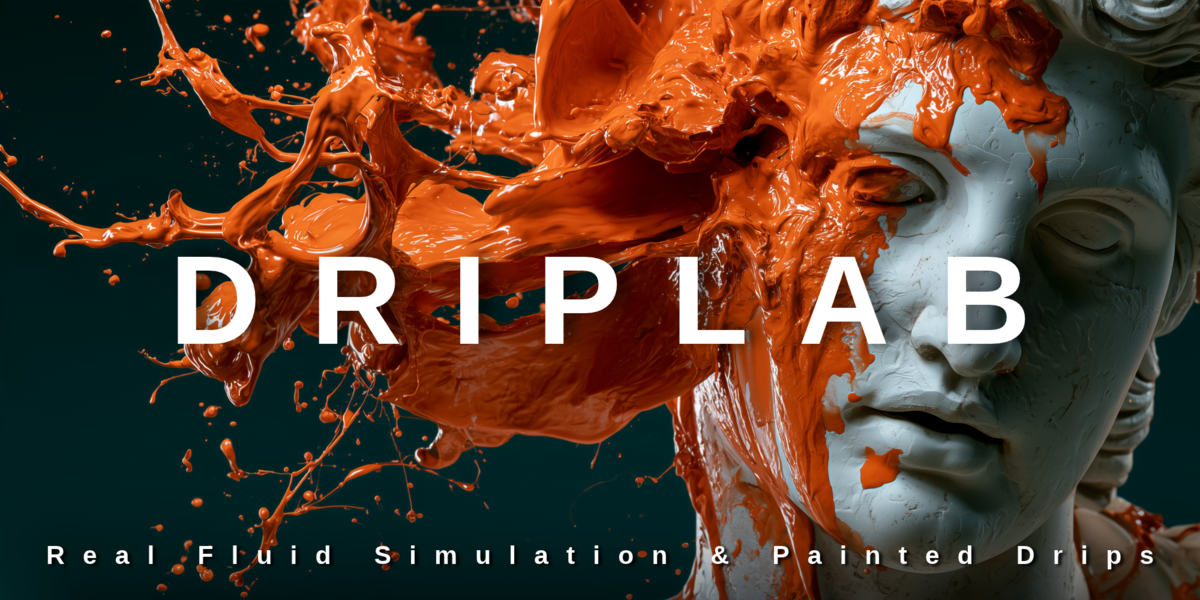
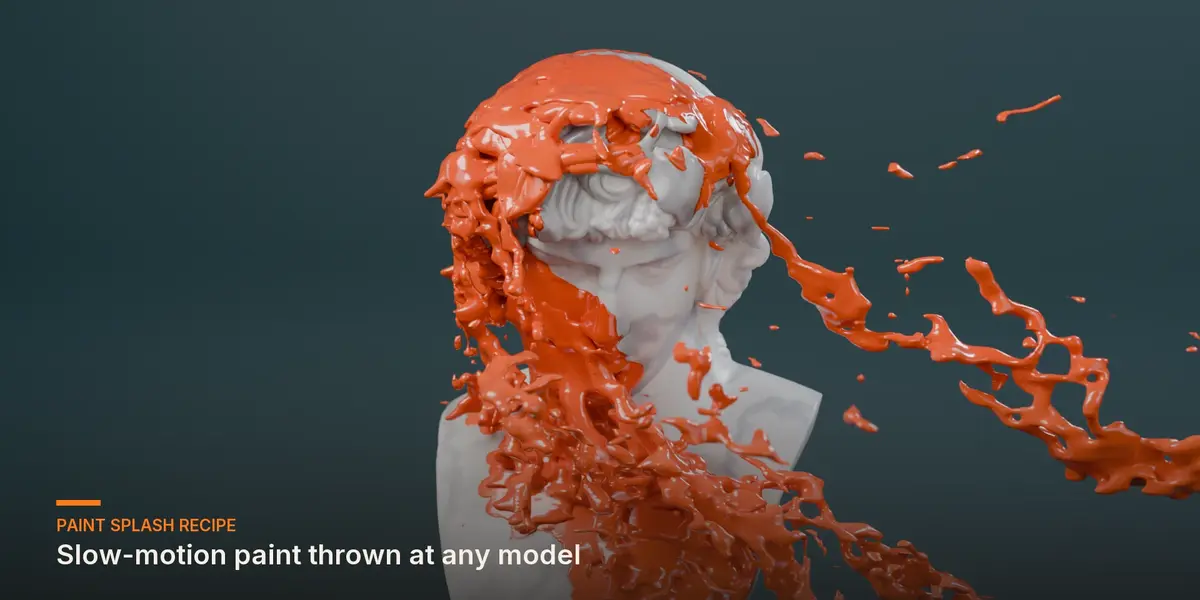
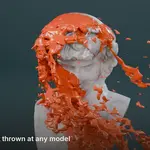
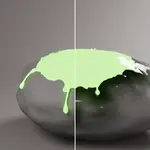
Throw paint at a product or a statue from the side. It flies as a sheet with drops at its edges and hangs on the surface in slow motion, like a high-speed camera shot.
◆Leave a Trail
The liquid leaves a coat of itself where it ran, so thrown paint stays on the product after the splash has run off.
◆Liquid Film
Closes the tears of thin liquid with no new bake, so stretched liquid stays one smooth surface.
◆Thicken After Pour
Creams and chocolate come to rest on their own instead of sliding off the product.
◆Pour, live
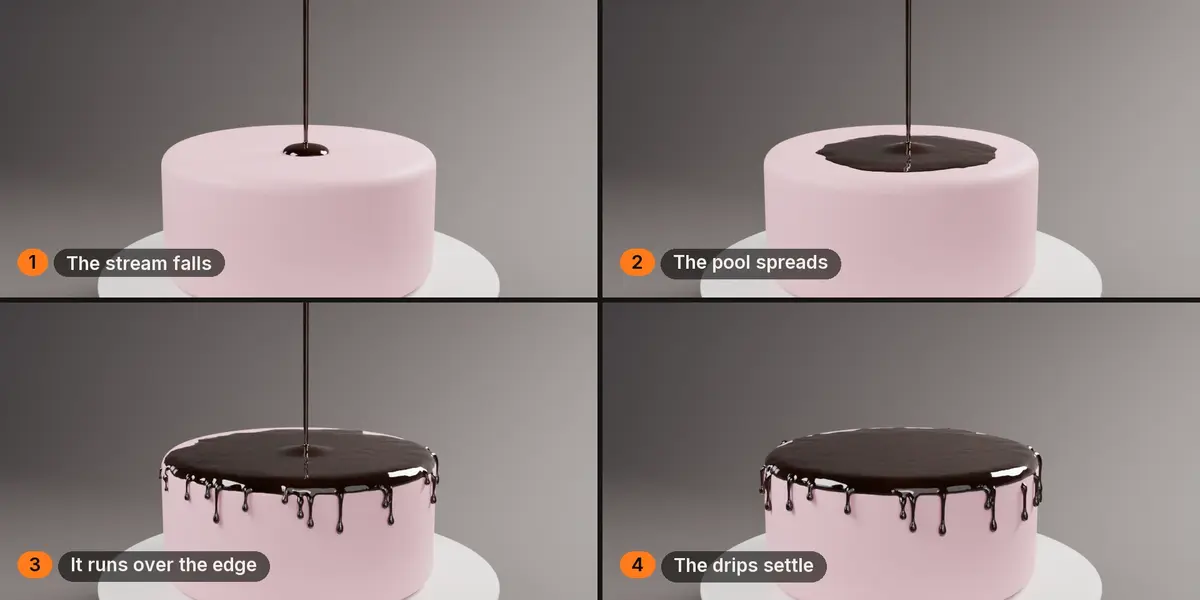
One click puts a source above the object; the procedural stream falls, pools and drips over the edges as you play, with nothing to bake.
◆Slow motion and close-ups
Slow Motion gives the liquid the look of a high-speed camera, and Close-Up spends the voxels where the camera is, for finer liquid at the same bake time.
◆Drops
Release a drop every few frames instead of a stream, like a pipette or a bottle's opening.
◆Product Studio
Curved backdrop, softboxes, strip lights and a camera with depth of field, scaled to your product, in five styles.
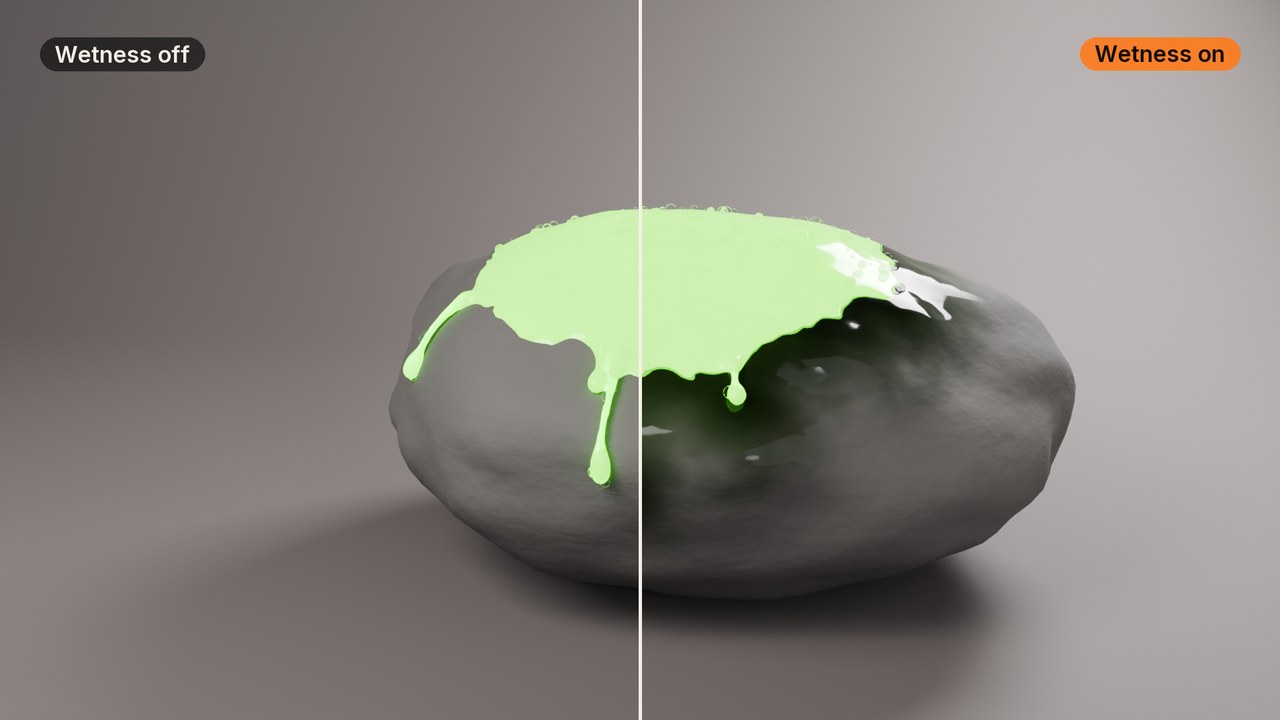
◆Wetness
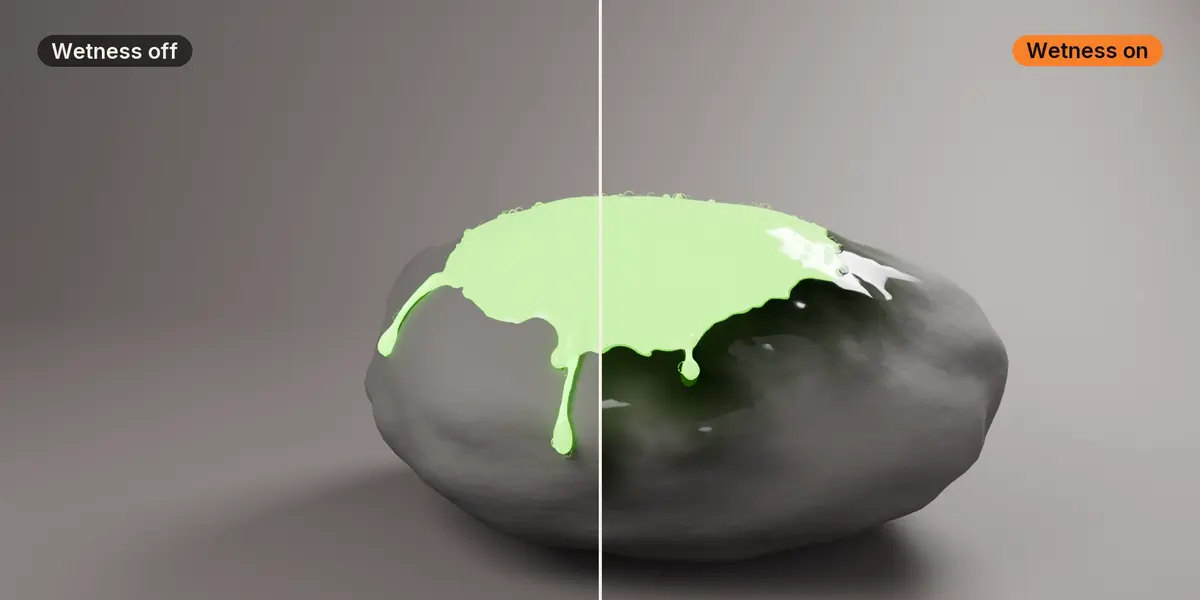
The surface around the liquid turns darker and glossy, with an optional stain, without touching its material.
◆Paint with strokes
Draw on the surface; strokes become drips, drizzles and glazes that follow it.
◆Toppings
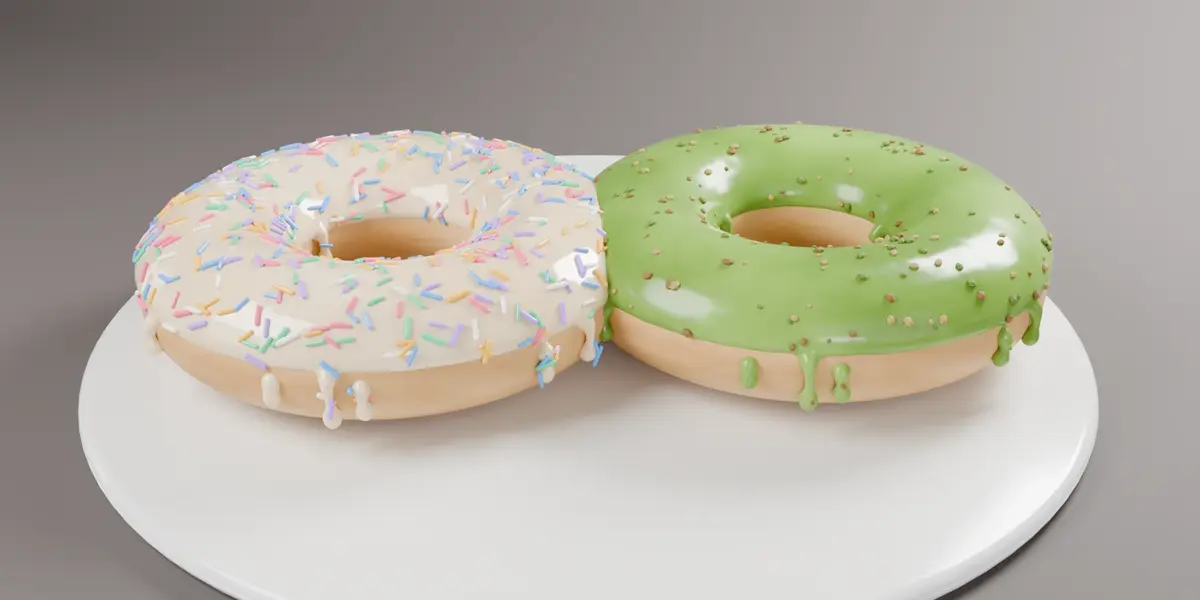
Sprinkles, balls, flakes, bubbles, crumbs, drops and chips on top of the liquid.
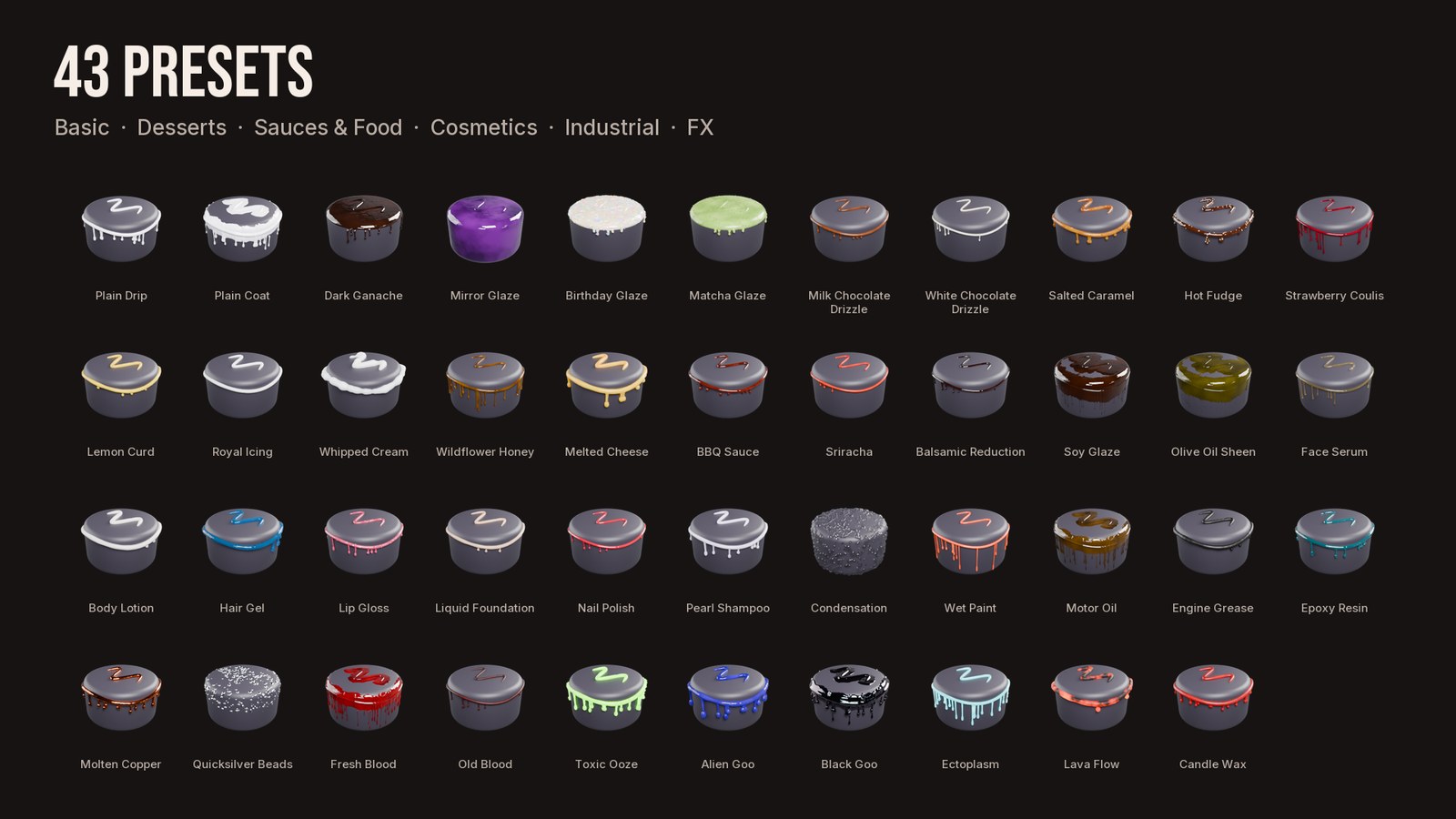
◆43 presets
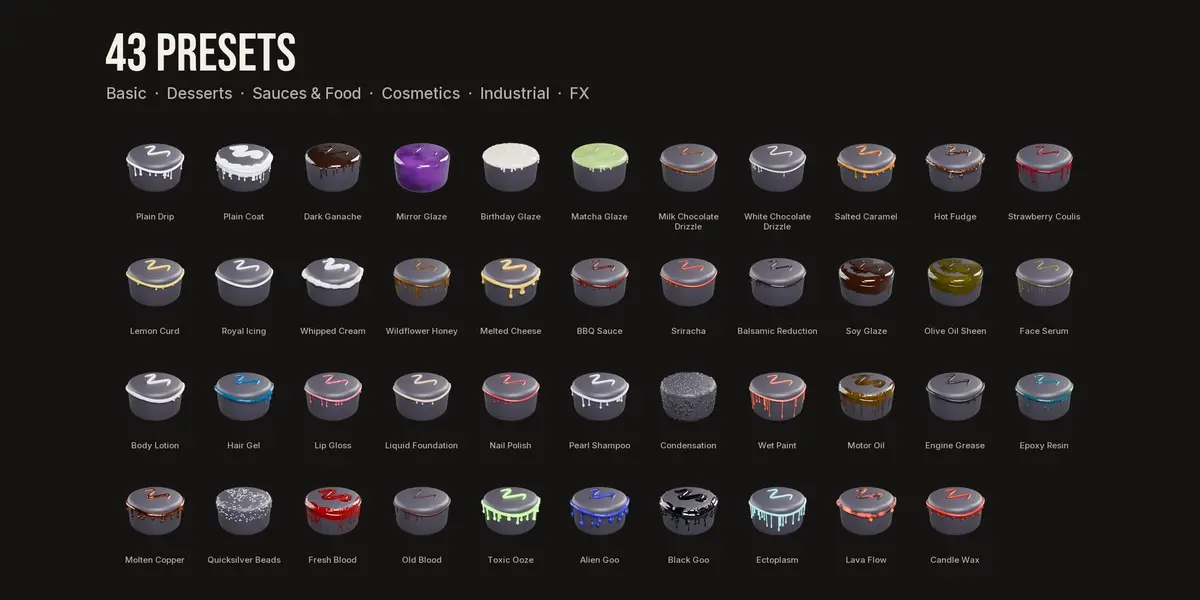
Desserts, sauces, cosmetics, industrial and FX liquids, each with its own material and physics. Save your own in My Presets.
02 — SIMULATION
A real pour, set up in one click
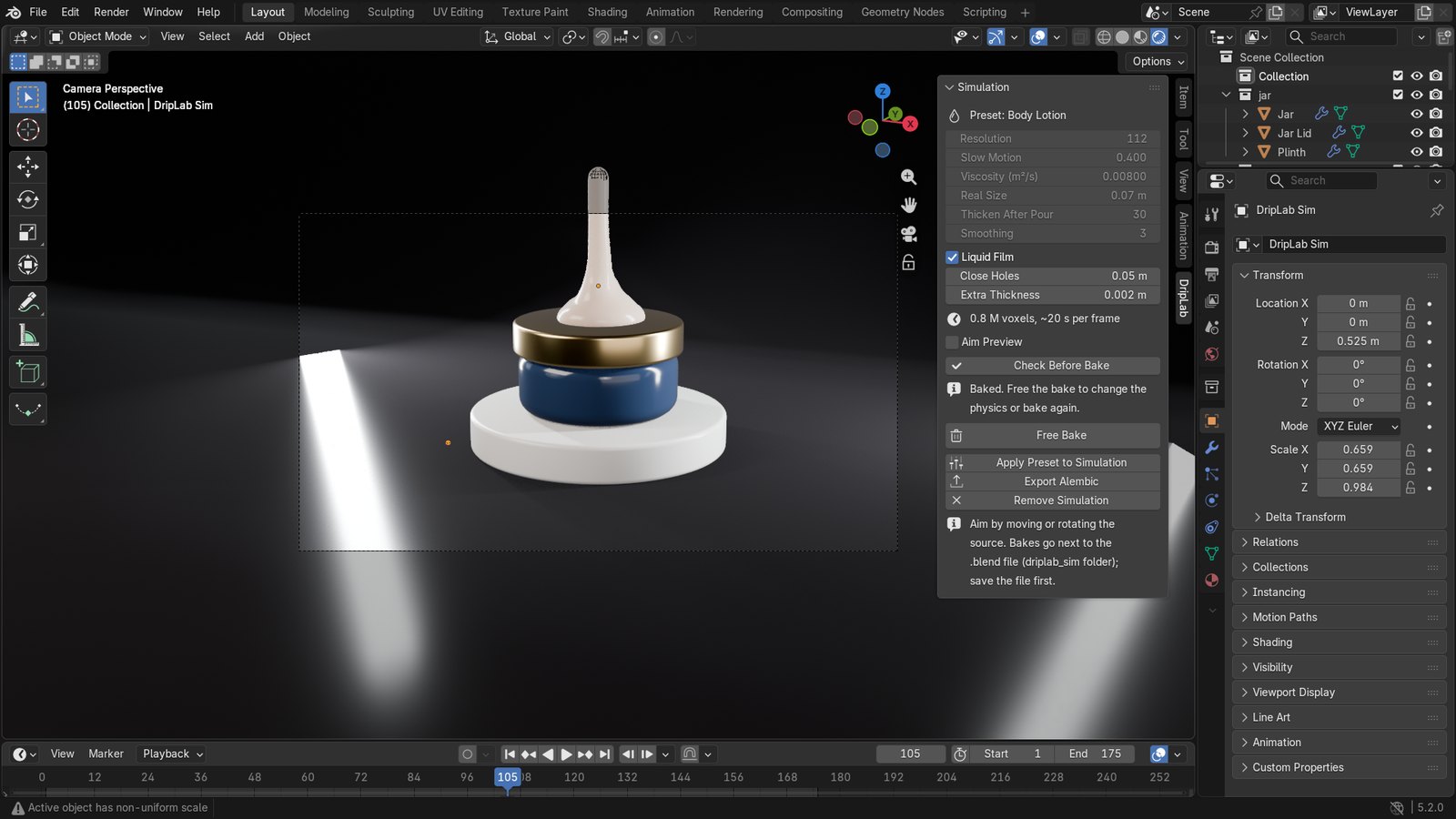
Select your product and what it stands on, pick a preset and press Simulate Pour. DripLab builds the liquid domain around them, turns them into colliders and places a source you can move and tilt. Press Bake and Blender's own solver (Mantaflow) simulates the pour.
{"Every preset brings its physics. Water and serums run, honey and caramel flow slowly, lotions and creams pile up. Each liquid has its real viscosity, and Real Size tells DripLab how big the product is in life, so a 5 cm jar pours like a 5 cm jar however large you modelled it. The liquid gets the preset's material, toppings and a wet look on the product, and its surface is smoothed for close-ups. No extra software": 'the bake is a folder next to your .blend file, so it renders on any machine with Blender, render farms included.'}
03 — PAINT SPLASH
Slow-motion paint, thrown at any model
The Paint Splash recipe puts the source beside your model and throws across it. The paint flies as a sheet with drops at its edges, wraps over the shape and hangs there in slow motion, like a high-speed camera shot.
Throw Lift, Throw Swing and Throw Taper shape the throw, Hold After Landing slows time once the paint lands. With Leave a Trail the paint stays where it ran: a coat of it is left on the face and the hair after the splash has gone.
04 — ONE BAKE
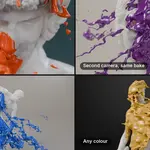
Every camera from a single bake
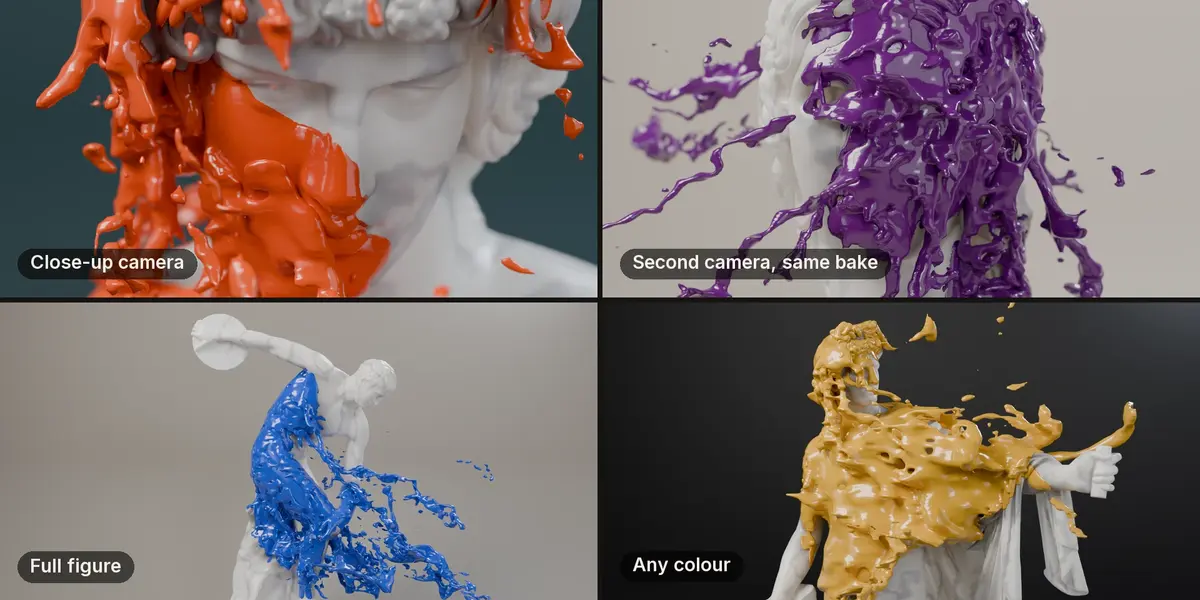
One bake gives you every camera: a close-up, a second angle, the full figure. These four throws are from the film. (The statues are not included.)
05 — POUR
Select, pick a preset, press Pour
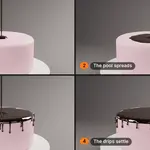
A source with an arrow appears above the object (or at the 3D cursor). Play the timeline and the stream leaves along the arrow, piles up a little where it lands, spreads into a pool that grows with the poured amount and runs over the edges in drips. Nothing is simulated or baked, so every frame can be scrubbed and re-timed.
Pour Radius sets how far the pool spreads, Coat Drips how many drips run off, and Start Frame and Duration when and how long it pours. When the pour stops, the tail of the stream breaks off and falls.
Move the source to aim and rotate it to pour from the side: the stream leaves along the arrow and arcs down, and Pour Speed sets how far the arc reaches.
06 — ON ANYTHING
Any object, any fluid
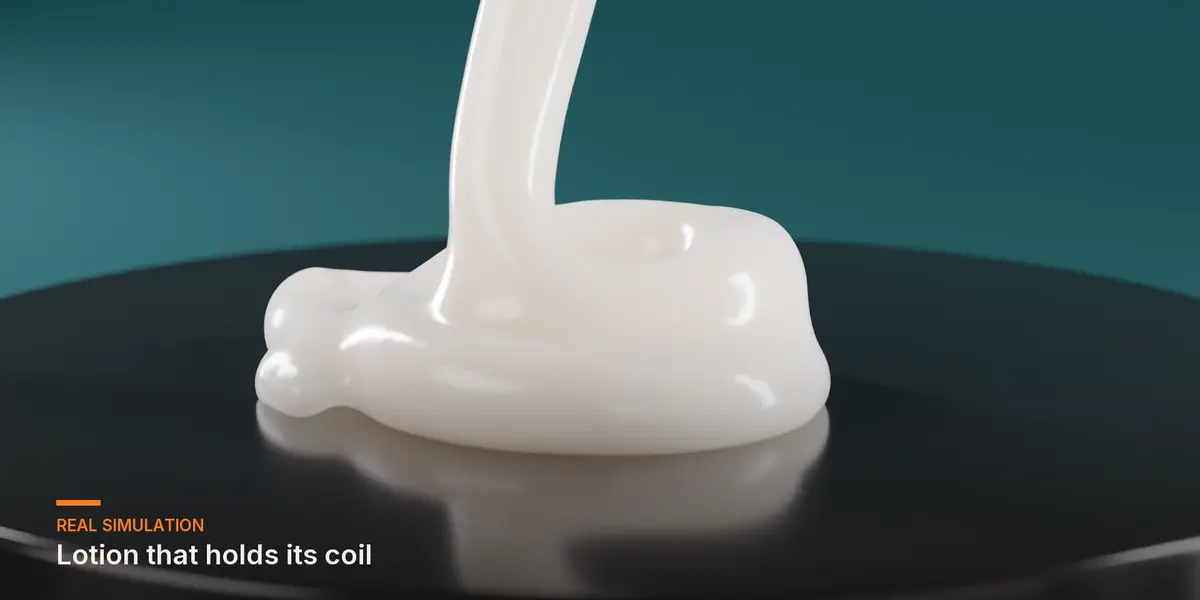
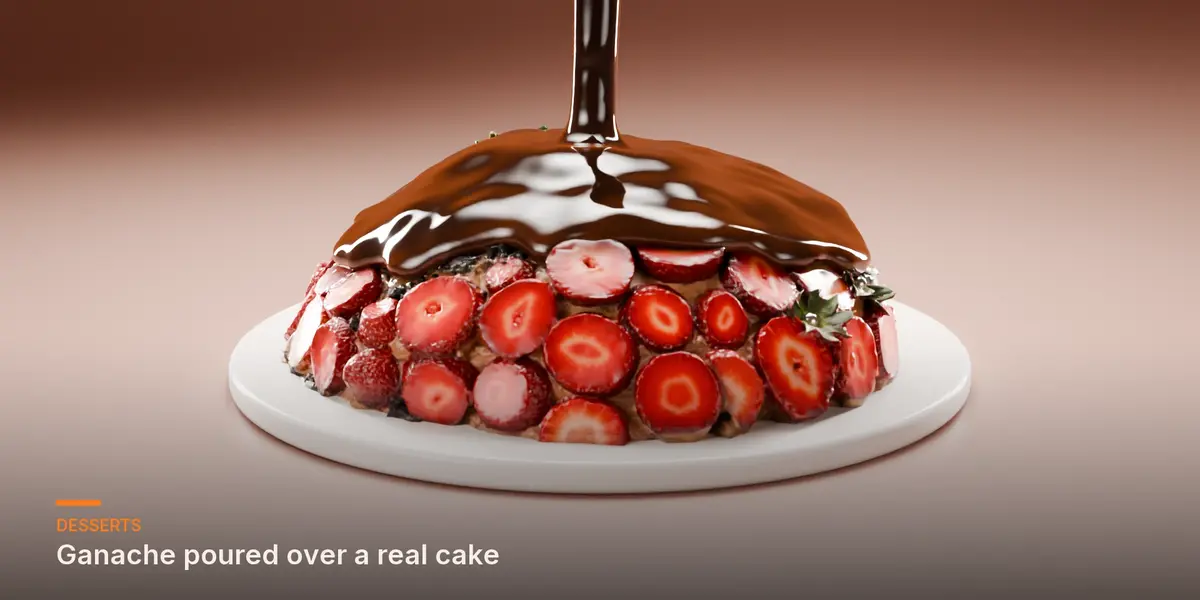
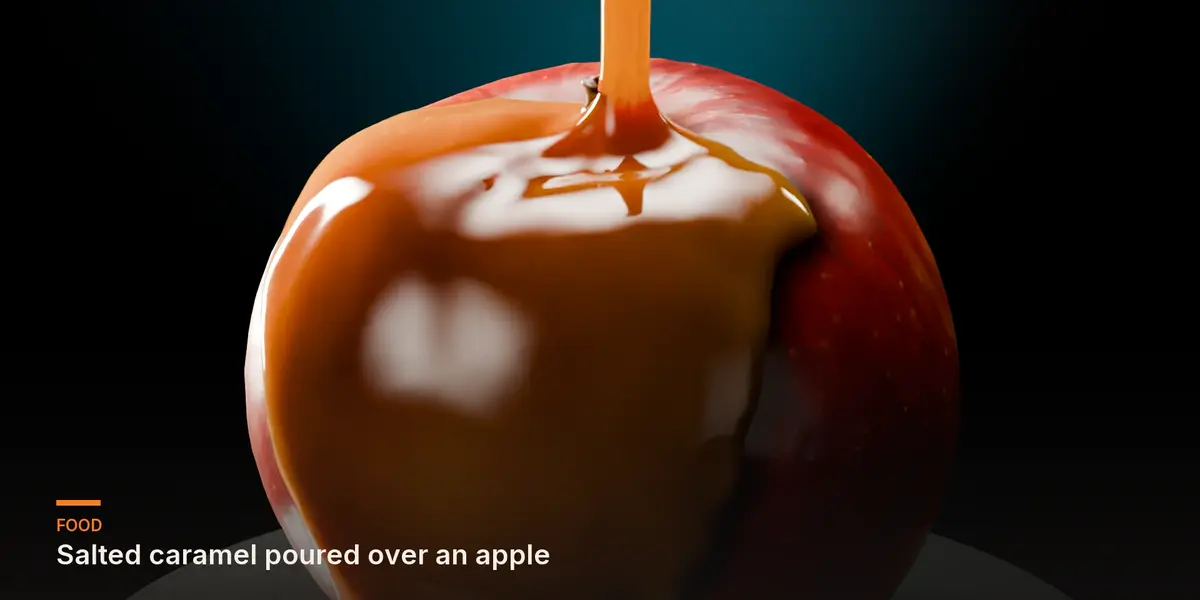
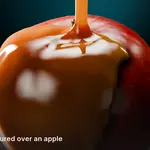
Every one of these is a real simulation: lotion that coils on a plate, ganache poured over a strawberry cake, the same pour in six presets, salted caramel closing over an apple.
The models in these renders are not included. The demo scene is.
07 — PAINT
Draw it on
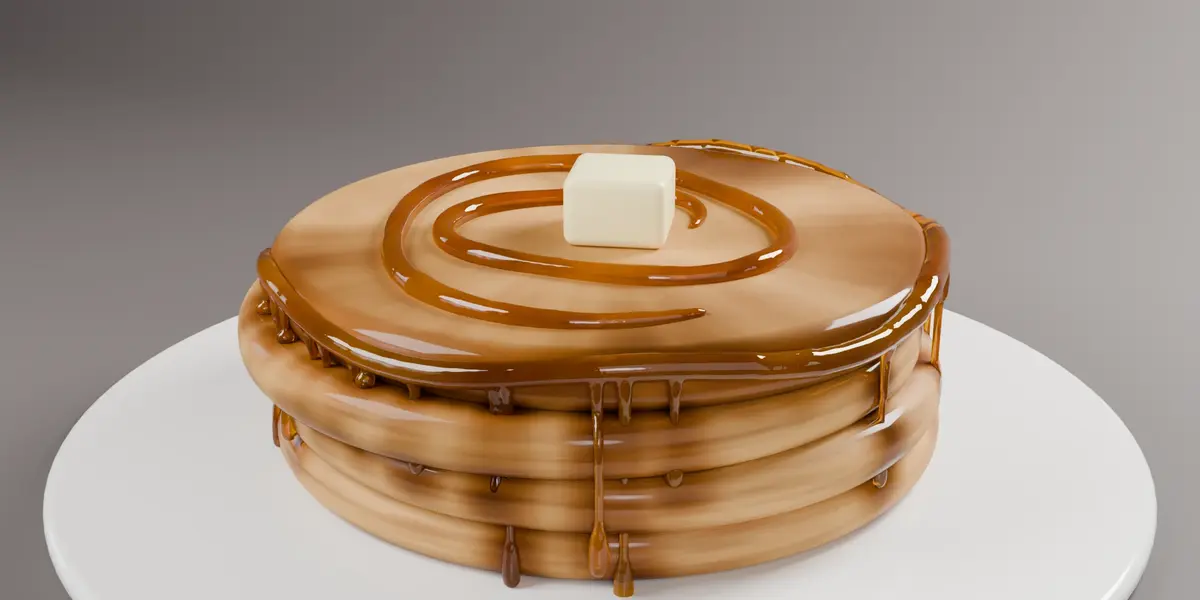
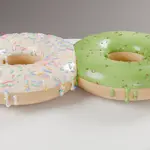
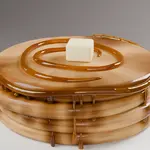
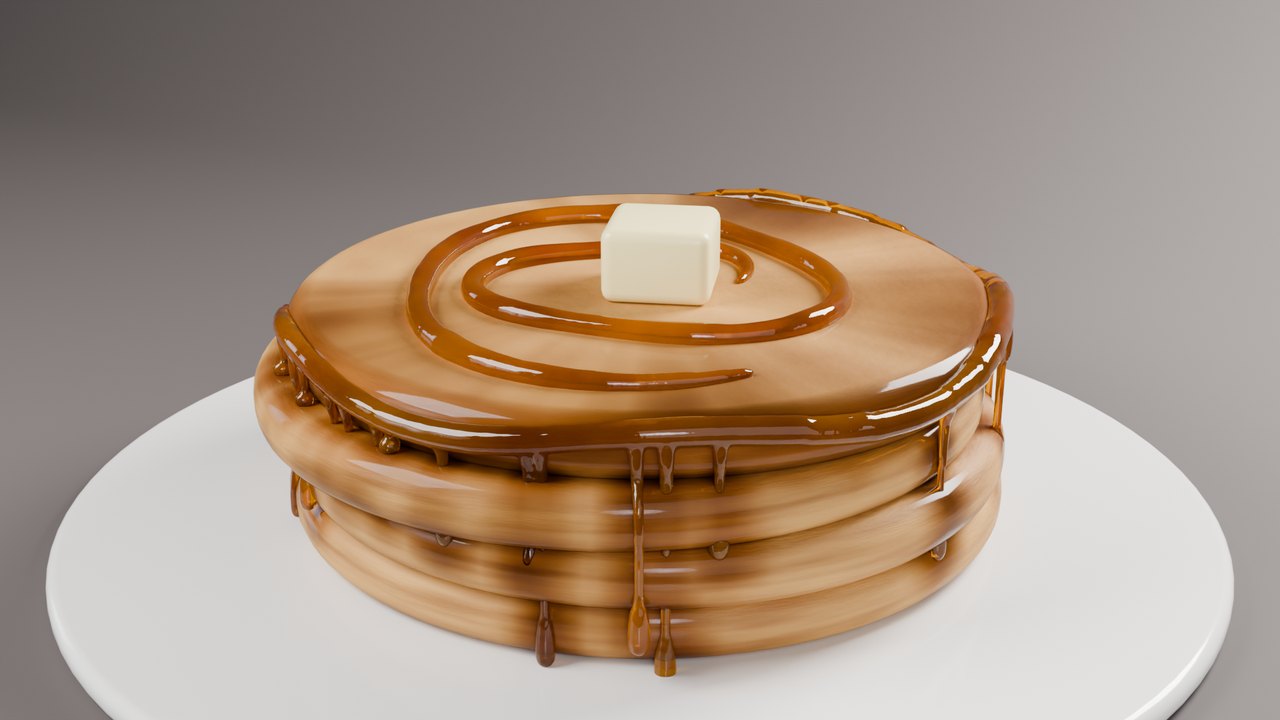
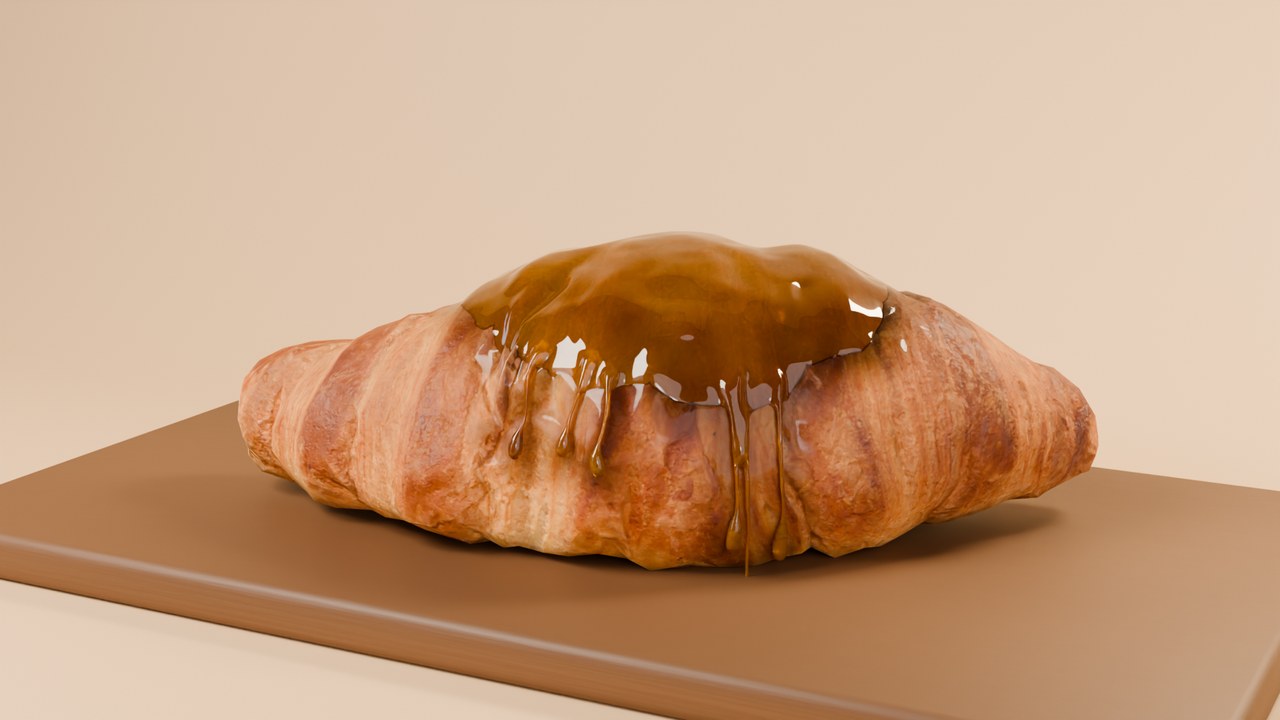
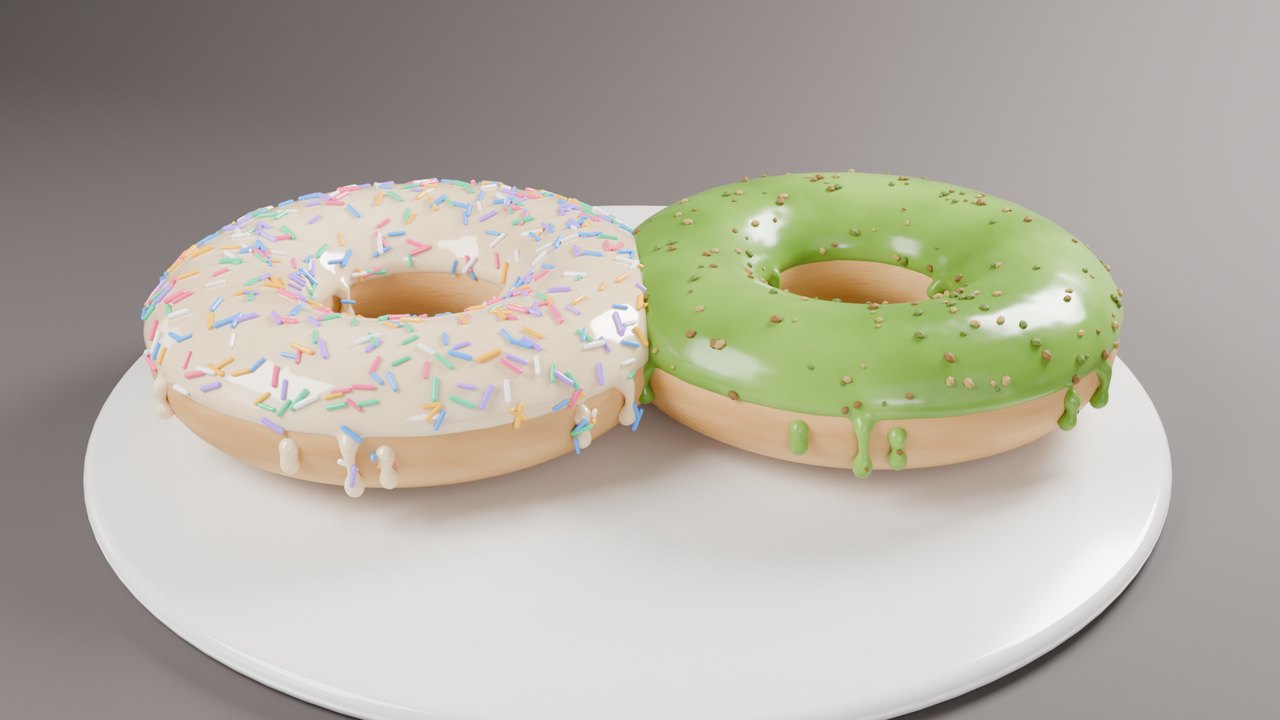
Pick a preset, press Add Fluid and draw on the object. The strokes become drips, drizzles and glazes that follow the surface; strokes drawn downward become hand-placed drips. Here: a caramel spiral on pancakes, honey on a croissant and glazes on doughnuts.
08 — WETNESS
The surface soaks it up
Turn on Wetness and the surface around the fluid looks wet, darker and glossy, fading out over Wet Spread. It follows the fluid live, so a pour leaves a growing wet halo.
The surface object and its material are not changed. The wet look is a thin transparent layer that belongs to the fluid, so it works with any material in Cycles and EEVEE. Wet Stain lets the colour of the fluid soak in.
09 — SWAP PRESETS
Another liquid in one click
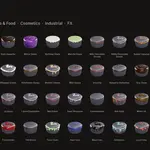
Pick another preset in the gallery and the fluid becomes that liquid. Here one pour turns from Dark Ganache into Mirror Glaze, Birthday Glaze, Salted Caramel, Matcha Glaze and Strawberry Coulis; its strokes, its surface and its pour stay.
10 — PRESETS
43 presets in six categories
Every preset is a starting point. Its settings stay editable in the sidebar, and you can save your own in My Presets.
Basic
Plain Drip, Plain Coat.
Desserts
Dark Ganache, Mirror Glaze, Birthday Glaze, Matcha Glaze, Milk and White Chocolate Drizzle, Salted Caramel, Hot Fudge, Strawberry Coulis, Lemon Curd, Royal Icing, Whipped Cream.
Sauces & Food
Wildflower Honey, Melted Cheese, BBQ Sauce, Sriracha, Balsamic Reduction, Soy Glaze, Olive Oil Sheen.
Cosmetics
Face Serum, Body Lotion, Hair Gel, Lip Gloss, Liquid Foundation, Nail Polish, Pearl Shampoo, Condensation.
Industrial
Wet Paint, Motor Oil, Engine Grease, Epoxy Resin, Molten Copper, Quicksilver Beads.
FX
Fresh Blood, Old Blood, Toxic Ooze, Alien Goo, Black Goo, Ectoplasm, Lava Flow, Candle Wax.
11 — PRODUCT STUDIO
A studio around your product
Select the product and press Product Studio: a curved backdrop, key and fill softboxes, two tall strip lights and a camera framed on the product with depth of field, all scaled to its size. Pick a Style (Soft White, Warm Beige, Pastel Pink, Sage, Dark Luxe) and press it again to restyle.
Format frames the shot for 16:9, 1:1, 4:5 or 9:16, and Camera Move keys a slow orbit, a push in or a turntable that loops.
12 — INTERFACE
Everything in one sidebar tab
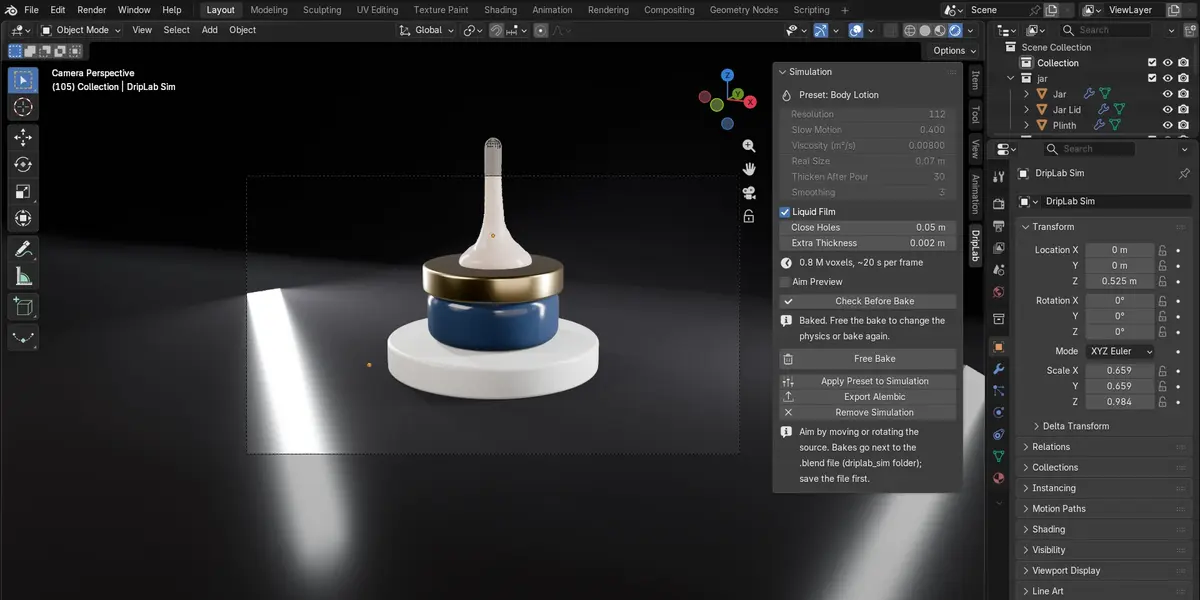
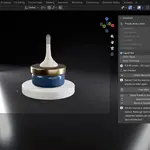
The DripLab tab in the 3D Viewport sidebar holds the preset gallery with previews, the Add Fluid and Pour buttons, Shot Recipes, the Simulation panel and Product Studio, and every setting of the selected fluid. The presets are also in the Asset Browser, ready to drag onto an object.
A bake is safe in the panel. Its physics lock once it is baked, since changing them would delete it; Free Bake asks first, then you change them and bake again.
13 — PERFECT FOR
Where it fits
◆Food and dessert renders◆Cosmetics product shots◆Paint and drip art◆Slime and horror FX◆Oil and grease on props◆Motion graphics loops
14 — INSTALLATION
Up and running in a minute
1Download drip_lab-1.0.0.zip from your Superhive library. Do not unzip it.
2Drag the zip into Blender, or go to Edit ▸ Preferences ▸ Get Extensions, open the ⌄ menu at the top right and choose Install from Disk.
3Press N in the 3D Viewport and open the DripLab tab.
4Select an object, pick a preset and press Pour, then play the timeline. Or press Add Fluid and draw on the object.
15 — FAQ
Good to know
Is the simulation real?
Yes. It runs on Mantaflow, the liquid solver built into Blender, with nothing extra to install. DripLab sets it up for product shots; you bake it like any Blender simulation, and the bake is a folder next to your .blend file.
Can I change a simulation after baking it?
Yes: press Free Bake, change the settings or the preset, and bake again. Liquid Film and the toppings stay editable on a bake.
Do painted fluids need baking?
No. They are Geometry Nodes driven by the frame, so every frame can be scrubbed, re-timed and changed at any moment.
Cycles or EEVEE?
Both. The materials are procedural, and the wet layer uses blended transparency in EEVEE.
Is it heavy on the viewport?
Fluids are meshed from a volume. Lower Quality ▸ Resolution Viewport while you work and keep Use Render Resolution on for full detail in renders. Animated fluids update on every frame of playback, so hide the ones you are not working on or turn finished ones into meshes.
Does the file render without the add-on?
Yes. Fluids are Geometry Nodes and materials stored in the .blend file, so it also renders on a machine or render farm without DripLab. A simulation also needs its bake folder, which sits next to the .blend file.
Does it work on animated objects?
Yes: Stick to an animated object binds a painted fluid to a deforming mesh with Surface Deform or armature weights, and Unstick brings the editable fluid back.
Which Blender versions?
Blender 5.0 or newer. It was tested on Blender 5.0, 5.1, 5.2 and 5.3.
Can I use it in commercial work?
Yes. Your renders and animations are yours to use in any project.
16 — DETAILS
What you get
Included
◆DripLab add-on (Blender extension zip)
◆43 presets with previews
◆Demo scene with five ready-made setups
◆Documentation
Compatibility
◆Blender 5.0 or newer
◆Tested on Blender 5.0, 5.1, 5.2 and 5.3
◆Cycles and EEVEE
◆The add-on code is licensed under GPL-3.0-or-later.
 Voyde Procedural
 VOYDE.PROCEDURAL
VOYDEPROCEDURAL.COM / ALL PRODUCTS / X / INSTAGRAM