 SMUELDigital



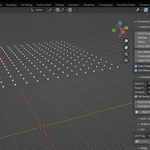
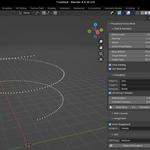
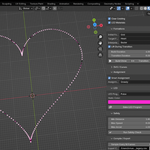

Procedural Drone Show for Blender
This package extends the Blender 4.5+ drone show tool with a prototype show compiler and a MAVSDK Offboard export bundle for PX4-based testing workflows. It compiles animated show data into a generic bundle with sampled trajectory and light information, and includes a companion runner script that streams Offboard setpoints to one MAVSDK-connected system per drone. PX4 documents Offboard mode as a way for an external controller to send position, velocity, acceleration, attitude, and related setpoints to a vehicle, including through MAVLink APIs such as MAVSDK, and MAVSDK’s Offboard API supports these setpoint types, which makes it a natural prototype target for show playback.
You can learn more about PX4 Offboard mode in the official PX4 guide:
https://docs.px4.io/main/en/flight_modes/offboard
And about MAVSDK Offboard APIs here:
https://mavsdk.mavlink.io/main/en/cpp/api_reference/classmavsdk_1_1_offboard.html
What it produces
- `show_bundle.json` – a compiled generic show package containing sampled positions, velocities, accelerations, and RGB values for all drones in the show.
- One CSV file per drone with time-based position and color samples, suitable for inspection, debugging, post-processing, or conversion into vendor-specific formats.
- `mavsdk_offboard_runner.py` – a companion Python script that connects to one MAVSDK system per drone and streams Offboard setpoints (e.g. position or position–velocity–acceleration) for synchronized execution.
Important limitation
This is a prototype exporter, not a vendor-certified show compiler and not a flight-authority-approved operational system. It is intended for PX4 SITL, lab tests, research setups, and custom companion-computer pipelines, and it must be adapted, validated, and safety-reviewed before any real-world use. In particular, PX4 Offboard mode requires continuous streaming of setpoints, correct handling of Offboard-loss and RC-loss behavior, and a valid state estimate; none of these constraints are automatically enforced by this add-on.
Why this design
PX4 recommends MAVSDK as one of the simplest APIs for communicating with PX4-based drones, including telemetry and Offboard control. Community PX4 drone show workflows also commonly convert exports from tools such as Skybrush into custom MAVSDK-compatible trajectories for synchronized execution, but these are custom integrations rather than an official PX4 drone-show standard. This exporter follows a similar pattern by generating a generic show bundle and a MAVSDK-based runner that you can adapt to your own fleet, networking, and safety requirements.
Relevant links:
- PX4 Offboard mode overview:
https://docs.px4.io/main/en/flight_modes/offboard
- MAVSDK Offboard API reference:
https://mavsdk.mavlink.io/main/en/cpp/api_reference/classmavsdk_1_1_offboard.html
Suggested workflow
1. Build and animate the show in Blender using the existing drone show tooling.
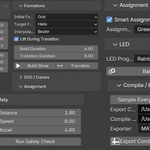
2. Run Safety Check in the add-on before export (where available) to catch basic issues early.
3. Compile the Show Bundle to generate `show_bundle.json`, per-drone CSV files, and the `mavsdk_offboard_runner.py` script.
4. Copy the compiled folder to the machine that will run MAVSDK and has network access to all PX4 systems (SITL or real hardware).
5. Adapt and review UDP ports, coordinate frames, estimator assumptions, arming logic, Offboard entry conditions, and failsafes (including RC-loss and Offboard-loss behavior) before any live test, and only proceed to outdoor or public demos after appropriate ground testing and safety approval.
Version 1.0