Drone Show
 SMUELDigital




Procedural Drone Show — v1.0
Blender 4.5+ drone show builder with real-time parameter preview, modal operators,
optimised safety check, and collapsible side-panel sections.
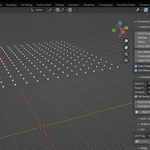
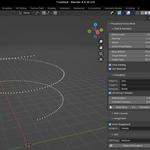
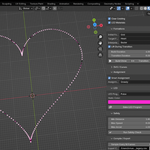
Real-time viewport preview
Dragging any formation or altitude slider immediately repositions and recolours
drone spheres in the viewport — no button press required. Works for all built-in
formations (Grid, Circle, Helix, Line, Heart) as well as LED colour changes.
Modal Build & Transition operators
**Build Show** and **Transition To Target** now run as modal operations. A live
progress counter (`Building… 42 / 200`) appears in the 3-D View header, and
pressing **Esc** safely cancels the operation without leaving a broken state.
Faster safety check (single-pass)
The safety check now visits each frame exactly once, collecting all drone
positions in one `frame_set` call, instead of the previous nested loop that
called `sample_object_location` twice per frame pair. Results are cached in the
panel so you can inspect them without re-running.
Collapsible sub-panels
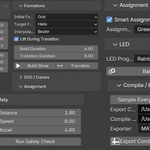
The single box has been split into seven independently collapsible sections:
*Fleet & Geometry*, *Formations*, *SVG / Curves*, *Assignment*, *LED*, *Safety*,
*Compile / Export*.
What it produces
- `show_bundle.json` — compiled generic show package with sampled positions,
velocities, accelerations, and RGB values.
- One CSV per drone with time and position/colour samples.
- `mavsdk_offboard_runner.py` — companion Python script that connects to one
MAVSDK system per drone and streams position setpoints in Offboard mode.
Important limitation
This is a prototype exporter, not a vendor-certified or flight-authority-approved
show compiler. It is best suited for PX4 SITL, lab tests, and custom
companion-computer pipelines.
Suggested workflow
1. Build and animate the show in Blender (use the real-time preview to tune
formation parameters instantly).
2. Run **Safety Check** and review the cached results in the panel.
3. Run **Compile Show Bundle**.
4. Copy the compiled folder to the machine running MAVSDK.
5. Adapt UDP ports, coordinate frames, arming checks, and failsafes before any
real-world use.
Have questions about this product?
Login to message
| Blender Extension Compatible | Yes |
| Published | 5 months ago |
| Blender Version | 4.5 - 5.1 |
| Extension Type | Add-on |
| Render Engine Used | Blender-Internal, Cycles, Eevee |
| License | GPL |