Easy Leg IK Pole
 Onion365studio
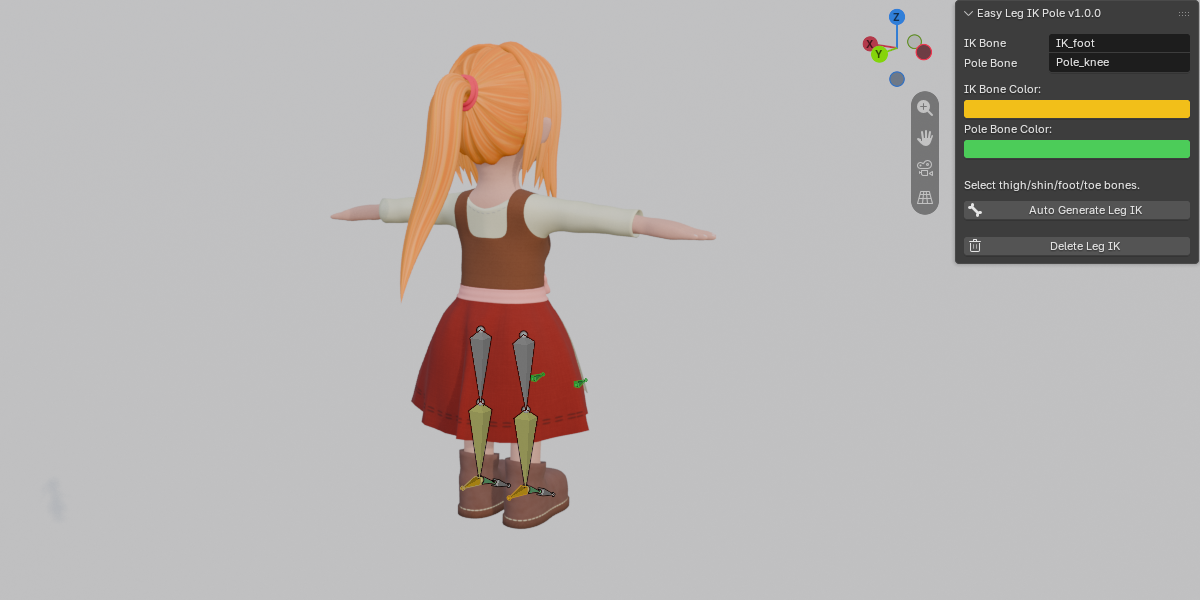

Version v1.3.0
Fixed
- X-Axis Mirror (Edit mode and Pose mode) is now switched off before Auto Generate Leg IK runs and restored to its previous state afterwards, so generating one leg never affects the bones on the opposite side.
Version v1.2.0
New
- Auto Roll after Align Leg Axes: thigh / shin = 90°, foot / toe = 180° (left) / -180° (right). The Pole bone uses the same Roll as the foot. Values are adjustable in the options.
- Pole Angle: fixed at 0° by default.
Changed
- The foot bone is now parented to the IK bone with Keep Offset, so it stays in place.
- The foot's Copy Location now targets the shin of the same leg (Head/Tail = 1) instead of the IK bone.
- Delete Leg IK now gives the foot bone back to the shin.
Removed
- The foot's
Copy Rotationconstraint and theFoot Follows IK Rotationoption. The foot follows the IK bone's rotation through its parent.
Version v1.1.0
New
- "Flatten Leg on X First". Before generating, the thigh / shin / foot / toe bones of each leg are flattened along X, like selecting them in Edit mode and pressing S X 0. Can be toggled, on by default.
Changed
- The Pole bone is now parented to the IK bone.
- The foot now gets both Copy Location and Copy Rotation (World) constraints, so it follows the IK bone's position and rotation.
- The IK and MCH bone collections are no longer created by default.
Have questions about this product?
Login to message
| Blender Extension Compatible | Yes |
| Dev Fund Contributor | |
| Published | about 2 months ago |
| Blender Version | 5.2 - 5.3 |
| Extension Type | Add-on |
| Render Engine Used | Cycles, Eevee |
| License | GPL |
Discover more products like this
bone-addons pole auto-gane armature quick ik Auto-generated IK auto-pole-ik IK easy-ik-pole bone leg