 one99addons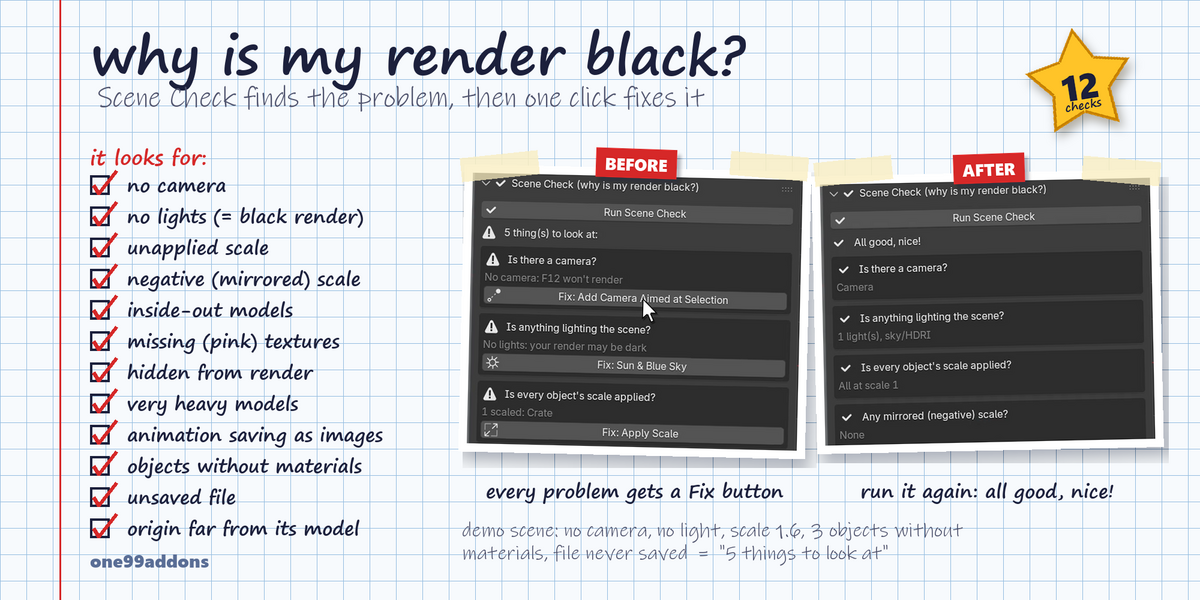
🐣 Easy Mode
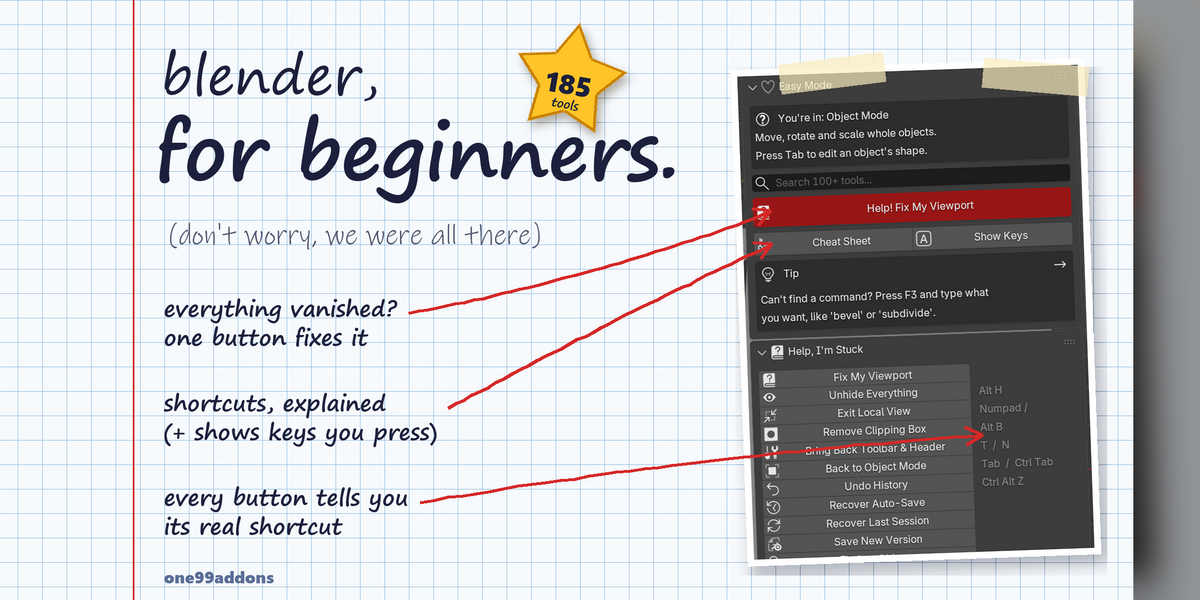
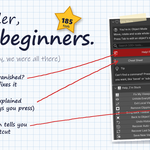
Blender, for beginners: 185 one-click tools for everything that confuses new users. (Don't worry, we were all there.)
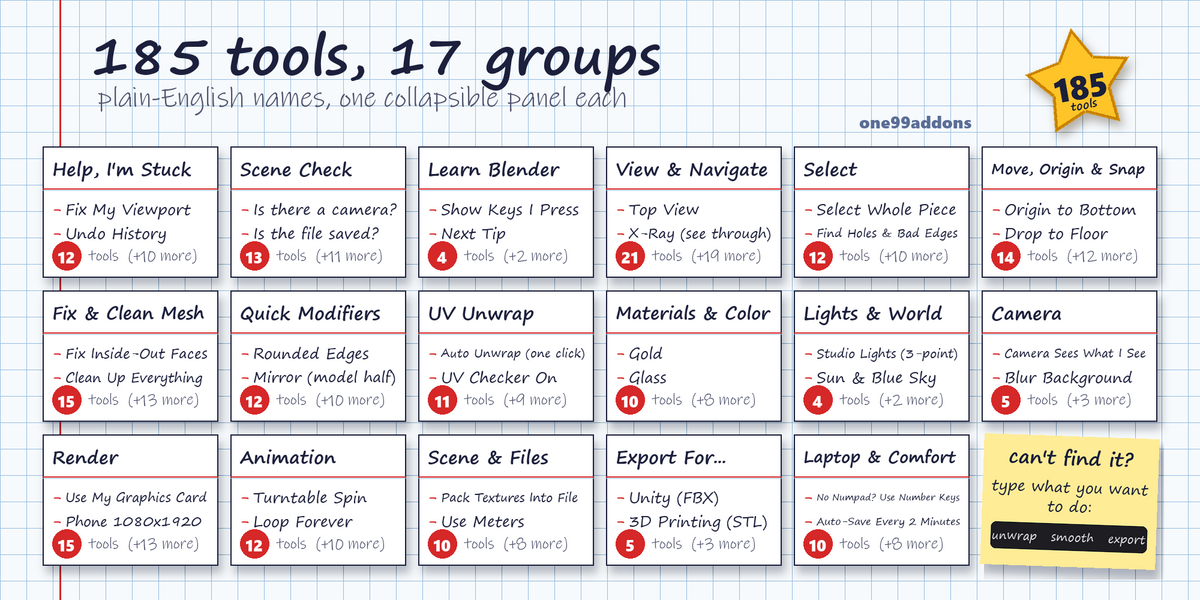
Easy Mode is one tab in the 3D Viewport sidebar. It groups 185 tools into 17 plain-English sections, tells you which mode you're in, finds any tool by what you want to do, and shows the real shortcut next to every button, so you learn Blender while you click.
The problem
Everyone's first weeks in Blender look the same. You press a random key and half your model disappears. The toolbar is gone and you can't get it back. The tutorial says "press Numpad 7" and your laptop has no numpad. Your render comes out black or pink and nothing tells you why. Your export lands in Unity at the wrong size, or inside-out.
What it does
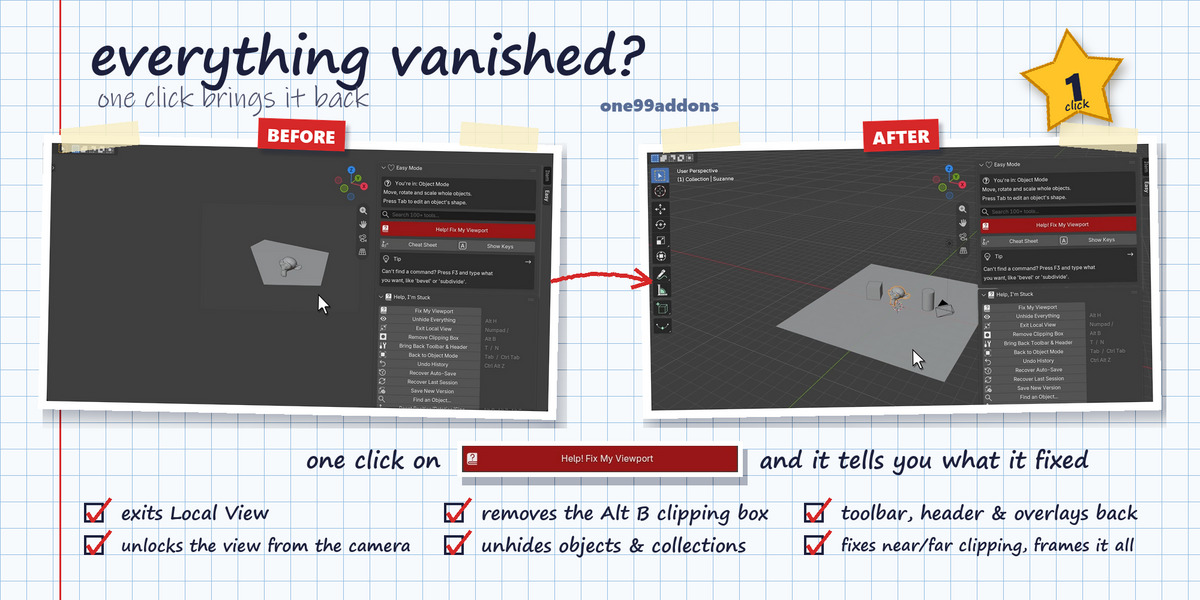
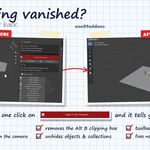
- Help! Fix My Viewport. The panic button: leaves Local View and Quad View, removes the Alt B clipping box, turns the toolbar, header, overlays and gizmos back on, unlocks the view from the camera, unhides hidden objects, fixes near/far clipping and frames everything. It tells you what it fixed.
- Shortcut Cheat Sheet. 127 useful shortcuts in plain English in a big searchable popup, plus a "shortcuts for this mode" list that follows the mode you're in.
- Show Keys I Press. Every key and click you press appears in the corner of the 3D view, with x2, x3 for repeats. Great for learning and for recording tutorials.
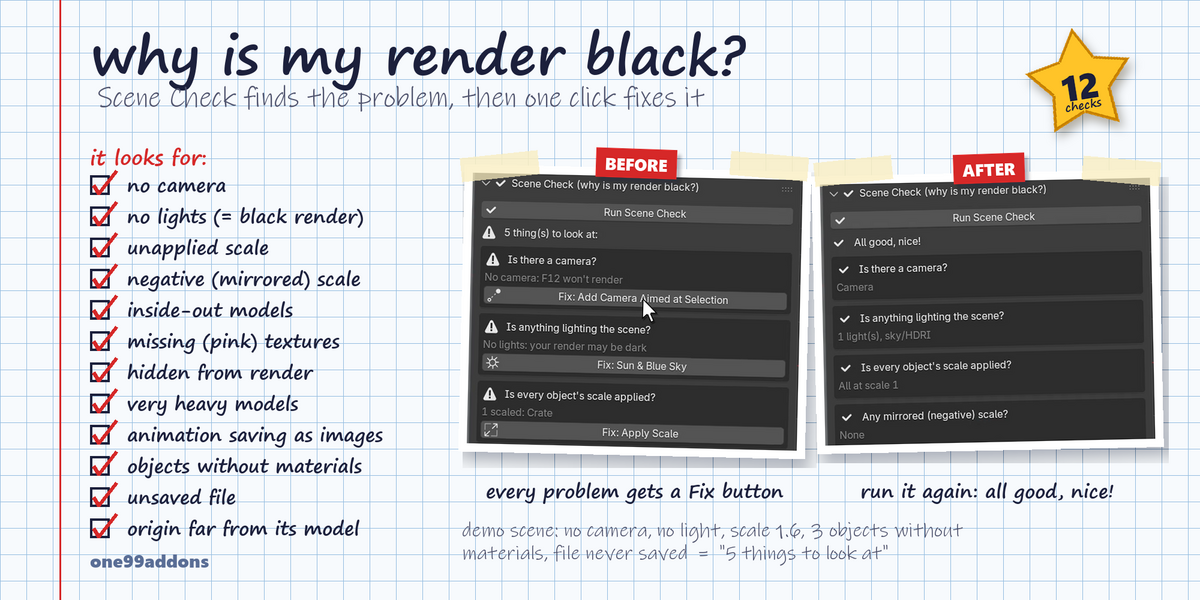
- Scene Check. 12 checks for classic beginner problems: no camera, nothing lighting the scene, unapplied or negative scale, inside-out faces, missing pink textures, objects hidden from render, very heavy models (over 500,000 triangles), animation saving as separate images, objects without a material, an unsaved file and far-away origins. Every problem gets a Fix button.
- Search 185 tools. Type what you want to do ("unwrap", "smooth", "export", "laptop") and the best matches come first.
- Export For... Unity (FBX), Unreal (FBX), Web / Godot / AR (GLB), any 3D app (OBJ) and 3D printing (STL in millimetres), with the right settings already set. You only pick the file name.
- Laptop and comfort settings. Number keys as a numpad, Alt + click as a middle mouse, orbit around the selection, zoom to the mouse, a bigger interface, 256 undo steps and auto-save every 2 minutes. One Recommended Beginner Setup button turns on the main ones.
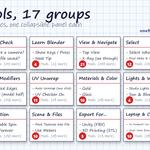
All 17 sections
- Help, I'm Stuck (12): Fix My Viewport, Unhide Everything, Exit Local View, Remove Clipping Box, Undo History, Recover Auto-Save, Save New Version, Find an Object and more.
- Scene Check (13): the 12 checks above, plus Show Them in Render.
- Learn Blender (4): Cheat Sheet, Show Keys I Press, 40 beginner tips, the manual page for your current mode.
- View & Navigate (21): front, right, top and camera views, zoom, isolate, the 4 shading modes, X-Ray, inside-out face colours, polygon count, 3D cursor helpers, Stop Things Vanishing.
- Select (12): all, none, invert, by type, point/edge/face mode, grow, shrink, whole piece, Find Holes & Bad Edges.
- Move, Origin & Snap (14): apply scale and transforms, origin to center, bottom or cursor, Drop to Floor, Make It X Meters Tall, Randomize, snapping, soft move, auto-merge.
- Fix & Clean Mesh (15): remove doubles, fix inside-out faces, fill holes, Clean Up Everything, triangles to quads, smooth, flat and smart smooth shading, split and join.
- Quick Modifiers (12): rounded edges, subdivision, mirror, thickness, array, weld, remesh, reduce polygons, cut out and merge shapes, apply or remove all.
- UV Unwrap (11): one-click auto unwrap, unwrap along sharp edges, box, cylinder and sphere, pack, even texture size, UV checker on/off, seams.
- Materials & Color (10): random color, plastic, metal, gold, glass, glowing light, rubber, image as texture, copy material, clean slots.
- Lights & World (4): 3-point studio lights, sun and sky, soft studio background, photo backdrop.
- Camera (5): camera to my view, camera aimed at the selection, move camera with my view, use this camera, background blur.
- Render (15): EEVEE or Cycles, use my graphics card, preview and final quality, HD, 4K, square and phone sizes, transparent background, render and save, MP4 video, AgX or Standard colors, denoise.
- Animation (12): key position, rotation, size or everything, auto keyframe, remove animation, fit the timeline, loop, constant speed, turntable spin, play.
- Scene & Files (10): delete unused data, pack textures, find missing textures, relative paths, batch rename, new collection, remove empty collections, meters or feet, scene stats.
- Export For... (5): Unity, Unreal, GLB, OBJ, STL.
- Laptop & Comfort Settings (10): input and interface preferences, beginner setup, more undo steps, auto-save, Save Preferences.
Settings
All tools are in 3D Viewport > Sidebar (N) > Easy tab. Two options live in Edit > Preferences > Add-ons > Easy Mode:
- Show the shortcut next to every button: on = one column with the real shortcut beside each button; off = compact 2 columns.
- Show beginner tips: the tip box at the top of the tab.
Good to know
- Buttons that can't work right now are greyed out (for example Edit Mode tools in Object Mode). Hover any button for a plain-English tooltip with its shortcut.
- Easy Mode uses Blender's own tools and settings. Nothing is locked, and your files work without the add-on.
- Buttons that delete things (Delete Unused Data, Remove All Modifiers, Remove Animation) and Recover Last Session ask before they run.
- Laptop & Comfort Settings change your Blender Preferences. Click Save Preferences to keep them.
- Only Help, I'm Stuck starts open, so the tab stays short.
Tips
- Lost? Hit the big red Help! Fix My Viewport button first.
- Render black or pink? Open Scene Check and press Run Scene Check.
- Turn on Show Keys while you follow a tutorial, to see exactly what you pressed.
- Know the keys already? Turn off the shortcut column in the add-on preferences for a compact 2-column layout.
Requirements and install
Blender 5.2 or newer (tested on 5.2.1 LTS, Windows). No external libraries. Only Manual for This Mode needs internet (it opens the online manual).
- Download easy_mode_v1.0.0.zip (do not unzip it).
- In Blender: Edit > Preferences > Add-ons, open the drop-down arrow at the top right, choose Install from Disk... and pick the zip.
- Tick Easy Mode. That's it.
Limits
Easy Mode is a helper, not a replacement for Blender: each button runs Blender's built-in tools with beginner-friendly settings. While Show Keys I Press is on, Blender's own auto-save does not run, so save with Ctrl S and turn Show Keys off when you're done. Export buttons export the selection, or everything if nothing is selected. Some Scene Check fixes work on the selected objects, so select the objects it names first.
Made by one99addons.