 3DMAGIC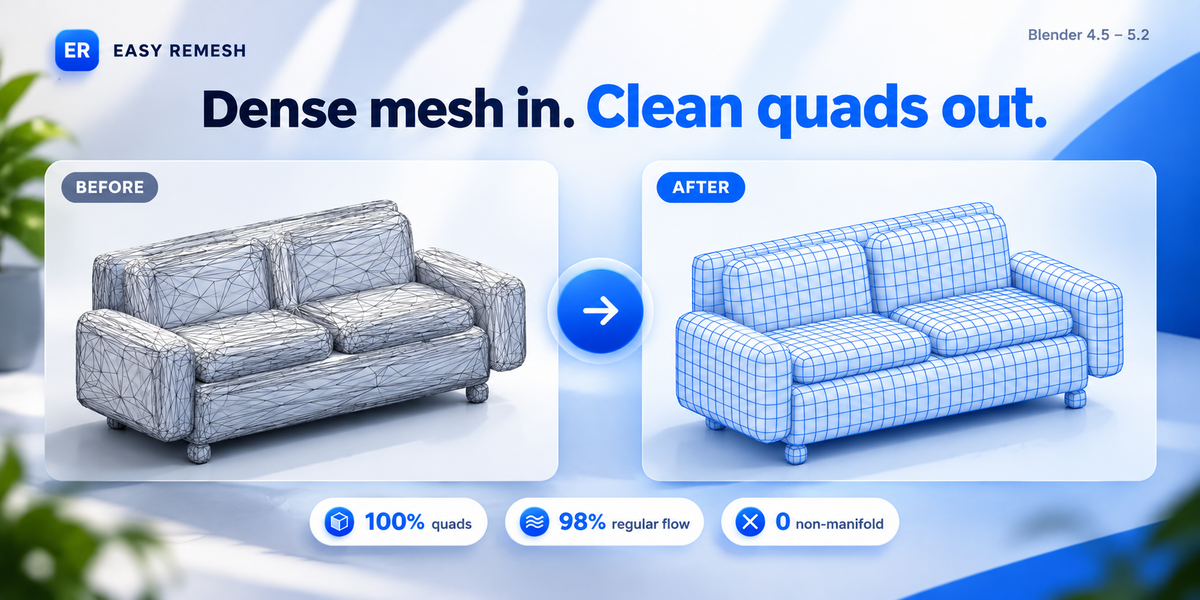

| ER | EASY REMESH | BLENDER 4.5–5.2 |
A SMARTER WORKFLOW INSIDE BLENDER
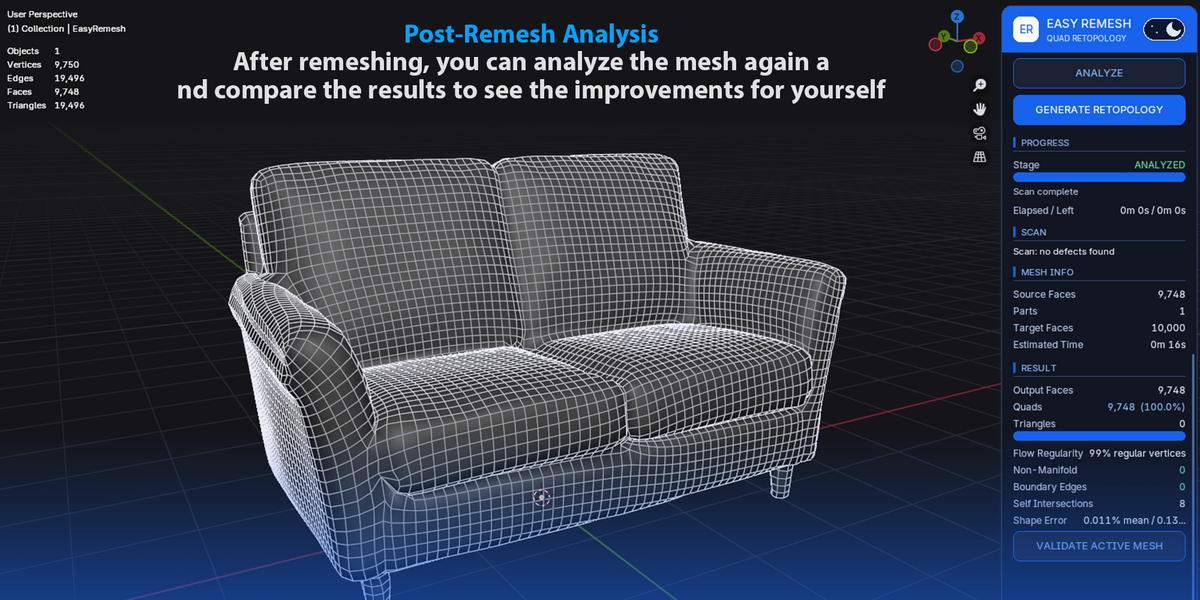
Dense mesh in.
Clean quads out.


Easy Remesh rebuilds heavy, noisy or triangle-soup meshes — AI-generated models, photogrammetry scans, sculpts and boolean leftovers — as a clean, orderly quad mesh. It runs entirely inside Blender on your own machine, shows you what it is doing, and never touches your original.
Why it is more than a remesh button
Built to balance topology quality, detail preservation and a responsive workflow.
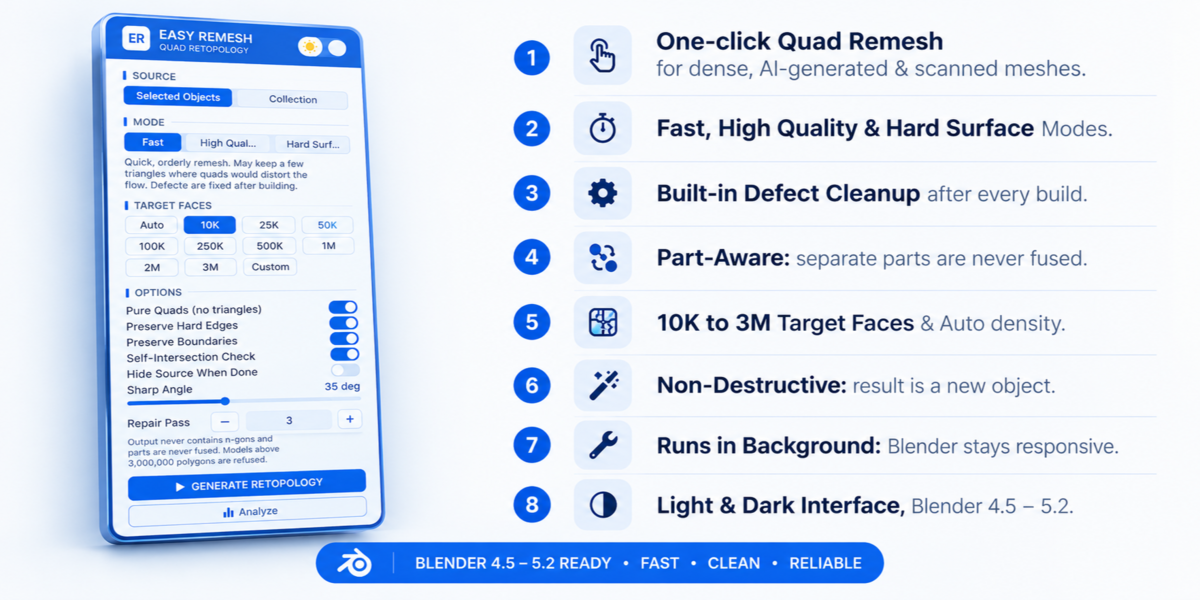
01. Part-aware
Separate parts — armor, eyes, props and accessories — are rebuilt separately and are never fused together.
02. Importance-driven density
Polygons go where the detail is. Flat, boring areas do not eat your face budget.
03. Defect cleanup after every build
Every face is scored for stretched, sheared, warped, dart-shaped or folded quads. Only vertices around a defect are squared up and relaxed, then snapped back onto the surface. In High Quality and Hard Surface, it also tries to untangle faces that cut through each other.
04. Safety ladder
If the quad solver struggles on a difficult mesh, Easy Remesh steps down to safer settings instead of failing or crashing, and tells you when it did.
05. Stays responsive
The heavy work runs in a background process. Blender does not freeze, and you can cancel at any time.
06. Honest validation
After every run, review quads vs. triangles, non-manifold edges, open boundary edges, self-intersections, edge-flow regularity and shape error.
Three modes
Choose the right balance of speed, quality and mechanical precision.
QUICK PASS
Fast
A quick, orderly remesh. It may keep a few triangles where forcing a quad would distort the flow.
DEEP CLEANUP
High Quality
Full scan and repair, denoising, the solver at full size, deeper cleanup and self-intersection untangling. Capped at roughly five minutes, then it finishes with what it has.
MECHANICAL MODELS
Hard Surface
Flat panels are rebuilt with only the polygons their outline needs, while creases and bevels are kept as edge lines. Organic models are recognised and handled by the standard engine.
How it works
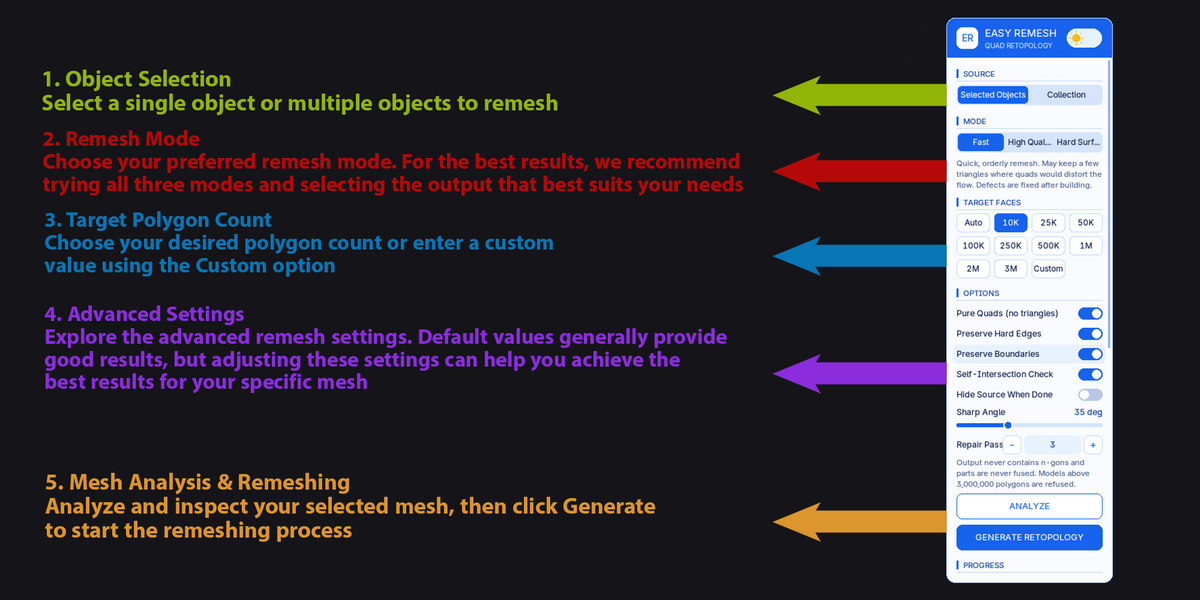
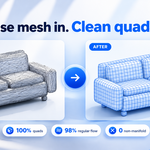
1 | Select one or more mesh objects, or choose a collection. |
2 | Choose a mode and target: 10K up to 3M faces, a custom count, or Auto density. |
3 | Click Generate Retopology. A new object called EasyRemesh appears; your source stays exactly as it was. |
Features
| 10K–3M face targets | Presets, custom count, or Auto density: Low / Medium / High / Max. |
| Large source support | Accepts source meshes up to 3,000,000 polygons. |
| Pure Quads | Optional mode that never outputs n-gons. |
| Edge preservation | Preserve Hard Edges with adjustable sharp angle, plus Preserve Boundaries. |
| UV-split welding | UV-split vertices in AI / GLB meshes are welded, so texture islands are not mistaken for separate parts. |
| Progress details | Elapsed time, estimated time left and per-stage time summary. |
| Flexible cleanup | Optional source hiding, adjustable repair passes and optional self-intersection checks. |
| Blue / white UI | Custom interface with a light & dark slider, built into the sidebar tab. |
| 100% local | No account, no upload and no internet connection needed. |
Good to know
- The output is new geometry. UVs, materials and vertex groups are not transferred in this version; re-unwrap or bake from your original.
- Results depend on the source mesh. Very thin shells or layers that already overlap in the source can leave a few defects; the result panel tells you exactly what remains.
- Fast mode may keep a few triangles. Choose High Quality or Hard Surface for pure quads.
- Models above 3,000,000 polygons are refused with a clear message, and nothing is changed.
Requirements & install
Compatible with Blender 4.5–5.2.
- In Blender, open Edit > Preferences > Get Extensions.
- Open the menu in the top-right and choose Install from Disk.
- Select the Easy Remesh ZIP file. Do not unzip it.
- Open the 3D Viewport sidebar with N, then click the Easy Remesh tab.
EASY REMESH · A cleaner topology workflow inside Blender