 3DMAGIC

What if the result still has a few bad faces?
The result panel lists non-manifold edges, open boundaries, self-intersections and shape error, and the notes say how many badly shaped faces were found and fixed, so you always know what you are getting.
Will it freeze Blender while it works?
No. The heavy work runs in a background process and you can cancel at any time.
What is the largest model it accepts?
3,000,000 polygons. Above that you get a calm “too heavy” message and nothing is changed.
Can it keep my UVs?
Not in this version. The output is new geometry; re-unwrap it or bake textures from the original.
Which mode should I use?
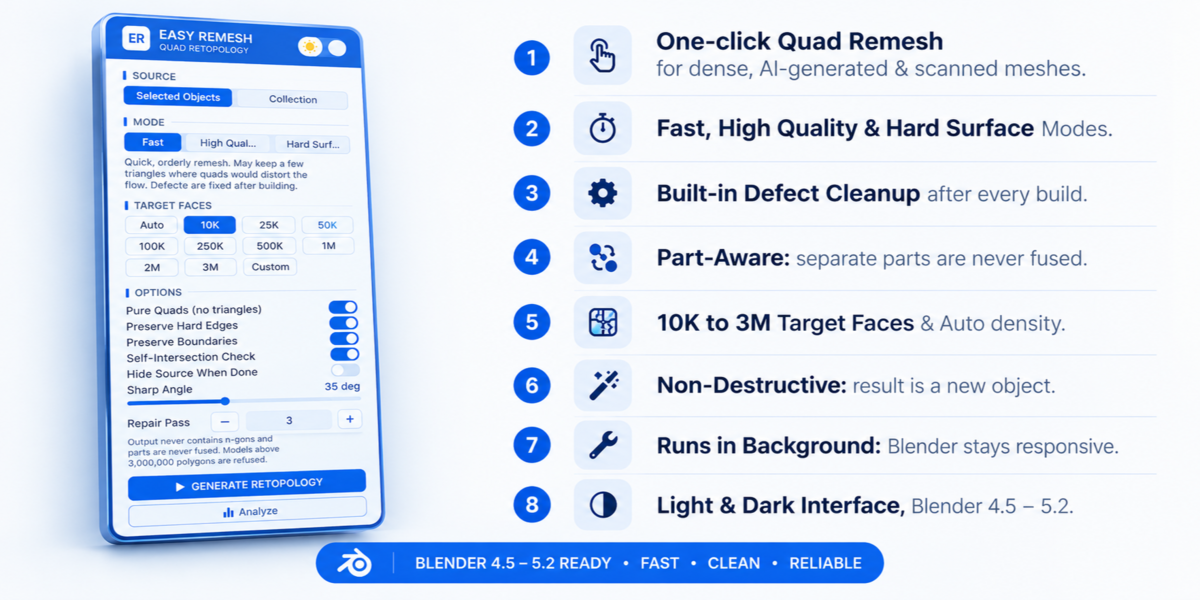
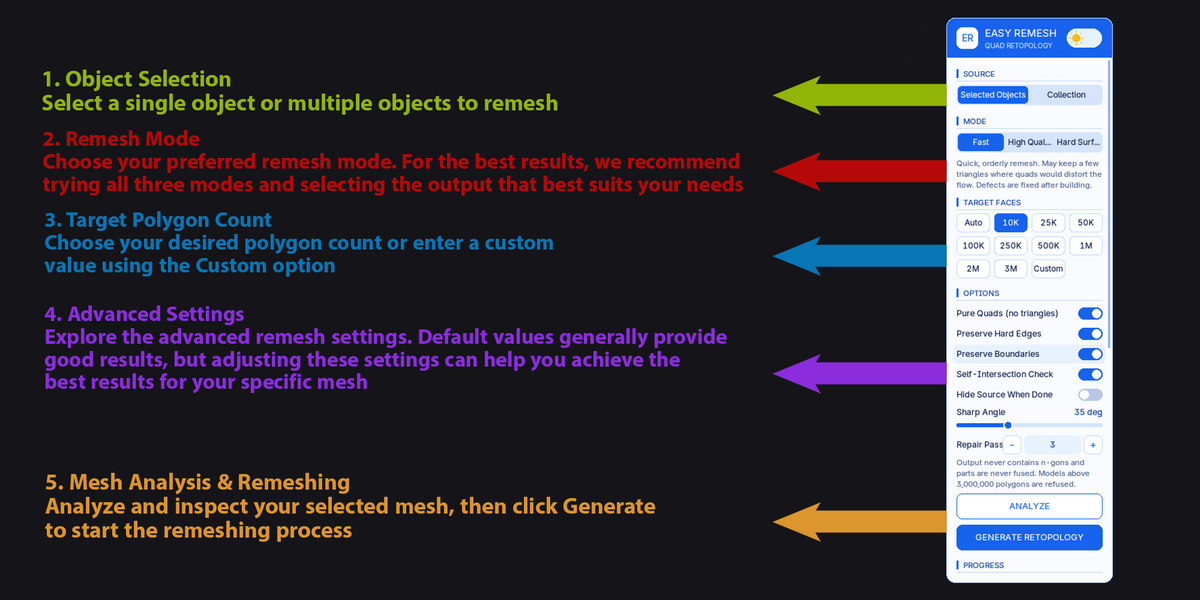
Fast for quick previews and blockouts, High Quality for final organic results, Hard Surface for mechanical models such as props, vehicles and weapons.
Will separate parts be merged into one?
No. Each part is rebuilt on its own, so armor, eyes and props stay separate.
Does it need an internet connection or an account?
No. Everything runs locally inside Blender. Nothing is uploaded.
Does it change my original model?
No. Easy Remesh always creates a new object called EasyRemesh. You can optionally hide the source when it finishes.
Have questions about this product?
Login to message
| Blender Extension Compatible | Yes |
| Published | 4 days ago |
| Blender Version | 4.5 - 5.2 |
| Extension Type | Add-on |
| License | GPL |
Discover more products like this
retopology hard surface clean-topology auto-retopology quad remesh quad retopology photogrammetry mesh optimization quadriflow game assets triangle to quad AI generated mesh