Easy Retarget Rig
 VP.studio3d


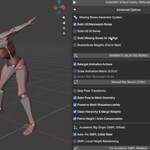
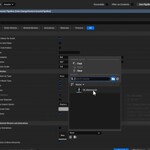
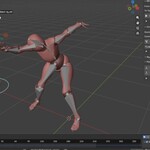
Easy Retarget Rig VPs: User Manual
Welcome to your new studio pipeline. This manual covers every setting in the Easy Retarget Rig VPs suite, designed to bridge the gap between Blender and professional game engines like Unreal Engine 5 and Unity.
1. MH Retargeter Core
The command center for skeleton mapping and hierarchy structural changes.
Rig Presets
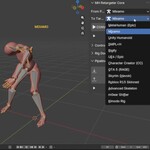
Source/Target Rig System: Defines your character’s "DNA." Select the rig system (e.g., Mixamo, Rigify, MetaHuman, mGear) for both source and target. The add-on will automatically detect bone names and map them accordingly.
Missing Bones Generator
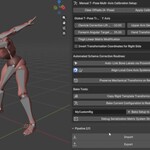
Build UE/Mannequin Bones: Generates standard UE5/Mannequin structures (e.g., spine_01, spine_02) if missing from your source.
Build UE IK Bones: Adds standard UE-compatible IK chains (ik_foot_l/r, ik_hand_l/r). Essential if your project requires engine-side retargeting.
Build Missing Bones for All Rigs: A comprehensive builder that identifies structural "gaps" and builds missing segments for non-UE rigs.
Redistribute Weights: When the add-on inserts new bones, this utility automatically redistributes vertex weights, ensuring the mesh doesn't "break" at new joints.
Animation Settings
Retarget Animation Actions: Master toggle for animation transfer.
Scale Animation Matrix (0.01x): Scales location data by 0.01. Crucial: Keep this active when exporting to UE/Unity to prevent character models from appearing massive in-engine.
Skip Scale on Reverse: Prevents redundant math operations when reversing an animation flow (e.g., Engine to Blender).
Mesh & Pose
Skip Pose Transforms: Disables pose-space correction. Use this if your base skeleton is already in the target pose.
Bake Mesh: Destructive bake. Saves your current pose (e.g., arm corrections) directly into the mesh geometry.
Retarget Shapekeys: Preserves facial and body blendshapes during structural changes.
Pelvis Height / Anim Compensation: Studio Essential. Automatically applies the -0.085 X-axis offset for the pelvis to ensure animations sit correctly on the floor plane.
2. Control Rig Animation Baking
High-fidelity tools for translating Mocap or FK systems to IK Control Rigs.
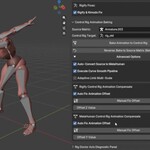
Source/Target Control Rig: Slots to assign your source skeleton and the target control rig.
Auto Fix Offset (Rigify/MetaHuman): Automatically calculates and applies the necessary Z-offset for Rigify or Y-offset for MetaHuman to prevent "floating" controllers.
Apply Gaussian Smooth: A high-end smoothing filter for Mocap data. Removes "jitter" from your animation curves without destroying motion detail.
Adaptive Scaling: Scales limb controllers dynamically to match varying limb lengths between source and target rigs.
3. Pipeline I/O (Import & Export)
The final stage: preparing your assets for the game engine.
Import Options
Smart Scale: Automatically corrects scale upon import (fixes the "tiny/giant model" bug).
Remove LODs/UCX: Scans for and deletes LOD1, LOD2, and collision (UCX) meshes to leave only the high-poly visual mesh.
Strict Leaf Bone Clean: Deletes "nub" or "end" bones. These are invisible to the eye but often break vertex weight binding in game engines.
Remove Embedded Textures: Strips textures packed inside the FBX to keep your Blender file size optimized.
Export Options
Scale 100x: Applies a 100x multiplier during export to reset the Blender scale to engine-compatible units.
Embed Textures: Toggles texture packing. Keep this ON for ease of use in Unreal Engine.
Clean Mesh Geometry: Runs a destructive cleanup—removes loose vertices, dissolves degenerate polygons, and merges double vertices. Essential for game-ready topology.
4. Special Note: Kimodo Rig Workflow
You do not need to manually configure the Kimodo rig. Simply select Kimodo from the Rig Presets dropdown.
Automatic Detection: Our script identifies Kimodo structures based on its unique naming conventions (e.g., LeftHandIndex1, Spine1).
What we fix: We automatically apply the specific spine rotation fixes (spine_04 and head) and the complex finger metacarpal mappings. This ensures that your Kimodo animations align perfectly with global standards without manual intervention.
Pro-Tip for Production
If you are working with the Blender 5.1 "Slotted Actions" (Project Baklava), rest assured that our pipeline is native to this system. All location, rotation, and scale data is routed through our safe API handlers, ensuring your animation slots remain intact from start to finish.
$29.99
Have questions about this product?
Login to message
| Published | 3 months ago |
| Blender Version | 5.0 - 5.2 |
| Extension Type | N/A |
| Render Engine Used | Cycles |
| License | GPL |

Discover more products like this
FBX Export animation retargeting ue5 blender addon 3d animation MetaHuman Unreal Engine mocap rigging technical-art mixamo game development