Easy Rigid Body
 Onion365studio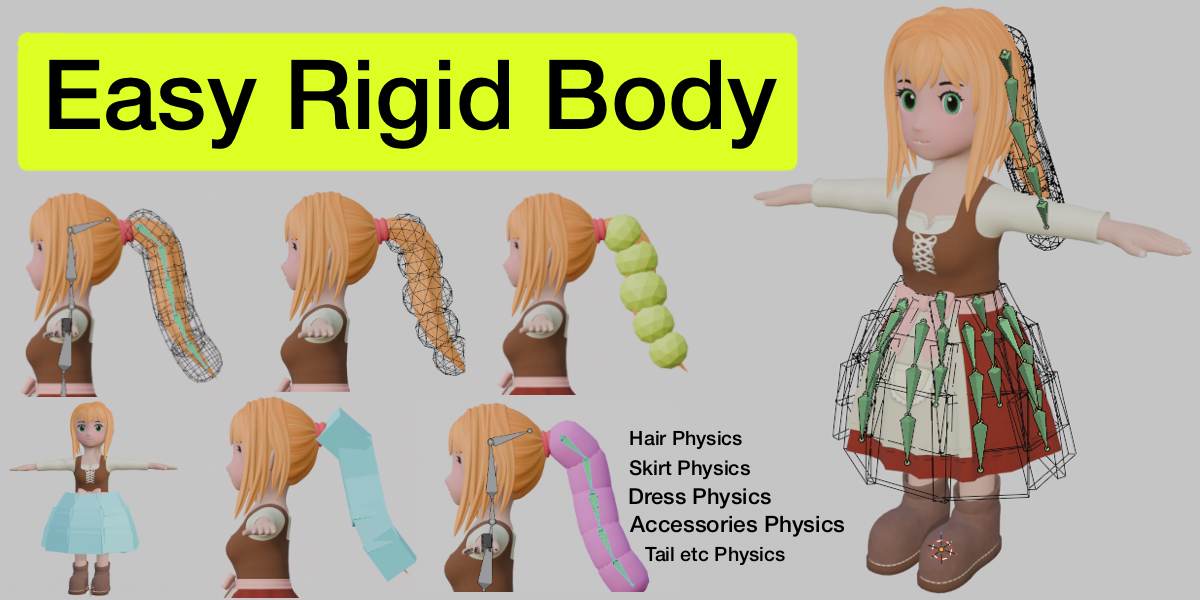
Version 3.0.3
Improved
- Add Physics / Add Collision now pauses timeline playback before it starts.
- Switching Pro on or off in the Collections list now pauses playback first as well.
- The current frame is kept when playback is paused.
Version 3.0.2
Added
- Collections list: every Physics collection has a "Pro" button. It is lit when Pro is on; click it to turn Pro off or on for that collection.
Changed
- Selecting a collection, or clicking its Pro button in the Collections list, no longer changes the Pro checkbox next to Add Physics. - The Pro checkbox next to Add Physics now only adds Pro to the next Add Physics, and unticks itself once the Physics has been added. It no longer cancels Pro or switches existing collections.
Version 3.0.1
Added
- Bake to Bones can now be cancelled with Esc. Cancelling restores the scene: the current frame is reset and any keyframes already written are removed. Follow constraints, blocks and joints are kept.
Notes
- Esc stops working once the cleanup step starts (about 95%).
- Existing keys on the baked bones within the simulation range are overwritten while writing and are not restored on cancel.
Version 3.0.0
New
- Pro checkbox for long dress. Long dress swing more naturally and resist twisting and stretching.
- Pro can be toggled directly on the Physics collection selected in the Collections list, with no need to Add Physics again. The panel shows a percentage progress bar while it switches.
- Timeline sync: Simulation Start / End and the timeline Start / End are linked both ways. Change either one and the other follows automatically. The range is locked once a bake exists.
Improved
- The upper limit of several size sliders is raised from 30 to 100.
Version 2.2.2
Changed
- The panel labels "Rigid Body shape" and "Collision shape" are now "Rigid Body Shape" and "Collision Shape".
Version 2.2.1
Changed
- Default collection names now include the block shape and mode. Physics creates
Box Rigid Body,Sphere Rigid BodyorCapsule Rigid Body. Collision createsBox Collision,Sphere CollisionorCapsule Collision. Previously everything went into a collection calledRigidBodyorCollision. - If you switch the shape and generate again, the new blocks go into the collection that matches the new shape. For example,
Box CollisionbecomesSphere Collision. Names you typed yourself, such asleg Collision, are never renamed. - Collections from older files (
RigidBody,Collision) keep working as before. - The panel label "Physics shape" is now "Rigid Body shape".
Version 2.2.0
New
-
Rotate sliders: The Physics shape and Collision shape groups each get a Rotate slider (-180° to 180°) below Height / Width / Depth. It takes effect live while you drag.
- Each block spins in place around its own center, around its height (bone) axis, like a turntable. Its size stays the same and it does not tilt.
- It works for Box, Sphere and Capsule. Sphere and Capsule are round around that axis, so no change is visible on them.
- Only the block is rotated, and the bones are not affected. If you change Height / Width / Depth while a block is rotated, the sizes are still applied in the block's original directions.
- Each collection remembers its own Rotate value and restores it when you switch collections. The Physics and Collision groups do not affect each other.
Improved
- The two Reset Scale (↺) buttons now set the matching group's Rotate back to 0 as well, restoring the blocks to their original size and orientation. Restore All Defaults includes Rotate too.
- Generating new Physics / Collision blocks resets the matching Rotate to 0, so new blocks do not inherit the previous rotation.
- When a Collision collection is selected, the Rigid Body Physics title row and its Restore Defaults button are no longer greyed out. In that case it restores only Friction, Bounciness and Collision Margin, and leaves Physics-only values such as mass and damping untouched. The tooltip changes to match.
Version 2.1.0
Improvements
- Optimized and improved the speed of physics and collision generation.
Version 2.0.9
Improvements
- Generated Joint, Side, Follow and No-Hit empties are now hidden from the camera and excluded from rendering by default, so they never show up in final renders.
Version 2.0.8
Improvements
- After Add Physics finishes, the generated
RigidBody_Follow_helper empties are now hidden by default, likeRigidBody_Joint_*. The viewport no longer fills up with small arrow axes.
Version 2.0.7
Added
- The Bake button now shows a percentage progress bar while baking.
Version 2.0.6
Fixed
- The Bake to Bones button no longer shrinks or jitters while baking. The Bake / Delete Bake / Bake to Bones buttons now keep equal widths while the percentage updates.
Changed
- Clicking Add Physics / Add Collision outside Edit Mode or Pose Mode now shows a yellow warning instead of a red error: "Please enter Edit Mode or Pose Mode first, then click Add Physics".
Version 2.0.5
Improvements
- The name at the top of the panel now follows the active mode. When the Collections list is empty, it shows RigidBody while Physics is lit and Collision while Collision is lit. Names from earlier runs are no longer kept.
- When the list has collections, the top shows the name of the selected collection, e.g. Dress. Selecting a different collection updates the name.
- After the last collection is deleted, the top name goes back to the default for the current mode. The deleted collection's name no longer lingers.
Changes
- Adjusted the layout of the three icons at the top of the panel (restore defaults, trash, settings).
Version 2.0.4
New
- Settings button (gear icon) to the right of the Delete button. It opens a window with an "Enable Wind" checkbox * The Wind settings and the Add Wind button are now hidden by default and only show up when "Enable Wind" is ticked (an existing wind object is not removed when the controls are hidden).
Changed
- Removed the Collection Name input box. The top row now only displays the name of the selected collection; rename a collection in the Collections list.
Version 2.0.2
New
- Bake to Bones can now bake several Physics collections in one pass. Tick the new checkbox on each Physics collection in the Collections list, then click Bake to Bones. They are sampled together, so collisions between the collections are kept in the baked keyframes.
- The button shows how many collections are ticked, e.g. Bake to Bones (3).
Changed
- Blocks, joints and Follow constraints are removed only after every bone has been keyed, so removing one collection can no longer affect how the others are sampled.
- Ticked collections that have no bones following them are skipped and reported instead of being deleted.
Notes
- With nothing ticked, it works as before: only the active Physics collection is baked.
- Collision collections are still kept; delete them yourself in the Collections list.
Version 2.0.1
Changed
- The scale sliders (Height / Width / Depth, or Radius for Sphere and Capsule) in both Physics shape and Collision shape now go up to 30. Height and Width were previously capped at 10.
Version 2.0.0
New
- Collision Layers: a button in the collection panel opens a window where you set the group number (1-20) of the selected collection. New Physics collections default to group 2, new Collision collections to group 1.
- A group's own layer is lit automatically, and you can light additional layers. Blocks from two collections never collide when they share at least one lit layer.
- Changes apply only when you press OK. Playback is paused when the window opens, and the window is read-only on a baked scene.
- After applying, no-hit joints are rebuilt in the background with an "Updating Collision Layers xx%" progress bar. The button is locked while it runs, and the simulation restarts when it finishes.
- If more than 8000 block pairs need a no-hit joint, the extra pairs are skipped and a warning is shown in the panel.
- Radius drives Height: for Sphere and Capsule, changing Radius scales Height by the same factor, while changing Height never affects Radius.
- In the Physics shape / Collision shape sliders, Height is now adjustable for both Sphere and Capsule, so a Sphere can be stretched into an ellipsoid. Width stays disabled.
- The generation progress bar now gives each stage a share matching its expected time.
Changed
- No-hit joints in the same collection are now created only for nearby blocks (centre distance ≤ 2.5× the sum of their radii) instead of all-against-all, which greatly reduces the joint count in large collections.
- Joints between different collections follow the group rules and cover the whole scene.
- Behavior change: Physics blocks in the same collection that sit far apart can now collide.
- When generating, Sphere and Capsule no longer fit to the bone's top/bottom length or to the left/right neighbouring bones. Box is unchanged.
- The cross-section of Sphere and Capsule is always round. Capsule uses a fixed Height, and Sphere is sized by Radius alone.
- The panel label Depth is now Radius for Sphere and Capsule, with Height kept beside it (editable for Capsule, greyed out for Sphere).
- The trash (delete collection) button no longer shows a confirmation popup. It deletes immediately, and Ctrl+Z undoes it.
- Reworded the tooltips for Show/Hide and Margin.
Fixed
- A Capsule can no longer be shorter than it is wide, so its end caps stay full half-spheres on short bones instead of being squashed.
- The "restore all numbers to default" button now also resets the Capsule's fixed Height.
- The background timer is now cleaned up when the addon is unregistered.
Version 1.2.0
Fixed
- Improved stability.
Changed
- Generated Physics and Collision collections now auto-collapse in the Outliner.
- Generated objects are now named
RigidBody_*instead ofSkirt*. Physics created with older versions needs to be regenerated.
Version 1.1.8
Fixed
- Fixed Physics blocks colliding with each other.
Version 1.1.7
New
- Edit Mode: Bones selected in Edit Mode can now also generate Physics and Collision. After generating, it returns to Pose Mode with the same bones still selected.
- Add Physics / Add Collision button: The button now turns into a progress bar with a percentage while generating.
Changed
- Hanger hidden by default: After generating Physics, the hangers are hidden automatically. The simulation is not affected.
- The Textured button is now highlighted by default instead of Wire.
- Collision Margin:
- The panel now shows a 0–1 slider that maps to a real value of 0–0.05. The default real value is 0.01 (shown as 0.20 on the slider).
- Slider values 0 / 0.5 / 1 correspond to real values 0 / 0.025 / 0.05.
Version 1.1.2
Fixed
- Update Wind no longer moves the wind object back to its original position.
Version 1.1.1
New
- Collision Margin slider in the Rigid Body section. It sets how close the skirt or hair can get to a collider before contact is detected. Raise it to keep cloth further from the body, lower it to let it sit closer. Default 0.04 (Blender's default).
Changed
- Bake to Bones no longer deletes your Collision collections. It now only removes the Physics collection it baked, along with its blocks, joints, anchors and follow constraints. Before exporting to FBX, VRM or a game engine, delete the Collision collections yourself: select each one in the Collections list and click the minus icon.
Version 1.1.0
New
- Wind: gusts that blow and pause, with strength, frequency, direction and seed controls.
- Bake to Bones: turn the physics result into ordinary bone keyframes for export.
Changed
- Adjusted the panel layout.
Fixed
- After generating Collision blocks, the Collection Name no longer reverts to the default "Collision". It now keeps the name you typed.
$33.50$30.15
Have questions about this product?
Login to message
| Blender Extension Compatible | Yes |
| Dev Fund Contributor | |
| Published | 16 days ago |
| Blender Version | 5.2 |
| Extension Type | Add-on |
| Render Engine Used | Cycles, Eevee |
| License | GPL |
Discover more products like this
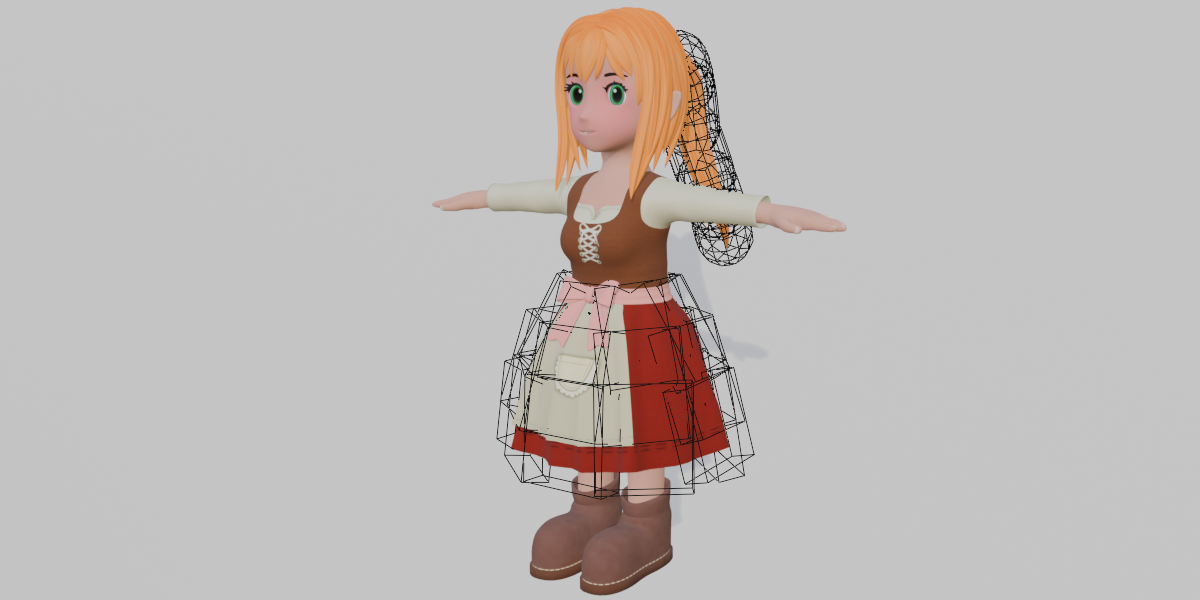
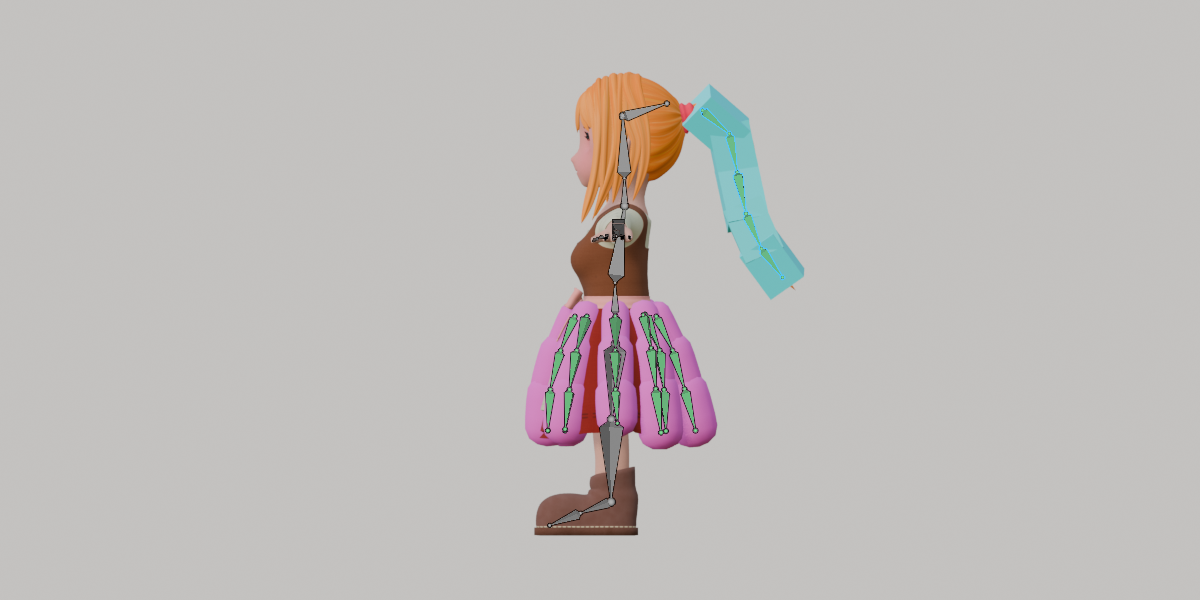
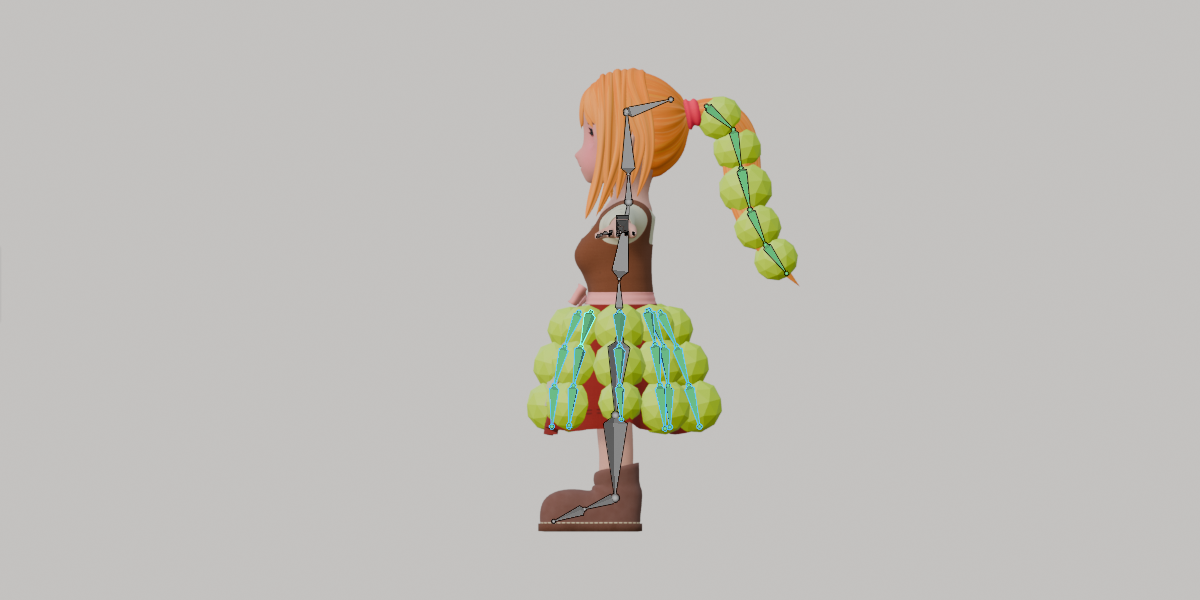
bone physics physics rigidbody skirt-physics collider hair physics easy physics tail-physics collision dress-physics auto-physics cloth-physics