Easy Scatter Pro
 Blender fusion


Easy Scatter Pro
The Ultimate Procedural Placement Engine
Complete Environment Design Workflow
Scatter Pro is a Blender 4.1+ addon for fast, procedural scattering on mesh surfaces using interactive painting tools. It focuses on performance by creating linked instances (shared mesh data), while still giving you artist-friendly controls for spacing, scale, rotation, and placement behaviors.
Designed for speed, precision, and performance, it combines the flexibility of procedural painting with the control of manual placement.
Requirements and Installation
- Requirements: Blender 4.1+ and a mesh surface to scatter onto.
- Install: Edit > Preferences > Add-ons > Install, then enable Scatter Pro.
- Panel: Find Scatter Pro in the 3D View sidebar.
Core Concepts
- Linked Instances: Share mesh data for fast performance and low memory usage.
- Groups and Sessions: Every scatter creates a group so you can resume or edit later.
- Non-Destructive: You can update scale, density, or source assets at any time.
Quick Start (2 Minutes)
- Select your source object (the object you want to scatter).
- Select your target surface (a mesh you want to paint onto).
- Open the Scatter Pro panel in the 3D View.
- Pick a scatter mode (Circle, Falloff, Throw, Pin, or Billboard).
- Click and drag to paint instances on the target.
- Use mouse wheel or panel sliders to adjust radius and density.
Scatter Modes
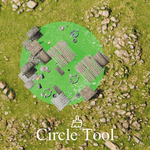
Circle Scatter
- Paints objects using a circular brush for even distribution.
- Supports random scale and rotation for organic results.
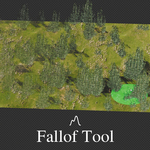
Falloff Scatter
- Adds a density gradient from brush center to edges.
- Ideal for soft blends and terrain transitions.
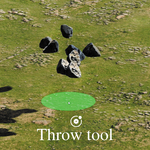
Throw Scatter
- Physics-based placement for chaotic, natural results.
- Great for debris, rocks, and clutter.
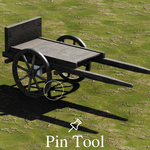
Pin Tool
- Single-click precision placement with normal alignment.
- Best for hero assets and exact positioning.
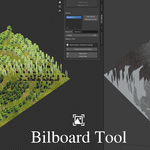
Billboard Scatter
- Places objects that always face the camera.
- Supports static or dynamic target modes.
- Ideal for vegetation cards and background elements.
Essential Tools
- Mirror: Real-time symmetry for scattering across axes.
- Eraser: Remove instances under the cursor with a configurable radius.
- Replacer: Swap instances with a different source object.
- Custom Shape: Constrain scattering inside a selected boundary.
Settings Overview
- Spacing: Minimum distance between instances.
- Scale: Global scale factor, can be combined with random scale.
- Rotation: Random rotation for natural variation.
- Per-Click Count: Instances attempted per click.
- Samples: Override the scene default sampling count.
Camera Culling Optimization
Scatter Pro includes optional camera culling for large scenes. Instances outside the camera frustum or beyond distance are hidden in the viewport to save FPS, and updates are triggered efficiently when the camera moves or zooms.
Recommended Workflows
- Environment Scattering: Start with low density, blend with falloff, then clean with the eraser.
- Foliage and Grass: Use Circle Scatter, then apply Mirror for symmetry.
- Billboard Forests: Use Billboard Scatter with Dynamic mode plus camera culling.
Tips for Best Results
- Keep spacing slightly larger than object bounds to avoid overlap.
- Use linked instances to maintain fast performance.
- Save your work often and store multiple groups for variations.
- If scattering feels slow, reduce sample count or enable culling.
Troubleshooting
- Nothing appears: Ensure a target mesh is selected and is not the source object.
- Billboards not facing camera: Make sure the scene has an active camera.
- Performance drops: Lower sample count, enable culling, or reduce brush radius.
FAQ
- Does Scatter Pro create real duplicates? No. It creates linked instances for performance.
- Can I edit the scattered objects later? Yes. Edits to the source propagate to all instances.
- Can I make instances real? Yes. Use Blender's Make Instances Real when needed.
- Is it destructive? No. It is non-destructive and group-based.
Support and Updates
Scatter Pro is designed for Blender 4.1+ and is actively maintained. If you encounter issues, include your Blender version and a clear description of the problem when reporting.
We Support the Blender Foundation ❤
We love Blender! We donate part of the earnings to the Blender Foundation to support its growth.
Have questions about this product?
Login to message
| Blender Extension Compatible | Yes |
| Sales | 10+ |
| Dev Fund Contributor | |
| Published | 8 months ago |
| Blender Version | 4.1 - 5.0 |
| Extension Type | Add-on |
| License | GPL |
Discover more products like this
ScatterTool EnvironmentDesign ScatterPro BlenderTools AssetPlacement worldbuilding InstanceScatter BrushScatter environment BlenderAddon CameraCulling blender41