EasyRig
 3DMAGIC

Can I use the rig in Unreal Engine or Unity?
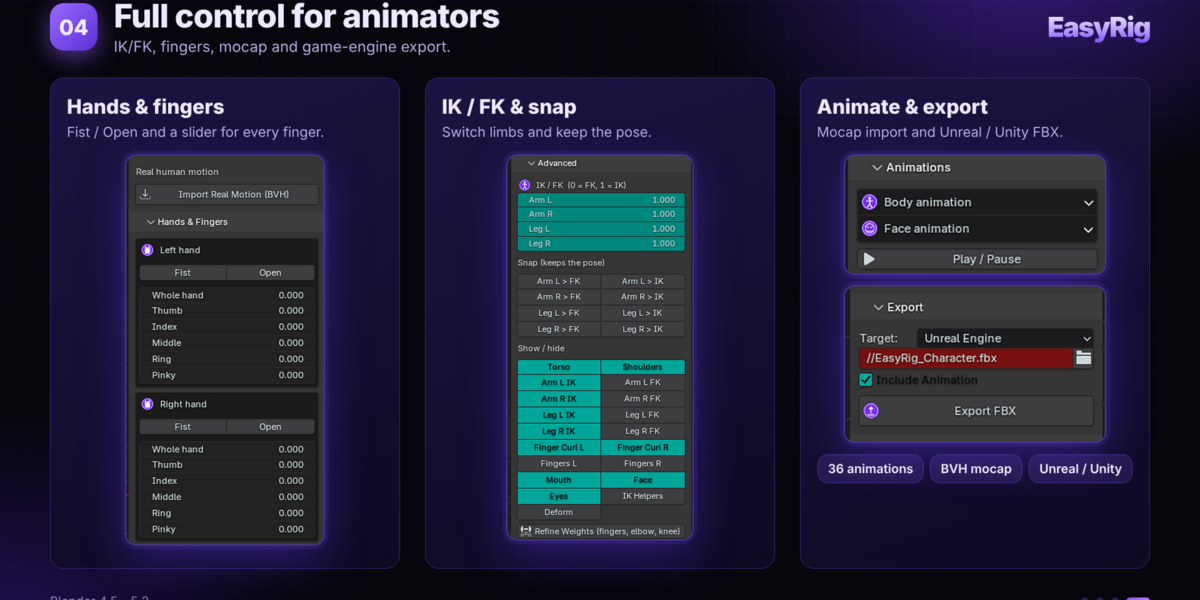
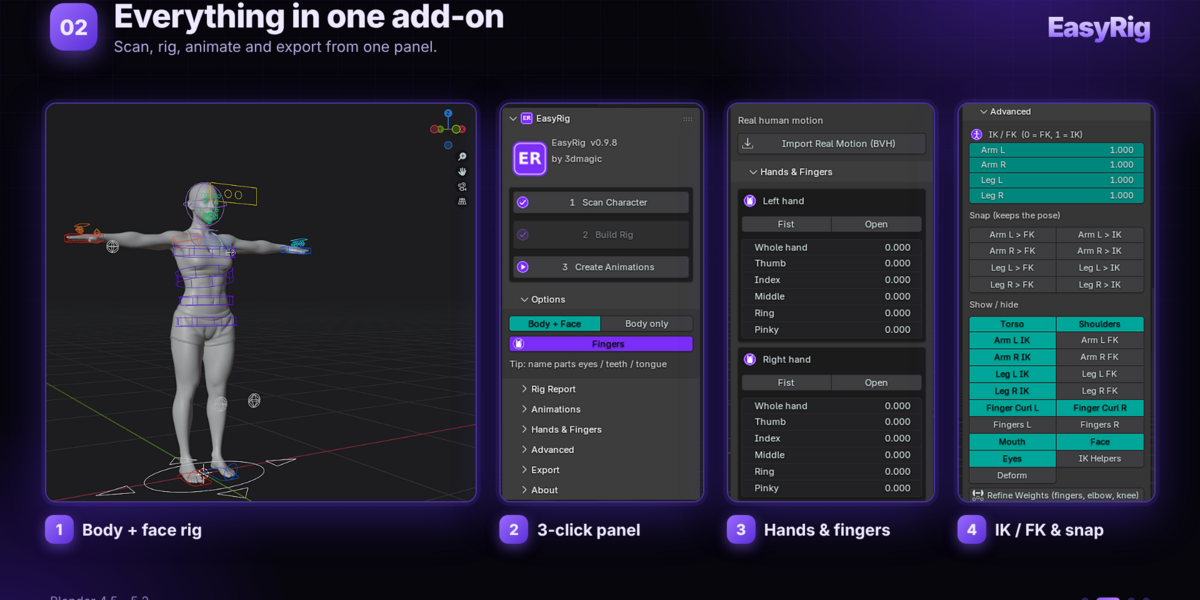
Yes. The export button creates an FBX prepared for Unreal Engine and Unity. The face rig is bone based, so check the automatic face weights on your own model and adjust them if needed.
Can I use my own animations or motion capture?
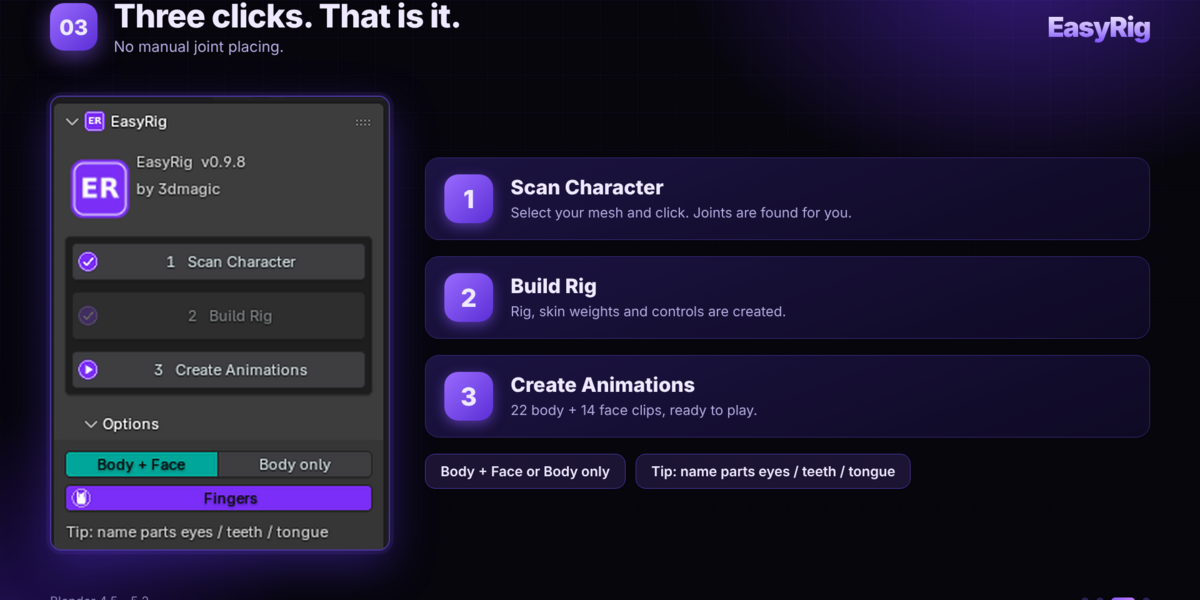
Yes. Import any humanoid BVH file and EasyRig retargets it to the rig. You also get 22 body and 14 face clips, and you can keyframe the controls yourself.
Does it work with cloth patches, bracelets or other loose parts?
Yes. Pieces that are separate from the main mesh are detected as mesh islands and skinned to the bone they sit on. The Fix Detached Parts button repeats this on an existing rig.
What happens when the fingers touch each other?
EasyRig measures the finger widths and the grooves of the cross-section, so touching or even welded fingers are shared out between the right number of fingers instead of being merged into one. Check the Rig Report after the build to confirm all five fingers were found.
What kind of character does it need?
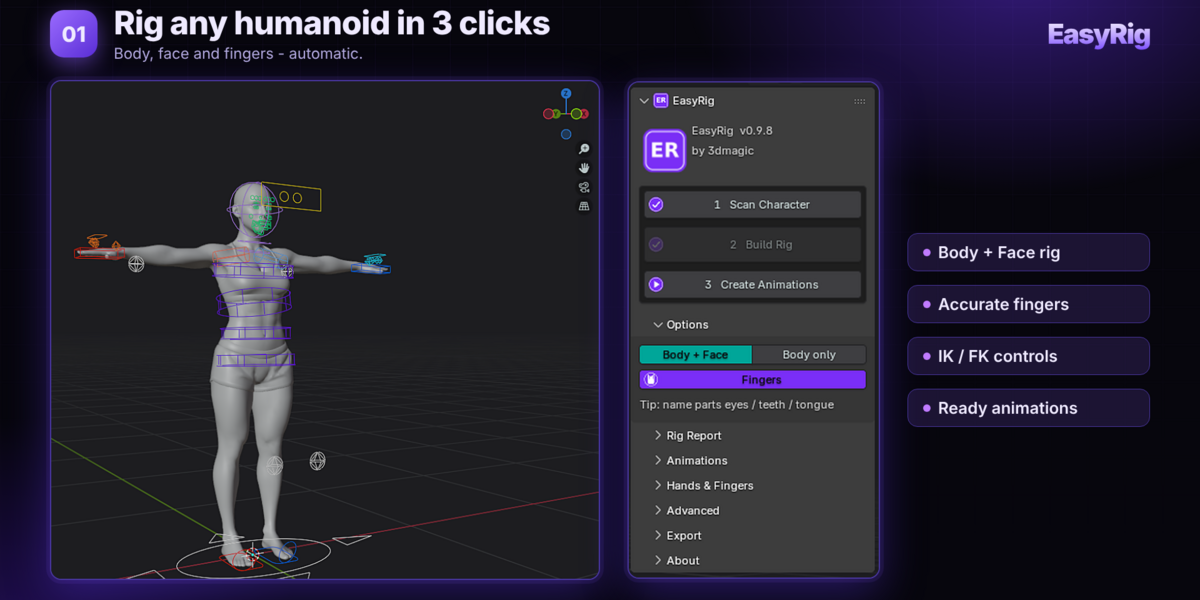
A roughly human character facing -Y in a T-pose or A-pose with any arm angle. The character can be anywhere in the scene. Eyes, teeth and tongue can be separate objects and are found by their names.
Which Blender versions does EasyRig support?
Blender 4.5 to 5.2. Install the zip with Edit > Preferences > Get Extensions > Install from Disk, then press N in the 3D Viewport and open the EasyRig tab.
Have questions about this product?
Login to message
| Blender Extension Compatible | Yes |
| Published | 10 days ago |
| Blender Version | 4.0 - 5.2 |
| Extension Type | Add-on |
| Render Engine Used | Blender-Internal |
| License | GPL |
Discover more products like this
rig control-rig characterize conversion bones Skin controllers preserve rigging convert Automatic Skeleton