Easy Text
 pl_workshop


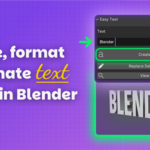
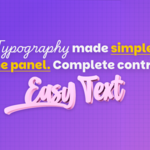
Easy Text brings the most common Blender text tasks into one compact 3D View sidebar. Create text, load a font, refine the typography, split words into editable letters, convert the result to mesh, and add motion without moving through multiple editors or rebuilding the same setup by hand.
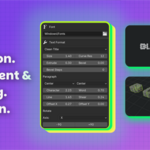
Formatting controls update selected editable text live. Adjust size, curve resolution, extrusion, bevel, alignment, character and word spacing, line spacing, shear, and offsets while seeing the result directly in the viewport. Use Font File to browse your operating system's Fonts folder, or choose a TTF, OTF, or TTC file from any other location. The selected font applies immediately to editable text.
For motion graphics workflows, Easy Text can split text into separate editable letter objects and place them in an organized Easy Text Letters collection. Convert text to mesh when you are ready for modeling, shading, or export, while Keep Original preserves an editable source by default.
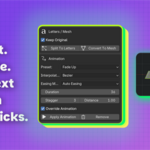
Animation starts at the current Timeline or Graph Editor playhead. Choose a preset, set Duration and Stagger, and apply it to the selected objects. Transform presets support Blender interpolation and easing modes, including Bezier, Linear, Constant, Sine, Back, Bounce, Elastic, and Auto Easing.
Animation Presets:
- Fade Up
- Pop In
- Slide Left
- Type Stagger
- Typewriter
- Scramble Effect
- Wave Loop
Typewriter and Scramble Effect work directly with editable Blender Text objects. They update during timeline playback and rendering, then return to the original text when Remove Animation is used.
Easy Text is designed for titles, labels, logo studies, lower thirds, kinetic typography, social motion graphics, interface mockups, and fast text experiments. The panel stays concise, the controls are grouped by task, and the workflow remains close to the viewport.
What Is Included:
- Easy Text V1.0.13 Blender extension
- README with installation, controls, workflow, and technical notes
Compatibility:
- Blender 4.2 or newer
- Works with editable Blender Text objects; mesh conversion is available for downstream modeling and shading
Important:
- Typewriter and Scramble Effect require editable Text objects.
- Split To Letters uses approximate motion-graphics spacing rather than measurement-perfect typography.
- Override Animation intentionally clears existing animation on selected objects and their active materials before applying a new preset.
 Included
Includes 12 months of
- Support from pl_workshop
- Product updates
Extend this product’s Support Period +12 months: 50% of product price
Have questions before purchasing?
Login to message
| Blender Extension Compatible | Yes |
| Dev Fund Contributor | |
| Published | about 2 months ago |
| Blender Version | 4.2 - 5.2 |
| Extension Type | Add-on |
| Render Engine Used | Arnold, Blender-Internal, Cycles, Eevee, Octane, Vray |
| License | GPL |
Discover more products like this
scramble text Text animation animated title typewriter motion graphics typography text-tools font lettering kinetic typography text