 tykuii's lil shop


Environmental Sculpting Kit Features:
Watch an overview of the plugin here!
-
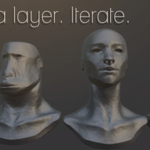
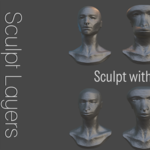
Non-Destructive Layers
Create, Remove, Tweak, Mask
Layer Noise Generators
-
Smoothing and Polishing Algorithms
Conformal Willmore
Safe Laplacian
Safe Tauben
Fast Stylized (Experimental / It can be a menace to society)
-
Modular String Instancing
Generate modular strings/arrays of collections.
Sync the generated strings with updates from the source collection.
-
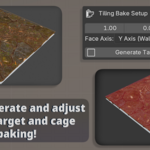
Quick Target and Cage generation
Manipulate the scales of the planes to match tiling.
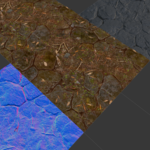
Adjust the plane offset and depth to capture desired geometry in internal or external baking operations. (Actual baking operations are not currently incorporated into the plugin.)
-
10 Complimentary Noise Textures to use as desired.
Can be brought into a blender scene file as a texture and utilized as a custom texture in the Noise Type dropdown for layer noises.
For Blender 5.1+
Breakdown:
Non-Destructive Layers:
+ : Create a sculpt layer on the current actively selected object.
- : Remove the selected sculpt layer on the current actively selected object.
✓ : Manually bakes all layer data onto the mesh, making permanent changes to the geometry.
Monitor Icon: Disable the layer's influence completely. (OFF if monitor is not glowing and ON elsewise).
-
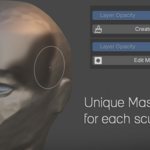
Layer Opacity:
1 = Full Value (Full opacity / weight of the sculpt layer onto the mesh).
0 = No weight / no value of the sculpt layer onto the mesh (no influence).
-1 = Inverted influence of the sculpt layer onto the mesh (opposing influence).
2 = Double the influence of the sculpt layer onto the mesh.
-
Create Mask:
Enters sculpt mode. Ensure that you properly select the mask brush and create a masking selection before saving the mask!
-
After a mask is created, two new operations will appear.
-
Edit Mask:
Edit the mask associated with the layer.
-
Delete Mask:
Removes the mask from the layer and the system.
-
-
Layer Noise Generators:
-
Noise Selection
Sine Waves
White Noise
Perlin Noise
Voronoi / Cell Noise
Custom Texture
-
Noise Scale
Size of the noise
-
Noise Strength
Strength of the noise (amplitude / gain)
-
Seed
Randomization of the noise if relevant
-
Smoothing and Polishing Algorithms:
-
Conformal Willmore
-
Global Strength:
Influence of the algorithm over the mesh.
-
Iterations:
Times the operation is ran sequentially .
-
-
Safe Laplacian
-
Global Strength:
Influence of the algorithm over the mesh.
-
Iterations:
Times the operation is ran sequentially .
-
-
Safe Taubin
-
Global Strength:
Influence of the algorithm over the mesh.
-
Iterations:
Times the operation is ran sequentially .
-
-
Fast Stylized (Experimental)
-
Pinch Strength:
Increases the strength of pinching for areas of the mesh that drastically change angles.
-
Chisel Strength:
Increases the operation strength of transition areas between edges and large plain areas on the mesh.
-
Smooth Strength:
Increases the smoothing operation based on the Macro Radius that smooths out areas on the mesh that are designated as areas that are not drastically changing angles.
-
Iterations:
Times the operation is ran sequentially.
Macro Radius: Increases the radius taken into consideration between vertex neighbors in the overall operation.
Threshold: Neighbor distance threshold.
Preserve Details: Attempts to preserve details associated with pinch strength.
Edge Contrast: Increases the weight of transition neighbors between edge transitions.
-
String Instancing:
-
Offset Value
Global distance between string collection instances, can be overridden.
-
Snapping On / Off
Snap the value to the grid on closest rounded value.
-
Direction
Positive or Negative along the selected Axis.
-
Axis
The axis designated to spawn the string along (X, Y, Z).
-
Spawn Clearance
Distance away from the origin of the world.
-
Add Slot
Add a collection slot.
Assign a letter value.
-
Remove Slot
Remove a collection slot.
-
Stride Value
Distance of length that the collection is supposed to occupy.
-
Pattern String Text Input
-
Use letters assigned to the slot collections to generate strings
e.g. Add slot collection with letter A and another with B
Input A,A,A to get three instances of collection A that utilize either the global offset or the stride value if not 0.00.
Input A,B,A to get the collection instance B surrounded by collection instance A utilizing either the global offset or the stride values set per collection.
-
-
Generate Modular String
Operation that utilizes the Pattern string to generate the instances.
-
Sync Instances to Source
Updates the generated modular string instances to match whatever updates were made to the source collection.
Tile Bake Setup:
-
Plane Scale
Resizes both the target plane and the cage plane synchronously.
-
Target Offset
Offsets the distance of the target plane.
-
Cage Distance
Offsets the distance of the cage from the target plane.
-
Face Axis
Choose the axis (X, Y, or Z) on which to spawn the baking setup.
-
Generate Target & Cage
Generates the cage based on the above parameters.
Recommended to remove the setup if it already exists-- currently it doesn't properly adjust pre-existing setups when changing axes.