The Escherizer - Seamless Escher Zoom Spiral From Any Image (In Geometry Nodes)
 codesignprojects
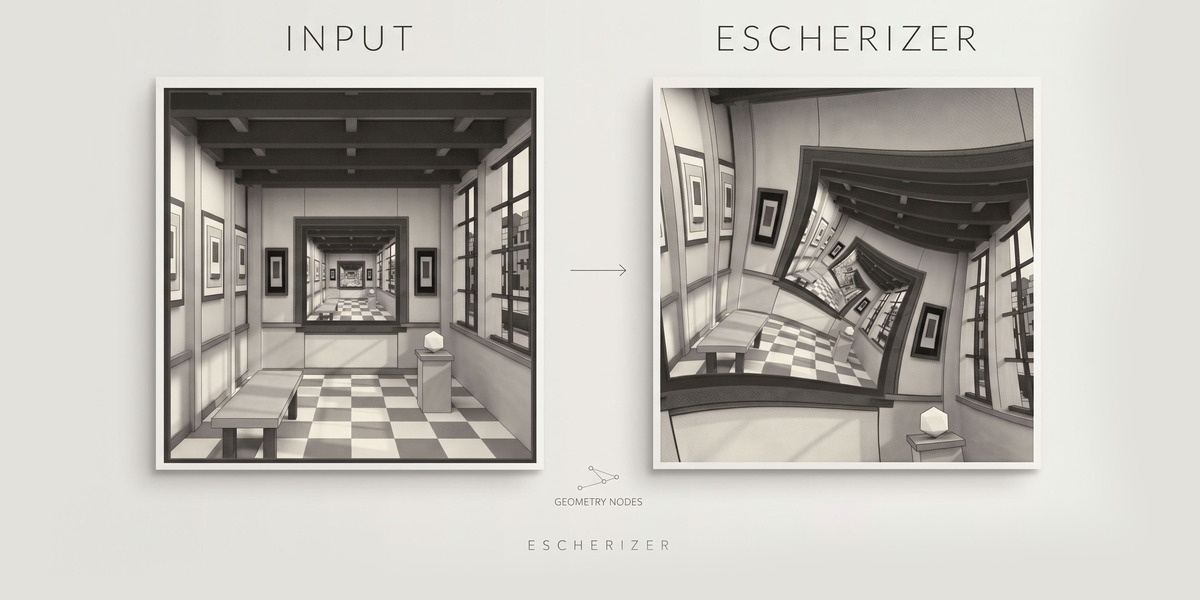
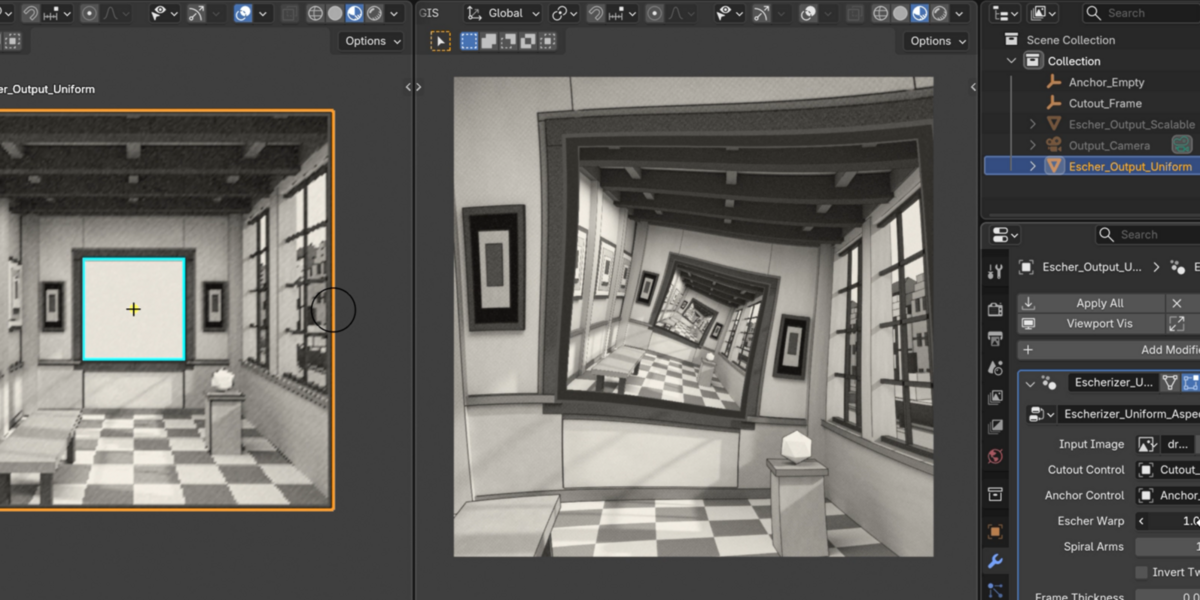
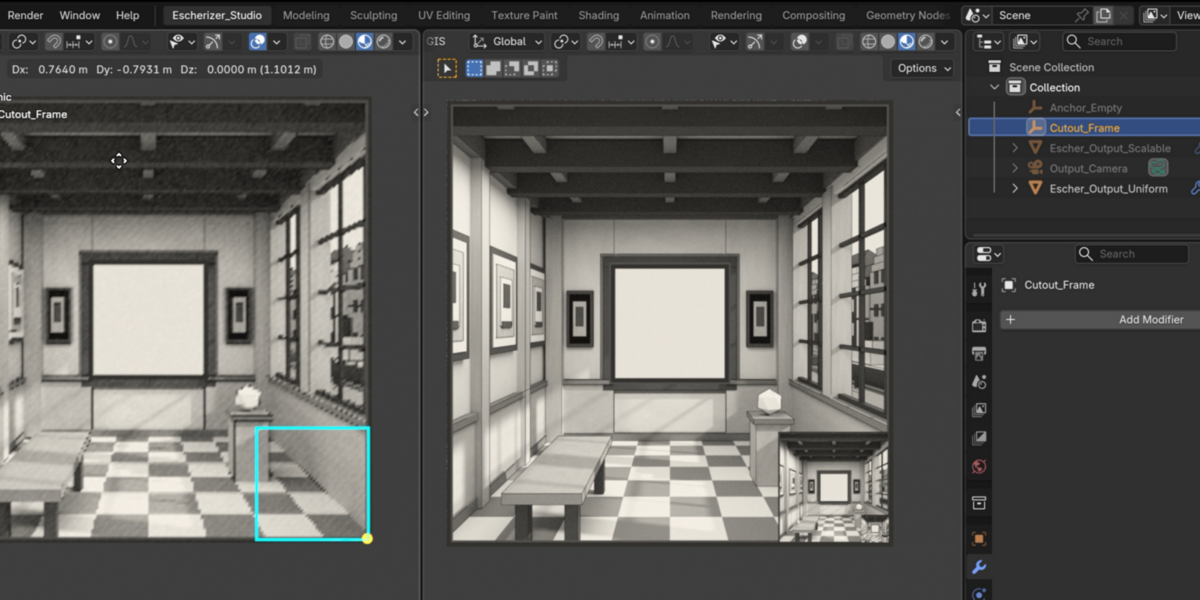
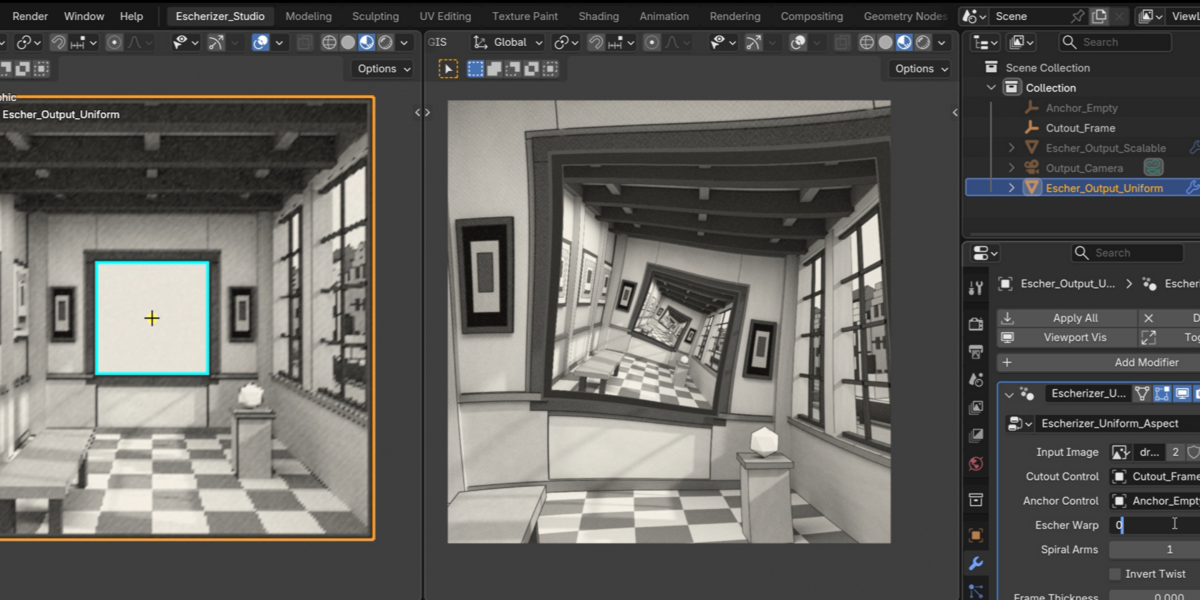
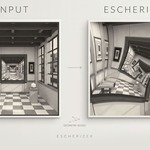
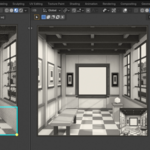
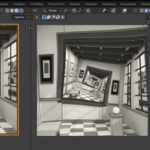
1. Overview & Workspace Layout
Custom_Image_Escherizer.blend opens directly into the custom Escherizer_Studio workspace designed for live interactive editing:
-
Left Viewport (
X = -1.6, Overlays ON): Displays an unwarped preview copy of your photo (the Control Canvas) along with the two draggable empties (Cutout_FrameandAnchor_Empty) and live colored guides:- Cyan Outline: Active cutout portal where the nested self-similar copy sits.
-
Amber Dot (
z0): Computed vanishing point where infinite recursion converges. -
Amber Outline (Conditional): Appears automatically whenever
Cutout_Frameis scaled non-uniformly (Scale X ≠ Scale Y), showing the matched outer photo region so nested copies never squash or stretch.
-
Right Viewport (
X = 0.0, Overlays OFF): Live Escherized output mesh (Escher_Output) updating interactively as you drag or tweak parameters. -
Collections:
Controls(Cutout_Frame,Anchor_Empty,Output_Camera) andScalable_Output(Escher_Output).
2. Quick Start (4 Steps)
-
Load Your Image: Select
Escher_Output, open Modifiers → Escherizer, and choose any image inInput Image. The plane automatically reads the image's exact aspect ratio (Height / Width). -
Place & Shape
Cutout_Frame(Left Viewport): Move (G) and scale (S, orS+X/S+Y)Cutout_Frameonto a natural opening such as a window, doorway, mirror, or picture frame. If you scale X and Y independently, adjustCrop Offset X/Yto slide the Amber outer crop region over the best part of your photo. -
Frame & Level with
Anchor_Empty(Left Viewport): While watching the Right Viewport:- Drag
Anchor_Emptycloser to or farther from the Amber dot to tilt and level horizons/walls. - Orbit
Anchor_Emptyin a circle around the Amber dot to zoom smoothly along the spiral — one full 360° orbit advances cleanly by one complete recursion layer (ideal for seamless looping animations).
- Drag
-
Dial the Spiral & Render: Slide
Escher Warpfrom0.0(flat Droste) to1.0(full conformal Escher spiral), fine-tuneSpiral Arms,Frame Thickness, andRender Resolution, then press F12.
3. Modifier Parameter Reference
-
Input Image: Any custom photo, artwork, or graphic (square, landscape, or portrait). -
Cutout Control/Anchor Control: Object references linked toCutout_FrameandAnchor_Empty(Z-location and unused axes are pre-locked for clean 2D dragging). -
Escher Warp(0.0 – 1.0): Geodesic morph factor —0.0produces a straight nested Droste image;1.0applies the full conformal logarithmic spiral twist. -
Spiral Arms(1 – 6, default1): Integer number of spiral arms per 360° turn. Use1for clean photo loops; higher values tighten the twist (e.g.,4resembles the steep 256× twist of Escher's Print Gallery). -
Invert Twist: Reverses spiral chirality (clockwise ↔ counter-clockwise). -
Crop Offset X/Crop Offset Y(-1.0 – 1.0): Slides the Amber auto-crop window across the unused margin whenCutout_Framehas a different aspect ratio than the source photo. -
Match Output Aspect(defaultOff): KeepOffto fill the original photo's aspect ratio; enableOnto crop the output mesh to match the non-uniform cutout aspect ratio. -
Frame Thickness/Frame Color: Adds an optional solid border along every recursion seam without framing the outer edge of the unwarped image. Set to0.0(or0.0001) when placing cutouts inside real windows/frames, or around0.008on bare walls. -
Recursion Steps(default10): Number of bidirectional inward/outward Repeat Zone folds. Increase only if using very tiny cutouts or deep zooms. -
Viewport Resolution(default512) /Render Resolution(default1536): Subdivision density of the output mesh grid. Switched automatically viaIs Viewportso editing stays fast while F12 renders remain razor-sharp. -
Show Control Canvas(defaultOn): Toggles the Left Viewport preview plane and colored guides for both viewport and render.
4. Camera & Rendering Notes
-
Pre-Aligned Camera:
Output_Camerais an orthographic top-down camera aimed strictly at the live artwork atX = 0(with Disable in Viewports enabled so its wireframe doesn't clutter the studio view). -
Non-Square Photos: Adjust your Output Resolution (X/Y) and
Output_CameraOrthographic Scale to match widescreen or portrait images. -
Control Canvas Visibility: Because the Control Canvas sits off-screen at
X = -1.6, it does not appear in defaultOutput_Camerarenders. UncheckShow Control Canvasbefore rendering if you widen/move the camera or placeEscher_Outputinside a reflective 3D scene. Conversely, framingX = -1.6withShow Control Canvasenabled lets you render breakdown/tutorial shots of the guides directly. -
Shader & Render Engine: Uses an unlit
Escher_Emission_Matreading the per-vertexEscherColorattribute (already Gamma 2.2 linearized in Geometry Nodes), so colors match your source image 1:1 in both EEVEE and Cycles with no scene lighting required.
5. Node Tree Architecture (For Learners & Modders)
The setup is organized into 7 unlocked node groups — 1 main tree (6 frames, connected by only 7 core pipeline wires) plus 6 reusable helpers. Yellow sub-frames mark user-facing parameters/attributes and Blue sub-frames mark shared helper node groups:
-
01. Output Resolution Grid: Picks Viewport vs. Render resolution and builds a square-quad mesh grid matching either full or auto-cropped dimensions. -
02. Conformal Droste Transform: Evaluates the inverse de Smit & Lenstra complex-plane map (Complex_Log → Complex_Mul(Escher_Multiplier) → Complex_Exp) anchored atAnchor_Empty. -
03. Bidirectional Repeat Zone (Infinite Self-Similarity): Folds coordinates outward from inside the cutout (byP0) or inward from outside the crop (bys) around vanishing pointz0. -
04. Procedural Picture Frame: Computes a single signed box distance outside the cutout seam to generate the optional border mask. -
05. Direct Color Sampling & Output: Remaps folded coordinates to UVs viaImage_Aspect, samplesInput Image, applies Gamma 2.2, blendsFrame Color, storesEscherColor, and assignsEscher_Emission_Mat. -
06. Viewport Control Canvas & Live Guides: Builds the 180-wide preview grid and 3 colored guides at the origin, lifts the guides by+0.025in Z, and shifts the finished rig toX = -1.6.
Have questions about this product?
Login to message
| Published | about 1 hour ago |
| Blender Version | 4.2 - 5.3 |
| Render Engine Used | Cycles, Eevee |
| License | Creative Commons |
Discover more products like this
1b3b escher fractal escherizer droste effect logarithm math transform escher spiral procedural optical-illusion infinite zoom