Export Director Pro
 Steven Seidler (Blendscapes3D)



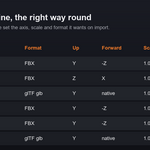
Export Director Pro ships presets for Unity, Unreal, Godot and Roblox, plus generic FBX and generic glTF. Each preset sets the up axis, forward axis, scale and smoothing that engine expects on import.
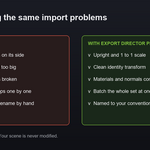
That is almost always a wrong axis or an unapplied transform. The engine presets fix the axis and scale, and the Apply Transform option freezes rotation and scale into the exported mesh so the engine sees a clean identity transform.
No. Everything is non destructive. Triangulate, Apply Transform and Export at Origin all run on temporary copies, so your real objects keep their position, rotation, scale and topology.
It writes each object centred at the world origin in the file, which is ideal for engine prop libraries. Your scene objects are not moved.
Yes. Choose one file per object, one file per collection, or a single combined file. You can export a hundred objects in one click.
You can use a prefix, a suffix and tokens for object, collection and scene. For example a prefix of SM with the object token names a whole batch to a static mesh convention without typing each name.
One click scans your selection for the problems that quietly break engine imports, such as unapplied scale, negative scale that flips normals, n gons, missing UVs, missing materials and very high poly counts. You can also block the export until errors are fixed.
Yes. Export Profiles store your engine, folder, naming and options under a name, and you switch between projects in one click. Profiles are saved across files.
It runs your previous export again with the same objects and settings, even if your current selection changed. It is built for fast iteration after a mesh tweak.
Yes. Turn on Multi Format and the addon writes both formats in a single click.
Blender 4.2 through 5.1 plus. It uses stable Blender Python APIs and the built in FBX and glTF exporters, so there are no external dependencies.
Yes. It is pure Python and runs on all three platforms.
Have questions about this product?
Login to message
| Blender Extension Compatible | Yes |
| Published | 3 months ago |
| Blender Version | 4.2 - 5.1 |
| Extension Type | Add-on |
| Render Engine Used | Cycles, Eevee |
| License | GPL |