 Noggi
Noggi


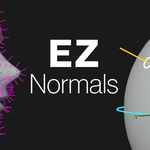
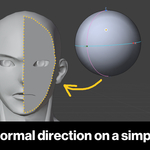
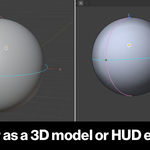
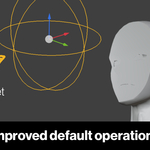
What's the actual workflow? How do I edit a normal?
Select faces/verts/loops in Edit Mode, click "Pick Normal" to start a session, drag on the sphere (or the on-screen HUD minimap) to aim the direction, then "Apply".
What does this addon actually do that typing normal values or rotating normals doesn't?
It replaces manual vector math with a "point at a sphere" interface. Every point on a basic sphere is a normal direction, so you place a pin instead of typing X/Y/Z numbers.
Will it work with my Blender version?
Yes if you're on version 4.1 or newer. Two install formats are provided: a legacy installer zip (4.1+) and an Extensions-platform zip (4.2+, drag-and-drop).
How do I install the addon?
Preferences → Add-ons → Install with the legacy zip (v4.1+), or drag-and-drop the Extension zip into Blender (v4.2+).
Where do I find it once it's installed?
A dedicated tab in the 3D viewport's N-panel.
Will my edited normals survive export to FBX/glTF for a game engine?
Maybe. This is a documented known limitation. Custom split-normal export through FBX/glTF isn't always faithful, so test your export pipeline before relying on it for production.
Have questions about this product?
Login to message
| Sales | 10 |
| Dev Fund Contributor | |
| Published | 3 months ago |
| Blender Version | 4.2 - 5.2 |
| Extension Type | Add-on |
| Render Engine Used | Arnold, Blender-Internal, Blender-Game-Engine, Cycles, Eevee, Freestyle, Luxrender, Mental-Ray, Octane, Vray, Yafaray |
| License | GPL |
Discover more products like this
tool 3d editing addon mesh editing custom-normals stylized anime character abnormal