F-Curve Wizrd
 K&K Visual Productions



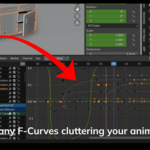
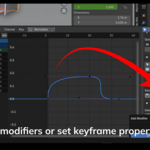
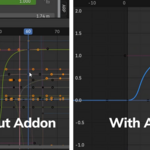
Welcome to F-Curve Wizard — your ultimate tool for managing Blender’s Graph Editor F-Curves more efficiently!
This guide will help you install the addon, understand the main features, and get started quickly.
Installation Instructions
-
Download the
f_curve_wizard.pyfile after purchase. -
Open Blender.
-
Go to
Edit > Preferences > Add-ons. -
Click the
Install...button. -
Locate and select the
f_curve_wizard.pyfile. -
Enable the addon by ticking the checkbox.
-
Open the Graph Editor.
-
Press N to open the right-side panel and find the new Wizard tab.
Overview of Main Panels
Inside the Wizard tab, you'll find four main sections:
1. Filter Channels
Filter your F-Curves to display only:
-
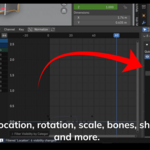
Location, Rotation, Scale
-
Bone transforms (location, rotation, scale)
-
Shape Keys
-
Custom Properties
-
Curves with Modifiers
-
Curves by Keyframe Count (Min/Max/Exact)
Filtering helps you instantly clean up a messy Graph Editor view.
2. Quick Visibility & Mute
Manage your curves’ visibility and mute status easily:
-
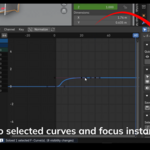
Toggle visibility of selected curves.
-
Solo selected curves to isolate them.
-
Focus the view on selected curves.
-
Hide all curves, show all curves, or invert visibility/mute.
3. Channel States
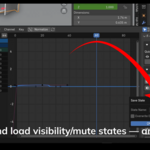
Save and load the visibility and mute states of curves:
-
Save State: Record the current visibility/mute setup under a name.
-
Load State: Restore a saved setup anytime.
-
Delete State: Remove saved setups you no longer need.
This is ideal for working on different animation passes or clean versions of your curve setups.
4. Batch Operations
Apply batch operations to multiple selected curves:
-
Batch Add Modifiers: Add Noise, Envelope, Cycles, and more modifiers to many curves at once.
-
Batch Remove Modifiers: Remove all or specific types of modifiers from selected curves.
-
Copy Modifiers: Copy modifiers from the active curve to others.
-
Batch Set Extrapolation: Change the extrapolation mode (Constant, Linear) for selected curves.
-
Batch Edit Keyframes: Set interpolation type (Bezier, Linear, Constant, etc.) and handle types (Auto, Vector, Aligned, Free) for selected keyframes in bulk.
Best Practices and Tips
-
Always work in F-Curve mode inside the Graph Editor (not Drivers mode).
-
After filtering, remember you can solo curves for a focused view.
-
Saving states is very useful when animating in stages (blocking, refining, polishing).
-
Combine batch modifier tools with filtering for fast procedural animation setups.
Support
If you face any issues, have questions, or suggestions for future features, feel free to contact me directly through Blender Market messaging.
I am happy to help and aim to respond within 24–48 hours.
Have questions about this product?
Login to message
| Sales | 30+ |
| Published | over 1 year ago |
| Blender Version | 4.4, 4.3, 4.2, 4.1, 4.0, 3.6 |
| Extension Type | N/A |
| Render Engine Used | Cycles, Eevee, Octane |
| License | GPL |
Discover more products like this
fcurve filter Animation Efficiency Animation curves blender addon motion graphics batch tools animation animation helper curve management graph optimization keyframes solo f-curves blender animation animation tools modifier batch curve editor graph editor f-curve Animation Workflow blender graph editor