Fabric Sculpting Bundle (500+ Brushes, 200+ Alphas) -40% Sale
 VK Gamedev


Frequently Asked Questions
What is included in the Fabric Sculpting Bundle?
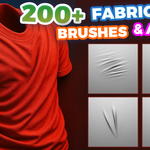
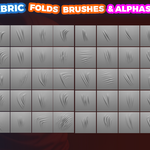
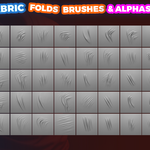
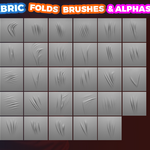
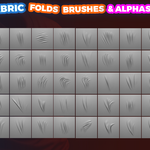
The bundle includes five complete product packs with more than 500 fabric sculpting brushes and over 200 fabric alphas. It covers cloth folds, drapery, compression folds, memory folds, wrinkles, seams, stitches, wool, knit and other fabric surfaces.
Which products are included?
The bundle includes:
90+ Blender Fabric Brushes
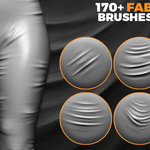
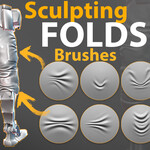
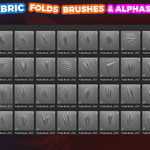
170+ Cloth & Fabric Fold Brushes
209 Folds & Fabric Sculpting Brushes
33 Compression Folds Brushes
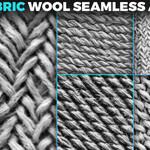
206 Seamless Fabric Alphas
Why does the description mention 1000+ brushes?
The bundle contains more than 500 unique brush designs. Many designs are supplied in formats for both Blender and ZBrush, resulting in more than 1000 ready-to-use brush files across both applications.
Does the bundle work in Blender and ZBrush?
Yes. The bundle is designed for Blender and ZBrush workflows. It includes Blender brush libraries, ZBrush ZBP files and grayscale alpha resources, depending on the included pack.
What file formats are included?
Depending on the product pack, the bundle includes:
Blender brush libraries in
.blendformatZBrush brushes in
.ZBPformatPNG alpha maps
PSD alpha maps
High-resolution 2K and 16-bit resources where included
What Blender version is recommended?
Blender 4.3 or newer is recommended for the best Asset Browser workflow. Some included resources may also work with earlier Blender versions.
How do I install the brushes in Blender?
Download and extract all archives into a permanent folder. Open Blender and go to Edit → Preferences → File Paths. Add the folder under Asset Libraries, save the preferences and restart Blender. The brushes should then appear in Sculpt Mode or the Asset Browser.
What should I do if the brushes do not appear in Blender?
First, make sure you have downloaded the latest product version. The Cloth & Fabric Fold Brushes pack was updated to fix an issue that could prevent brushes from appearing correctly.
Extract the updated files into a permanent folder, add that folder again under Edit → Preferences → File Paths → Asset Libraries, save your preferences and restart Blender.
How do I install the brushes in ZBrush?
Extract the downloaded files and copy the included .ZBP brushes into your ZBrush ZStartup/BrushPresets folder. Copy the PSD or PNG alphas into ZStartup/Alphas, then restart ZBrush.
You can also load brushes temporarily through LightBox → Brush.
Do I need a high-poly model?
Yes. Fabric wrinkles, stitches, compression folds and surface textures require a dense or sufficiently subdivided mesh. Low-resolution geometry cannot reproduce fine brush details correctly.
Are the fabric alphas seamless?
The dedicated Fabric Alphas pack includes 206 seamless and tileable 2K maps. They are suitable for wool, knit and other fabric surfaces without visible texture borders.
Can the alphas be used in other software?
Yes. The grayscale PNG and PSD resources can be used in applications that support alpha, height, displacement, bump or mask textures.
Can I use these brushes for stylized clothing?
Yes. Brush size, strength, direction and depth can be adjusted for realistic, stylized and exaggerated fabric designs.
What types of projects are these brushes suitable for?
The bundle is suitable for:
Character clothing and costumes
Fashion and apparel visualization
Game characters and cinematic assets
Curtains, blankets and furniture
Props and environment assets
Concept art and digital sculpting
Miniatures and 3D-printing projects
Can brushes from different packs be combined?
Yes. For the most natural result, combine large drapery folds, medium compression wrinkles, smaller memory folds and fine fabric texture. Avoid applying one repeating brush across the entire garment.
Can I use the bundle for commercial projects?
Commercial use depends on the license you select. Redistribution, resale or sharing of the original brush files, alphas and source resources is not permitted.
Is installation support available?
Yes. If you experience problems installing the brushes or loading the Asset Library, send me a message through the marketplace.
-
$0
-
$29.99
1 User - Commercial Use: unlimited projects
-
$99.99
Up to 10 users - Commercial Use: unlimited projects
-
$199.99
For art institutions and studios under 100 users
Have questions about this product?
Login to message
| Sales | 40+ |
| Downloads | 400+ |
| Published | about 1 year ago |
| Blender Version | 2.8 - 5.2 |
| License | Royalty Free |
