 rfarencibia


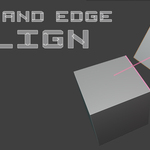
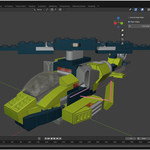
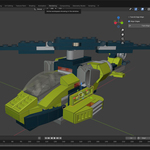
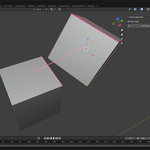
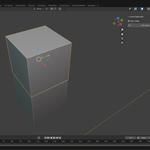
Face & Edge Align is the ultimate precision tool for professional 3D artists who demand perfect alignment between objects. Whether you're creating architectural visualizations, mechanical parts, furniture assemblies, or any project requiring exact positioning, this addon eliminates guesswork and delivers surgical precision.
🎯 Key Features
Intelligent Face Alignment
- One-click face matching: Align any face to another face on different objects instantly
- Smart normal orientation: Automatically orients faces for perfect contact
- Universal compatibility: Works with any mesh geometry - cubes, complex models, imported assets
- Parallel Edge Mode: Make edges perfectly parallel while maintaining face alignment
- Snap Edge Mode: Overlap edges with surgical precision for seamless joints
- Intelligent overlap detection: Advanced algorithm ensures faces are truly coplanar and overlapping
- Interactive pink highlighting: See exactly what you're selecting before you click
- Live preview system: Watch alignments happen in real-time
- Smart edge detection: Hover over face edges with pixel-perfect accuracy
- Professional visual cues: Clear markers, labels, and connection lines
- Auto-correction system: Tries multiple approaches to achieve perfect overlap
- 180° face correction: Handles complex orientation challenges automatically
- Edge direction optimization: Flips edge directions when needed for best results
- Fallback protection: Always delivers results, even with challenging geometry
Architectural & Interior Design
- Align wall panels and ceiling tiles
- Position doors and windows perfectly in frames
- Match furniture pieces for seamless assemblies
- Create perfect joints in modular constructions
- Align mechanical parts with precision tolerances
- Position fasteners and connectors accurately
- Create seamless product assemblies
- Match manufacturing components
- Snap building blocks for level design
- Align environmental assets perfectly
- Position character accessories and attachments
- Create modular game environments
- Ensure perfect part alignment for assemblies
- Position support structures accurately
- Align multi-part prints for seamless bonding
- Create interlocking components
Save Hours of Manual Work
Professional-Grade Accuracy
Intuitive Workflow
Error-Proof Results
🎮 How It Works
- Select First Face: Click on any face of the object you want to move
- Select Target Face: Click on the face you want to align to (different object)
- Choose Edge Mode (optional): Select edges for parallel alignment or precise snapping
- Execute: Watch as objects align with mathematical precision
Stop wrestling with manual positioning, snapping, and approximations. What used to take 10+ minutes of careful adjustment now happens in seconds with guaranteed precision.Advanced geometric algorithms ensure mathematical precision. Your alignments will be perfect down to the smallest decimal place.No complex setup or learning curve. The tool guides you through each step with clear visual feedback and status messages.Multiple fallback strategies and intelligent correction systems mean you'll get perfect results every time, regardless of geometry complexity.
