 Jeff Barnes

Munish Kumar
about 1 year ago
Thank you!


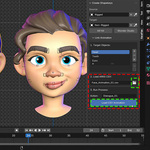
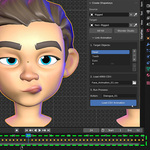
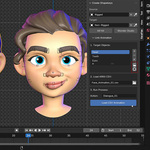
This item has an average rating of 4 from 8 ratings by the community.
Purchase this item to leave a review!
Munish Kumar
about 1 year ago
Thank you!
Munish Kumar
about 1 year ago
Appreciate your feedback, thank you!
Munish Kumar
about 1 year ago
Thank you!
Munish Kumar
almost 2 years ago
Thanks a lot! Glad you liked it!
Munish Kumar
about 2 years ago
Thank you for the kind words! I'm glad you found the tool useful, especially for facial animations. The 'Reset Shapekey' button is a favorite of mine too—happy to hear you love it! Your feedback is much appreciated.
Munish Kumar
about 2 years ago
Thanks so much! I'm glad you loved it and found it helpful! ❤ Your support means a lot!
Munish Kumar
about 1 year ago
It doesn’t look like your claims are based on any real facts. This add-on has been used and trusted for over 2 years, and no one has ever confused it with “official” blendshapes until now. It seems like you might have pressed the Wonder Studio shape keys button instead of ARKit, which are completely different sets of blendshapes.
As for your comment about the documentation and speed-up GIFs being “impossible to follow” that honestly just shows inexperience. Anyone with some patience and basic knowledge can follow along. Before buying any digital product, it’s always better to do proper research and check if your skill level matches.
I genuinely appreciate constructive criticism, but your review comes across more like frustration than professionalism. If you truly know better, I’d love to see your portfolio to back up your claims because from here, it just sounds like a beginner crying.
Here’s mine, so we can actually compare:
👉 https://youtu.be/gjZfuTysLQU
Let’s see who really knows their stuff.
Munish Kumar
about 2 years ago
Antes de adentrarte en herramientas avanzadas, te recomiendo dominar lo básico de Blender. Si no estás familiarizado con el software, eso es un tema tuyo, no del complemento. No culpes a una gran herramienta por tu curva de aprendizaje.
ARKit shapekeys 52shapekeys blendshapes-live-link-face 52 blendshapes csv animation
 Seth Wilson
 Daniel
 GoRolyGo
 CG BOSS
 CG Panther
 Alexx
Alexx
 Josue
Josue