Fake Liquids
 Boars In Rome


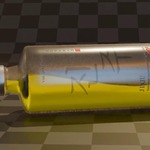
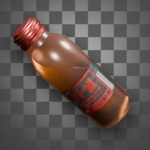
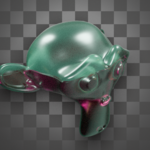
Fake Liquids Documentation
How to Install:
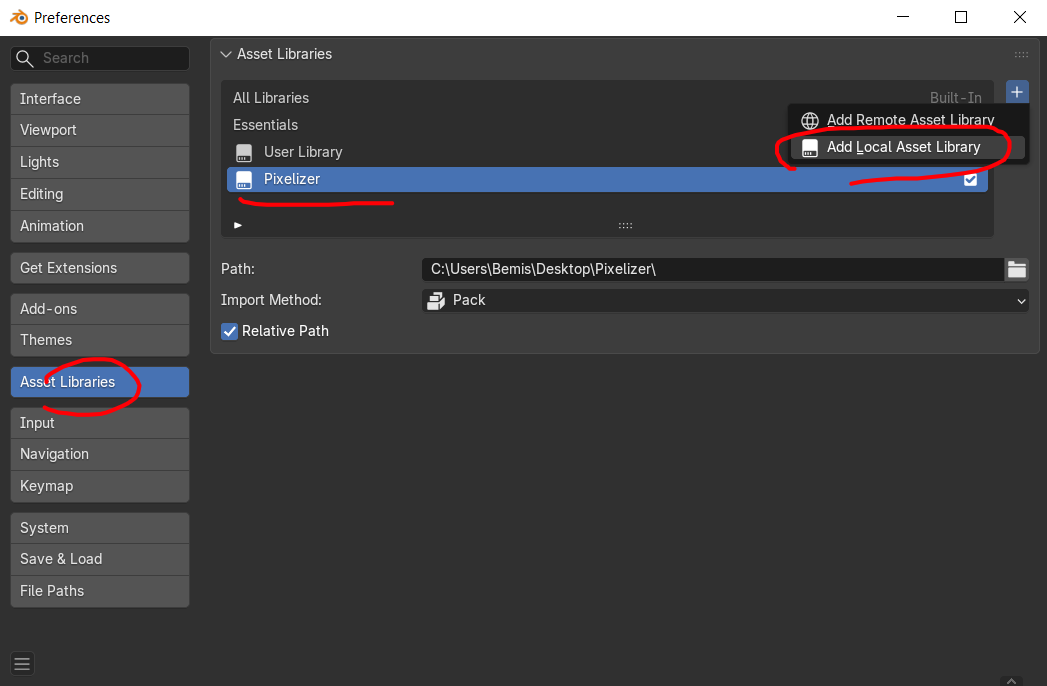
Installation is really simple. Simply add the blender file as an asset library. You will then find the modifier and some example materials under the "Fake Liquids" category inside of Blender's asset browser. The example materials are directly linked with the modifier, so you will need it to properly preview them.

*IMPORTANT*:
***You must play the timeline to see the liquid appear ***
Fake Liquid Modifier:
The Fake Liquid modifier is a geometry node set-up that contains a lot of customization and settings. Below you will find what every setting does and how to use it.
Bottle:
The bottle category is responsible for the bottle itself.....
| Material: The material to apply on the bottle |
| Color: The color of the bottle's Base Color |
| Thickness: The thickness of the bottle |
Liquid:
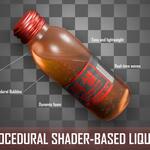
This category is responsible for defining the visual appearance of the liquid, from movement, surface tension, foam and bubbles.
| Material: The material to apply on the liquid |
| Color: The color of the bottle's Base Color |
| Height: The height of the liquid. 0.5 is the object's origin point |
Movement (liquid):
A sub-category of the liquid settings, which controls the movement and viscosity of the liquid
| Waves Scale: The scale of the waves texture used to displace the liquid |
| Waves Amplitude: The strength of the waves |
| Viscosity: The viscosity of the fluid. A value of 1 will cause it to be "solid" |
| Wave Fade Speed: How fast the waves fade after motion |
Surface Tension (liquid):
A sub-category of the liquid settings, which controls the visual appearance of the liquid's surface tension
| Size: The size of the surface tension line |
| Normal: The strength of the surface tension line's normal |
Bubbles (liquid):
A sub-category of the liquid settings, which controls the fizziness and appearance of bubbles within the liquid. Useful for carbonated drinks.
| Use Bubbles?: Whether to use bubbles or not |
| Fade Bubbles?: Whether to fade the bubbles when motion stops or to keep them active regardless of it |
| Bubble Fade Speed: How fast the bubbles fade after motion |
| Bubble Size: The size of the bubbles |
Foam (liquid):
A sub-category of the liquid settings, which controls the visual appearance of foam. Useful for liquids like beer.
| Use Foam?: Whether to use foam or not |
| Fade Foam?: Whether to fade the foam when motion stops or keep it active regardless of it |
| Fade Speed: How fast the foam fades after motion |
-----------------------------------------------
Material set-up:
This part of the documentation isn't necessary, but it's useful to know how the custom nodes work in case you want to create your own materials or build on top of the ones I provided
Liquid Logic:
The Liquid Logic node is the core of the shader. It grabs the attributes provided by the modifier and works shader magic on them.
| Liquid Level: The point at which liquid is cut off from the mesh |
| Base Color: The Base Color of the liquid |
| Surface Tension Normal: The normal of the surface tension line |
| Foam Mask: The mask generated from the foam |
| Foam Normal: The normal of the foam |
Mix Liquid and Foam:
This custom node is responsible for mixing liquid and foam, taking into account appropriate normal mixing and foam attributes from the geometry nodes set-up.
| Liquid Level: Plug the Liquid Level output of the Liquid Logic node here. |
| Foam Mask: Plug the Foam Mask output of the Liquid Logic node here. |
| Liquid BSDF: Plug your Liquid BSDF here |
| Foam BSDF: Plug your Foam BSDF here |
-----------------------------------------------
Limitations:
As expected, there are some limitations with calculating liquids in shaders instead of proper simulations.
| EVEE nested translucency: EVEE doesn't handle nested translucency so unfortunately the glass material of the bottle cannot be set to translucent. This is unfortunate, but I am looking into a solution, as Half Life Alyx gets around this by rendering the liquid and the bottle in one single object. |
| Volume preservation: The shader has no way of knowing how much volume is actually contained in the bottle, so weird shapes are almost guaranteed to break the illusion. To an extent, this limitation has to be kept in mind when modeling the bottle shape. |
Simplified motion: With the current set-up motion is greatly simplified when compared with proper simulations. No sloshing, curling of the waves and no surface ripples. This isn't meant to be a replacement for simulation, but the effect will be improved with time and feedback. |
 Included
Includes 12 months of
- Support from Boars In Rome
- Product updates
Extend this product’s Support Period +12 months: 25% of product price
Have questions before purchasing?
Login to message
| Sales | 10+ |
| Dev Fund Contributor | |
| Published | about 2 months ago |
| Blender Version | 4.0 - 5.2 |
| Render Engine Used | Arnold, Blender-Internal, Blender-Game-Engine, Cycles, Eevee, Freestyle, Luxrender, Mental-Ray, Octane, Vray, Yafaray |
| License | GPL |
Discover more products like this
simulation beer Water Half Life Alyx liquid foam cola coca bubbles