 peterz


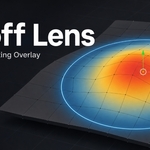
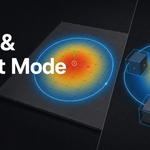
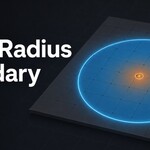
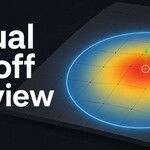
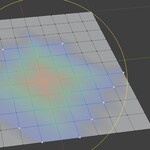
Falloff Lens is a Blender 4.2+ add-on designed to make proportional editing more predictable, visual, and precise. Instead of adjusting geometry blindly and waiting to see which vertices, edges, faces, or objects are affected, Falloff Lens displays the proportional editing influence directly in the 3D Viewport before you perform a transformation.
With a clear cold-to-hot gradient, weighted face tinting, object-origin visualization, and high-contrast radius boundaries, Falloff Lens helps artists understand the exact area of influence at a glance. It turns Blender’s proportional editing radius into a visible, interactive guide, making modeling decisions faster and more confident.

Key Features
Real-time proportional editing preview
Visualize the influence of proportional editing before moving, scaling, or rotating geometry.Mesh Edit Mode support
Display weighted influence across selected vertices, edges, and faces.Object Mode support
Preview proportional editing influence across visible object origins when working with multiple objects.Cold-to-hot falloff gradient
A color-based overlay shows influence strength clearly, from low-impact outer areas to high-impact regions near the selection.Visible radius boundary
A clear boundary/radius cue makes the proportional editing range easy to identify in the viewport.Face tint overlay
Optional semi-transparent face tinting helps reveal affected surface areas more clearly.Object bounds visualization
In Object Mode, Falloff Lens can draw weighted bounding boxes around affected objects.Interactive radius adjustment
Use the built-in Adjust Falloff Radius tool or the defaultCtrl + Alt + Rshortcut to drag and adjust the proportional radius directly.Viewport-aware projected preview
Projected proportional editing is approximated in screen space and updates as the view changes.-
Non-destructive overlay
Falloff Lens does not modify mesh data. It only draws a viewport visualization.
Workflow
Falloff Lens fits naturally into Blender’s existing proportional editing workflow:
- Enter Mesh Edit Mode or Object Mode.
- Select the geometry or objects you want to edit.
- Enable proportional editing in Blender.
- Set the proportional radius and falloff type.
- Enable the Falloff Lens overlay from the sidebar or View menu.
- Preview the affected area before transforming.
This makes it easier to adjust the falloff radius, choose the correct falloff curve, and avoid accidentally affecting nearby geometry or objects.
Why Use Falloff Lens?
Blender’s proportional editing is powerful, but its influence area can be difficult to judge before making a transformation. Falloff Lens solves this by giving artists immediate visual feedback. This is especially useful for character modeling, organic sculpt-style edits, environment modeling, object layout adjustments, and any workflow where soft transformations need to be controlled precisely.
Performance and Customization
Falloff Lens includes practical performance controls for heavier scenes, including refresh throttling, maximum vertex limits, and maximum object limits. Users can also customize default overlay behavior in the add-on preferences and apply those defaults to the current scene.
Compatibility
- Blender version: 4.2 or newer
Falloff Lens is a focused viewport utility for artists who want clearer proportional editing feedback, fewer surprises during transformations, and a more controlled modeling experience in Blender.