 DoitTsui


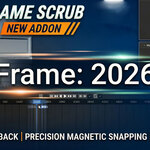
Fast Frame Scrub - Basic Edition
Marketplace page template focused on Basic features only (Panels 1-3).
Blender 4.0+Basic OnlyPanels 1-3Animation Workflow
Edition Scope
Basic Edition focuses on core scrubbing speed and control: trigger setup, drag behavior tuning, and magnetic snap activation.
Basic Edition focuses on core scrubbing speed and control: trigger setup, drag behavior tuning, and magnetic snap activation.
Feature List (Basic Only)
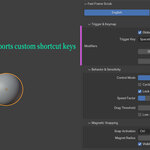
1. Trigger & Keymap BASIC
Configure trigger key, modifier requirements, and conflict warnings.
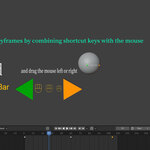
- Choose trigger key (Space / Mouse / A-S-D-F).
- Set Shift/Ctrl/Alt requirements.
- Enable warnings and test drag trigger behavior.
Configure trigger key, modifier requirements, and conflict warnings.
- Choose trigger key (Space / Mouse / A-S-D-F).
- Set Shift/Ctrl/Alt requirements.
- Enable warnings and test drag trigger behavior.
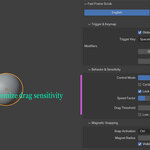
2. Behavior & Sensitivity BASIC
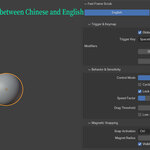
Tune mode, speed, threshold, and boundary behavior.
- Select Smooth or Stepped mode.
- Smooth: adjust Sensitivity, Stepped: adjust Step Pixels.
- Set Drag Threshold to reduce accidental activation.
- Use Cyclic Scrubbing and Cursor Lock when needed.
Tune mode, speed, threshold, and boundary behavior.
- Select Smooth or Stepped mode.
- Smooth: adjust Sensitivity, Stepped: adjust Step Pixels.
- Set Drag Threshold to reduce accidental activation.
- Use Cyclic Scrubbing and Cursor Lock when needed.
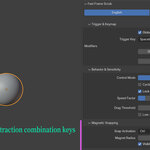
3. Magnetic Snapping BASIC
Use modifier-triggered snapping to land on target timing points.
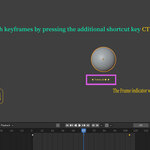
- Set snap activation key (Ctrl/Alt/Shift).
- Set Magnet Radius in frame units.
- Hold modifier while dragging to snap near targets.
Use modifier-triggered snapping to land on target timing points.
- Set snap activation key (Ctrl/Alt/Shift).
- Set Magnet Radius in frame units.
- Hold modifier while dragging to snap near targets.
30-Second Setup
1) Set trigger in Panel 1. 2) Tune feel in Panel 2. 3) Enable snap in Panel 3. 4) Start blocking and timing directly in your shot.
1) Set trigger in Panel 1. 2) Tune feel in Panel 2. 3) Enable snap in Panel 3. 4) Start blocking and timing directly in your shot.
Best For
- Artists who only need core scrubbing capability.
- Solo creators who want low setup overhead.
- Teams not yet using advanced review/pipeline modules.
- Artists who only need core scrubbing capability.
- Solo creators who want low setup overhead.
- Teams not yet using advanced review/pipeline modules.
$15
 Included
Includes 12 months of
- Support from DoitTsui
- Product updates
Extend this product’s Support Period +12 months: 50% of product price
Have questions before purchasing?
Login to message
| Blender Extension Compatible | Yes |
| Published | 5 months ago |
| Blender Version | 4.3 - 5.1 |
| Extension Type | Add-on |
| License | GPL |