 DejaVu


Blender Add-on
Your prints deserve better than
a photo on a table.
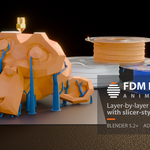
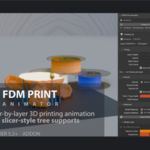
FDM Print Animator grows any model layer by layer in Blender — real nozzle travel, a glowing hot layer, slicer-style supports — and hands you the kind of clip people actually stop scrolling for.
Pick a model. Press one button. Play.
See it in action
Everyone posts the finished print
You spent eleven hours printing it, sanded it, painted it. Then you photograph it on your desk next to a coffee mug, post it, and it disappears into the feed like everything else. The photo shows the object. It doesn't show the making — and the making is the part people can't look away from.
That's the whole reason timelapses of 3D printers do so well. But a real timelapse means a camera rig, hours of babysitting a machine, and one fixed angle you can't change afterwards. If the print fails at 80%, so does your content.
This add-on gives you that shot from the file you already have. No printer running, no camera, no failed print. And the camera can be anywhere you want it.
The pitch in one line: load your STL, choose how many layers, press Prepare Print, and watch your product build itself — ready to render and post.
What your audience actually sees
Not a mesh sliding up out of a plane. A print happening.
- A nozzle that traces the real outline. It follows the actual contour of the layer being printed, moves between separate islands, and hops over gaps on travel moves — instead of drifting around at random.
- Filament that looks hot. The layer just laid down glows and cools as the print rises above it. You choose the colours of that glow, how far it fades and how bright it burns.
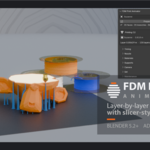
- Supports that look printed, not modelled. Tree branches grow out of the overhangs, lean toward each other, merge into tapered trunks with a flared foot, and always land on the plate — never on your model. They're built from stacked horizontal slabs with a bead lip, so they read as printed material, not smooth tubes. Or switch to a plain grid of towers.
- The nozzle prints those supports too. Because a real printer does.
- Surfaces with real print character. Layer lines, stair-stepping on the curves, nozzle wobble, extrusion noise, drag marks, speckle, colour variation, top-infill width — all on dials. Turn them up for a rough draft print, down for a clean showpiece.
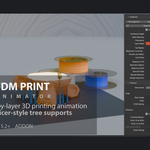
- Several parts on one bed, one shared layer. Print a whole product family in the same shot, all growing through the same plane, the way one printer really works.
Your own filament colours, your own materials, your own nozzle model if you have one. The hot glow is injected into whatever material you assign and removed cleanly when you switch it off — your shading is never overwritten.
Four steps, then coffee
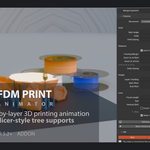
There is no node graph to wire, no expression to write, no Python to touch. The whole add-on lives in one sidebar tab.
| 1 | Drop your model into the scene and point the Model slot at it. |
| 2 | Set how many layers and how long the clip runs. The panel tells you the resulting layer height, the length in seconds and the frames per layer, so you can tune it for a 15-second reel or a 2-minute hero shot. |
| 3 | Press Prepare Print. Bed, lights and an orbiting camera are built with it, framed around your part. |
| 4 | Hit play. Render. Post. |
Every number stays editable afterwards. Change a colour, a support angle, a camera move, and the animation updates — you are not rebuilding anything.
The camera move is already done
This is where most product clips fall apart, so it got its own rig. Seven ready-made moves — Half Orbit, Full Orbit, Turntable, Static Front, Top Reveal, Pull Back, Hero — one click each, all editable after.
- Auto framing solves the distance from your lens and your render aspect ratio, so the part stays in frame from the first layer to the last — including vertical video.
- Layer tracking slides from framing the whole part to riding along with the layer being printed.
- Depth of field focuses on the layer being printed, so the hot bead stays sharp while the rest falls away.
- Prefer your own camera? Drive it with the same rig, or bake the move to keyframes and finish it by hand in the Graph Editor.
Framing, pitch, roll, easing, focal length, start and end zoom — all there when you want them, none of it required to get a good shot.
It works on the messy files too
Real production models are not clean. Character kitbashes, dozens of interpenetrating solids, open edges, self-intersections — the kind of mesh that makes a layer-by-layer cut collapse, either by making the model vanish or by dumping a giant box over your whole scene. The add-on animates from a repaired hidden copy of your mesh instead, diagnoses what it's dealing with and picks its approach accordingly. Your original mesh is never modified. If you'd rather decide yourself, the repair mode and the solver are both in the panel.
What it is not
It is not a slicer. No G-code, no machine profiles, no real print times — pointing it at a file tells you nothing about how that file will actually print. It reproduces the look of slicer output for animation and rendering. If you need a visual, it's built for you. If you need to send a job to a machine, use your slicer.
The details
| Blender | 5.2 LTS or newer. Install as an extension from disk. |
| Platforms | Windows, macOS and Linux. Pure Python — no compiled parts, nothing platform-specific. |
| Dependencies | None. No internet connection, no account, no API key, no licence server, no telemetry, no pip install. Nothing is downloaded at runtime. |
| Source | Readable Python, GPL v3 or later. No obfuscation, no compiled-only files — open it, read it, change it. |
| Interface | English and Spanish, through Blender's own translation system. Panels, parameters and tooltips all covered. |
| Documentation | Full manual in English and Spanish, plus a changelog that says exactly what changed in every release. |
| Support | Through the message system on this page, in English or Spanish. |
One good clip beats ten good photos.
You already have the files. Turn them into the shot that makes someone stop, watch to the end, and ask where they can buy one.
Add FDM Print Animator to your cart and print your first animation tonight.
Affiliate Program
Print one of your own models in Blender.
Post it. Keep 30% of what it sells.
Follow the tutorial, run it on a model of yours, post the clip with your link, and earn a 30% commission on every sale it brings — paid to you by Superhive, straight to your PayPal, twice a month.
Approved affiliates get the add-on free. You cannot recommend what you have not used.
Why this one is easy to promote
Most affiliate offers ask you to talk about a tool. This one asks you to post a clip — and the clip is the pitch. A model growing layer by layer, a nozzle tracing the outline, a glowing hot layer. People stop scrolling for it, then they ask how it was made.
And it is your model, not stock footage handed to you. Your audience already knows the things you print. Watching one of them build itself lands in a way a demo file never will — which is exactly why it converts.
What you get
- 30% commission on every sale from your link — the top of the range Superhive itself suggests. Tracked by the marketplace, with a 14-day window: someone can click today and buy next week and it still counts as yours.
- 35% once you have brought 10 sales. Permanently, on everything after that — above anything else on this marketplace. Superhive emails you the moment the rate goes up.
- A free licence when you are approved. No trial, no watermark, no strings — the full add-on, so the clip you post is your own work from start to finish.
- A tutorial that leaves nothing out. Model in, animation out, in one sitting. If you can drop an STL into Blender, you can make the shot.
- Your video on this page. The best clips from affiliates get featured right here, credited and linked to your channel.
- New versions before anyone else, so you post the feature the day it ships and not a month later.
No quotas, no exclusivity, no contract. Post once or post every month, on whatever channel you like. Promote other tools at the same time. Stop whenever you want. The only thing asked of you is that the clip you post is one you actually made.
How to join
| 1 | Have a Superhive account, and somewhere you post — YouTube, Instagram, TikTok, a newsletter, a Discord, a class. Size matters less than fit: 800 people who print things beat 80,000 who do not. |
| 2 | Press Contact Creator on this page and send me the word AFFILIATE, the link to your channel, and the email address on your Superhive account. One line is enough. |
| 3 | I add you as an affiliate on Superhive with that account’s email and set your rate, and I send you the add-on. Your own Affiliate Dashboard gives you your ID: your link is this page’s address with ?ref= and that number on the end. |
| 4 | Watch the tutorial, print one of your own models with it, and post the clip with your link. Superhive tracks the sales and pays you by PayPal on the 1st and the 15th. |
Answers usually come the same day. If the fit is not right I will say so plainly rather than leave you waiting.
Your next post could pay for itself.
One model of yours, one clip, 30% of every sale it brings. Write AFFILIATE through Contact Creator and you can be posting tonight.

