 DejaVu


Frequently asked questions
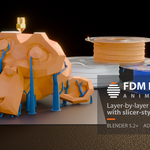
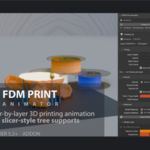
Does it export G-code or slice for a real printer?No, and this is the most important thing to know before buying. FDM Print Animator is an animation and rendering tool. It reproduces the look of slicer output — layer-by-layer growth, nozzle travel, hot filament, tree supports — for video and stills.
It does not produce G-code, real print times or machine profiles, and pointing it at a file tells you nothing about how that file will actually print. If you need a visual, it is built for you. If you need to send a job to a machine, use your slicer.
Blender 5.2 LTS or newer, which is the version it is tested on.
Windows, macOS and Linux all work. The add-on is pure Python and uses only Blender's own bpy, bmesh and mathutils — there are no compiled parts and nothing platform-specific, so there is no per-platform build to pick.
None of the three. No internet connection, no external account, no API key, no licence server, no telemetry and no extra cost. Nothing is downloaded or installed when you use it, and there is no pip install step.
Install the zip, work offline for ever if you like.
No. There is no node graph to wire, no expression to write and no Python to touch. The whole add-on lives in one sidebar tab.
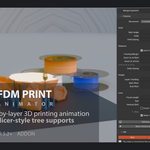
The flow is: drop in your model, point the Model slot at it, set the layer height and how long the clip runs, press Prepare Print, play. A bed, lights and an orbiting camera are built with it, already framed around your part.
Everything stays editable afterwards. Change a colour, a support angle or a camera move and the animation updates — you are not rebuilding anything.
Messy meshes are the normal case, and they are handled. Character kitbashes with dozens of interpenetrating solids, open edges, self-intersections — the kind of file that makes a layer-by-layer boolean collapse.
Counting open edges is not enough, because a mesh can be several closed pieces that overlap each other. So three things are measured every time you prepare — open edges, pieces and crossing faces — and the animation is taken from a repaired hidden copy, with the boolean solver chosen from the diagnosis of the mesh that is actually cut. The repair is verified rather than trusted: if it does not come out as one piece without crossings, the result is thrown away.
Your original mesh is never modified. The repair happens on a hidden copy, and the panel reports what it applied.
Yes, and your shading is never overwritten. Assign any material to the part and to the supports. Leave them empty and the add-on's own procedural filament material is used instead, which draws the layer lines for you.
That procedural material comes out to the panel with real dials: filament colour, roughness, gloss variation, anisotropy, layer depth, layer sharpness, top-infill width, bump strength — and, under Surface Detail, stair-stepping, nozzle wobble, extrusion noise, drag marks, speckle and colour variation. Turn them up for a rough draft print, down for a clean showpiece.
The glowing hot layer is independent of all of this: it is injected into whichever material you assigned, and removed again cleanly when you switch it off, leaving your node tree exactly as it was.
Both. Point the Nozzle field at any object and that is what gets driven along the toolpath; leave it empty and a default nozzle is built.
For the camera there are four modes: the add-on's own orbital rig, My Camera (drives your camera object with the same rig, keeping its lens and settings), Target Only (builds just an empty that rises with the layer being printed, for you to constrain your own camera to however you like), or none at all.
And if you would rather finish the move by hand, Bake Camera to Keyframes writes it onto a new free-standing camera. From there it is an ordinary animated camera — edit it in the Graph Editor, retime it, add your own moves. The rig is left intact so you can keep tweaking and bake again.
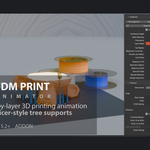
Yes — and they behave like one print, not several running in parallel. Prepare each model and they share the layer plane, the layer height, the frame range, the nozzle and the materials, while each keeps its own supports, repaired mesh and boolean solver.
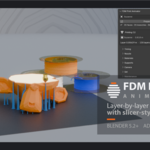
A printer has one head at one height, so every part on the bed grows through the same plane. With several models the nozzle follows a path baked from the real cross-section of all of them, ordered by proximity the way a slicer does.
If you move a part afterwards, or prepare another one later, the panel notices the drift and offers Re-sync the Print to put everything back on the same layer.
No — that is a printer. Every part on the bed grows through the same plane, so a short one completes early and sits there while a tall one keeps building.
Making them all finish on the last frame would mean each part printing at its own layer height, which is the one thing a single-nozzle machine cannot do.
Both are the layer-by-layer boolean failing on a difficult mesh, and both are fixed from the same place: Maintenance > Repair Mesh.
| Disappears part-way up | The mesh is not closed and the solver stopped cutting. Set Automatic or Clean and prepare again. |
| Looks finished too early | The boolean is not subtracting anything, which is what a self-crossing mesh does. Maintenance will be reporting more than one piece or some crossing faces; set Automatic or Resolve Overlaps and prepare again. |
If neither helps, send me the .blend through the message system on this page and I will look at it.
English and Spanish. The Spanish translation is registered through Blender's own translation system and covers panel names, parameter names, tooltips and operator messages. Enable it in Preferences > Interface > Translation by choosing Spanish.
Choosing Spanish is not enough on its own. In that same panel, Affect has separate checkboxes for Interface, Tooltips and New Data. With Interface unticked the language is set but every label still draws in English.
The full manual ships in both languages inside the download, and support is answered in both.
The add-on is free software under the GNU GPL v3 or later — which is not a marketing choice: any add-on published for Blender has to be, because Blender itself is GPL. So you get the source as readable Python with no obfuscation and no compiled-only files, and you may study it, modify it and redistribute it.
What is not licensed with the code is the branding: the product name FDM Print Animator, the studio name DejaVu and the visual identity. Fork it freely — fork it under your own name. The full statement is in NOTICE.md inside the download.
Updates are published on this page, and every release comes with a changelog that records what changed and what was measured to prove it. Questions, bug reports and feature requests go through the message system on this page, in English or Spanish — please include your Blender version, your operating system, what you pressed and what happened.
 Included
Includes 12 months of
- Support from DejaVu
- Product updates
Extend this product’s Support Period +12 months: 50% of product price
Have questions before purchasing?
Login to message
| Blender Extension Compatible | Yes |
| Dev Fund Contributor | |
| Published | about 2 months ago |
| Blender Version | 5.2 |
| Extension Type | Add-on |
| Render Engine Used | Cycles, Eevee |
| License | GPL |

Discover more products like this
product-visualization product animation reels · marketing social-media timelapse slicer STL procedural material supports print reveal