Find My Addon — Instant N-Panel Add-on Finder & Manager
 Marcos Medel


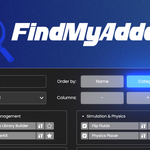
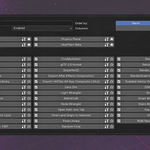
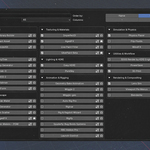
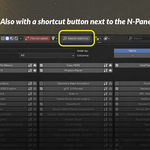
FindMyAddon now works across the whole of Blender — not just the 3D Viewport.
NEW
• Global shortcut: Shift+R opens FindMyAddon in any editor (Image, Node, Graph, Dope Sheet, NLA, Sequencer, Outliner, Properties and more).
• Cross-editor jump: click an add-on that lives in another editor and FindMyAddon opens its tab there. If that editor is already open on screen it is used as-is; otherwise you are asked before the current editor is switched.
• Recent: your recently opened add-ons appear at the top of the popup (toggle & count in Preferences).
• Smarter search: matches the add-on name, its module name and its N-panel tab name — multiple words supported.
• Extension badges: extensions and legacy add-ons are marked with distinct icons; tooltips show where each add-on lives.
FIXED
• Cmd-based shortcuts now work on macOS.
• FindMyAddon no longer hides error messages coming from other add-ons' panels.
• Ships as a valid Blender Extension (blender_manifest.toml). Compatible with Blender 4.2 – 5.1.
FindMyAddon v1.3 — release notes
Added quick access button to open Preferences.
Added quick access to Item, Tool & View tabs.
New “Factory Reset” button to restore all settings.
Add-on now remembers your settings and categories even if disabled, uninstalled, or Blender is closed.
Fixed a crash when disabling the add-on from its own Preferences.
Visibility (eye icon) now stays saved across sessions.
Internal improvements for more reliable loading and fewer bugs.
Settings file is saved here:
-
macOS:
/Users/USERNAME/Library/Application Support/Blender/4.4/config/findmyaddon/findmyaddon_settings.json
-
Windows:
%APPDATA%\Blender Foundation\Blender\\config\findmyaddon\findmyaddon_settings.json
FindMyAddon v1.2 — release notes
Hide individual add-ons from results (eye icon), with a global “Show All” override.
-
Enable/disable every add-on in a category with one click.
ℹ️ If an add-on shows an error during enable/disable, that error comes from the add-on itself (e.g. outdated or buggy register()/unregister() code). FindMyAddon just passes the command along, so you may safely ignore those messages or update the affected add-on.
Resizable popup: width controls (+/–)
Faster search with live type-ahead while you type (when adding add-ons in the categories menu).
Filter tabs for All / Enabled / Disabled / Favorites are now more accessible.
Added tooltips and cleaner toolbar layout.
Export/Import now includes visibility, “Show All” override, and UI prefs alongside categories/favorites; imports v1.1 files safely.
Discover more products like this
Workflow interface Add-on Shortcut search productivity add-on manager favorites ui categories enable/disable blender 3d n-panel quick access pop-up