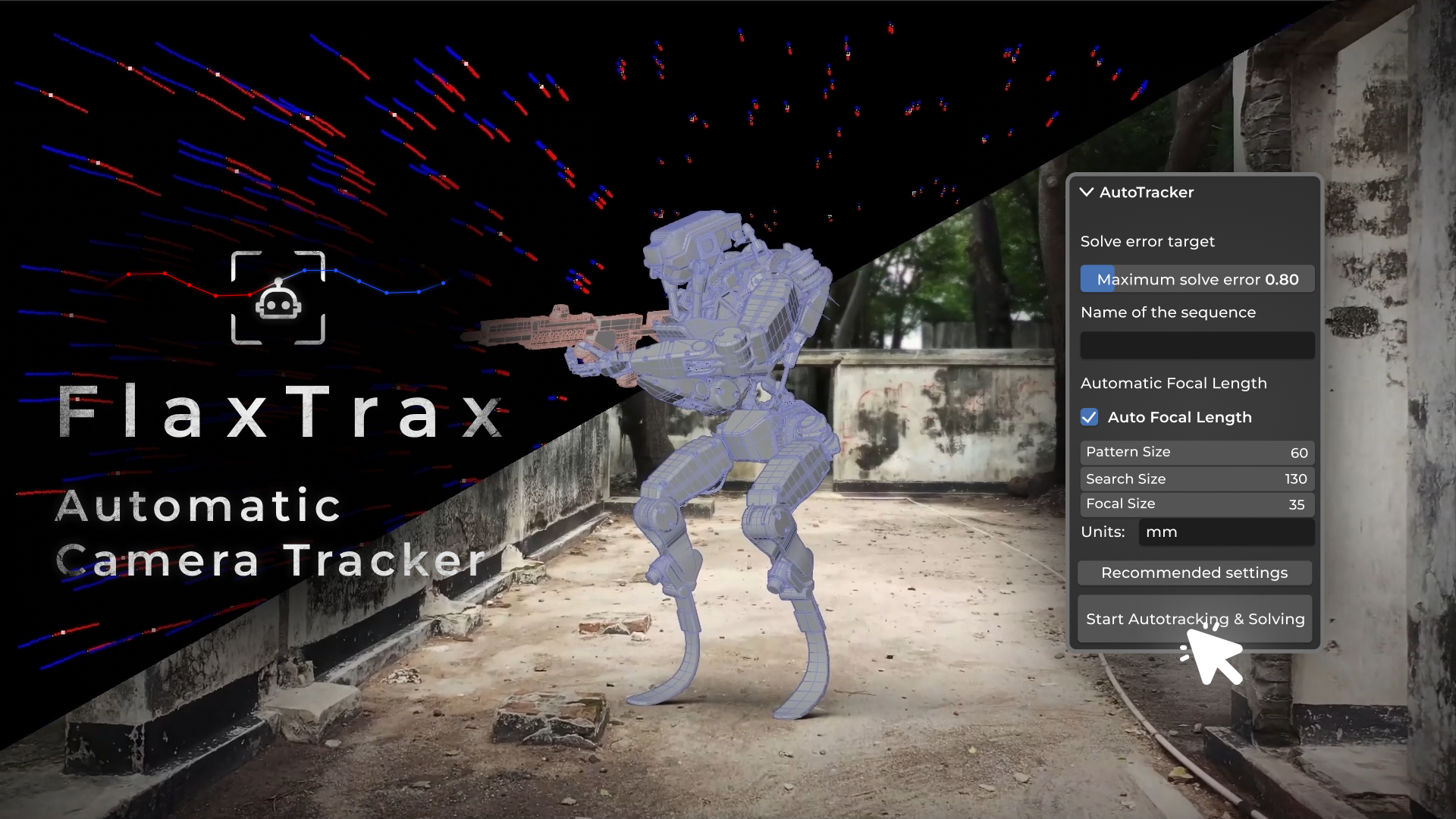
FlaxTrax - Automated Camera Tracking

Axel Olsson in VSE


Item Rating

This item has an average rating of 4 from 28 ratings by the community.

68%
8%
4%
8%
15%

Purchase this item to leave a review!

  • G Wingfield
    over 2 years ago

    Contrary to some ridiculous reviews on this site, Flaxtrax is actually a fast autotrack and solving solution for Blender. I got a great solve from 250 frame iphone footage in 1 minute 50 seconds. If you know anything about camera tracking, you will realize that this is actually very fast. I can say this because I have used many of the top camera trackers including Syntheyes, Davinci Resolve, PTrack, After Effects and Nuke.
    If you have ever used Blenders camera tracker, you will appreciate that it is powerful but very tedious to use and takes hell of a long time to get solid tracks. This plugin really makes it so easy and much faster. You also need to know that camera tracking is a skill that requires knowledge of many issues and its not a simple matter of throwing any old footage at the tracker and expecting Hollywood results.
    Okay, that was a generous appraisal, here's what I don't like (and its something that can be fixed). When you press the Autotrack button, the Blender effectively freezes. The CPU goes into 100% flat out mode and you think it's going to crash. The software really needs to display a message (like the red bar in After Effects) and perhaps indicate the progress in a user friendly way. Maybe the CPU could be throttled back to 85% ?
    Finally, I can recommend this to those people who know what they are doing but if you are a camera tracking rookie, you need to learn the fundamentals first so that you can really get the most from this excellent plugin.

  • Baurzhan
    over 2 years ago

    The addon keeps getting better and better!

    There are 3 points and the addon will become very cool!

    1) An important point is to add not only just camera tracking, but also OBJECT tracking. This will be really cool! For example, select an object with a marker as in the after and let it rattle.

    2) The mask doesn’t seem to be bad, but it still needs some work, otherwise we have a lot of people in the scene.

    3) The most important and coolest change you made was the speed per 1000 frames for a resolution of 1920*1080. He does tracking in about 20 minutes. It will be great if you speed it up for 4k resolution.

    Bro we believe in you! You are making the addon cooler and cooler every time!

    Please add object tracking, improve the mask and try to increase the speed for vertical scenes from 4k.

  • Udo Schneider
    over 2 years ago

    I usually don't write reviews, but I had to share my experience with this add-on. I had been struggling for days to track some footage using Blender's native tracking, another add-on, and AE, but had no luck at all. This wasn't my first time doing this, but the footage was just too tricky. Flaxtrax was able to crunch the footage for 20 minutes and delivered a perfectly usable tracking result! While the tracking wasn't 100% geometrically correct (likely due to some issues with the DVCPro HD source footage and unusual lens distortion), the tracking points were 100% accurate. This is a limitation of Blender's Camera Solver. I really appreciate this add-on and its ability to save me so much time and frustration. Thank you!

    • Axel Olsson

      over 2 years ago

      Thank you Udo Schneider, I am glad you like it!

  • Damian
    over 2 years ago

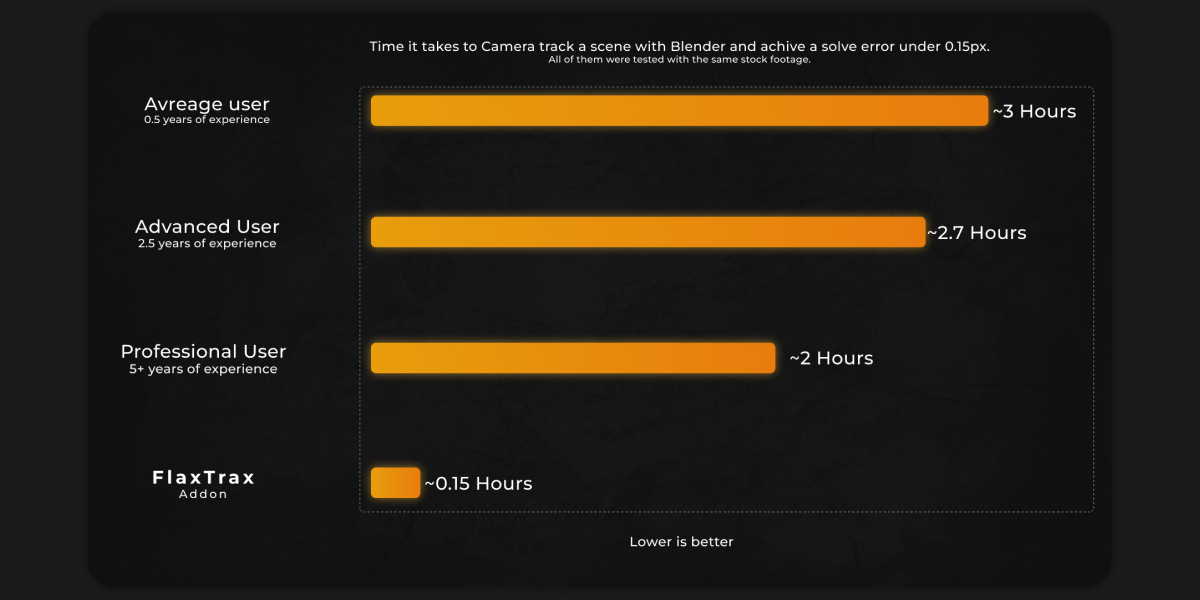
    This add-on is amazing and it saved hours of work already. I am impressed at how good it tracks any footage and detects focal length. It takes quite a significant time to process (16 minutes in my case) but it would take 10 times more to get such a low solver error doing it manually, apart from the headache. Time depends on how many FPS and resolution is your video and how low you want the solver error to be. I realized with a solver error of 0.8 (default) you get excellent results. Please keep the updates coming!

  • JEANHYUK YUN
    almost 3 years ago

    Slightly long processing time.
    (about 7mn with 420 frames)
    however, there's no additional annoying works
    so as a result, time is shortened.

  • Steve
    almost 3 years ago

    Nice addon! For a total tracking noob like myself, this is a god send! Nice work.

  • SCHAULI
    almost 3 years ago

    Excelent add on some footage may not work very well or take lot of time but it saved me a lot of time of motion tracking ! I really recommend this add-on, it was a very profitable purchase. The only problem that I could raise is that we cannot put moving objects but I understand, it would be far too complex to develop. But congradulations !

  • Antonio Knapp
    almost 3 years ago

    Tracks the scene perfectly every time! The only downside is that it freezes blender while it does its work, but thats a minor inconvenience that can easily be ignored for the high quality tracking. i highly recommend this addon

    • Axel Olsson

      almost 3 years ago

      Thank you so much for the review! Glad you liked it!

  • Saunier
    about 3 years ago

    - Very easy to use / user friendly ! => All the required informations are indeed on the product page and video tutorial.

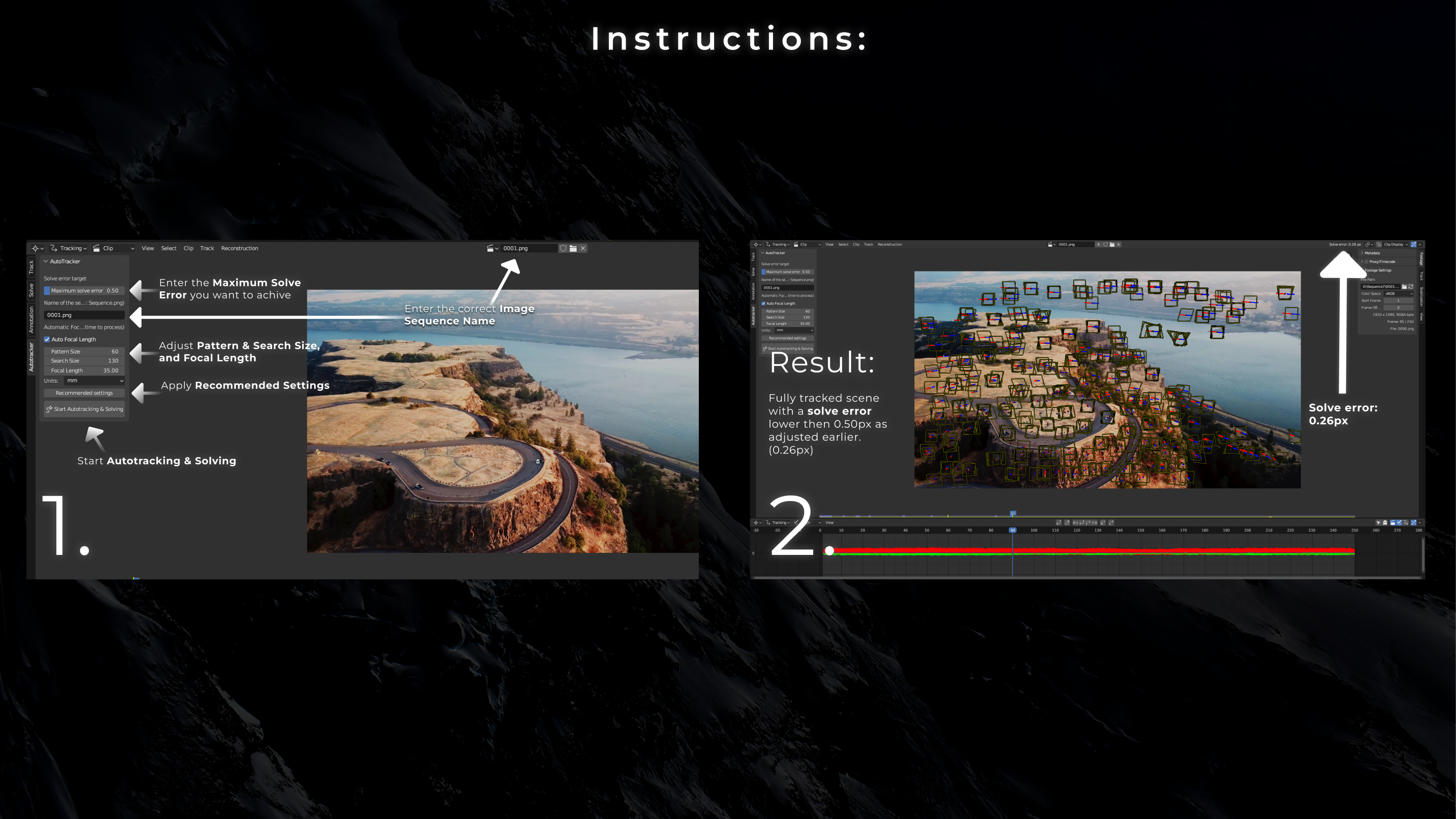
    - Takes some time to process but in fact...Not so much !..Considering how good is the result just entering the max. solve error required, the image sequence name and clicking the start button.
    After +/- 10 mn, with 0.4 max solve error set/, 540 frames images sequence, I a got 0.21 solve error and a perfect result.... Without tweaking and re tweaking anything.
    Great addon !

    • Axel Olsson

      about 3 years ago

      Thank you, Saunier! I'm glad you liked it.

  • Matt
    over 1 year ago

    I think the add-on works very well when used as directed. If you do what I did (attempt to use it to track footage of talent on a green screen with markers) it will likely not work very well. I had to take the raw footage and pump up the contrast so that the tracker acknowledged the marks in the footage, as it was far more focused on the wall just off to the side of the green screen.

    That's not really the add-on's fault, but I'm providing this experience so that anyone else who looks at this as part of a virtual production pipeline is going in with eyes wide open. I'm going to keep experimenting with ways to make the trackers I use on set easier for the add-on to acknowledge, but just realize that it's not really built for that kind of tracking.

$29.50

Have questions about this product?
Login to message

Details
Blender Extension Compatible Yes
Sales 1200+
Rating
28 ratings
Dev Fund Contributor
Published about 3 years ago
Blender Version 4.3, 4.2, 4.1, 4.0, 3.6
Extension Type Add-on
License Royalty Free