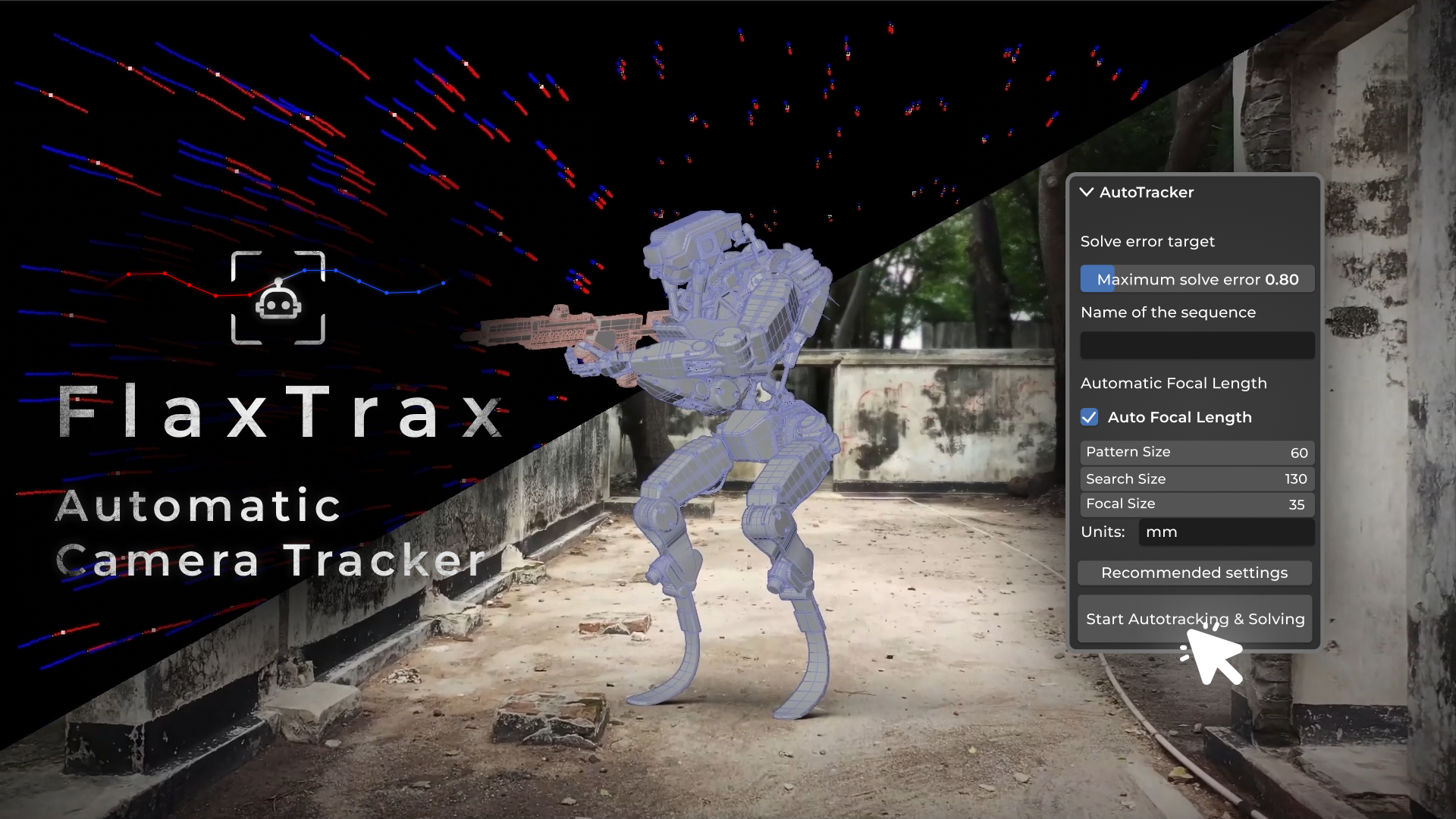
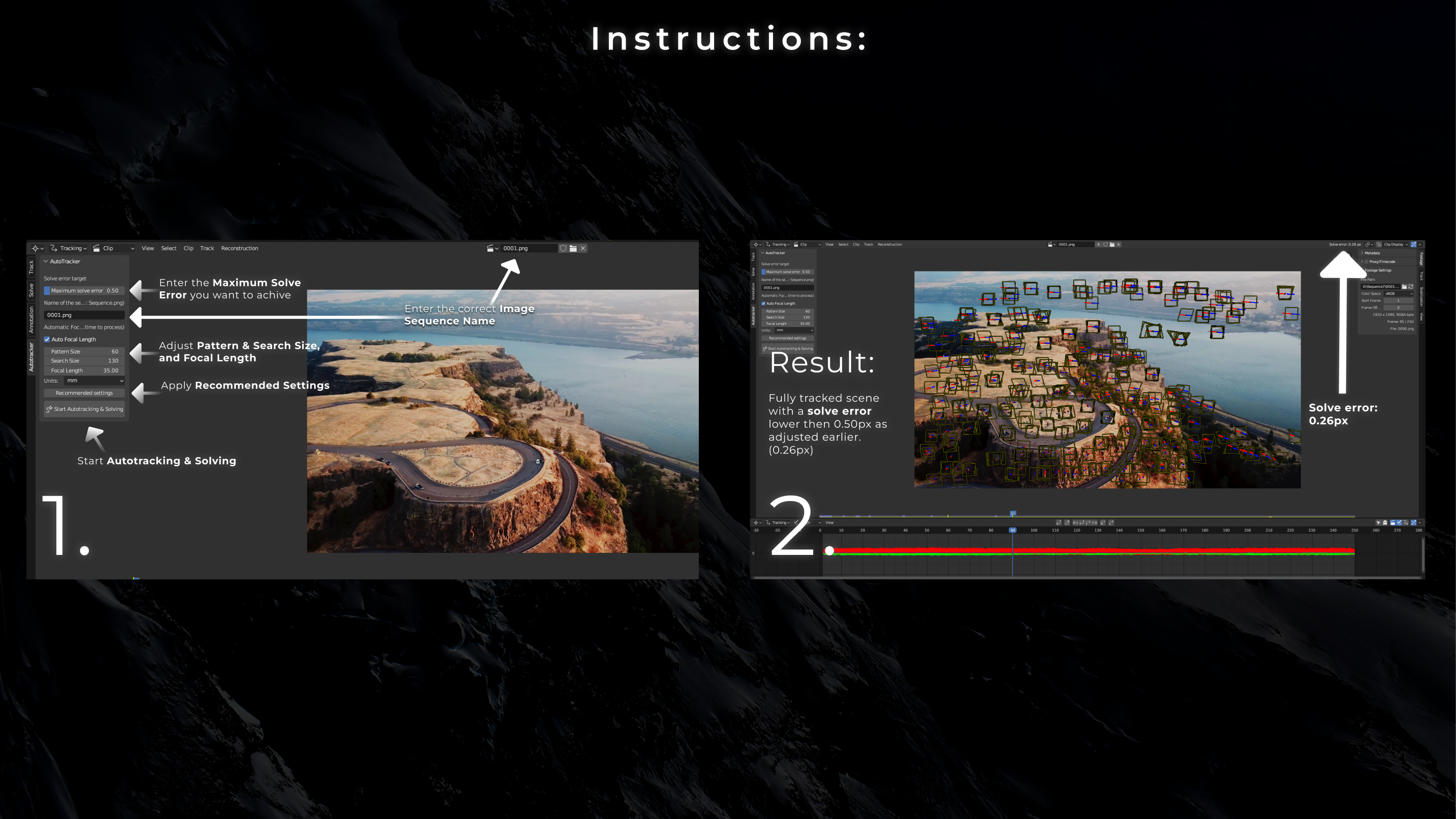
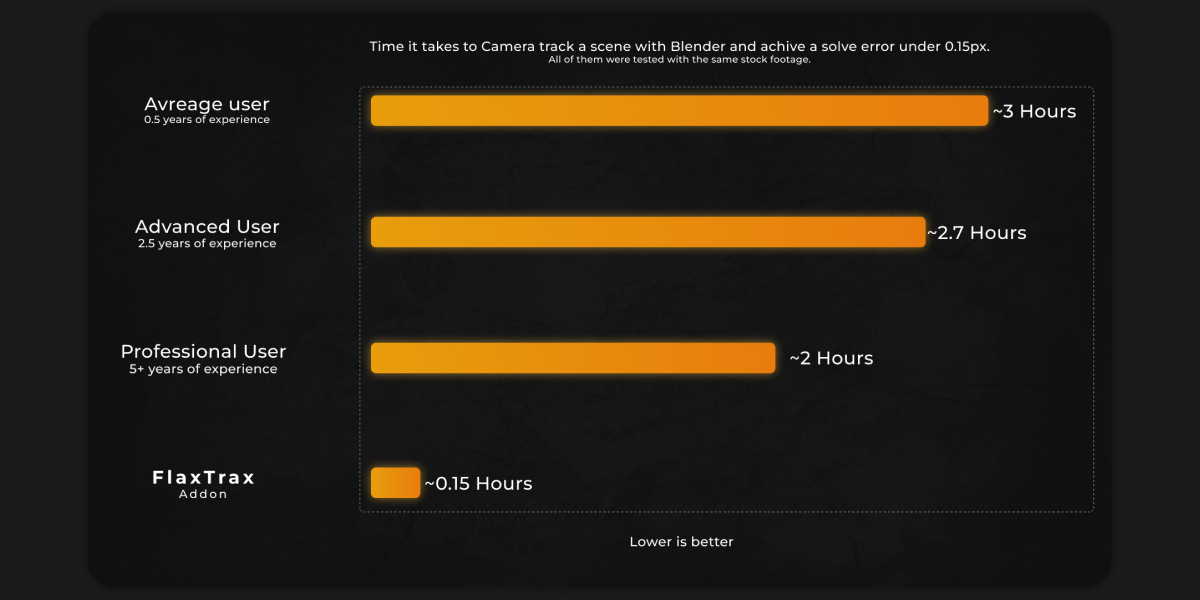
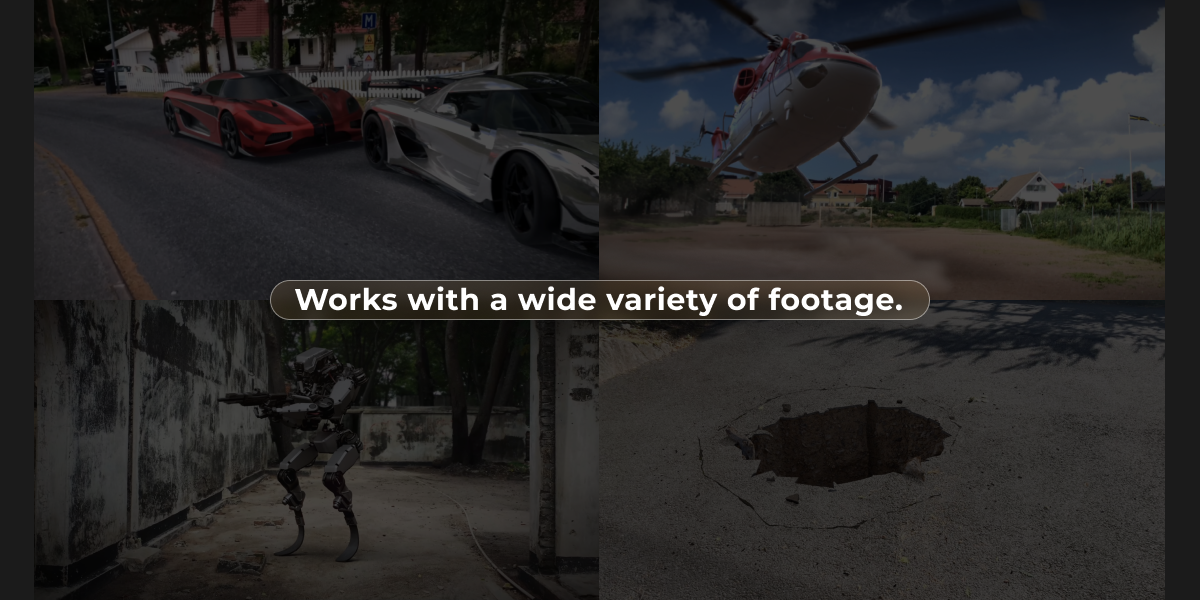
FlaxTrax - Automated Camera Tracking

Axel Olsson in VSE


Item Rating

This item has an average rating of 4 from 28 ratings by the community.

68%
8%
4%
8%
15%

Purchase this item to leave a review!

  • Janne Järvelä
    almost 3 years ago

    Motion tracking is an absolute breeze. 5 stars when the addon gets some kind of progression bar or indicator!

  • Maxwell
    over 2 years ago

    Incredibly slow, hoping future updates address this. I can see it becoming a really great tool if this area is fixed!

  • Martin Naydenski
    about 1 year ago

    Sounds cool but works only one footage that any other tool would work perfectly. When used on real shots, as another person said - every single time it says the quality of the footage is too low. Which is kind of ridiculous IMO as I don't need a too with such a high expectations to tell me nothing works unless you shoot with wide lens perfectly trackable shots. Sometimes even they wont work and blender would just freeze. And for the rest of 99% of the shots, you cant really use it at all. And I am not working with phone footage just so you know. I wish there were more options or maybe presets that are for blurry shots, or very sharp shots, or things with less detail etc. Also would be nice to add a proper udist workflow, as normal blender tracking doesn't have a solid one. Something that exports STmaps at right rez and possibly even undist plates etc.

  • ahmad
    about 2 years ago

    I love it when it works, i shoot a very sharp videos at 6k 300 bitrate with no motion blur and still telling me that my footage quality is bad, also always asking to enable vertical shot option somewhere unknown, totally unusable add-on for me .

    • Axel Olsson

      about 2 years ago

      Hello Ahmad,

      Thank you for your feedback, and I'm sorry to hear that the addon did not meet your expectations. I'd like to clarify that when the addon references "quality," it is specifically referring to the footage's suitability for tracking. This includes factors like minimal motion blur, proper exposure, and other elements that contribute to effective tracking.

      This information is clearly outlined on the addon's main page, where I mention the following guidelines for high-quality, trackable footage:

      ""
      - Detailed stationary elements: Structures, ground, or other non-moving objects with clear and distinct features.
      - Low motion blur: Footage with minimal blur allows for more accurate tracking.
      - Proper exposure: Well-lit scenes make it easier to identify trackable features.
      - Decent resolution: 1920x1080 is ideal; higher resolutions like 4K are supported but may require more processing time.
      - Parallax movement: Footage that includes different perspectives and angles, allowing the addon to generate accurate 3D location data for each tracker.
      - Stable and smooth camera movement: Even handheld footage can work well if the camera is held as steadily as possible.
      ""

      As you can see, I even mention that a resolution near 1080p is often preferred over 4K due to reduced processing time and power. Regarding your situation, even though you used 6K footage, the resolution alone does not guarantee optimal tracking quality—especially if the footage includes significant motion blur, noise, or is filmed in challenging conditions, such as low-light environments with excessive camera movement.

      If you need further assistance, please don't hesitate to contact me. I’m more than happy to help.

      Best regards,
      Axel

  • Vince
    over 1 year ago

    This addon has not tracked a single piece of footage I have ever thrown at it. Every single one being flagged as "low quality" (ie, not suitable for auto tracking). After Effects tracker, and Blender internal tracker have both tracked all of the same footage perfectly.

    For reference, the 8 clips I have recently tried with it are all Static objects, shot 4k in professional studio environment, with parallax, no motion blur, wide depth of field, slow moving jib shots. The IDEAL footage for trackability.

    I really do think there must be something the addon builder can do to improve or remove this, as it has made the addon totally useless to me.

    • Axel Olsson

      over 1 year ago

      Hi Vince,

      Thank you for your feedback I completely understand how frustrating this must be. It sounds like something isn’t configured quite right, and I’d really like to get to the bottom of it.

      If you can send me one or two of the clips along with the settings you used, I’ll run the track on my end and see exactly what’s happening. If the addon needs an update, I’ll get a fix out right away; if it’s a settings issue, I’ll walk you through the solution so you’re up and running quickly.

      Feel free to contact me here at Blendermarket.

      Thanks again for bringing this to my attention your feedback helps make the addon better for everyone.

      Best regards,
      Axel

  • Feras Zuhair
    over 2 years ago

    This add-on did not meet my expectations, particularly after reaching out to the creator for assistance and receiving inadequate support.

    While the functionality of the add-on was not the primary concern, the processing speed was significantly slower than advertised. This was especially noticeable when working with 4K footage, which resulted in an inefficient workflow. The add-on also failed to provide accurate tracking for all elements, leading to unsatisfactory results.

    In addition, the customer service provided by the creator was lacking. Despite my efforts to communicate my concerns, the responses I received were insufficient and did not address my issues effectively.

    Considering the investment made in purchasing this add-on and the time spent attempting to utilize it, I am deeply disappointed with the overall experience. The description of the add-on as "fast" and "getting faster with every update" is misleading and does not accurately reflect its performance.

    While I understand the importance of customer feedback, I feel compelled to share my experience to prevent others from encountering similar frustrations. I hope that the creator will reconsider the accuracy of the product description and provide improved customer support in the future.

    Thank you for your attention to this matter.

    • Axel Olsson

      over 2 years ago

      Hello Feras Zuhair,

      Thank you for your feedback. I'm sorry to hear that the add-on did not meet your expectations. I would like to address your concerns and provide some clarification.

      Firstly, the performance of the add-on, as well as Blender's camera solver, is highly dependent on the quality and characteristics of the footage being used. For instance, footage with a blurred background and moving objects, such as a person walking across the scene, can result in longer processing times due to a lack of stationary, solid objects to track. Conversely, footage with visible stationary objects like structures or the ground, and minimal external movement (or appropriately masked movement), should process more efficiently. This dependency on footage quality is consistent across all tracking software and is not an issue specific to the add-on.

      Regarding your comments about customer support being "inadequate" and "lacking," I respectfully disagree. We have had numerous conversations where you acknowledged, "Please understand that there is nothing wrong with the add-on itself," indicating that the issue was not directly related to the add-on. Both I and the official Blendermarket support team have provided guidance, and I have personally explained how to enhance processing speed and utilize the add-on more effectively. I even offered to review your scene setup and track the footage myself, but you declined.

      As previously mentioned, processing speed is heavily influenced by the footage provided. High-quality footage should contain clearly visible stationary objects for the camera to track. If external moving objects are present, masking them out can prevent tracking issues. In your case, working with 6K footage (6144x3160) involves processing 19.4 million pixels, which is significantly more than 1920x1080 footage with around 2 million pixels. Naturally, this will take longer to process, but this does not indicate a problem with the add-on or the support provided.

      I appreciate your critique and will take it as constructive feedback, even though some points may not be accurate. I will continue to work on improving the add-on's performance, though it largely depends on Blender's camera reconstruction code. Rest assured, I am committed to making the add-on faster in future updates.

      Best regards,
      Axel

  • Nicola
    over 2 years ago

    I believe it works fine for many people, sadly its been f annoying and Im mad that i waste my money on this add on because i wanted a solution and know i need to invest time checking how to make it worked. Im faster doing the track by myself than waiting hours until FlaxTrack finish.
    Im sorry, I know for some people this add on has been a salvation but for my experience this was just F waste of everything.

    • Axel Olsson

      over 2 years ago

      Hello Nicola,
      Thank you for the feedback. I am so sorry that you are disappointed. However, the addon should not take hours; if that's the case, something wrong has happened. I have recently released a major update for the addon, enhancing the tracking and solving part, as well as adding many new useful features, such as the ability to mask out external moving objects like cars or people moving across the scene. Please try it out (the new version 1.6.0) and tell me what you think. If you need any assistance using the addon, feel free to contact me here on Blender Market.
      Best regards,
      Axel

  • dimitri
    about 3 years ago

    Haven't been able to get the addon to work. I have a 11th gen core i9 and a RTX 3080ti for anyone reading who wants to compare specs. I've followed the instructions for the addon step by step and it just has blender loading for ages (literal hours). I've tested it with different PNG sequences and it does the same for all of them.

    • Axel Olsson

      about 3 years ago

      Hello Dimitri,

      I am sorry that you had to experience this trouble. I have tested the addon in multiple scenes with different focal lengths in various environments, and it works fine. Did you include any external moving objects in your footage? Because that is one of the restrictions of the addon. Please send me your footage, and I will have a look and try to resolve the problem.

      Best regards,
      Axel

$29.50

Have questions about this product?
Login to message

Details
Blender Extension Compatible Yes
Sales 1200+
Rating
28 ratings
Dev Fund Contributor
Published about 3 years ago
Blender Version 4.3, 4.2, 4.1, 4.0, 3.6
Extension Type Add-on
License Royalty Free