 CG Flow


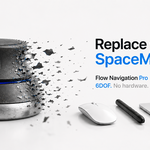
Flow Navigation has moved to CG Flow.
It is no longer sold here.
Flow Navigation is now a tool inside CG Flow, a single Blender add-on available from cg-flow.com. This page stays for existing owners.
Get CG Flow →Your licence comes with you.
Create a CG Flow account with the same email as your Superhive purchase and Pro is linked automatically. With a different email, enter your Superhive order number under Link an order in your account.
How to move →One add-on. Every Flow tool.
Navigation and Selection today, more to come.
Hold one key. Move freely.
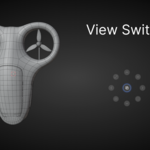
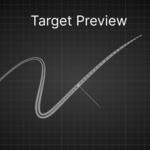
Hold Space and the mouse orbits, zooms and pans around whatever is under the cursor — in the 3D viewport and, with Pro, in the 2D editors. Plus View Switcher, Pivot Editor and Flow Orbit, Zoom and Scroll.
Documentation →"I no longer need the Space Mouse. The camera control has become even more comfortable than with the Space Mouse."
"It makes the 3D Space Mouse Navigation obsolete."
"This add-on works as Blender should work by default."
Support
Write to us from Support on cg-flow.com. Our Discord stays open for talking with other users in #talk — support is no longer handled there.
Support →Navigation is the thing you do ten thousand times a day. It should feel like nothing at all.