 monad_studio

Andrei Bendelic
about 1 month ago
Part of that friction is not you adapting — it is still the product.
There are places where the behaviour feels unnatural to me too, and
those are exactly what I am working through right now.


This item has an average rating of 5 from 33 ratings by the community.
Purchase this item to leave a review!
Andrei Bendelic
about 1 month ago
Part of that friction is not you adapting — it is still the product.
There are places where the behaviour feels unnatural to me too, and
those are exactly what I am working through right now.
Andrei Bendelic
3 months ago
That's exactly the goal — thanks, Sanny. Navigation is just the first piece: it's one component of CG Flow, a larger system we're building around the same idea of making Blender feel effortless. Flow Selection is already out as the second one, and more is coming.
Andrei Bendelic
3 months ago
Thank you so much, Hélder. It means a lot to hear that Flow Navigation has changed the way you work in Blender.
Navigation is only one part of a larger direction I’m building toward. Adjusting the viewport is something we do constantly — during selection, transforms, and editing — so my goal is to make it feel like one coherent way of working in Blender, rather than an isolated navigation tool. This is only the beginning.
Andrei Bendelic
3 months ago
The unlearning is real — years of shift+MMB don't let go quietly. But the fact that you're fighting it instead of going back tells me everything. You're being modest about the Discord part: it works because of people like you — two of your reports went from post to fixed in one day. Thanks, Nerthazul.
Andrei Bendelic
4 months ago
Thank you — reading how you've wired this up genuinely made my day. Turning one pen into 6 DoF (orbit + zoom on button #1, roll + vertical orbit on tablet press, ortho snap on tap) is exactly the freedom I'm chasing: the auto-panning quietly covers the degrees of freedom you'd otherwise buy a SpaceMouse for — and it's only the first of several things Flow will automate for you. There's a lot more coming that I think will genuinely change how navigation feels, especially on a tablet.
Tablet-first, keyboard-free navigation isn't a side effect for me — it's the design goal. So a setup as thought-through as yours is precisely who I build for.
One thing for your pen-only workflow: Flow Selection ships in a few days. It folds every selection tool into a single LMB — on a tablet that means you reach all of them by touch alone, no tool-shelf switching, no modifier keys. It surprised even me how much it strips out of the flow. Enjoy the pie-menu build. 🙂
Andrei Bendelic
5 months ago
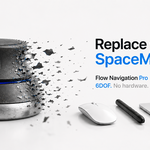
Two minutes on Lite, then Pro — that jump makes sense. Lite fixes what stock Blender navigation gets wrong. Pro is a different category — closer to what people describe when they first try a SpaceMouse, but without the hardware. Glad you felt the difference that fast.
Andrei Bendelic
5 months ago
Thank you so much for the kind words and support.
Your case with the Surface Laptop Studio and Slim Pen is very valuable, because it gives me a real opportunity to improve Flow Navigation support for touchscreen and stylus-based devices.
I’ll keep working on this and make the experience smoother in the upcoming updates. Thank you again for helping make the addon better.
Andrei Bendelic
5 months ago
Panagiotis, glad it landed that way. More is coming.
Andrei Bendelic
5 months ago
Marco, different is the right word. Select Pro gives you more ways to choose — Flow Selection removes the need to choose at all. One button, no tool switching, the addon reads where your cursor is and what you do with it. Beta is running now — more soon.
Andrei Bendelic
5 months ago
Bolo, you're describing something I've thought about — using the navigation layer as a camera recording system. It's not in the current roadmap, but it's the kind of idea that deserves a real discussion, not a buried comment. Drop it in #feature-requests on Discord. If it gets traction, it moves up the board.
Have questions about this product?
Login to message
| Blender Extension Compatible | Yes |
| Sales | 400+ |
| Rating | 33 ratings |
| Published | 6 months ago |
| Blender Version | 4.2 - 5.1 |
| Extension Type | Add-on |
| Render Engine Used | Eevee |
| License | GPL |
Blender Navigation ergonomics #3DCamera 3DNavigation camera control b3d Workflow Efficiency 3dview productivity tools viewport
 Sanny
Sanny
 Hélder
 Nerthazul
 kookynut
 RBG
RBG
 Marialidia
 panagiotis
 Marco Lo Bartolo
 Bolo
Bolo